
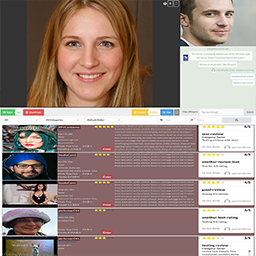
Paid Videochat Turnkey Site – HTML5 PPV Live Webcams
v8.1.4videowhisper · 2015年3月3日 上架
Build a WordPress site for live videochat, private readings or expert consultations with optional pay-per-minute calls.
- 正在使用
- 10+
- 评分
- 4.2 / 5
- 累计下载
- 9.9 万
- 最近更新
- 2026年11月25日
贡献者
 videowhisper
截图


Set up your videochat site
Launch a branded videochat site with your own domain, rooms and member accounts. Preview a site recipe and create an optional draft directory or landing page. Publish it after testing a room, checking permissions and configuring the channels you want to offer.
- Generic Videochat starts with a room directory visitors can search by category, name and live status.
- Psychic Readings lets advisors appear by specialty and offer private microphone or text readings. Talk Now and Chat Now show the configured rate before the client requests a session.
- Live Experts organizes experts by area of expertise. Set a published booking page per expert and choose whether to offer instant consultations. The booking provider handles scheduling and payment for appointments.
- Single-Creator Live Site features one public room on an editable landing page with its featured image, live status and weekly start times. Offline visitors can sign in and choose to follow.
The recipes use the existing WordPress roles, room settings and optional wallet integrations. Compatible streaming infrastructure is required for live media.
Open PaidVideochat Settings to start with Site Setup. The other settings are grouped by task. In Site & Listings Listings, copy a recipe shortcode, open its page for editing, or review the skins applied to classic room listings.
Preview Single-Creator Live Site with a fictional creator.
Free and Pro app migration
This release includes separate GPL Free app builds. Outgoing video targets 640 × 360 at up to 15 frames per second, with up to 750 kbps video and 32 kbps audio. CallChat supports video, microphone-only and text participation. Operators with eligible VideoWhisper access can install the optional Videochat Pro companion separately through VideoWhisper Updater. It supplies advanced capture controls and the classic Pro interfaces.
Current VideoWhisper clients can connect VideoWhisper Updater to their account and install Videochat Pro. If you relied on full mode, connect Updater and test the companion on a staging site before updating. Contact VideoWhisper Support for help connecting Updater or to review an active legacy purchase for equivalent full-mode access.
To continue using the previous app or to roll back, download version 7.5.29 and upload it in Plugins Add New Upload Plugin. Choose to replace the installed version when WordPress prompts you. This version retains the legacy license check. Back up the site and complete active calls first. If you plan to stay on that version, review automatic updates for this plugin. See VIDEOCHAT-SOURCES.txt for source, build and rollback details.
The update preserves existing settings and uses the Free app when the companion is unavailable.
Existing HTML5 private pay-per-minute video, audio and text modes remain available.
In Webcam App CallChat rooms, each participant can choose video with microphone, microphone only, or text only before joining. Text participation requests no camera or microphone and can still receive the other participant’s media.
For voice consultations, add the optional Voice consultations preset under Chat Modes. It keeps the public waiting area text-only and enables private microphone calls with chat. Paid calls use the HTML5 Videochat interface. Review Pay Per Minute settings for audio/text rates, grace time, status timing and settlement limitations.
Site Setup can add starter specialties for Psychic Readings. Approved advisors and experts can select the relevant room mode from Go Live and choose a room category. Review call channels and prices before publishing the directory.
Online advisors with positive rates for their enabled channels can offer Talk Now for private voice and Chat Now for private text. Clients review the channel’s rate and minimum balance before sending a request. Eligible voice readings can open in Webcam App after advisor acceptance on sites with a configured managed consultation bridge. Text readings and other paid readings use HTML5 Videochat.
For guest visitors, the plugin sets an essential HttpOnly browser-session cookie on frontend visits to protect HTML5 videochat sessions. It expires when the browser session ends; starting or resuming a guest videochat requires cookies.
Free Streaming Server Services
This type of solution requires specific live streaming server services. For quickly testing own setup, try these options:
Use the optional account setup screen to connect a compatible streaming provider. Review its current service terms and account policy.
* Install on own dedicated server or VPS the free open source WebRTC Signaling Server for basic P2P live streaming using STUN/TURN (as alternative to WowzaSE live streaming)
HTML5 Videochat
- responsive app, versatile, mobile friendly, 100% web based (no Flash, no downloads) room link
- live streaming & chat, public lobby for presales or paid group sessions
- video conference meeting with multiple webcams
- collaboration: file sharing, presentation
- private 2 way video calls, on request or setup with locked link
- pay per minute or free, in private calls and group videochat shows
- gifts/donations with multiple goals and revenue sharing when multiple checked in performers
- Lovense browser/extension integration: notify API on tips to activate toy, show listings with toy
- random room with Next button
- random match mode with custom matching criteria (2 way)
- on demand recording of live video streams, with option to stack in save recording (conferencing)
- broadcast with RTMP encoders like OBS with SnapCamera, mobile Larix Broadcaster (HTML5 HLS playback)
- screen sharing, including mixing audio with microphone
- audio/video/screen recording messages, emoticons, replies in chat
- push performer stream to 3rd party RTMP platforms
- multi language text chat: integrates DeepL API for live translations on request
- multi-view with RTSP IP camera re-streaming support (can switch live between webcam and streams)
- scale 1 to many using Wowza SE as relay and/or use P2P WebRTC + STUN/TURN (new)
- generates & uploads camera snapshots (and no longer relies on FFmpeg as external streams)
Webcam App Integration (Simple Broadcast)
PPV Live Webcams includes a simple WebRTC broadcast interface powered by the VideoWhisper Webcam Streaming App for performers that need a streamlined live workflow.
- Webcam App repository: Webcam-Streaming-WebRTC on GitHub
- Webcam App demo: Live demo
- Performers can use group modes configured with
interface=webcamapp(Simple Broadcast)
Turnkey Site
- Custom (editable) frontend registration types: Performer/Teacher/Broadcaster/Tutor/Consultant/Model, Client/Student/Viewer/Fan, Studio/Company/Brand/Clinic/School
- Custom videochat rooms (Webcam/Room/Conference/Meeting/Venue/Shop) and editable list of Chat Modes (Free Chat, Paid Group Show, Video Conference, Calls Only, Broadcast)
- HTML5 Videochat App interface: Live Video Streaming, Request Private Call, 2 Way Video Calls, Tips/Gifts, Video Conference Split Screen, Instant File Sharing, Presentation
- AJAX webcams list with custom template and CSS
- Public and private Pay Per Minute videochat shows
- PPV settings (cost per minute, grace time)
- Gifts/Tips/Donations (customizable amount, label, sound) in HTML and Advance interface and customizable gift goals
- Paid Questions/Messages, performer gets paid on reply
- Integrates WP SMS & WP Twilio Core for notifications or questions/messages
- MicroPayments/FansPaysite wallet integration: sell creator subscriptions, digital content, membership with tokens & token packages with WooCommerce gateways
- TeraWallet tokens wallet integration
- myCRED Wallet credits wallet integration
- Lobby access permissions (access lists or pay per room)
- HTML5 Live Streaming interface for broadcast and playback on mobiles from Flash PC app broadcasts
- HLS & MPEG-Dash transcoding for performer stream (watch live video stream from iOS/Android mobile)
- Customizable for a multitude of user interaction and billing scenarios
- RTMP Admin tool to monitor live sessions and spy on cams on RTMP server
- 100% php plugin source code
- Abides to WP coding and security standards
- Archive streams and import with Video Share VOD plugin
- Performers can import and upload videos to show on their page
- Video teaser shows on profile page and preview in listings (on hover)
- Performers can upload pictures to show in a gallery on their page (with Picture Gallery)
- Sell Pictures/Videos (with MicroPayments – Paid Membership, Content)
- Reviews with Star Ratings integration
- Performers can restrict access from specific countries to their listings and webcam page
- Performers can set an access price or password for room page
- Fake Live Performers: Schedule videos to play in loop as if performer was live
- Custom listing fields/questions (unlimited fields can be configured from backend)
- Paid Group Modes: define group chat modes from backend
- Multi Performer Checkin: Multiple performers can be checked in same webcam channel for sharing paid group session profits
- GeoBlocking: globally (by admin) or per webcam (by performer), block countries/regions/cities with GeoIP
- Performer/Studio Approval: Administrative records with custom fields for review
- Multi-Person account support (partners, couples, groups): collect personal records for each person
- Moderators that can access group chats in secret without generating charges
- Daily free time limit for free chat, visitors
- Auto import webcam snapshots in picture galleries
- Archive and import broadcasts from group mode sessions
- Collaboration mode support: video conferencing, file sharing, present videos/images/documents
- Random videochat (Next button to quickly move to a different performer room without reloading page/interface)
- BuddyPress Groups integration: Each group has own room and administrators become performers (room moderators)
- BuddyPress Activity integration: create rooms, go live in room
- BuddyPress Profile integration for performers: list live rooms (updated with AJAX), [paid] video questions
- WooCommerce Products integration: Select products to show on room profile
- Google reCAPTCHA v3 integration for frontend registration, login
- Custom menus for performer, client, studio or regular members
- SightEngine integration for live streaming moderation based on stream snapshots (detect nudity, weapons, drugs, violence, etc)
VideoWhisper Site Manager Agent Integration
When VideoWhisper Site Manager is active, PPV Live Webcams registers structured agent instructions and role-limited tools for ChatGPT Actions, Claude MCP, Codex MCP, and Turnkey remote workflows.
- Administrators with Site Manager Pro can list/read/update the whitelisted
VWliveWebcamsOptionsoption and callppv_live_webcams_settings_updatedso the plugin can refresh derived settings such as room rewrite rules and parsed profile/record/group-mode configuration. - Administrators can retrieve PaidVideochat platform status, counters, main plugin pages, role labels, custom post type slug, profile fields, administrative record fields, and current group chat modes.
- Moderators can use free Site Manager access to list pending performers/providers, review administrative records, approve users, reject users with a message, and set suspended status.
- Performer roles can list/get/update their own webcam rooms through controlled room setup and profile meta fields.
- Example use case: an administrator can ask an agent to reconfigure a site for fitness trainers and clients. The agent can update role labels, room/class terminology, profile fields such as fitness objectives and training style, trainer administrative record fields, and then notify
settings_updatedfor follow-up adjustments.
Hosting Requirements
- This plugin has requirements beyond regular WordPress hosting specifications: specific live streaming servers, certificates, licensing, tools and configuration for HTML5 live camera streaming.
Use the optional account setup screen to connect a compatible streaming provider. Review its current service terms and account policy. - A new WebRTC Signaling Server is available for basic live streaming functionality using TURN servers. It’s in early development stage and not recommended for production use.
- Some advanced features require executing server commands for accessing tools like FFmpeg. This involves special configuration and security precautions on web server. By default executing commands (and these features) are disabled.
Home Page
For online site demos, detailed software requirements, installation and setup instructions see plugin homepage:
PaidVideoChat HomePage
WordPress PPV Live Webcams Plugin HomePage
Consulting Services
Get complete consulting services to run your live streaming site:
Consult VideoWhisper
How it Works
Performers join to earn money. They turn on their webcams and hang out in public (presale) rooms waiting for members to chat. Performers are listed on a page (live performers show first) and site visitors can join them.
Paying clients can invite performers to do private video chat shows and pay per minute. They first need to register as clients and add some money to their virtual wallet on site to be able to request private shows.
Payments go from clients to site owner’s account depending on billing gateway (multiple supported). Site owner can see earnings for each performer and send payments as necessary.
Billing
Clients can prepay credits that can be used for ppv chat. Billing is supported with TeraWallet (WooCommerce Wallet) and/or myCRED plugin that includes PayPal Standard, Skrill (Moneybookers), NETbilling, Zombaio, BitPay (bitcoin). Other payment modules are available for extra: 2checkout, ComproPago, CoinBase, CoinPayments, PayFast, Payza, Robokassa, Stripe, WePay.
WooWallet supports free and premium payment gateways: PayPal (Standard, Checkout), Stripe (CC, Apple Pay, Google Pay, SEPA, Bancontact, Sofort, Giropay, EPS, iDeal, Przelewy24, Alipay, Multibanco), Square (CC U.S, Canada, Australia, Japan and the UK), Amazon Pay, PayFast, Venmo, eWay (SG, MY, HK, AU, NZ), Klarna (now, later, slice), Authorize.Net, SagePay (UK), WorldPay, 2 Checkout.
Payouts can be made manually by site owner, with the Payout Tool that generates mass CSV payout lists (for processors like Paypal, Skrill) or with 3rd party plugins/addons.
External Services
This plugin can optionally connect to VideoWhisper Remote Connect when an administrator clicks Connect in the VideoWhisper account settings. The default service URL is https://consult.videowhisper.com.
Remote Connect is a free registration-based onboarding service for testing and low-friction setup. It can register or log in a VideoWhisper contact, create/select a free streaming server account, import WebRTC/RTMP/HLS configuration, and push this site’s stream, notify, and Webcam App login URLs so the plugin can be tested without manual server configuration.
Data sent to the service can include the plugin identifier, WordPress site URL/domain, administrator-entered contact name/email, registration form answers, confirmation PINs, selected account token, and generated stream/notification/login URLs needed for automated configuration.
Using Remote Connect is optional. Administrators can instead enter compatible streaming server settings manually or configure a separate compatible CRM/streaming service URL.
Terms of Use: https://consult.videowhisper.com/terms-of-use/
Privacy Policy: https://consult.videowhisper.com/privacy-policy/
Demos
Explore the WordPress recipes:
* Generic Videochat Demo – browse live room listings and filters.
* Psychic Readings Demo – explore the advisor directory and sample rates.
* Live Experts Demo – explore the expert directory and preview an appointment or instant consultation.
* Single-Creator Live Site Demo – preview one creator’s schedule and offline follow.
The fictional consultation profiles demonstrate the choices on each page. Their sample actions are previews.
More demos:
* Paid Videochat Demo
* FansPaySite Demo
Simplified demonstrative setups for testing videochat app without registration:
* Video Call PHP / HTML5 Videochat on Wowza SE
* Video Call PHP / HTML5 Videochat on VideoWhisper WebRTC
* Live Streaming PHP / HTML5 Videochat on Wowza SE
* Live Streaming PHP / HTML5 Videochat on VideoWhisper WebRTC
* Webcam App (Simple Broadcast) Demo
* Cam/Mic Recorder HTML5 – Standalone
* Random Videochat