
Ponticlaro Media Settings
v1.4ponticlaro · 2009年10月19日 上架
Keep your media insert code consistent site-wide.
- 正在使用
- 10+
- 评分
- 暂无
- 累计下载
- 3,858
- 最近更新
- 2010年9月10日
贡献者
 ponticlaro
 joetan
截图
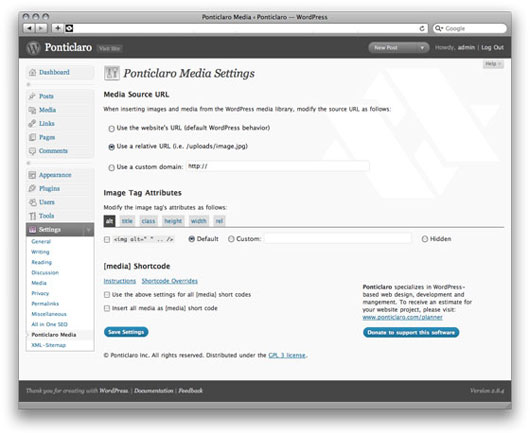
Keep your media insert code consistent site-wide.
- Customize image and media HTML code site-wide
- Use the [media] shortcode to display images from the gallery at particular sizes
- Remove overbearing WordPress auto-code like class=””
- Force WordPress to insert relative URLs to make testing on a dev server easier
Shortcode Documentation
Use the [media] shortcode to easily display images from the gallery. Here are some example uses:
Display 3 images from the gallery. The order is determined in the WordPress media gallery:
[media] [media] [media]
Display an image with id 123:
[media id=”123″]
Display a thumbnail, medium, or large sized image:
[media size=”small”]
[media size=”medium”]
[media size=”large”]
Display a clickable image. The click through URL will default to the WordPress “view page” for that image.
[media link=true]
Display a clickable image, linking to an arbitrary URL:
[media link=true url=”http://www.your-custom.url”]
Examples for setting custom class, title, width, or height attributes. These can be used to customzie the attributes on the generated HTML image tag
[media class=”custom-class” title=”title text” width=”100″ height=”100″]