
PolyTranslate AI for Polylang
v6.0.1Almhdy · 2025年7月9日 上架
AI automatic translation for Polylang. Translate posts, pages, WooCommerce, ACF, SEO meta & custom fields using OpenAI, DeepL, Google or OpenRouter.
- 正在使用
- 300+
- 评分
- 4.3 / 5
- 累计下载
- 1.2 万
- 最近更新
- 2026年11月24日
 Almhdy
 Freemius
截图
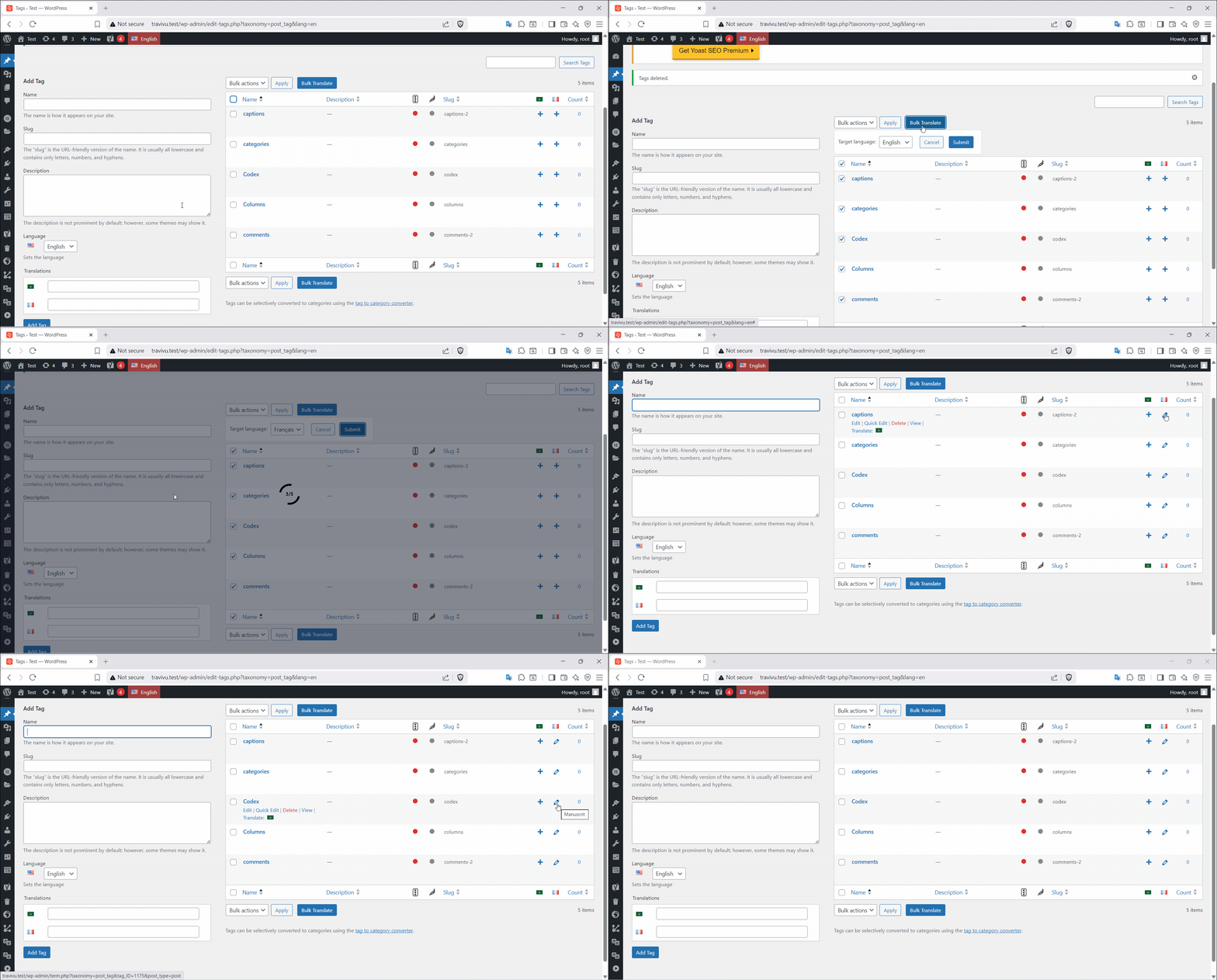
With one click, you can automatically translate:
- Posts and Pages
- Custom Post Types
- WooCommerce Products, Categories, Tags, Attributes & Brands
- Categories and Tags
- Custom Taxonomies
- AI Custom Fields Translation (ACF, Meta Box, etc.) – Pro
- SEO meta data (Yoast, Rank Math, SEOPress, AIOSEO) – Pro
- Elementor pages – Pro
- Gutenberg block content
- Polylang Strings (bulk AI translation) – Pro
This plugin enhances Polylang by adding professional AI translation capabilities directly inside the WordPress admin.
This is NOT a standalone translation plugin – it works exclusively with Polylang to add automatic translation capabilities.
How It Works
- Install and configure Polylang.
- Install PolyTranslate AI.
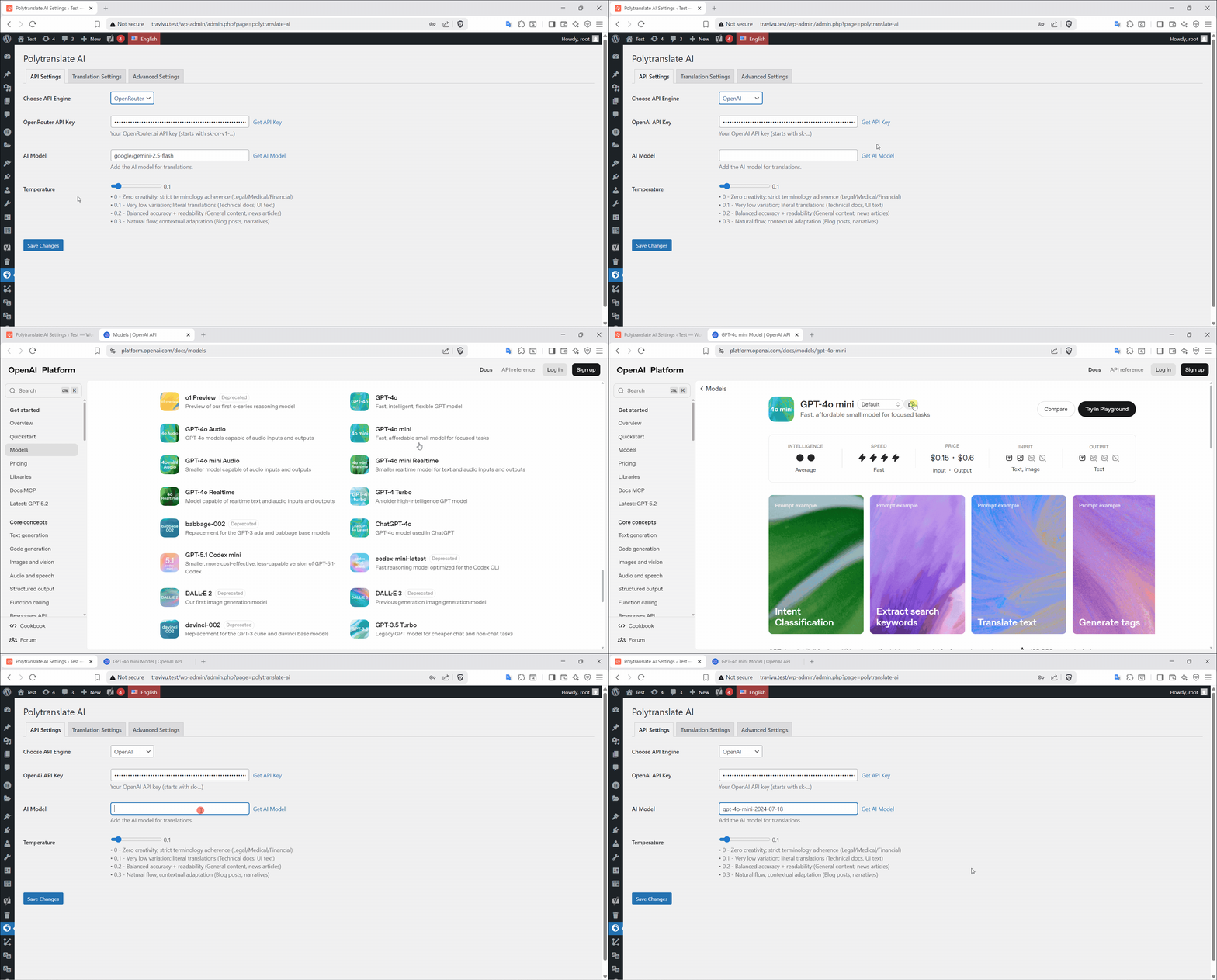
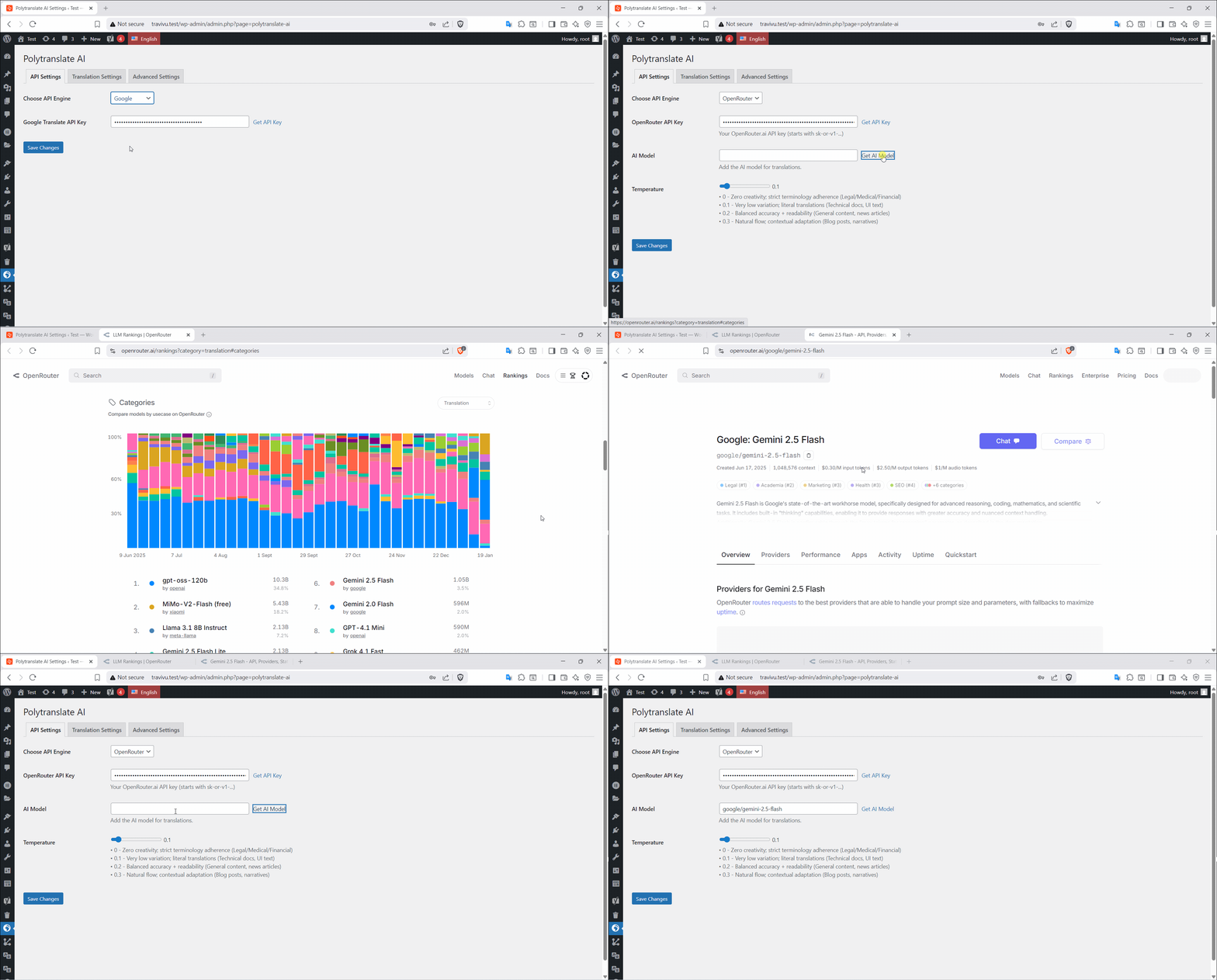
- Add your preferred AI provider API key in PolyTranslate AI Settings.
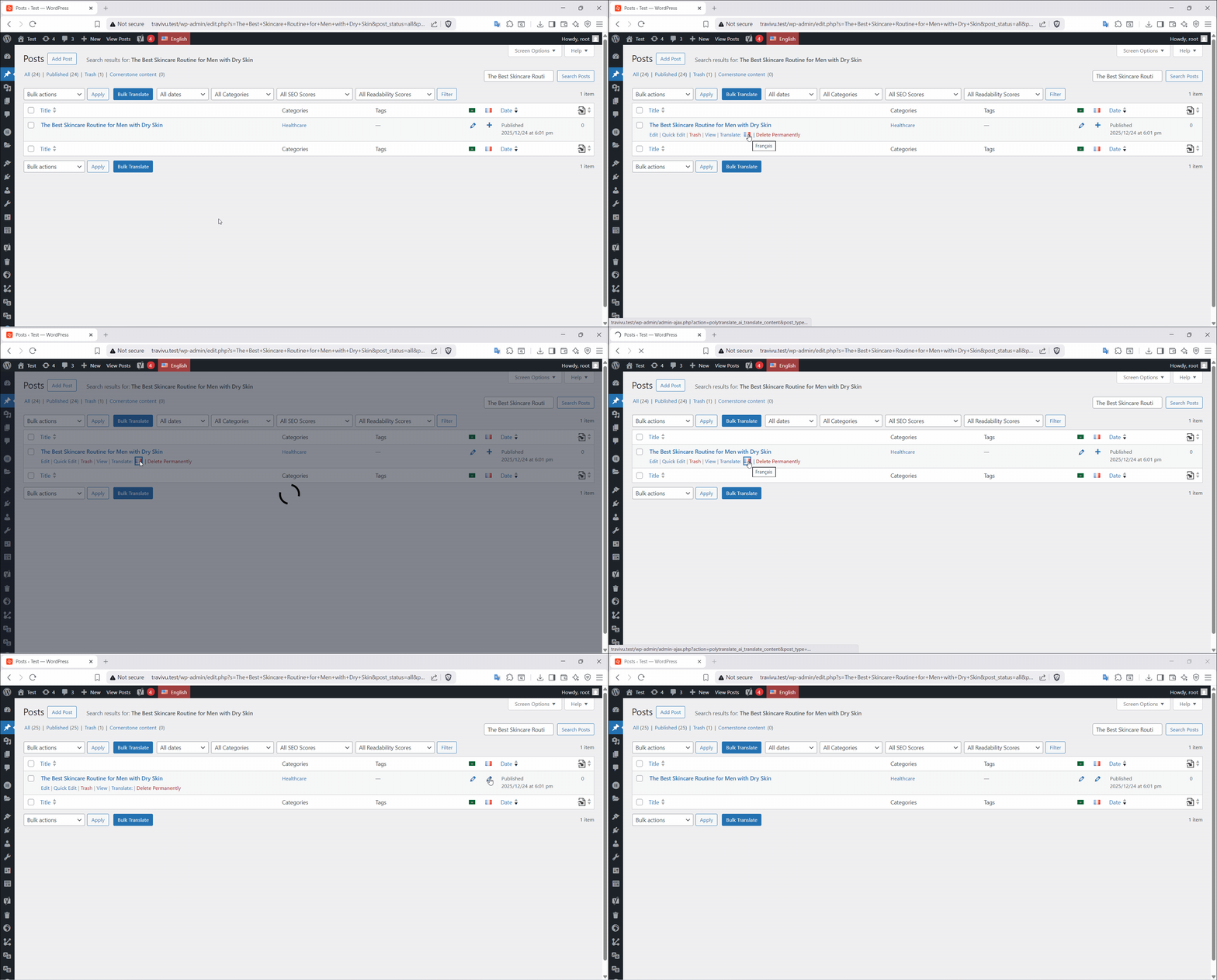
- Open the list of the content you want to translate (Pages, Posts, Products, or a taxonomy).
-
On the row of the original item, find the column of the language you want to translate into and click the PolyTranslate AI flag icon (the small language flag next to Polylang’s “+” icon).
The flag only appears when that translation does not exist yet. There is no Translate button inside the editor.
-
PolyTranslate AI translates the title, content and excerpt, creates the translation, links it to the original, and saves it with the status chosen in Settings Translation Settings.
Your translated content is saved as a normal Polylang translation.
Key Features
- Per-field Polylang Custom Fields Sync – Choose which custom fields Polylang syncs.
- Multiple AI Services – OpenAI, DeepL, Google Translate, OpenRouter
- Smart Language Detection – Automatically detects source language
- Update Internal Links in Translations – Automatically update post links to point to translated versions.
- Menu Sync – Translated menus follow your default language menu automatically (items, order, links and settings).
- Preserve Original Publish Date – Keep the original post date on translations
- Preserve Original Author – Keep the original post author on translations
- AI Custom Fields Translation (Pro) – All field types including repeaters
- Meta Box Fields (Pro) – Complete Meta Box plugin support
- Any Custom Fields (Pro) – Universal custom field translation
- Elementor Page Translation (Pro) – Full page builder support
- AI Bulk Translation (Pro) – Translate hundreds of posts at once
- Bulk AI Translation of Polylang Strings (Pro) – Translate all registered strings in bulk
- AI SEO Meta Translation (Pro) – (Yoast, Rank Math, SEOPress, All in One SEO Pack)
FREE vs Premium
The Free version includes:
✅ Posts & Pages Translation
✅ Custom Post Types Translation
✅ WooCommerce Products Translation
✅ WooCommerce Categories, Tags, Attributes & Brands
✅ Categories, Tags & Custom Taxonomies Translation
✅ Gutenberg Block Content Translation
✅ Update Internal Links in Translations
✅ Per-field Polylang Custom Fields Sync
✅ Menu Sync
✅ Preserve Original Publish Date
✅ Preserve Original Author
✅ Register Polylang Strings
✅ Unlimited Translations
✅ Multiple AI Services (OpenAI, DeepL, Google, OpenRouter)
✅ Language Auto-Detection
The Premium version includes:
✨ Everything in Free, plus:
✨ AI Bulk Translation
✨ Bulk AI Translation of Polylang Strings
✨ AI Custom Fields Translation (ACF, Meta Box, etc.)
✨ AI SEO Meta Translation
✨ Elementor Page Translation
✨ Priority Support
✨ Automatic Retranslation Detection
Translate ACF & Custom Meta Fields in WordPress
External Services
PolyTranslate AI connects to third-party translation APIs when you trigger translations. You control your data and costs by providing your own API keys:
-
OpenAI
-
DeepL API (Free and Pro)
-
Google Translate API
-
OpenRouter.ai
This is a third-party addon for Polylang – not affiliated with or endorsed by Polylang.