

Plugixa Testimonial – Customer Reviews, Star Ratings & Social Proof
v1.2.0Plugixa · 2026年10月26日 上架
Manage and showcase customer testimonials with star ratings, photos, an approval workflow, grid and list layouts and review schema.
- 正在使用
- 10 以下
- 评分
- 暂无
- 累计下载
- 452
- 最近更新
- 2026年11月17日
 Plugixa
 Freemius
截图



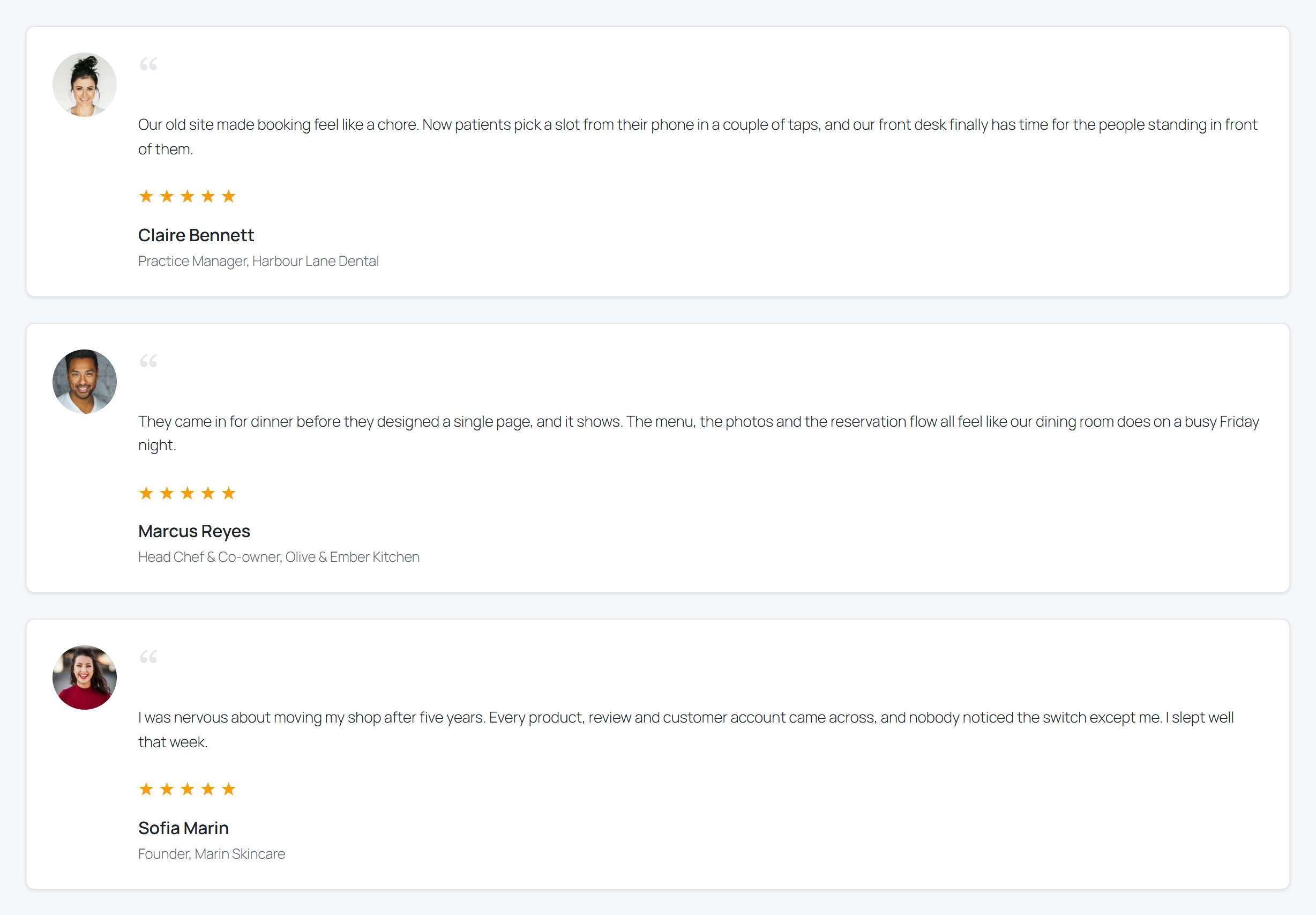

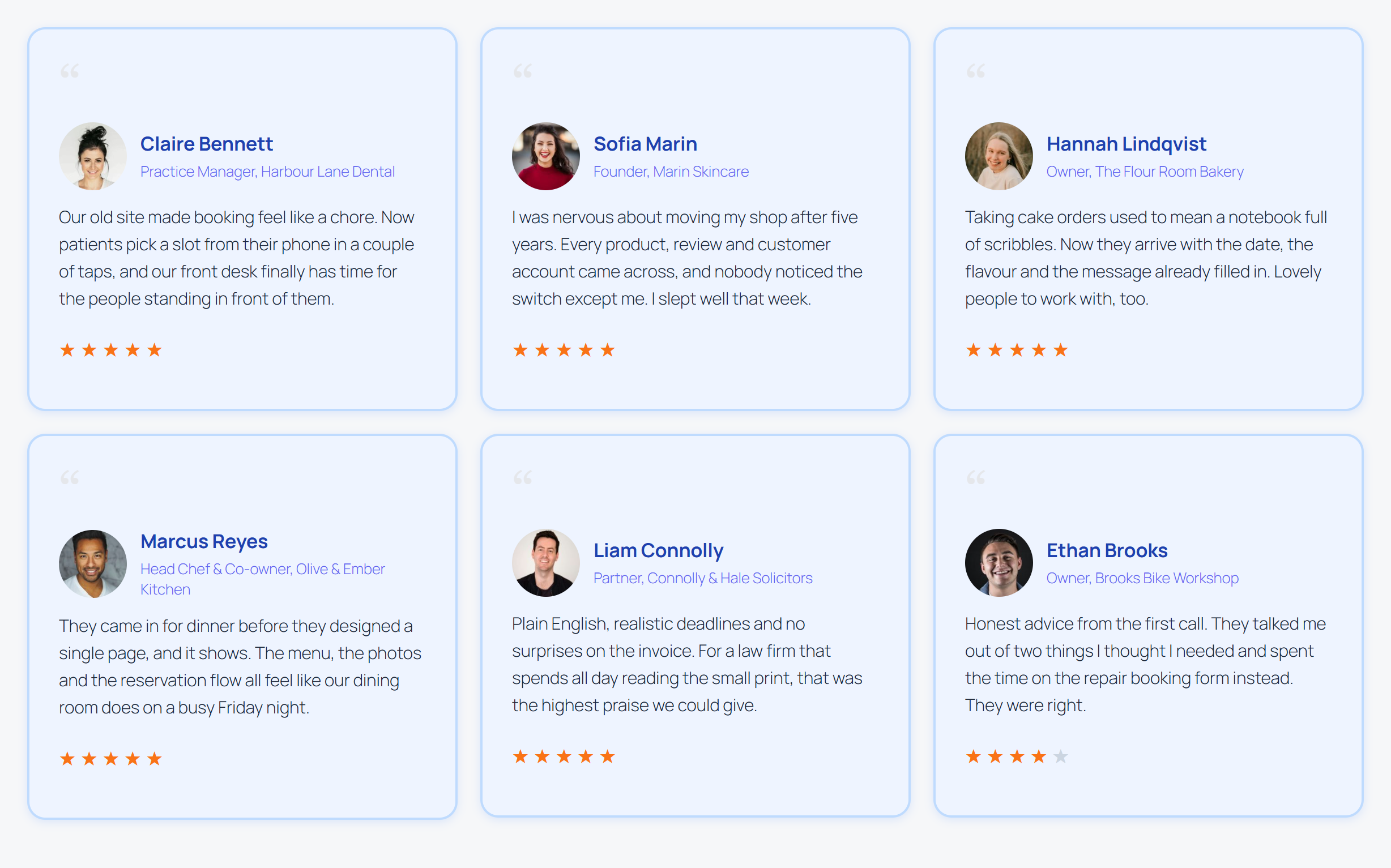
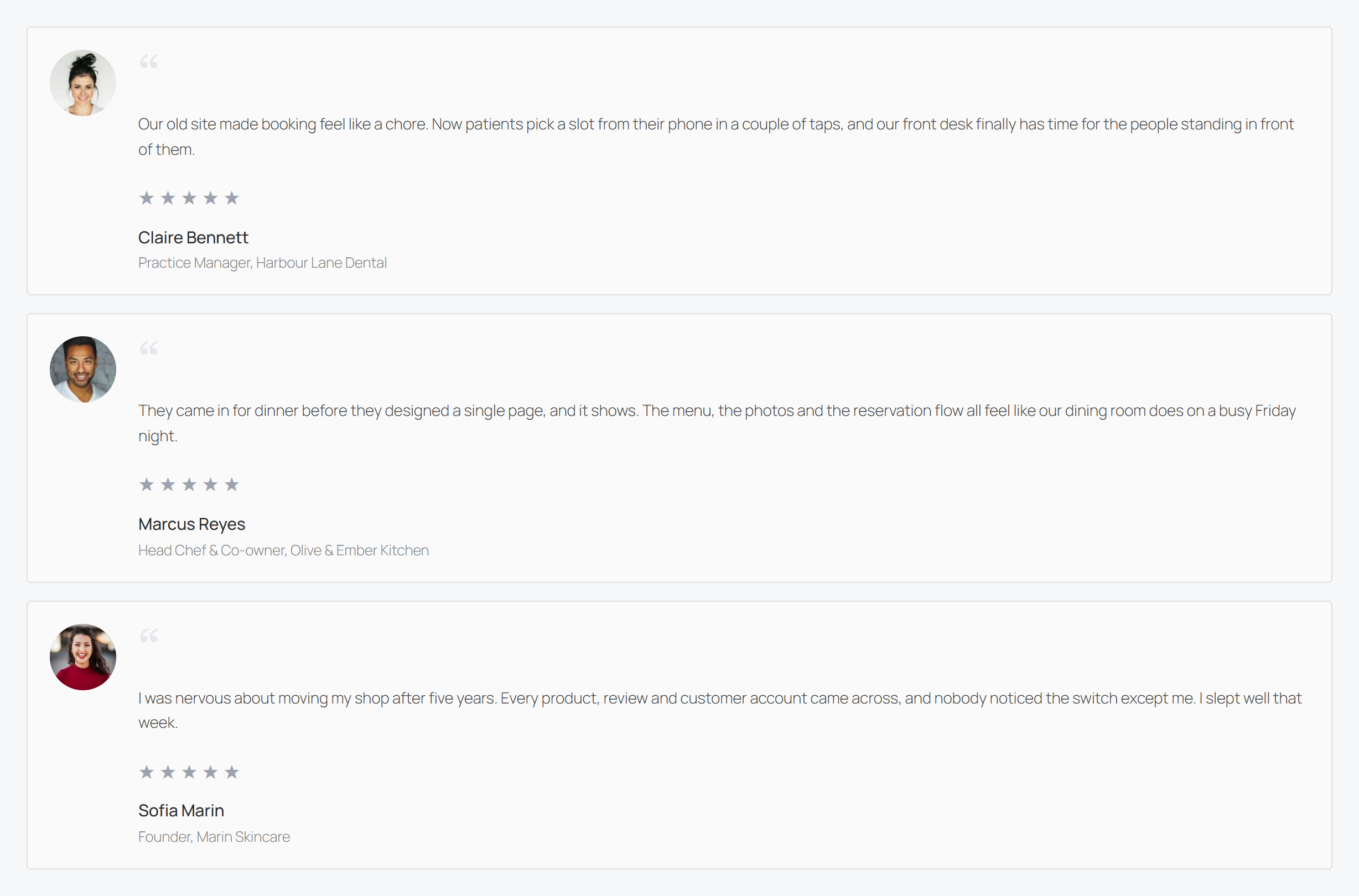

⭐ Approve and showcase what your customers say with Plugixa Testimonial – star ratings, photos and an approval workflow, in a fast React admin, displayed in grid or list layouts.
📚 Read the Documentation
🌐 Visit the official website Plugixa
✉️ Questions or support requests: Contact us
Documentation | Contact | Support Forum | Upgrade to Pro!
Show your first testimonials in 3 simple steps:
- Add your testimonials
- Approve the ones you want to publish
- Build a display with the live preview and place it with a shortcode
Testimonials live in the plugin’s own database tables, not in posts and post meta, so lists, filters and displays stay fast as your collection grows.
Testimonials You Have Actually Approved
Nothing appears on your site until you say so. Every testimonial moves through a clear workflow, and visitors only ever see the approved ones.
✅ Pending – waiting for your decision
✅ Approved – published, and the only status any display can show
✅ Rejected – kept for your records, never shown
✅ Draft – testimonials you are still writing up
Key Features of Plugixa Testimonial
- Fast, Material UI-based admin application
- Unlimited testimonials, categories and saved displays (views) – no cap
- Star ratings, client photos, role, company and website
- Approval workflow: pending, approved, rejected and draft
- Categories to organize and filter testimonials
- Grid and list layouts
- Display builder with a live preview, colours, typography and spacing
- Category and rating filters, and pagination
- Shortcodes for placing testimonials anywhere
- Social-proof notification popups
- Review schema (JSON-LD) for SEO
- Multilingual support via Polylang and WPML
- Works with your WordPress roles: authors can approve, editors can delete, settings stay with administrators
- Fonts are served from your own site, never from Google’s servers
Plugixa Testimonial Pro Features
- Slider and masonry layouts
- Video testimonials, custom fields, and CSV and JSON import and export
- Frontend submission form with reCAPTCHA, testimonial request emails and email notifications
- Elementor widget, block editor block and a WooCommerce product tab
- Review import from Google, Facebook and WooCommerce, with an optional daily sync
- PDF export, demo data and priority support
Upgrade to Plugixa Testimonial Pro
🎨 One Display Builder
Choose grid or list, then adjust colours, typography, photo position, ratings, category and rating filters and pagination with a live preview beside you. Each display is saved, so the same look can be placed on any number of pages, and changing it once updates it everywhere.
🔎 Review Schema for Search Engines
Displays can print Review and AggregateRating structured data (JSON-LD) built from your approved testimonials, so search engines can understand your ratings.
🌍 Multilingual From the Start
With Polylang or WPML active, each testimonial, category and display can be translated, and translations of the same testimonial are grouped together. Visitors see the version in their language.
👨💻 Author
Plugixa Testimonial is developed by Plugixa, building focused, well-documented WordPress plugins with an emphasis on performance, clean code and correct data.
🛟 Documentation & Support
Plugixa Testimonial is built to be usable without a manual, but it is documented in full.
👉 Read the Documentation – getting started, displays and the shortcodes
👉 Ask on the WordPress.org support forum
👉 Or contact us directly
👉 Browse more plugins at plugixa.com
Shortcode Usage
Create a display under Testimonials > Shortcodes. The screen shows the exact tag for each display, ready to copy.
Show a saved display:
[plugixa_testimonial id=”1″]
Or skip the saved display and pass attributes directly:
[plugixa_testimonial view=”grid” limit=”6″ min_rating=”4″ orderby=”rating” order=”DESC”]
External services
This plugin can connect to the third-party services listed below. Apart from the Freemius opt-in, every connection is optional: each must be enabled by the site administrator — supplying their own API key where one is needed — and is only made in the situations described. No data is sent to any of these services unless you turn the relevant feature on.
Freemius
We use Freemius to handle licensing, software updates, and – only if you opt in – anonymous usage diagnostics. On activation you are shown an opt-in screen; if you skip it, no identifiable data is sent. When you opt in, or when you manage a license or purchase, data such as your site URL, WordPress and PHP versions, active theme/plugins, and the email address used at opt-in may be transmitted. This occurs on activation, plugin updates, and license actions.
Provided by Freemius, Inc. – Terms: https://freemius.com/terms/ – Privacy: https://freemius.com/privacy/
Google Fonts
If an administrator selects a Google font for a display’s typography, the plugin downloads that font’s stylesheet and font files from the hosts fonts.googleapis.com and fonts.gstatic.com to your server and then serves them locally. Neither the frontend nor the admin ever loads fonts from Google’s servers — no visitor or administrator data is sent to Google when a page or the admin preview is viewed. When you browse and select fonts in the admin, the font list is fetched from the Google Fonts Web API (host www.googleapis.com, path /webfonts/v1/webfonts) using your Google Fonts API key. The request carries only that key and the sort order; no visitor data.
Terms of service: https://policies.google.com/terms
Privacy policy: https://policies.google.com/privacy