

PluginCity First Order Discount for WooCommerce
v1.1.1PluginCity · 2026年10月30日 上架
Give a customer a discount on their first order only, with no code to share. It is checked against your real order history, and again when they pay.
- 正在使用
- 10 以下
- 评分
- 暂无
- 累计下载
- 378
- 最近更新
- 2026年11月9日
贡献者
 PluginCity
截图
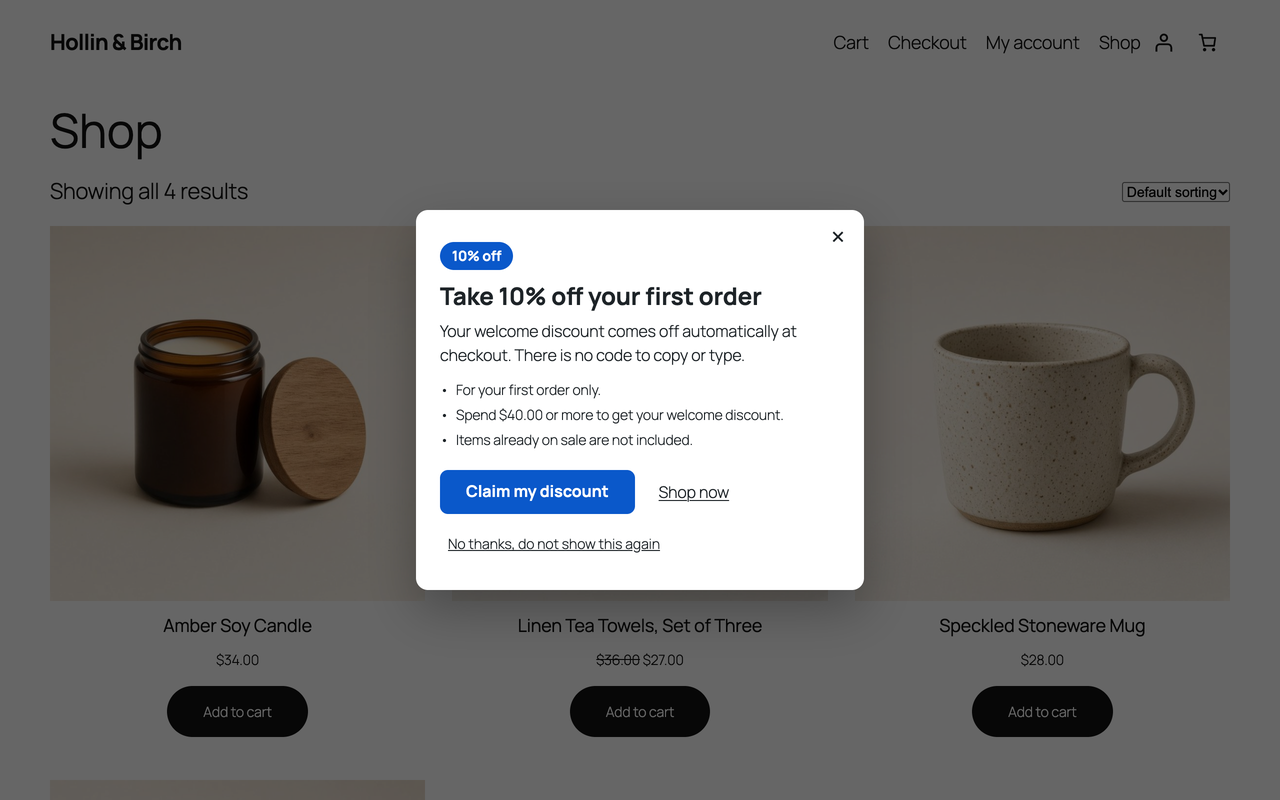


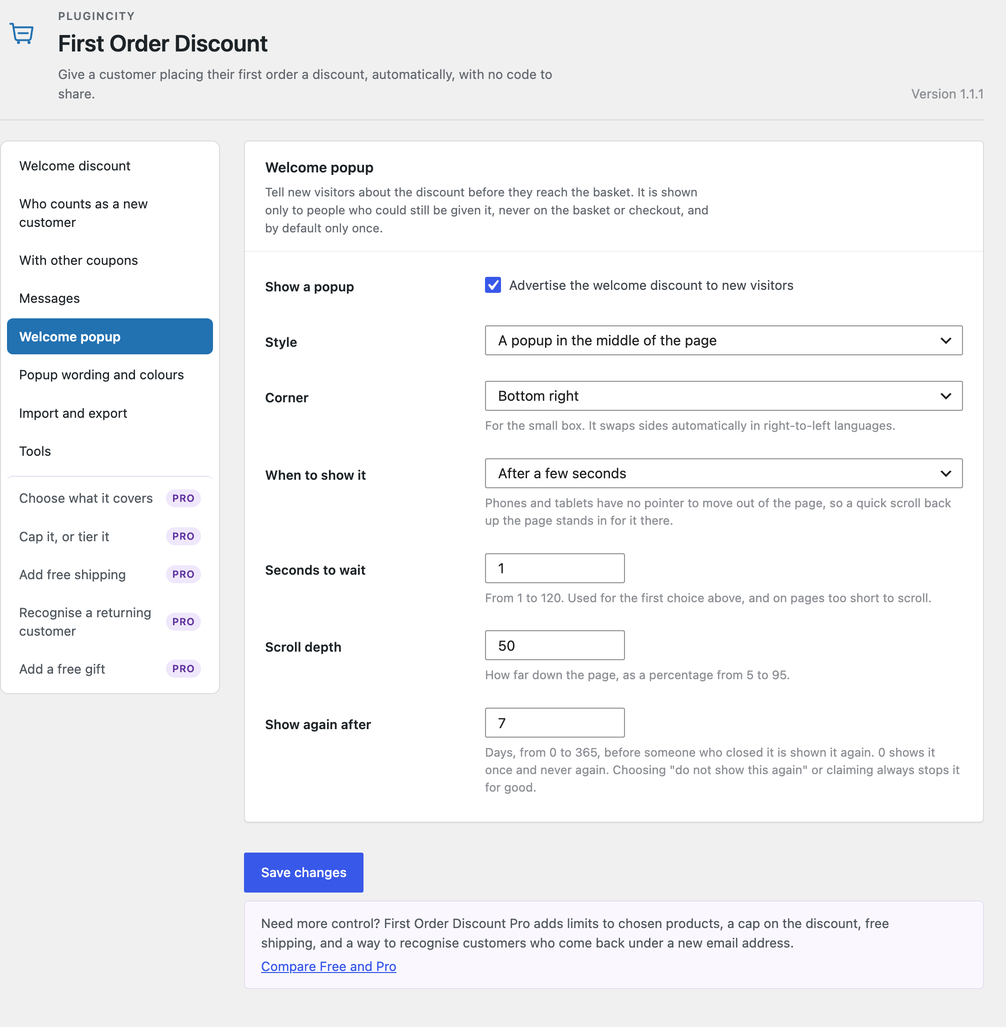

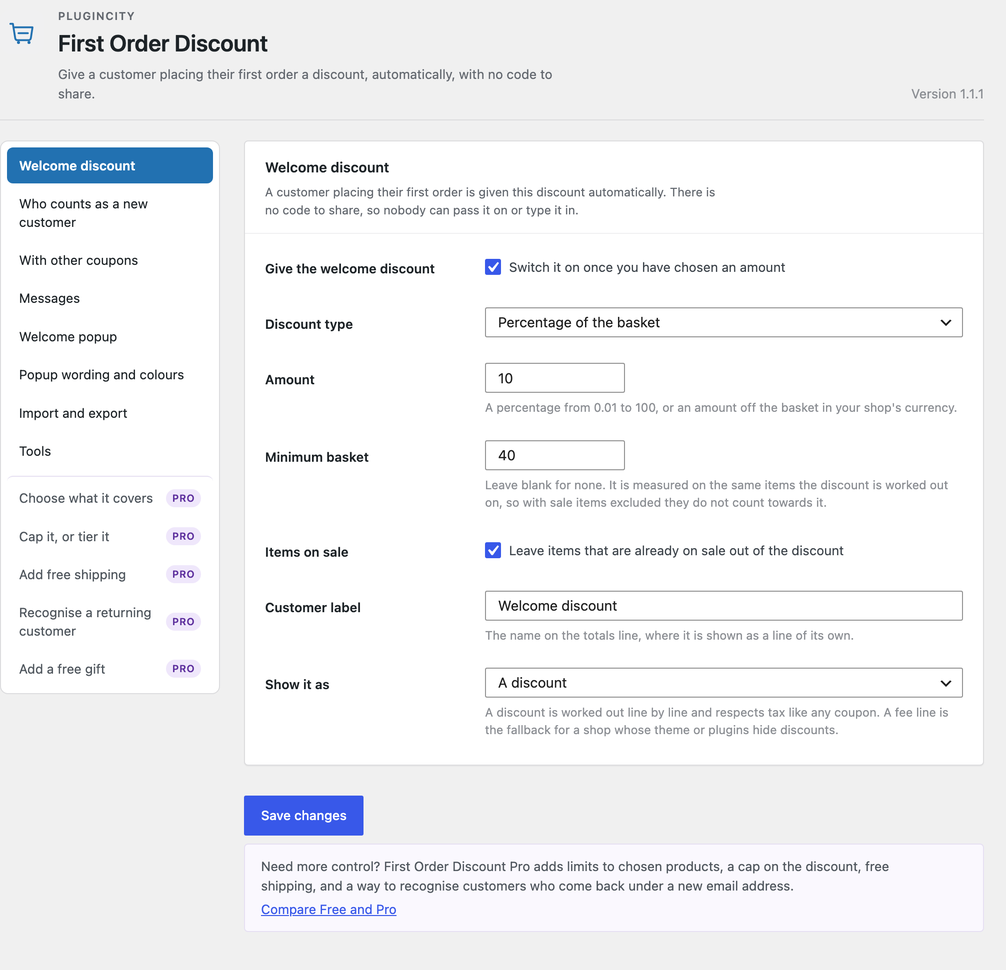

A welcome discount only works if a customer can have it once. A shared code gets passed round, and a code that is checked only in the basket can be dodged by changing the email address at checkout.
Watch the setup tutorial on YouTube:
This plugin has no code to share. A customer on their first order is given the discount automatically, and it is taken away again if the order turns out not to be their first. Typing a code in does nothing: the discount cannot be asked for, only earned.
How a new customer is recognised
- By their account if they are logged in, and by their email address if they are not
- Capital letters and plus-tags are ignored on every address, and dots are ignored on Gmail and Googlemail addresses only, so
jo+shop@gmail.comandJ.O@googlemail.comare the same person - Paid, on-hold, completed and refunded orders count as earlier orders, and still count if they are cancelled later. An order that was only ever unpaid, failed or cancelled does not
- The check is made in the basket and again at the moment the order is placed, so changing the email address at checkout, or paying in two tabs at once, does not get round it
- Orders placed before you installed the plugin are read in the background, and until that has finished your orders are searched directly, so an existing customer is never mistaken for a new one
What you get
- A percentage or a fixed amount off, with an optional minimum basket
- A choice to leave items already on sale out
- A welcome popup that tells new visitors about the offer, as a pop-up or a slide-in, in your own wording and colours
- The popup appears after a few seconds, when a visitor scrolls down the page or moves to leave, once per browser and again after the number of days you set, and only to someone who could still be given the discount
- The popup is checked as it is shown, so it works behind a page cache and never promises more than the checkout gives
- A read-only
fodwc_offer_summaryfilter that returns the current offer, for other plugins to read - A name for the discount that you choose, shown in the basket and at checkout
- What happens when the customer also has a coupon: use whichever is worth more, allow both, or use the welcome discount only
- The discount shown as a coupon-style discount, or as a fee line taking money off if your theme hides discounts
- Plain-words messages you can edit, shown in the basket and at checkout, and a shortcode,
[fodwc_message], to put the same message anywhere - Works in both the block cart and checkout and the classic ones
- A Tools screen to check any customer, rebuild the order record, or mark someone as new again
- A First order box on each order showing what was decided
- Settings import and export
- High-Performance Order Storage compatibility
- Personal data export and erase support
The free version is permanent. It has no account, no key, and never contacts PluginCity.
Want to go further? Pro can limit the discount to certain products or categories, cap what one order can take off, offer more on bigger baskets, add free shipping or a free gift, recognise a returning customer by billing address or phone number, turn away disposable email addresses, and restrict the offer by role or date. For the popup it adds more styles, rules for pages, baskets and where a visitor came from, a second headline to test, and counts of how it does.
Pro is a separate paid version sold and distributed by PluginCity. It is not included in this plugin and is not downloaded or installed by it, and nothing described above depends on it. Your settings carry over if you buy it.
Configuration
- Choose a percentage or a fixed amount, and enter it.
- Set a minimum basket if you want one, and decide whether sale items are left out.
- Decide what happens when a customer also has a coupon.
- Tick Give the welcome discount and save.