

Plugin Notes Plus
v1.2.11jamiebergen · 2018年2月13日 上架
Adds a column to the Plugins page where you can add, edit, or delete notes about a plugin.
- 正在使用
- 9,000+
- 评分
- 5.0 / 5
- 累计下载
- 8.5 万
- 最近更新
- 2026年11月2日
62 条评价需要 WordPress 6.2+已测试到 7.1.5PHP 5.6+
贡献者
 jamiebergen
截图
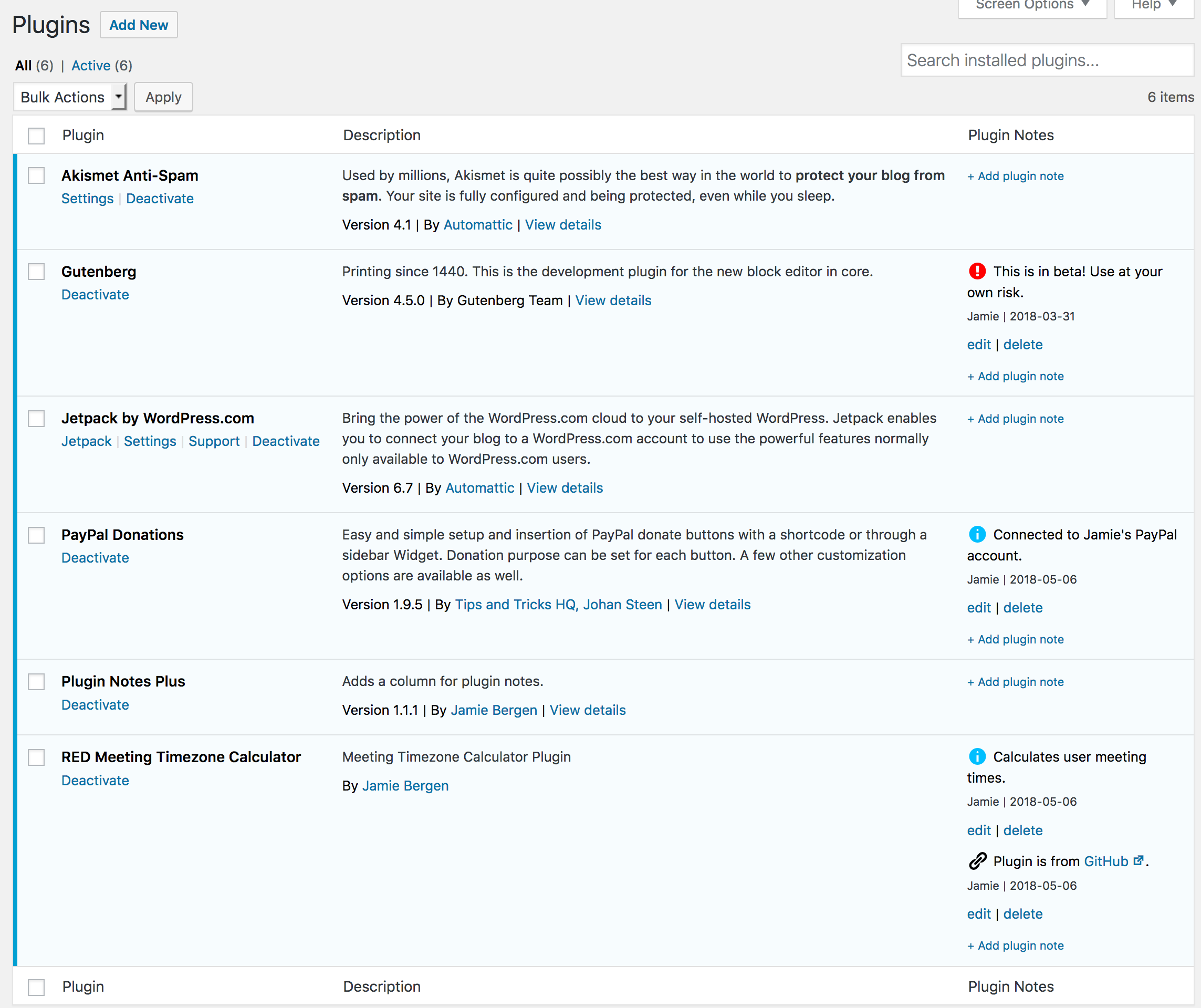
Have you ever returned to a site that you built a while back and asked, “Why did I install this plugin?” This plugin provides an extra column on the Plugins page that enables you to add, edit, or delete notes about the plugins you have installed on a particular site. These notes are intended to provide documentation regarding why a particular plugin was installed and how or where it’s being used.
Features
- Add as many or as few notes as you need for each plugin.
- Edit or delete notes as desired.
- Select an icon to go with each note to quickly convey what type of content it contains (e.g., info, warning, link, etc.)
- Format notes using basic HTML tags if desired.
- Any links included in the note will be automatically converted to
target="_blank" - Notes are added and updated via Ajax, avoiding slow page reloads.
- Notes also display on the WordPress Updates page for any plugins that need to be updated.
- A filter is provided if you would like to display notes beneath the plugin description instead of in a separate column.
- A filter is available to selectively hide or display plugin notes in the admin.