

Plugin Memory Usage
v1.3.7NETT.PRO · 2024年11月3日 上架
Measures changes in WordPress memory usage. This tool helps you to reveal plugins that are poorly programmed and do not release memory properly.
- 正在使用
- 600+
- 评分
- 5.0 / 5
- 累计下载
- 1.1 万
- 最近更新
- 2026年11月16日
贡献者
 NETT.PRO
截图
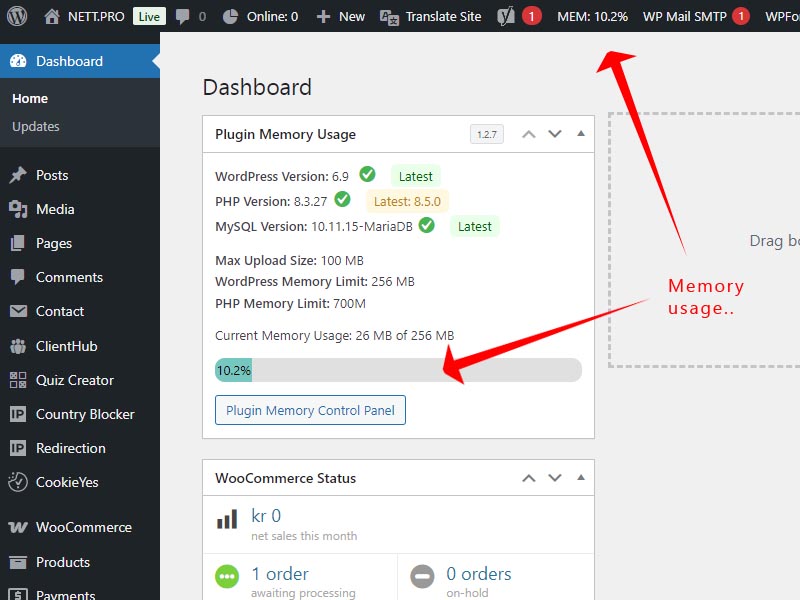
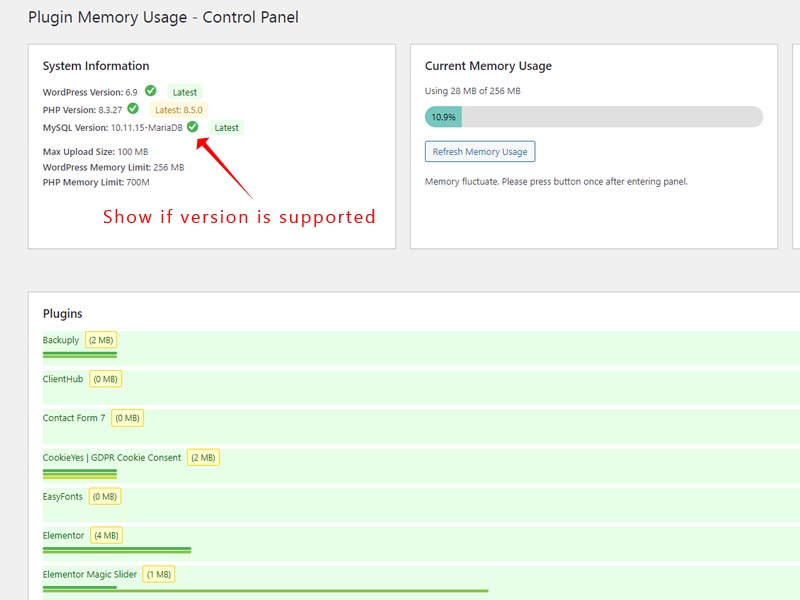
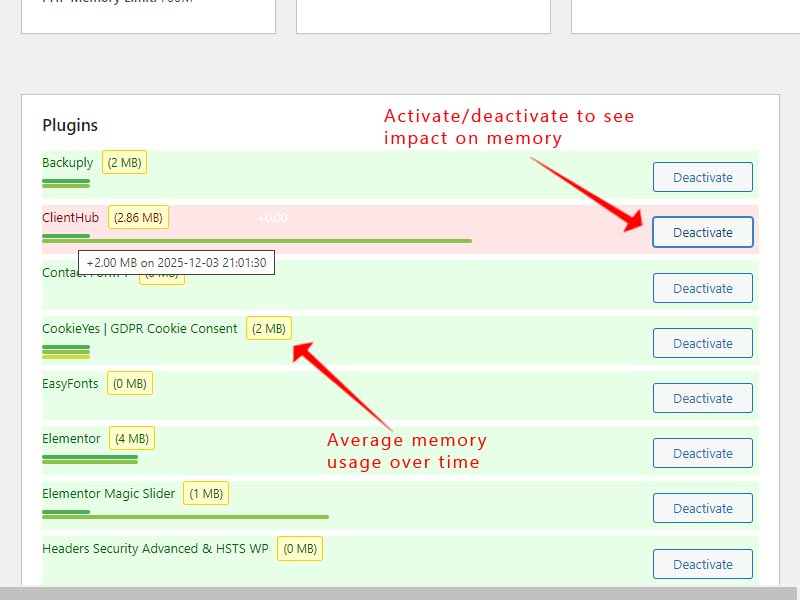
This plugin try to measure and record the memory usage of different WordPress plugins. When you activate or deactivate a plugin, it measures the memory usage. The difference between these measurements gives an estimate of each plugin’s memory impact. These measurements are estimates and may vary. Factors like caching, other active plugins, and WordPress itself can influence memory usage.
This plugin also show the current memory usage of your wordpress site. If you use more than 80% of memory limit this plugin gives you the option to increase the memory limit, while providing comprehensive system monitoring and version checking capabilities for both PHP and MySQL.
Key Features
- Monitors and displays memory usage for individual plugins
- Shows memory usage history for each plugin
- Calculates average memory usage based on historical data
- Detects when memory usage exceeds 80% of the allocated limit
- Provides an option to increase the memory limit when high usage is detected
- Displays current memory usage percentage in the WordPress admin bar for quick reference
- Optimizing Memory Usage for Better Performance
Memory Management Features:
– Monitors and tracks plugin memory usage
– Detects high memory consumption and offers memory limit increases
– Provides memory usage history and performance analytics
– Shows current WordPress memory usage with visual indicators
Performance & Security Benefits:
– Identifies memory-hungry plugins affecting site performance
– Monitors server compatibility and system requirements
– Helps maintain WordPress security by alerting to unsupported software versions
– Prevents compatibility issues before they impact your website
– Supports both MySQL and MariaDB database systems alerts
Why Use Plugin-Memory-Usage?
Excessive memory consumption can result in sluggish performance, website crashes, and an unsatisfactory user experience. This plugin offers valuable insights to help you maintain your site’s efficiency, allowing you to tackle potential issues before they become significant problems.
With the added ability to increase memory limits when needed and the convenient admin bar display, you can now proactively manage your WordPress site’s memory usage, ensuring optimal performance and preventing memory-related issues before they impact your users.