Plattivo – Restaurant Online Ordering, QR Code Menu & Kitchen Display for WooCommerce
v1.4.1logicweft · 2026年10月30日 上架
Commission-free online food ordering for restaurants on WooCommerce: pickup, delivery, QR code menu, kitchen display (KDS) and counter orders.
- 正在使用
- 10 以下
- 评分
- 暂无
- 累计下载
- 879
- 最近更新
- 2026年11月25日
贡献者
 logicweft
截图
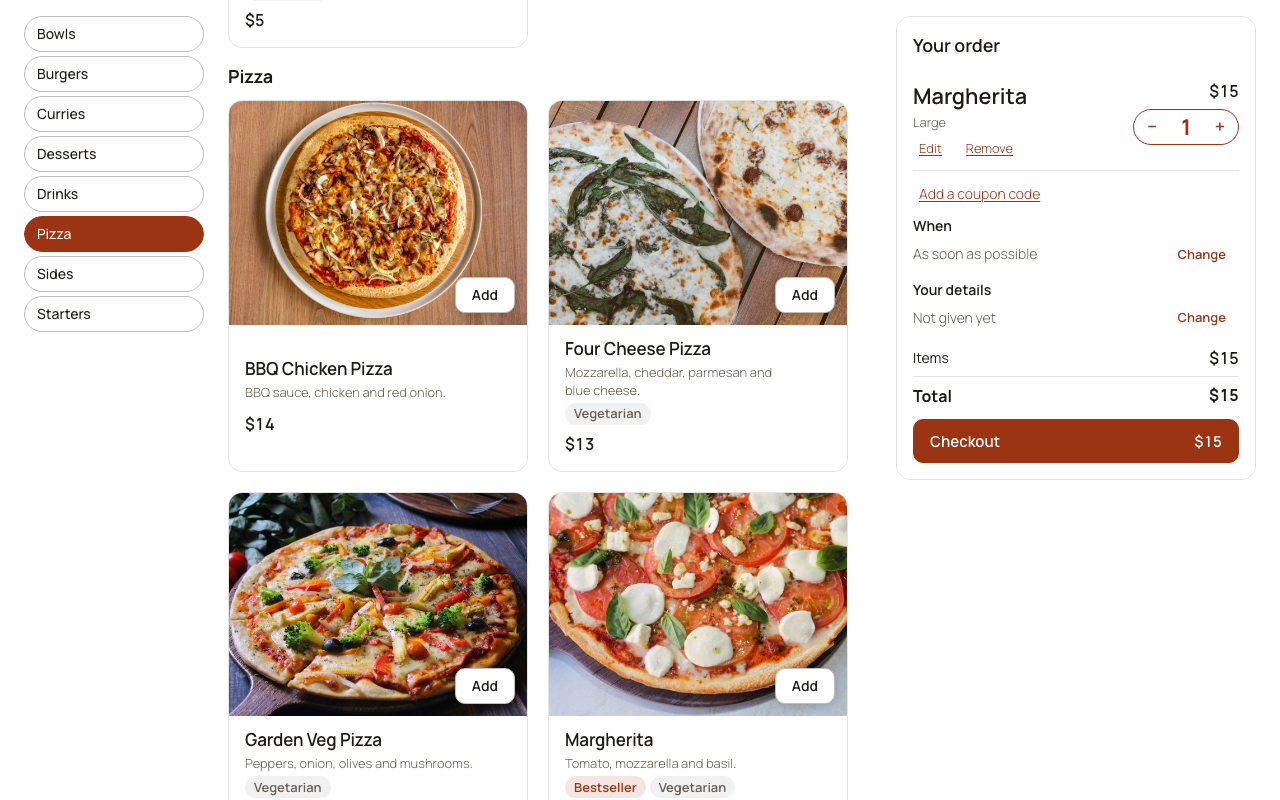

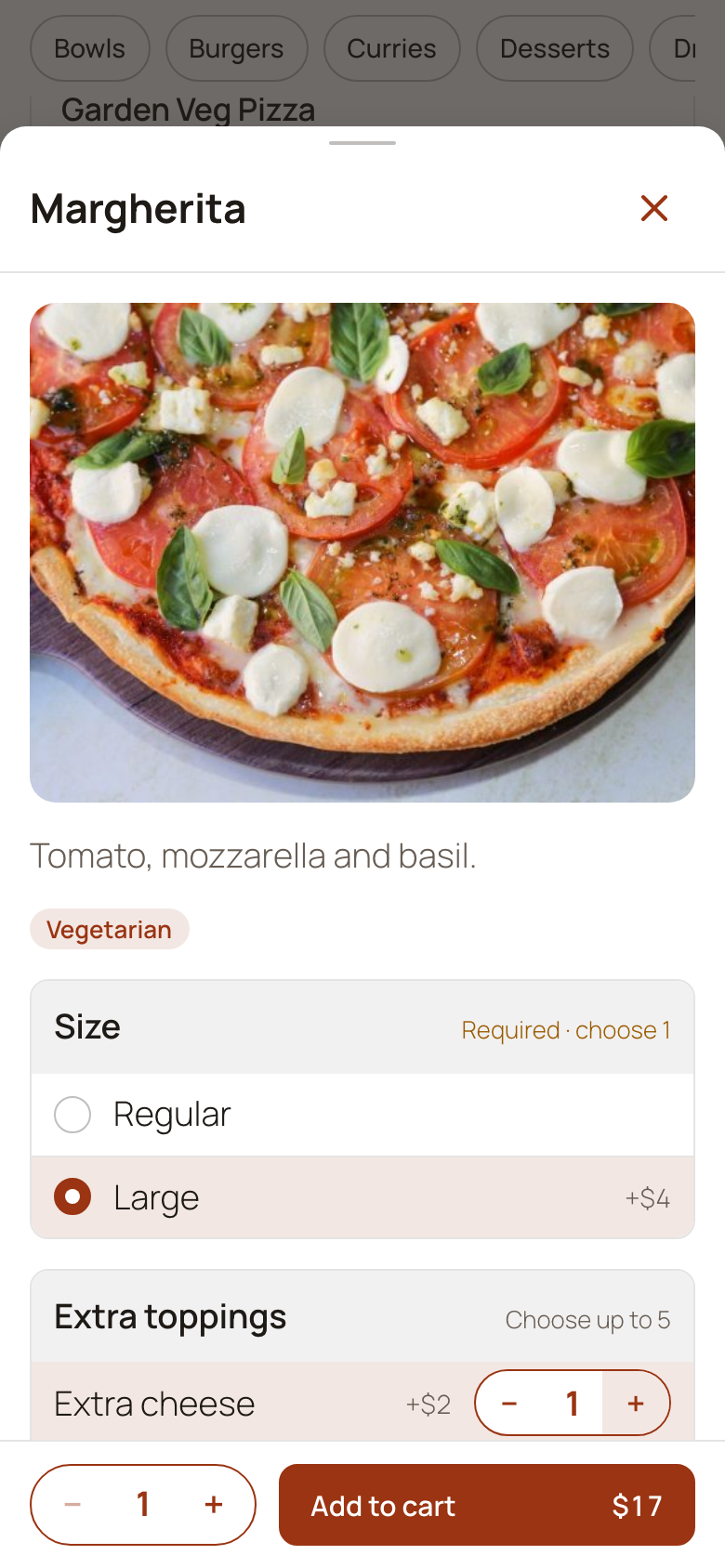
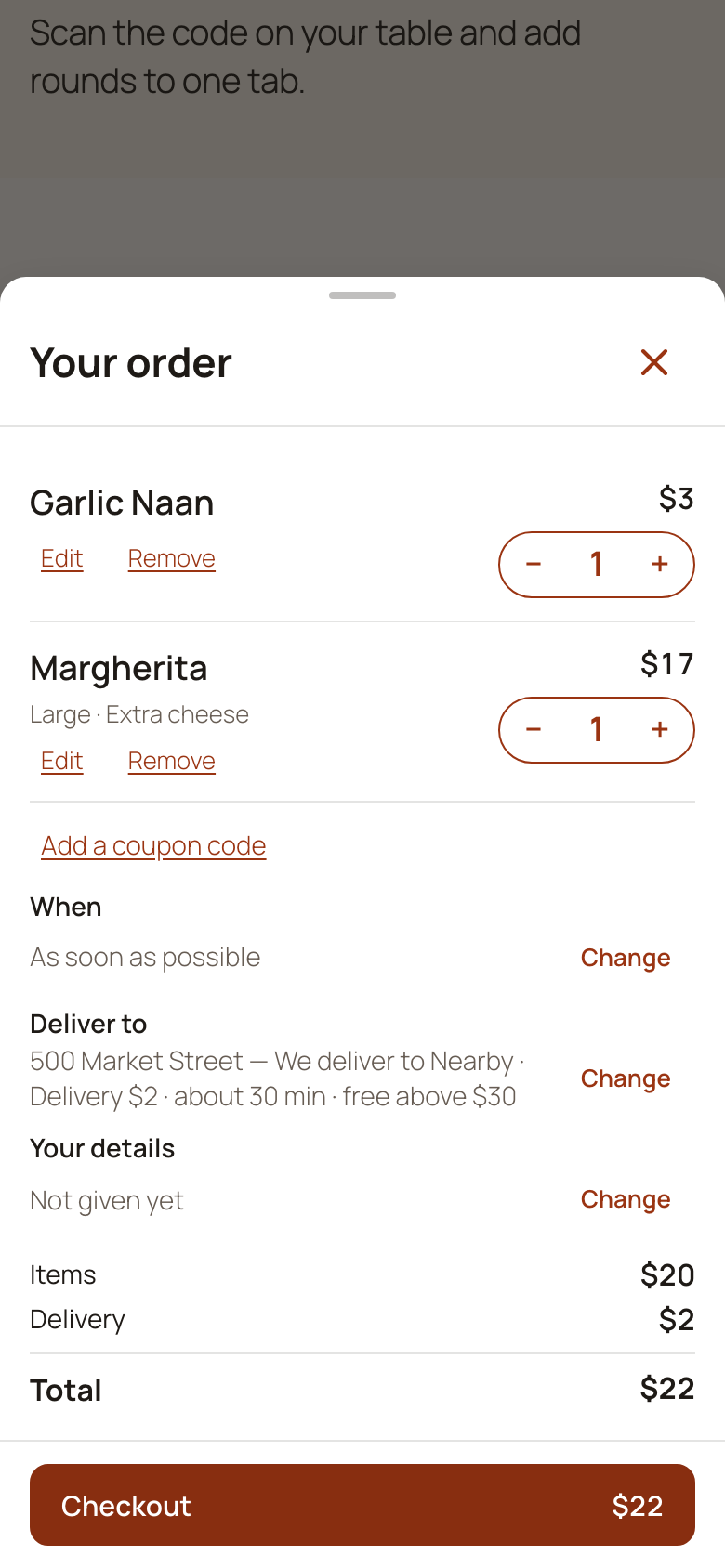

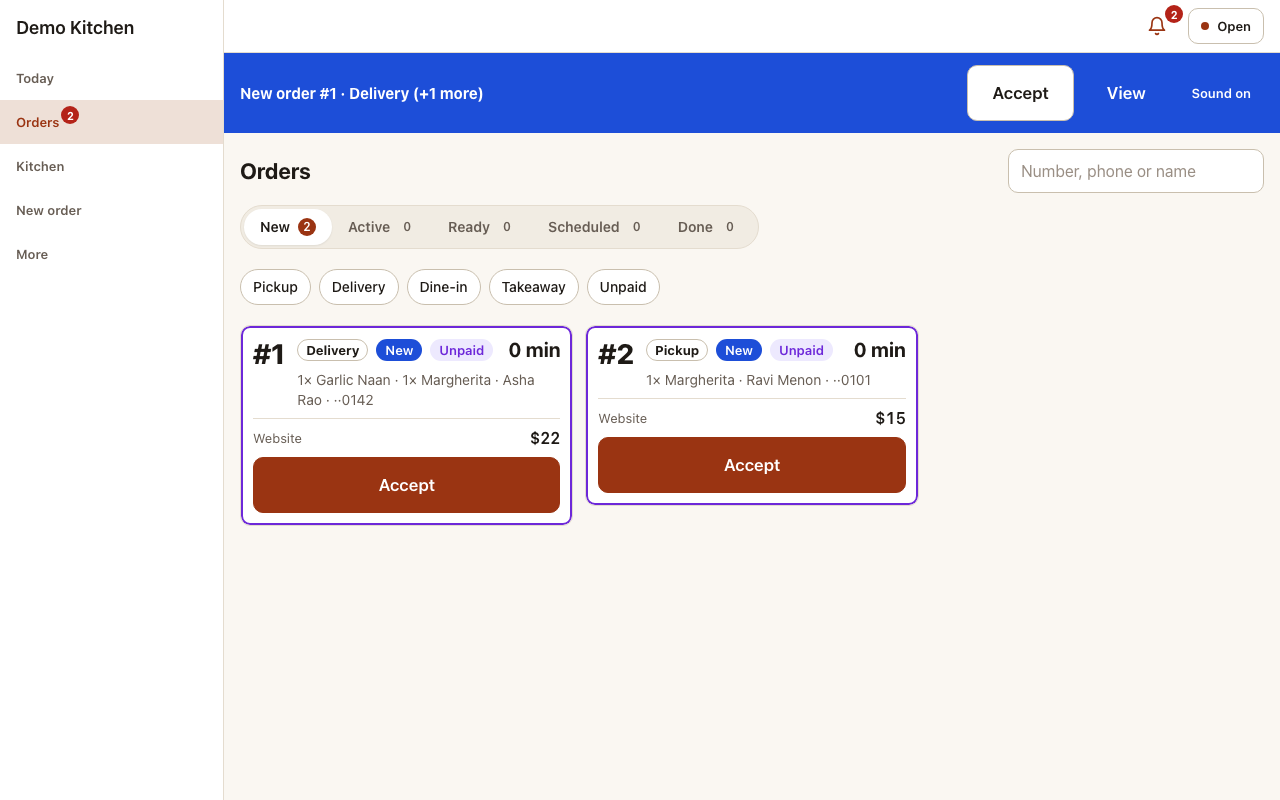


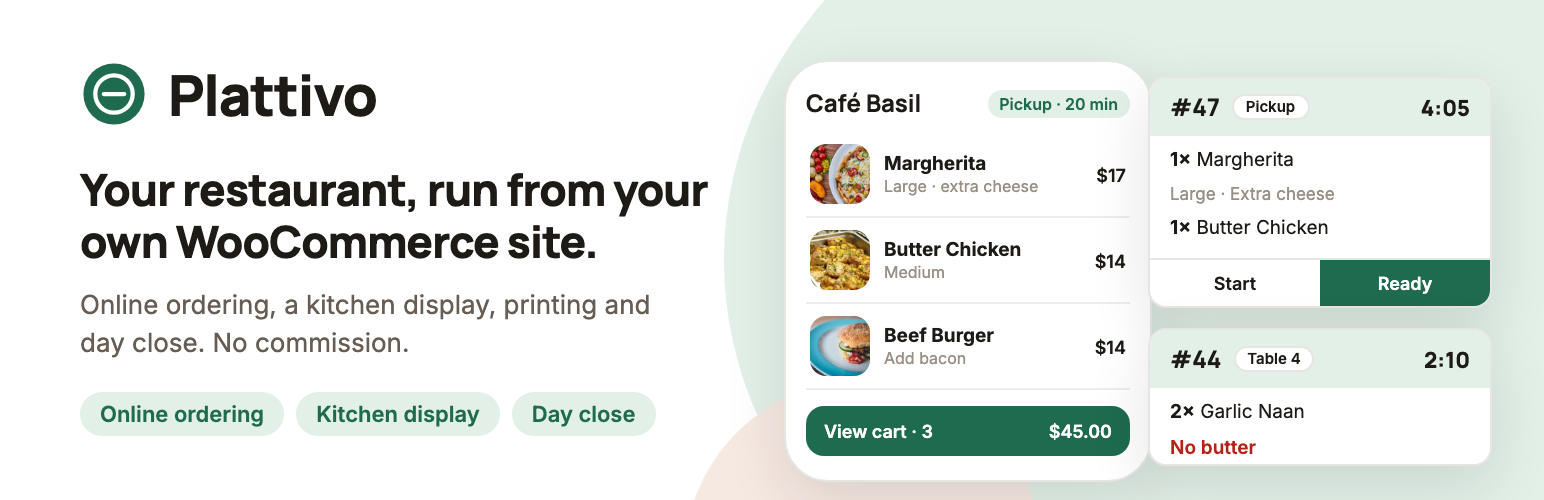
Plattivo turns a WooCommerce store into a restaurant: customers order from a fast, phone-first menu, and your staff run the orders, the kitchen and the day from an app that works on any phone or tablet.
Your products, prices, taxes, payment gateways and emails stay in WooCommerce. Plattivo adds what a restaurant needs on top of them.
Watch the full setup, from installing the plugin to an online order, the kitchen display, a counter order and closing the day (11 minutes):
Try the live demo · plattivo.com
For your customers
- A menu built for phones. Categories, photos, veg/non-veg marks, allergens and badges. Choices and add-ons (“Size”, “Extra cheese”) with included selections, percentage prices and choices that appear only after another, combos, items offered only at set times (a breakfast or lunch menu), and notes for the kitchen.
- Pickup, delivery and dine-in. Delivery zones by postcode or distance from the restaurant, with fees and minimums, opening hours and closures, and ordering ahead for a later time.
- WooCommerce checkout. Works with the Checkout block and the classic checkout, and with your WooCommerce payment gateways (cash on delivery included).
- Order tracking. A tracking page shows each step, from confirmed to ready to on the way, and a one-tap reorder brings back the last order.
- Emails. WooCommerce’s order emails gain the order type, time, table or address and a tracking link. Plattivo adds three emails of its own: “Ready for pickup”, “On the way” and “Order not accepted”, each managed under WooCommerce Settings Emails.
For your staff: the Plattivo app
Open yoursite.com/restaurant-app/ on a phone or tablet and add it to the home screen. Staff sign in with their WordPress account and see only what their role allows.
- Today: sales, orders and the live state of the kitchen at a glance, with an Action Center for late orders, printing problems and days left open.
- Orders board: accept or reject new orders with a reason, follow them to ready and hand them over or dispatch them, and change the ready time. A chime announces each new order.
- Kitchen display: tickets for one or several stations on a tablet, with an elapsed timer coloured against each station’s target time, notes in red, Start, Ready, Recall and Reprint. A paused station’s tickets go to its fallback station. It works through short Wi-Fi drops, keeps the screen awake and runs full screen.
- Counter orders (POS): takeaway orders, and phone orders for pickup or delivery, from a touch menu with favourites, categories and search. Take cash with the change worked out, card on your own terminal, or a QR payment.
- Cash drawer: open it with a float, record cash in and out with a reason, and close it with a count and a printable drawer report.
- Menu on/off (“86”): switch an item, a choice or a whole category off when it runs out, for an hour or until tomorrow, and the menu updates for customers.
- Busy and pause: add waiting time when the kitchen is busy, or pause delivery, pickup or all online orders.
- Printing: kitchen tickets, receipts and packing slips from the app’s own browser printing or as PDF files. Failed prints are retried and listed until someone prints or handles them, so no ticket is lost.
- Close the day: a closing summary with sales by type and payment method, cancellations, refunds, kitchen times and top items, and a printable closing report. Unfinished orders can be carried to the next day.
Made for restaurants
- Tables by area with seats, each with a printable QR code.
- Restaurant roles: owner, manager, cashier, waiter, kitchen and driver, each with its own permissions.
- A setup wizard and a demo restaurant to try everything in minutes.
- Translation-ready, with right-to-left support.
- Compatible with WooCommerce’s High-Performance Order Storage (HPOS).
Plattivo Pro
Plattivo Pro is a separate plugin for busier restaurants, sold at logicweft.com. It adds split payments and tips at the counter, manager approvals with a PIN, a kitchen expo screen and bump bar, QR tabs and pay at table, delivery areas drawn on a map with fees by distance and a drivers’ board, network and cloud printers, WhatsApp and SMS order updates, promotions, and reports for any range up to a year (this plugin’s reports cover today, yesterday and the last 7 days). Everything described above stays free.
External services
Plattivo does not send data to any outside service by default: unless an administrator turns on one of the features below, it makes no requests to outside servers, and its scripts, styles, fonts and icons are bundled with the plugin. “Use my location” uses the browser’s own location, and the point goes only to your site.
Site registration with LogicWeft (off by default, only when an admin ticks it). The last step of Restaurant Setup, and Restaurant Settings Data and privacy, have two unticked boxes. Nothing is sent unless “Register this site with LogicWeft” is ticked. When it is, your site (the server, never a visitor’s browser) sends one request to https://account.logicweft.com/api/sites/v1/register, run in the background after an administrator saves the box ticked, changes the email choice, or updates the plugin to a new version. No timer or heartbeat sends anything else. It sends: a random id made for this installation, the plugin’s name, the site’s address and name, the WooCommerce store country, the site language, and the Plattivo, WordPress, WooCommerce and PHP versions. It sends nothing about your customers, orders or staff. If “Email me about Plattivo (updates and setup help)” is also ticked, it sends the email address shown under it (prefilled with the site’s admin email); LogicWeft sends a confirmation email to it first, and nothing else until it is confirmed. Unticking “Register this site with LogicWeft”, or deleting the plugin while it is ticked, sends one request to https://account.logicweft.com/api/sites/v1/forget with the installation id, and LogicWeft deletes the record. The service is provided by LogicWeft, the plugin’s author: terms, privacy policy.
Map tiles (off by default). When a restaurant turns on “Show maps” in Restaurant Settings Delivery, the delivery address sheet and the Delivery zones screen show a map. The visitor’s browser then loads map images from the tile server set in “Map tiles URL”, by default OpenStreetMap (https://tile.openstreetmap.org). Each image request sends the visitor’s IP address and the map area being shown. See the OpenStreetMap Foundation’s tile usage policy (https://operations.osmfoundation.org/policies/tiles/) and privacy policy (https://osmfoundation.org/wiki/Privacy_Policy). If you set another tile server, its terms apply.
GloriaFood menu import (only when an admin uses it). Restaurant Import from GloriaFood reads a restaurant’s menu from GloriaFood, a service of Oracle, so it can be added to WooCommerce. When an administrator pastes their GloriaFood “Fetch Menu” key and clicks “Preview import”, the site sends one request to https://pos.globalfoodsoft.com/pos/menu. It sends only that key (in the Authorization header) and the plugin’s name and version; the key is not saved. Nothing is sent if the menu file is uploaded instead, or if the import is not used. Terms of use, privacy policy.
Two kinds of links in the staff app open an outside service, only when a staff member taps them:
- WhatsApp (wa.me), provided by WhatsApp LLC. “WhatsApp” on an order opens a chat with the customer’s phone number. On devices without a share sheet, “Send receipt” on the counter screen opens a chat with the customer’s phone number and a ready-made message with the order number and its tracking link. The phone number and message reach WhatsApp only when the staff member taps the link and sends the message. Terms of service, privacy policy.
- Google Maps, provided by Google LLC. “Open in maps” on a delivery order opens Google Maps searching for the delivery address. The address reaches Google only when the staff member taps the link. Terms of service, Google Maps terms, privacy policy.
Source code
The JavaScript and CSS in assets/ are compiled. Their human-readable source ships with the plugin in apps/: the staff app (apps/operator), the ordering page (apps/customer), the WordPress admin screens (apps/admin) and the shared components (apps/ui), written in TypeScript and React.
To rebuild assets/ from that source, use Node.js 22.12 or newer in the plugin folder:
npm install && npm run build
The build uses Vite, TypeScript, React, Tailwind CSS and vite-plugin-pwa, as listed in the package.json files. The PHP code is not compiled.
Third-party libraries
PHP, in vendor-prefixed/ with prefixed namespaces so they cannot clash with another plugin’s copy:
- dompdf 3.1 (LGPL-2.1-or-later), used to make PDF tickets, receipts and reports, with php-font-lib (LGPL-2.1-or-later), php-svg-lib (LGPL-3.0-or-later), masterminds/html5 (MIT) and sabberworm/php-css-parser (MIT). dompdf includes the DejaVu fonts (Bitstream Vera and DejaVu licence).
JavaScript, compiled into assets/ (source in apps/):
- Leaflet 1.9.4 (BSD-2-Clause), for the optional delivery maps; it loads only when maps are shown.
- React, React Router, TanStack Query, Zustand, dnd-kit, Workbox and qrcode-generator (MIT), lucide-react (ISC), Dexie (Apache-2.0) and @wordpress/i18n (GPL-2.0-or-later).
Fonts and images:
- Inter and Manrope variable fonts (SIL Open Font License 1.1), bundled; their licences are in
licenses/. - The staff app’s icons were made for Plattivo and are GPLv2 or later, like the plugin.