

Plainclause Sequential Order Numbers for WooCommerce
v1.0.1plainclause · 2026年11月5日 上架
Sequential WooCommerce order numbers with your own prefix, date tokens and start number. Abandoned checkouts never use a number. HPOS ready.
- 正在使用
- 10 以下
- 评分
- 暂无
- 累计下载
- 408
- 最近更新
- 2026年11月25日
贡献者
 plainclause
截图


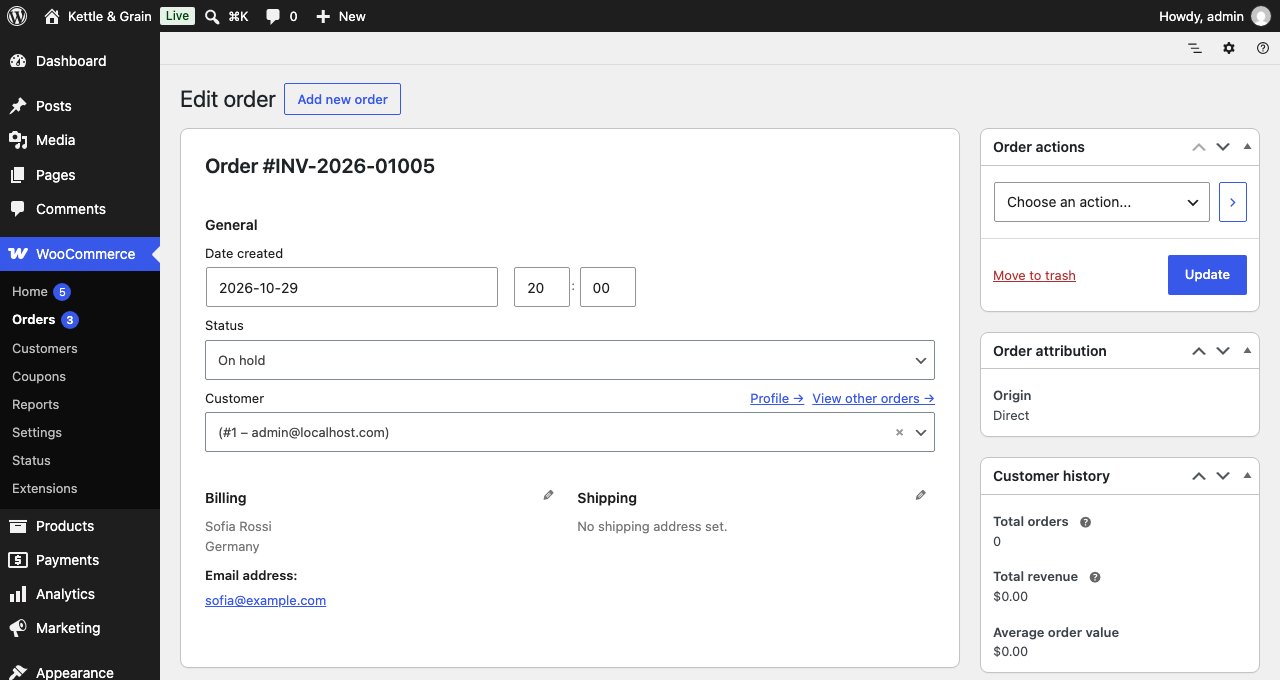

WooCommerce uses the database ID as the order number, so numbers jump (1052, 1057, 1063) because products, coupons and abandoned checkouts share the same counter. This plugin gives every new order a clean sequential number, such as INV-2026-01001, INV-2026-01002, INV-2026-01003.
Set it up in a minute under WooCommerce > Settings > Order numbers: choose a start number, a prefix and the minimum number of digits, and the next number is previewed before you save. The number then shows everywhere WooCommerce shows an order number: the Orders screen, the order page, customer emails, My account and the order-received page.
Why this one
- No gaps from abandoned checkouts. The cart and checkout blocks create draft orders before the customer pays. Many numbering plugins give those drafts a number, so your sequence skips. Here drafts never take a number.
- No duplicates under load. The counter is updated atomically, so two orders placed in the same second never get the same number.
- Both order storage modes. Tested with High-Performance Order Storage (HPOS) and the classic posts storage, including search by number.
- Order tracking works. Customers can type the new number (with prefix) into the WooCommerce order tracking form.
- Lightweight and private. No external services, no tracking, no nag screens.
Features
- Sequential numbers for new orders: 1, 2, 3 or any start number you choose.
- Prefix with date tokens:
{YYYY},{YY},{MM},{DD}(for exampleINV-{YYYY}-gives INV-2026-00042). - Zero padding to a minimum number of digits.
- Abandoned block-checkout drafts and unsaved admin orders never use a number.
- Two orders placed at the same moment never get the same number (atomic counter).
- Raising the start number moves the sequence forward; lowering it never reuses numbers.
- Existing orders keep their current numbers.
- Search orders by number on the Orders screen.
- Customers can use the number in the WooCommerce order tracking form.
- Works with High-Performance Order Storage (HPOS) and the classic order storage, and with the cart and checkout blocks.
- No external services, no tracking.
Pro add-on (optional)
Everything above is free and stays free. A separate paid add-on adds:
- A suffix with date tokens (for example
-{YY}). - Restart the counter every year, month or day (INV-2027-00001 on 1 January).
- A custom increment (count in steps of 2, 10, …).
- A separate sequence for free orders (for example FREE-0001).
- Number only paid orders, for a gap-free invoice-style sequence.
Black Friday / Cyber Monday: 50% off your first payment until 1 December 2026 with the code BFCM50 (yearly, lifetime).
Plainclause Order Numbers Pro costs from $29 a year for one site, or $79 once for a lifetime licence, with a 30-day money-back guarantee. It is sold by Freemius, our reseller and merchant of record.
More from Plainclause
- Plainclause EU Withdrawal Button & Legal Guarantee Notice: the withdrawal function and legal guarantee notice EU shops need.
- Plainclause Store Vacation & Holiday Mode for WooCommerce: vacation mode that pauses orders, keeps products visible and reopens on schedule.
- Plainclause Custom Order Status for WooCommerce: add your own order statuses with colours, emails and bulk actions.
For developers
pcon_get_order_id_by_number( $number )returns the order ID for a number.- Filters:
pcon_should_assign,pcon_sequence_key,pcon_increment,pcon_number_parts,pcon_settings_fields. Action:pcon_number_assigned.