

Product Attributes Display
v1.0.1PluginsKart · 2026年10月22日 上架
Show WooCommerce product attributes like color, width, size, or material anywhere in your block-based product templates.
- 正在使用
- 10 以下
- 评分
- 暂无
- 累计下载
- 282
- 最近更新
- 2026年11月20日
贡献者
 PluginsKart
截图


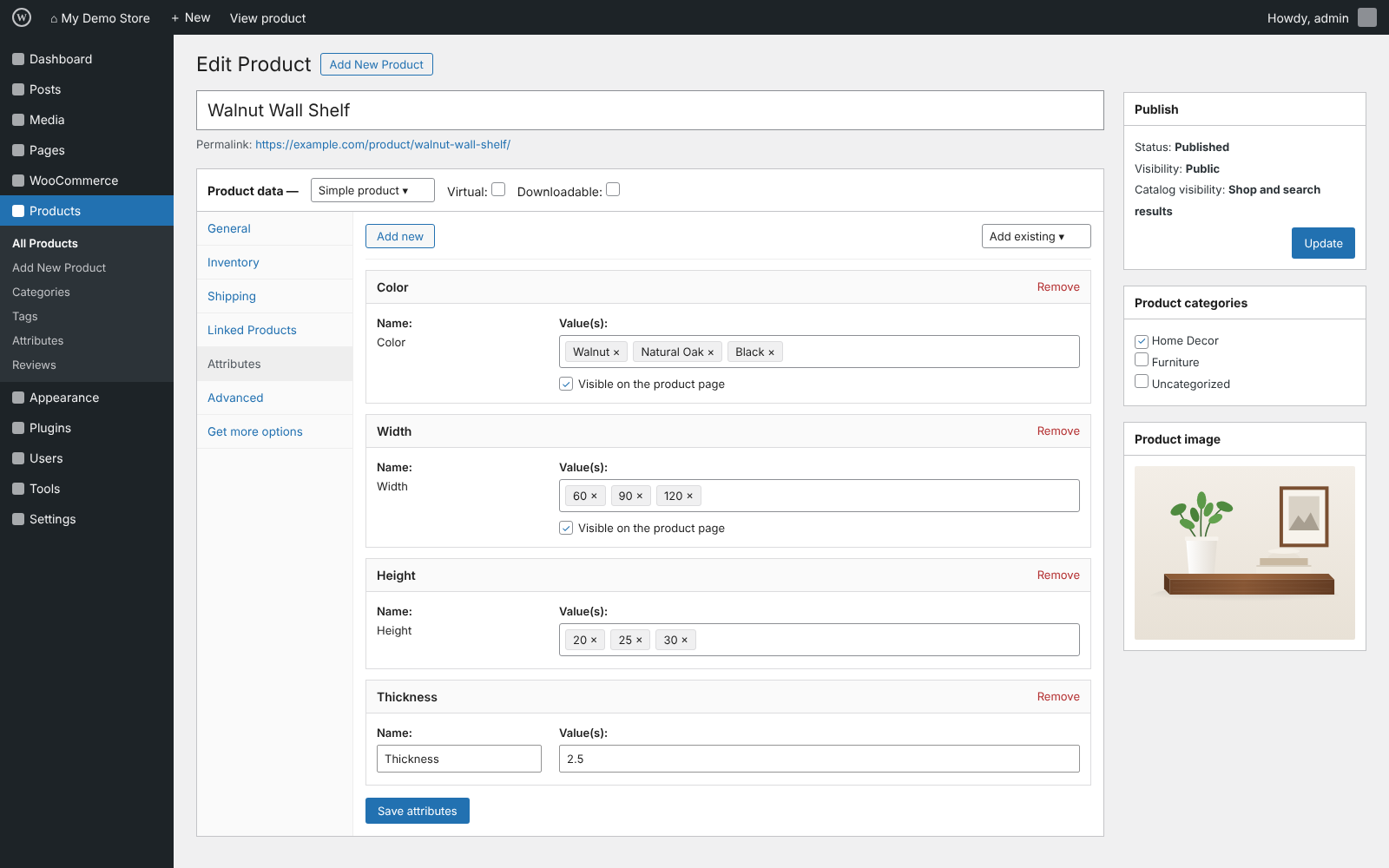
Product Attributes Display adds a lightweight block that shows the value of any WooCommerce product attribute, right where you want it in your block theme.
By default, WooCommerce only lists attributes in the “Additional information” tab. With this plugin you can place individual attributes, such as Color: Walnut, Natural Oak, Black or Width: 60, 90, 120 cm, directly under the product title or price, inside product grids, or anywhere else in the Site Editor.
Create or reuse attributes under Products Attributes, or add custom attributes to individual products. Each global attribute automatically appears in the block inserter as its own block, named after the attribute. Insert it, optionally add a prefix and suffix, and you’re done.
Features
- One block per attribute. A block variation is created automatically for every global WooCommerce attribute (Color, Width, Height, Material, …).
- Global and custom attributes. Works with taxonomy-based global attributes and product-level custom attributes.
- Prefix and suffix. Add labels and units, such as
Width:andcm. - Multiple values. Displays multiple values as a clean, comma-separated list.
- Works where products live. Use it in the Single Product template, the Product Collection block, and any other block that provides product context.
- Hides itself when empty. Nothing is output for products that don’t have a value for the selected attribute, so there are no empty labels.
- Easy to style. Prefix, value, and suffix are wrapped in their own CSS classes.
- Lightweight. No settings page, no custom database tables, and no front-end JavaScript.
- Compatible with modern WooCommerce. Declares compatibility with High-Performance Order Storage (HPOS) and the Cart and Checkout blocks.
How it works
- Create or reuse attributes under Products Attributes, or add custom attributes to individual products.
- Assign attribute values to your products.
- Open Appearance Editor and edit the Single Product template, or any template containing a Product Collection block.
- Search the block inserter for your attribute’s name (for example, “Width”) and insert it.
- Add an optional prefix and suffix in the block settings sidebar.
Requirements
- WordPress 6.5 or later
- WooCommerce 8.0 or later
- PHP 7.4 or later
- A block theme (or a theme that supports block templates)