

Picture Gallery – Frontend Uploads & Image Editor
v1.11.6videowhisper · 2016年9月30日 上架
Create searchable photo galleries with frontend uploads, built-in image editing, four layouts and full-screen browsing.
- 正在使用
- 300+
- 评分
- 3.7 / 5
- 累计下载
- 3.5 万
- 最近更新
- 2026年11月25日
贡献者
 videowhisper
截图


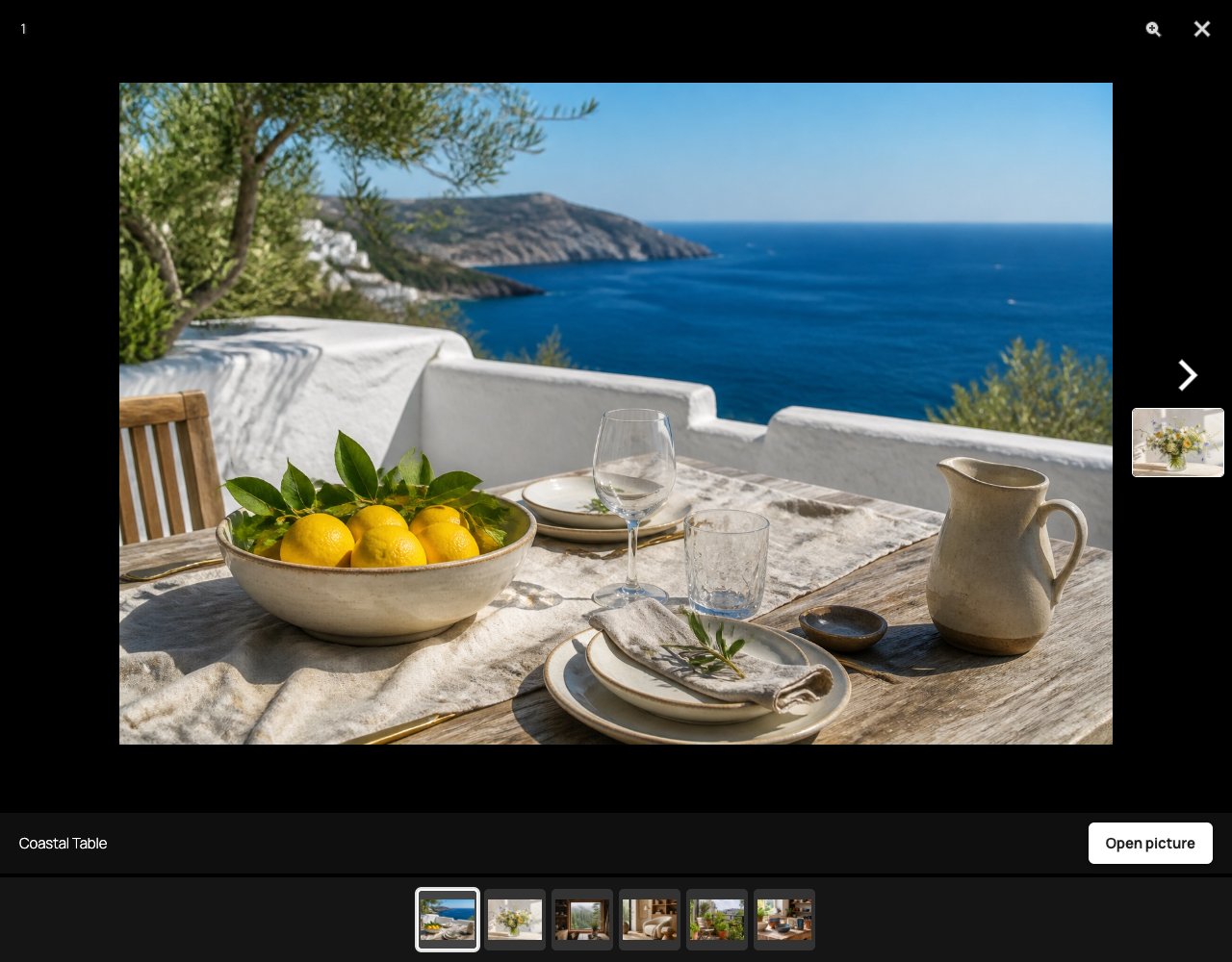


Turn a collection of pictures into a place people want to explore. Picture Gallery combines attractive image layouts, frontend contributions and built-in editing on your WordPress site. Build a portfolio, collect event photos or create a shared gallery for your community.
Visitors can search, browse and open pictures in a full-screen viewer. Contributors can upload and manage their own images. You choose the presentation, who can contribute and which submissions or edits need review.
Key features and benefits
- Choose the right presentation: Styled Tiles, Responsive grid, Picture cards and Justified rows cover compact photo walls, contextual cards and mixed portrait/landscape collections.
- Let pictures breathe: PhotoSwipe adds zoom, swipe and nearby-picture browsing, with optional thumbnails and a clear link to the picture post.
- Collect photos from your community: frontend batch uploads, drag and drop and an optional moderated guest form keep contributions close to the gallery.
- Give contributors their own workspace: My Pictures brings titles, captions, descriptions, alternative text and image tools together on the frontend.
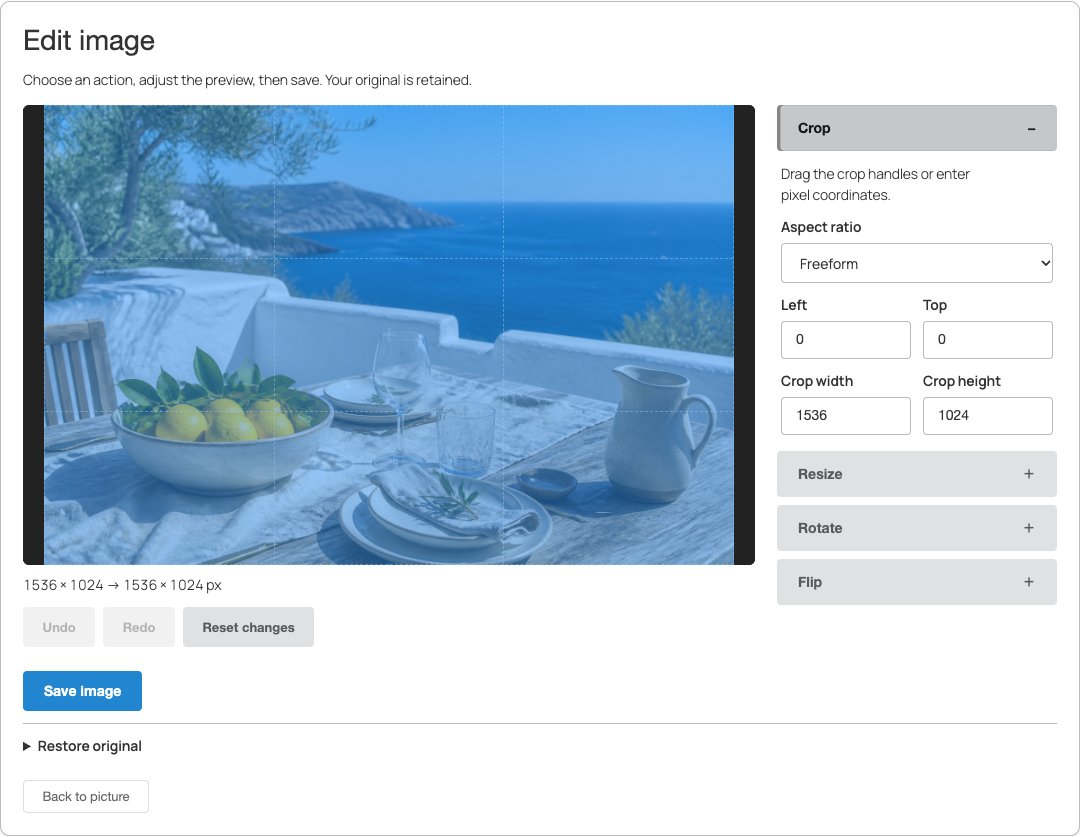
- Edit without leaving your site: crop, resize, rotate and flip supported JPEG/PNG images; preview changes, undo/redo and save with retained originals.
- Build in the WordPress editor: the native gallery block lets you select Pictures or import Media Library images and reorder them without writing a shortcode.
- Make large collections easier to explore: category/tag/name filters, sorting and pagination help visitors find the pictures they want. Optional layout buttons let them compare views.
- Review before changing public work: configure upload/publish roles and moderation. Image edits can await approval while the current public picture remains available.
The gallery, local PhotoSwipe viewer and image tools are included in the plugin. Image processing uses your WordPress host’s available image editor. Optional integrations are listed below.
Try the interactive gallery demo | Documentation and examples | WordPress.org support
Popular ways to use Picture Gallery
- Creator portfolios: present artwork, travel pictures, craft collections or photography with layouts that suit the images.
- Event and club galleries: let members contribute their pictures and review submissions before publication.
- Community photo collections: combine searchable galleries with personal My Pictures workspaces.
- A visual content library: connect optional video, rating and membership plugins when pictures form part of a broader creator site.
Create your first gallery
- Open Picture Gallery > Options > Quick setup and choose a presentation or contribution preset. Preview the concrete changes before saving.
- Select existing Pictures, import Media Library images or upload a small test collection. Original attachments are retained, and later Picture edits are not overwritten by repeating an import.
- Add the native gallery block or a listing shortcode to a page. Choose the layout, filters and viewer.
- Test browsing and, if enabled, upload and review with a separate contributor account.
Quick setup retains existing roles, access settings, storage and pages. Advanced options and standalone upload/import tools remain available.
Contribution, editing and review
Member uploads accept configured JPG, PNG and GIF files; compatible mobile browsers can choose camera or photo-library images. The optional guest form includes moderation, rate limits, notification email and configurable Google reCAPTCHA v3. Upload Journals help administrators inspect an interrupted request and its review state.
My Pictures provides picture-local text and image editing. Choose one tool, expand its controls and preview the result. Edits can remain pending while the existing public image stays available. Restore original composition creates a fresh generation while retaining the original and normalized master. Image Edit Journals support inspected recovery and explicit cleanup of proven unused edit files after a retention period.
Optional Media Capture integration adds webcam photos, screen snapshots and a shared upload entry. New captures normally become reviewed Gallery drafts; direct publication requires the administrator’s explicit choice and the creator’s native publishing permission. Original attachments and native Gallery editing remain separate from the capture app.
Practical control for site owners
- Configure defaults or per-listing layouts and filters, with an optional frontend selector.
- Enable stars, likes or both through Rate Star Review. Visitor eligibility and any paid voting remain the rating provider’s responsibility.
- Use FansPaysite light/dark mode and palette changes without reloading, or another compatible WordPress theme.
- Keep real picture links and page navigation when JavaScript enhancement is unavailable.
- Use WordPress Media Library relationships, picture taxonomies, EXIF orientation correction and bounded thumbnail processing.
- Retain existing posts, authors, URLs and media. Deactivation/uninstall preserve data; cleanup remains an explicit reviewed action.
- Optionally expose read-only picture/text inspection through WordPress Abilities for authenticated tools. It is disabled by default and cannot edit, publish or delete pictures.
- Use eleven included interface languages: Romanian, Spanish, German, French, Brazilian Portuguese, Japanese, Italian, Dutch, Polish, Turkish and Arabic. See the translation-status notice in the FAQ.
Optional integrations
- Media Capture: webcam photos, screenshots and shared creator intake.
- Rate Star Review: independent stars and likes across all four layouts.
- MicroPayments: supported creator subscriptions, individual purchases and site memberships. New member pictures can optionally show calendar or paid-start release information; native image visibility and approval still apply.
- Video Share VOD, Broadcast Live Video and Paid Videochat: related media and community workflows.
The gallery, uploader and editor work independently. Restricting a gallery does not turn an already public image URL into a private download. Choose an appropriate storage and delivery setup for restricted media.
Read the installation steps or ask a question in the support forum.
Optional VideoWhisper support connection
Open Connect in the plugin settings to register or sign in with an email code. The optional connection can prefill the site and product in support inquiries and open previous conversations.
VideoWhisper CRM is an optional external service for registration and account-linked support. The Connect screen opens without contacting the CRM before connection. Clicking Load registration form sends the product identifier to VideoWhisper CRM to retrieve the configured form. Submitting the form with consent sends the site URL, product identifier, contact name and email, and the answers you enter. Email code confirmation sends the code to the CRM. Optional support diagnostics are shown for review. An administrator can disconnect in Connect to end future status checks. See the privacy policy and terms of use.
VideoWhisper may offer eligible sites time-limited access to separate services or add-ons. The offer shows its availability, duration and what happens at expiry before you accept. The service offer creates no paid subscription and does not install any add-on. The features included in this directory product continue after the offer ends.
Third-party UI assets
Bundled Fomantic UI code is MIT licensed. Human-readable upstream source, reproducible distribution/build instructions, the exact local patch and font notices are in scripts/semantic/README.txt and scripts/semantic/asset-provenance.txt. Fonts retain their separately stated licenses. Build tools are not required on WordPress hosting.