
PhilDesigns Responsive Preview
v3.1.1phildesigns · 2026年8月17日 上架
Preview your WordPress site across device viewports and animated width walks — directly from the admin toolbar.
- 正在使用
- 10 以下
- 评分
- 暂无
- 累计下载
- 239
- 最近更新
- 2026年8月17日
需要 WordPress 6.7+已测试到 7.0.9PHP 7.4+
贡献者
 phildesigns
截图
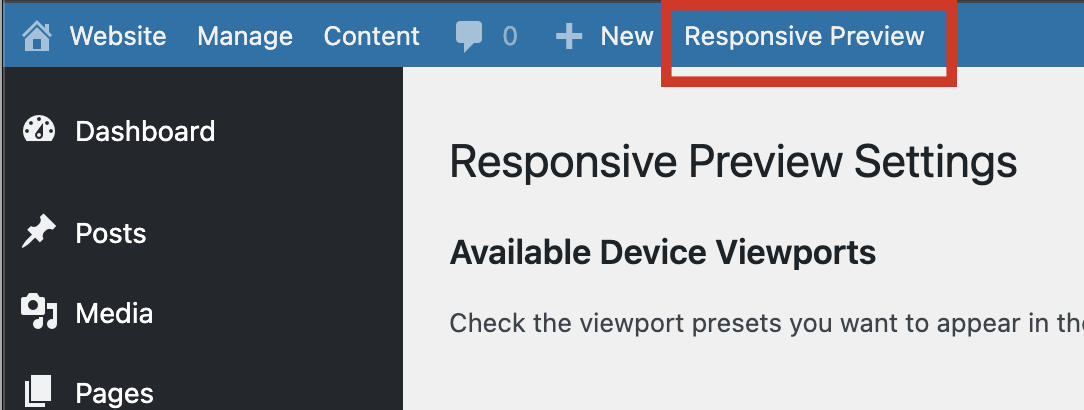
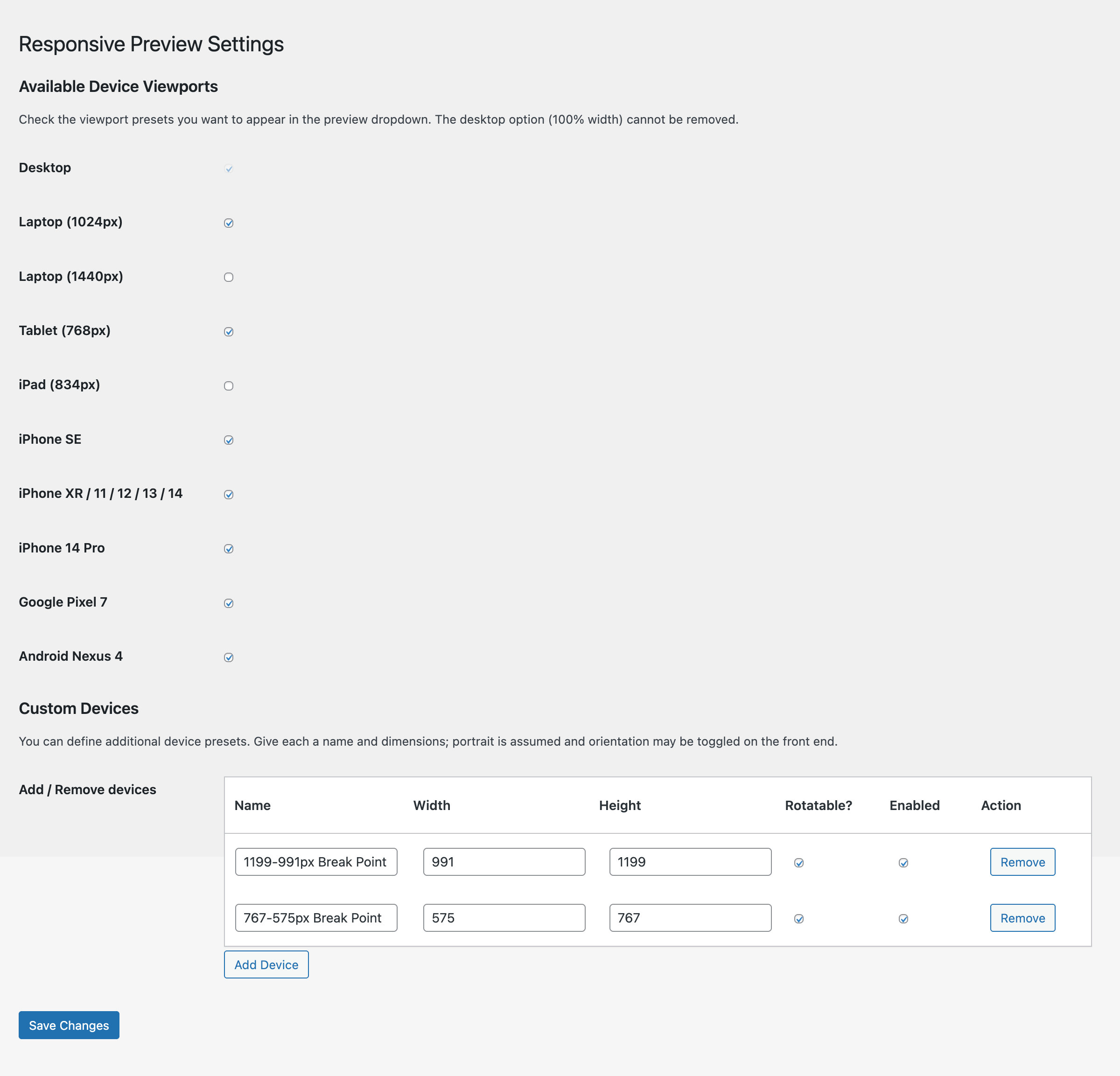
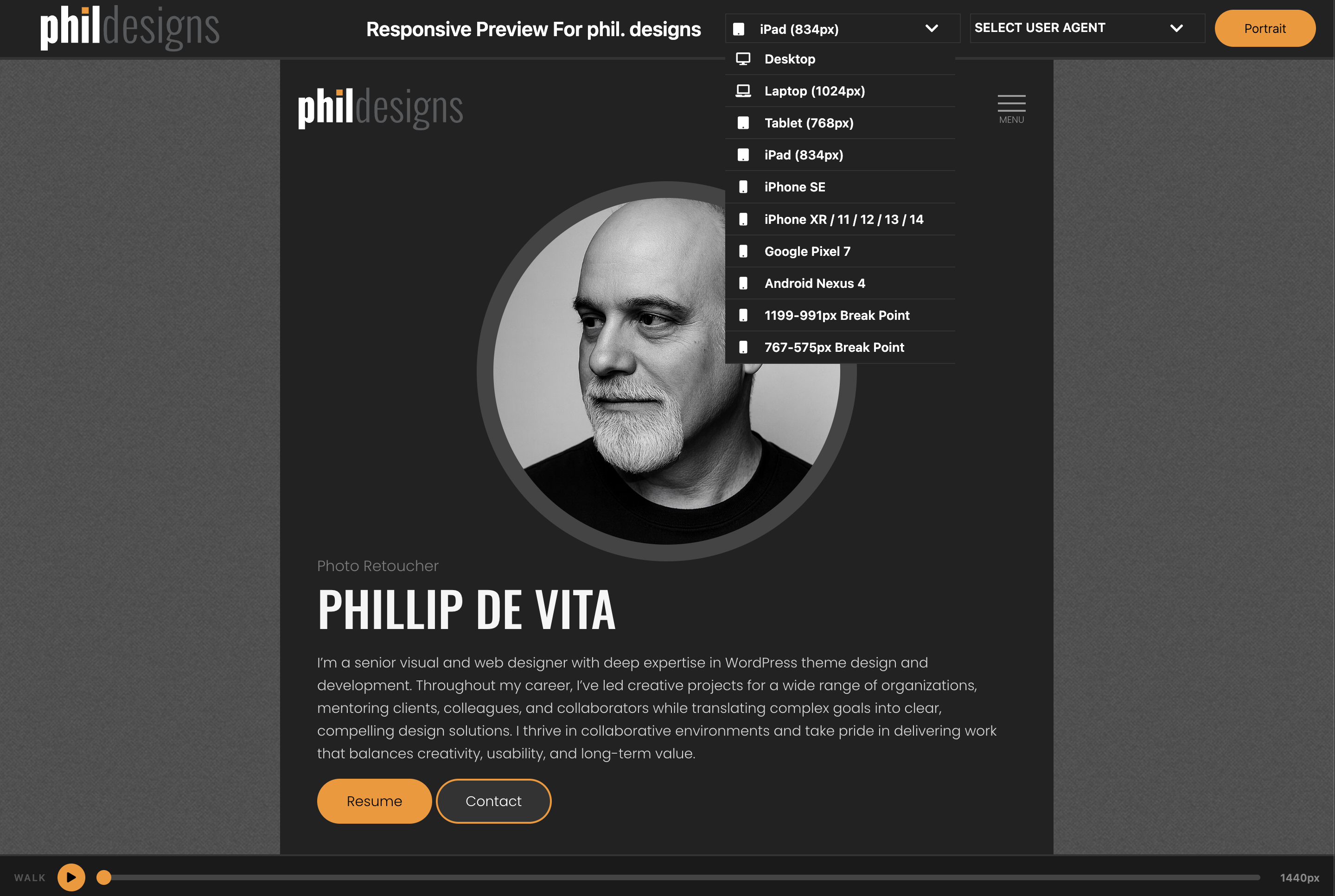
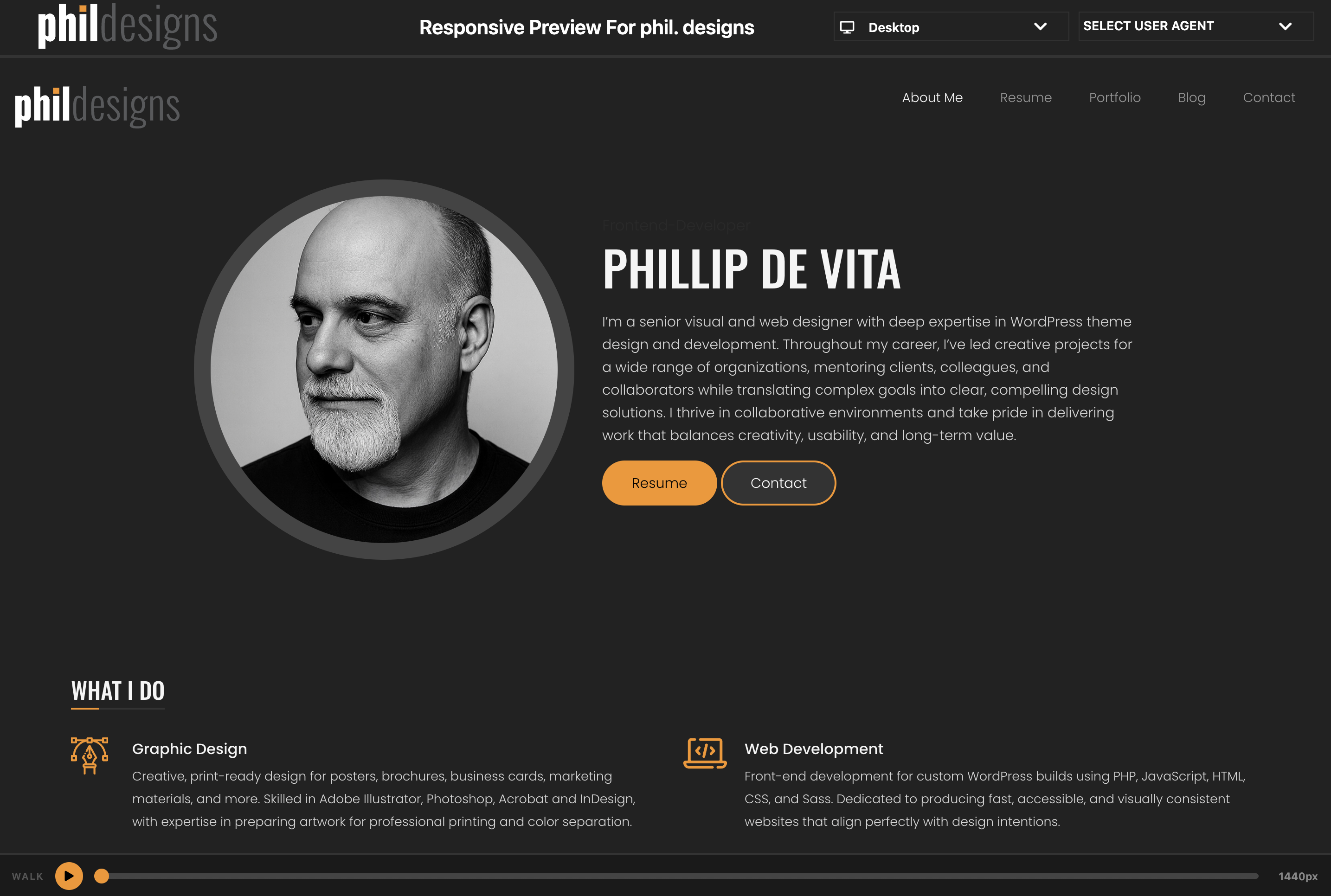
Responsive Preview adds a link to the WordPress admin toolbar that opens your site inside a full-screen preview interface. Switch between device viewport sizes and use the Responsive Walk feature to animate a smooth sweep from 1440px down to 320px.
Features
- Device Viewports — desktop, laptops, iPad, iPhones, Pixel, and more; toggle portrait/landscape on rotatable devices
- Custom Devices — define your own device presets with a name, width, and height; manage them from the settings page
- Responsive Walk — play/pause animation that sweeps the iframe from 1440px to 320px over 10 seconds, with a scrubbable progress bar
- Settings page — enable or disable any viewport from the device dropdown
Usage
- After activation, click Responsive Preview in the admin toolbar (top bar).
- A new window opens with your site in the preview frame.
- Use the SELECT VIEWPORT dropdown to switch device sizes.
- Click the orange play button at the bottom to start a Responsive Walk.