跳到内容

PeakURL

v1.1.4

PeakURL · 2026年4月16日 上架

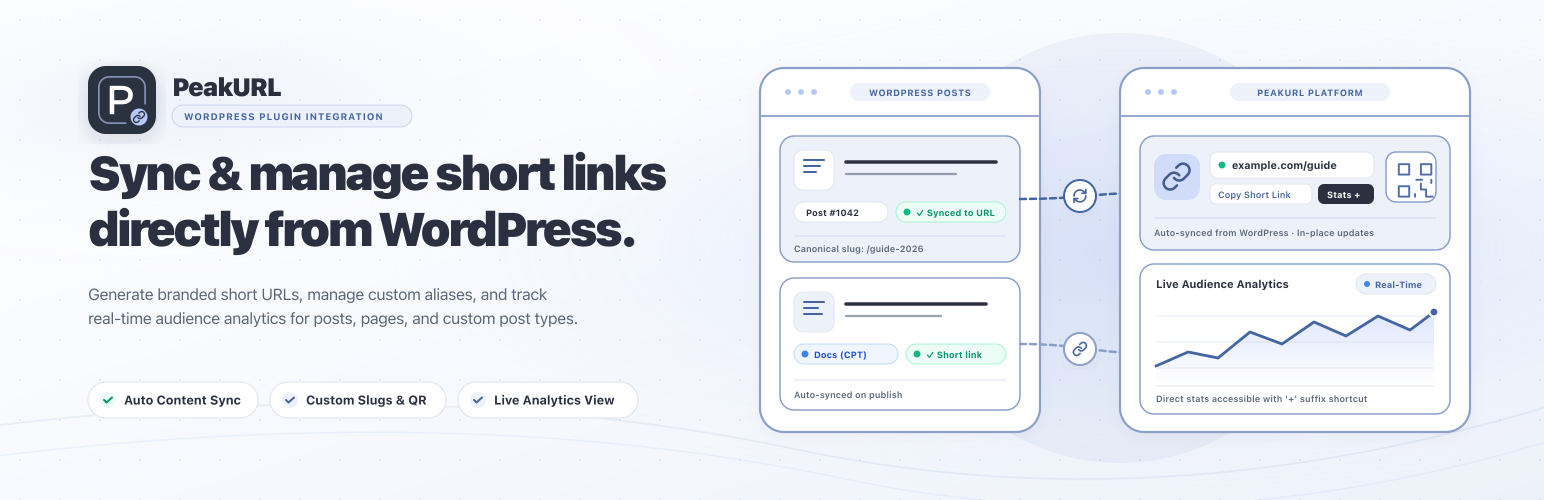
Connect WordPress to PeakURL and create, update, and manage short links for published content without leaving the editor.

正在使用
10 以下
评分
暂无
累计下载
878
最近更新
2026年10月18日
需要 WordPress 6.2+已测试到 7.1.5PHP 7.4+

截图

General Settings - Modern React admin dashboard with light/dark theme support, API connection management, automation sync rules, and alias structure settings.
Alias Structure Configuration - Configure short code generation via auto-generated strings, post slugs, or dynamic custom tag templates (%post_id%, %postname%, %post_type%) with real-time preview.
Secure API Connection Management - Masked bearer token management, staged key replacement, and one-click connection verification with instant status feedback.
Maintenance Tools Hub - Centralized tools dashboard for bulk content synchronization, server link discovery, and orphaned short link cleanup.
Bulk Sync Local Content - Batch process all published posts and pages to create or update PeakURL links with live progress tracking and failure logging.
Pull Links from Server - Fetch remote short links from PeakURL and automatically map them to matching local published WordPress content.
Prune Orphaned Links - Safe scanning tool to identify and clean up remote links pointing to deleted or non-existent WordPress content while preserving external links.
Scan & Review Orphaned Links - Interactive inline review table displaying discovered orphan links, post titles, destination URLs, and specific orphan reasons with multi-select checkboxes.

PeakURL connects a WordPress site to PeakURL with a bearer API key, giving you a fast, modern admin workspace to generate, manage, and monitor short links for all your published content.

With the plugin enabled, editors and admins can:

  • manage settings and maintenance in a sleek, responsive React dashboard with full light/dark mode support
  • customize short link alias generation formats (auto-generated, post slugs, or dynamic custom templates)
  • create or update PeakURL links for posts, pages, and supported custom post types
  • copy generated short URLs instantly from the block/classic editor or posts list table
  • open the matching PeakURL dashboard screen for an existing short link
  • bulk sync all published content or run batch operations from the posts list
  • pull remote links from your PeakURL account and map them to local WordPress content
  • prune orphaned remote links that point to deleted WordPress content
  • optionally delete the remote PeakURL link when content is permanently deleted in WordPress

PeakURL stores the configured API key encrypted in the WordPress options table and uses the PeakURL API with bearer-token authentication.

Learn more and see the setup guide in the PeakURL for WordPress docs.

External services

This plugin connects to the PeakURL API URL that you configure in the plugin settings. It uses that API to verify the connection from WordPress and to create, update, and optionally delete short links for supported content.

The plugin does not send data to PeakURL until you enter an API URL and API key and then use one of the plugin’s connection or sync actions.

Requests are sent when you:

  • click Verify Connection
  • manually sync content from the editor
  • bulk sync selected content from the posts list
  • save published content while automatic sync is enabled
  • permanently delete content while remote deletion is enabled

When the plugin connects, it sends:

  • your PeakURL bearer API key in the Authorization header
  • the WordPress permalink, link title, and optional custom alias when creating or updating a short link
  • the stored PeakURL link ID when updating or deleting an existing short link

For the plugin-specific privacy notice, see:

If you connect the plugin to the managed PeakURL.com service, the same request data is sent to that configured PeakURL API.

If you connect the plugin to a self-hosted PeakURL install, the same data is sent to the API URL you configure for that install. Self-hosted deployments are operated by you or your chosen host, so their own terms and privacy policy apply.

Plums

按场景查找 WordPress 插件。安装量、评分和兼容版本来自官方目录。

导航

说明

WordPress 是 WordPress Foundation 的商标。本站与 WordPress Foundation、Automattic 没有隶属关系。这里不托管插件文件,下载和安装以 WordPress.org 上的页面为准。

© 2026 Plums