

PC User Address Manager for WooCommerce
v1.0.0Plugin Chef · 2026年4月13日 上架
Allow your store customers to save, manage and use multiple billing and shipping addresses — all without disrupting the checkout flow.
- 正在使用
- 10 以下
- 评分
- 暂无
- 累计下载
- 422
- 最近更新
- 2026年4月21日
贡献者
 Plugin Chef
截图

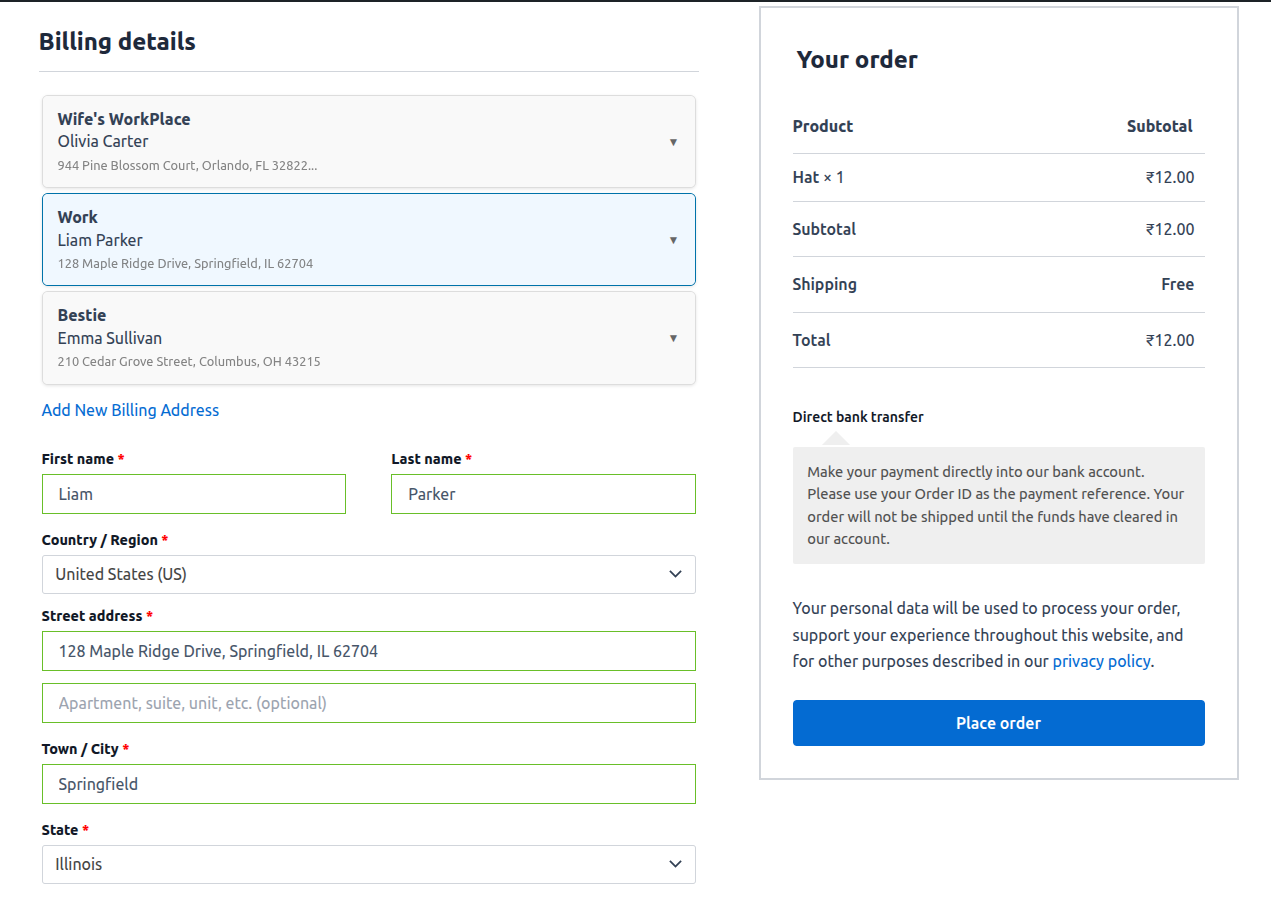
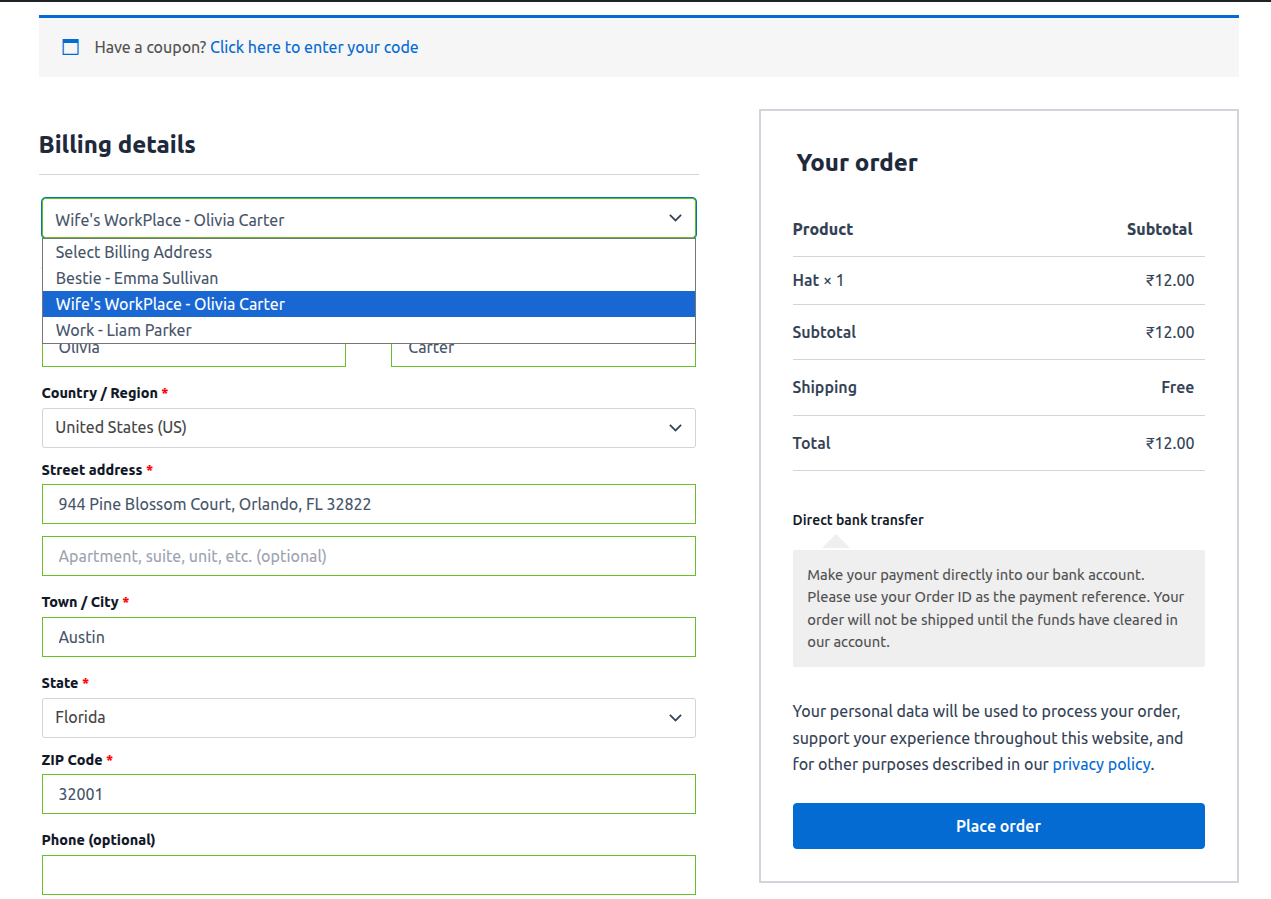
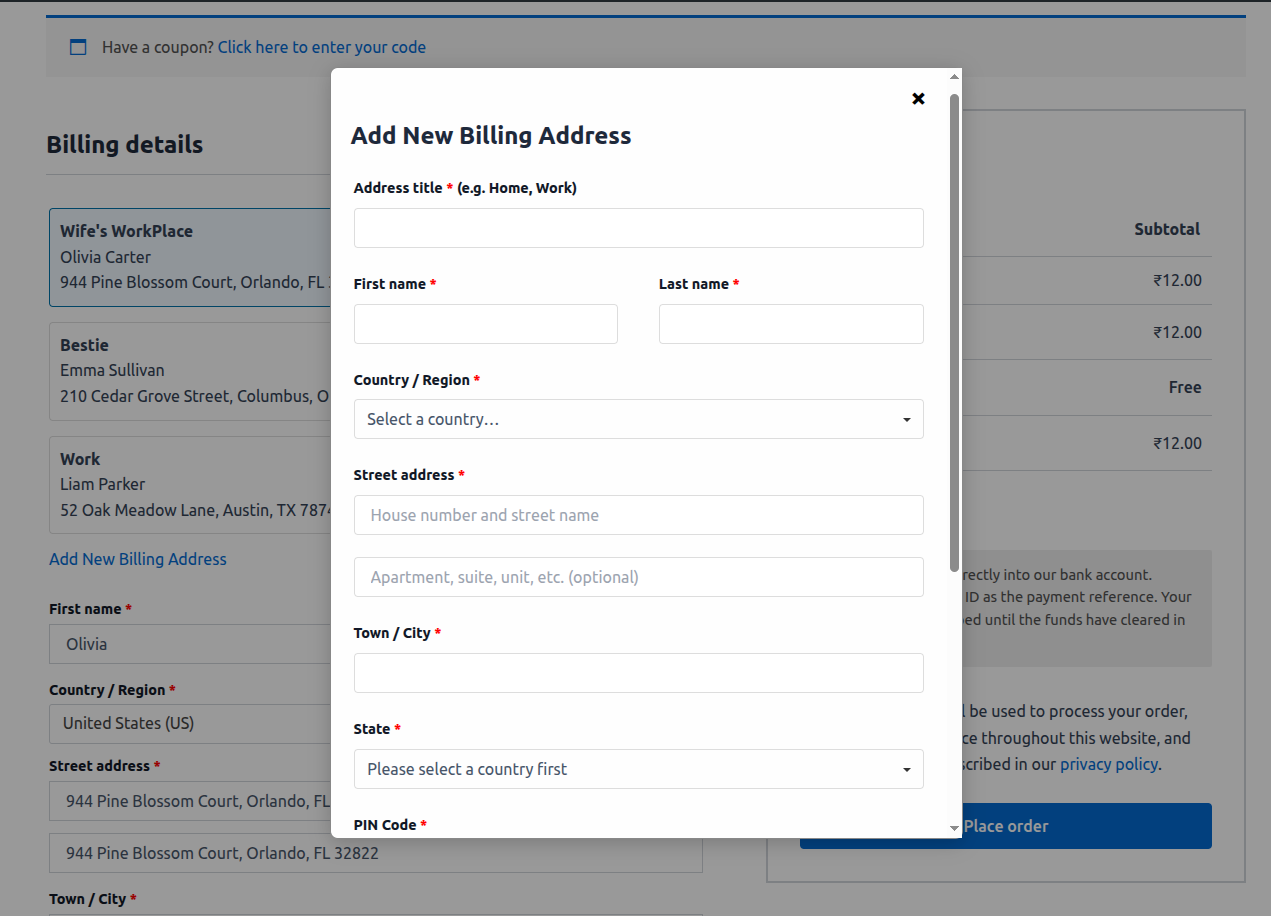
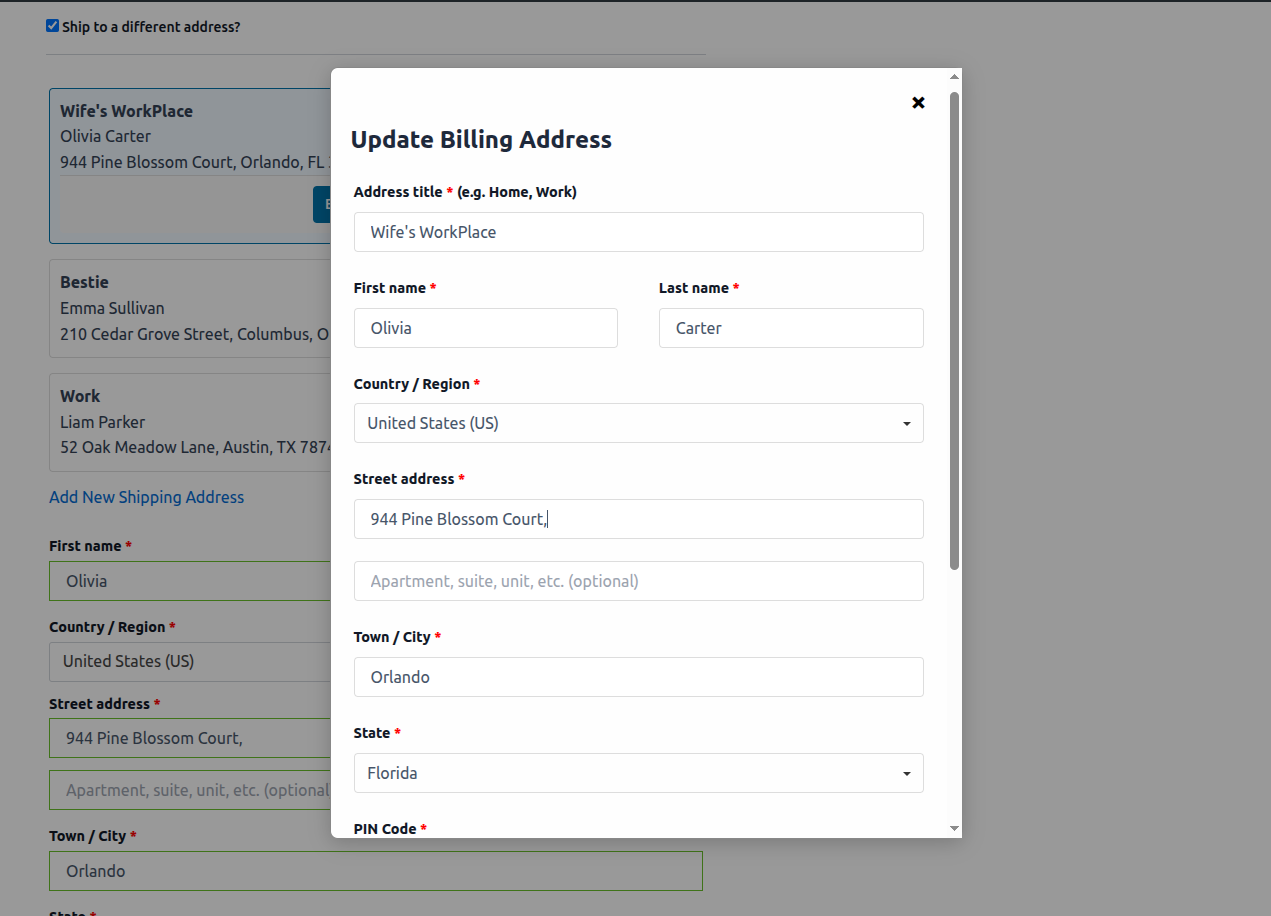
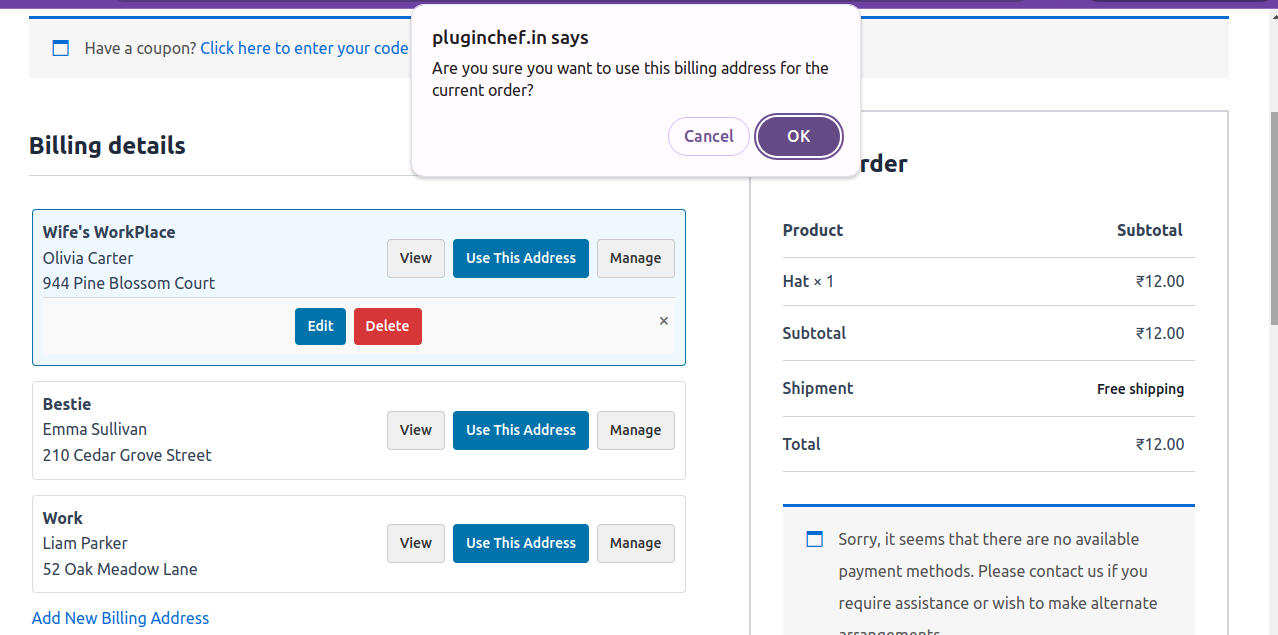
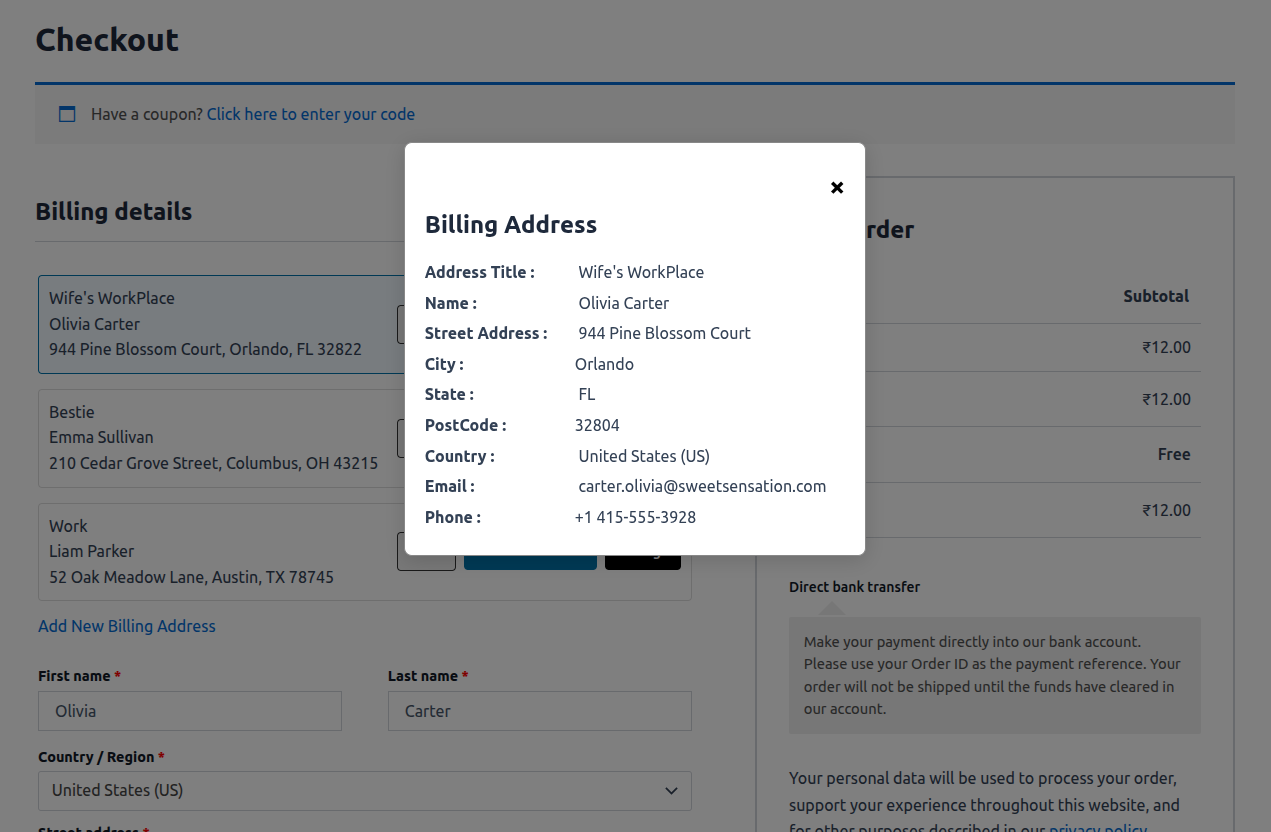
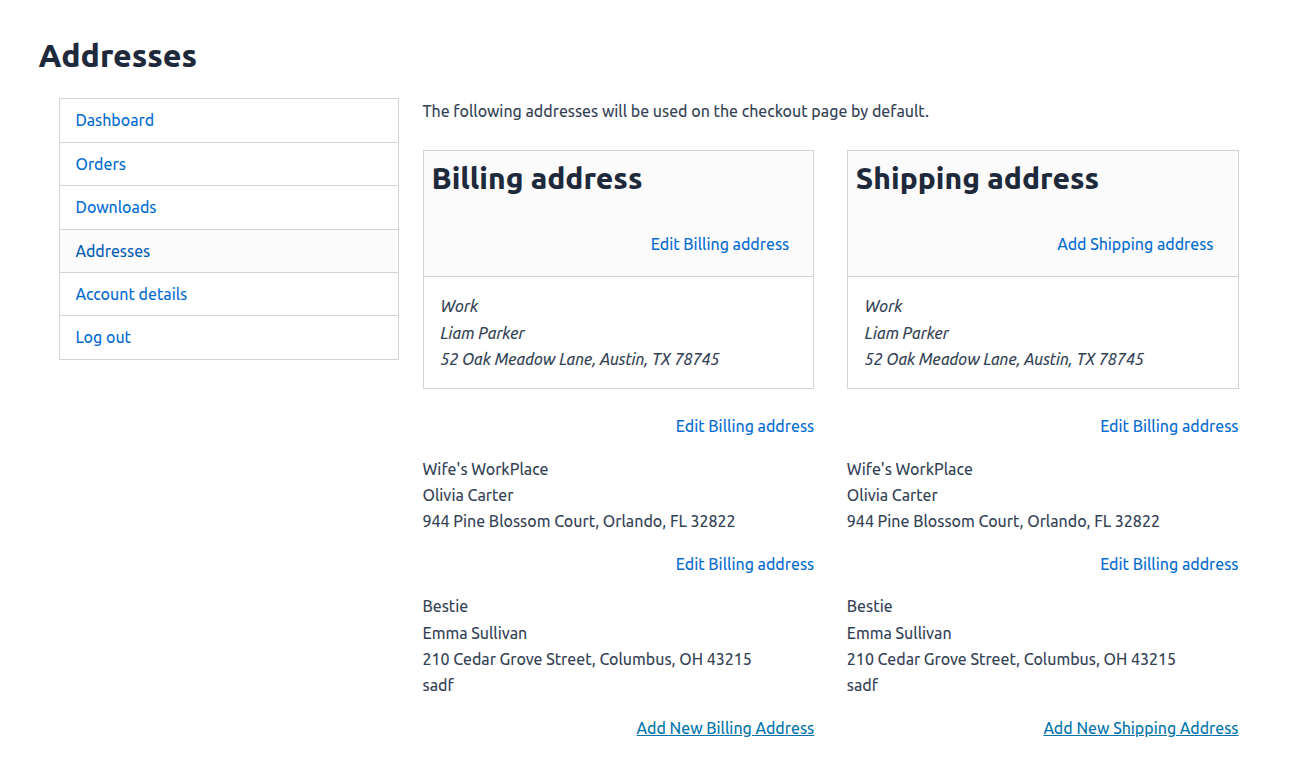
PC User Address Manager for WooCommerce lets customers add and manage multiple billing and shipping addresses from both the Checkout and My Account pages.
Unlike other solutions that require users to first save an address through my account page to use at checkout, our plugin eliminates these extra steps. It ensures an uninterrupted checkout process by allowing customers to add and use a new shipping or billing address directly on the checkout page—with no need to navigate away and return to select it.
Free Version version allows users to save or select any saved address, automatically populating the billing and shipping form fields on the traditional WooCommerce checkout form, which uses the shortcode [woocommerce_checkout].
**Free Version**
-
Multiple Address Management:
Customers can easily add, edit, delete, and view multiple billing and shipping addresses using elegant, user-friendly modals through checkout page and from my account page’s addresses tab as well. -
Streamlined Checkout Experience:
Customers can add and use new addresses instantly during checkout — no redirection to my accounts page. This creates a frictionless process, reducing cart abandonment & improving conversion rates. -
Instant Auto-Fill for Default Addresses:
Customers can mark any address as their default. When they return for future purchases, these details are automatically filled in, speeding up checkout and enhancing user convenience. -
Custom Labels for Each Address:
Shoppers can assign short names like “Home”, “Work”, or “Parents” to make address selection faster and more intuitive. -
Three Beautiful Layouts:
Choose from three elegant, responsive address listing layouts to perfectly match your store’s branding. -
Works With WooCommerce Checkout Form:
Works with the regular checkout form, which is displayed by using shortcode [woocommerce_checkout].
**Pro Version**
The Pro Version brings the same functionality for the new WooCommerce Checkout Block, extending the same powerful address management to the modern checkout experience. Whether your store uses the traditional WooCommerce Checkout Form or the new Checkout Block, the Pro version delivers the same seamless functionality.
- Includes all features from the free version.
- Works With WooCommerce Checkout Block: The Pro version offers the same functionality on the new WooCommerce Checkout Block. So pro version works with both shortcode based checkout form and for the new block based form — providing users with a smooth, unified & consistent experience to save multiple addresses.
- Customizable Templates: Easily update template colors and styles using color pickers and design controls from backend to match your store’s branding.
- Four Beautiful Templates: Provide visually appealing layouts for address selection and management.
- Manageable Text Settings: Site admin can easily update all text based setings from backend.
- Customisation service: available for UI / UX / functionality enhancements.
Live Demos
Transform your WooCommerce store with faster, smarter address management. This plugin simplifies checkout, increases customer satisfaction, reduces cart abandonment, and encourages repeat purchases — all with minimal setup.