

Paystack Add-On for Gravity Forms
v2.0.10paystack · 2021年1月22日 上架
The Paystack Addon for Gravity Forms allows you to quickly and easily implement credit card payments with WordPress. With the Paystack Add-On you can …
- 正在使用
- 300+
- 评分
- 3.0 / 5
- 累计下载
- 1.1 万
- 最近更新
- 2026年11月24日
贡献者
 Wisdom Ebong
 paystack
截图
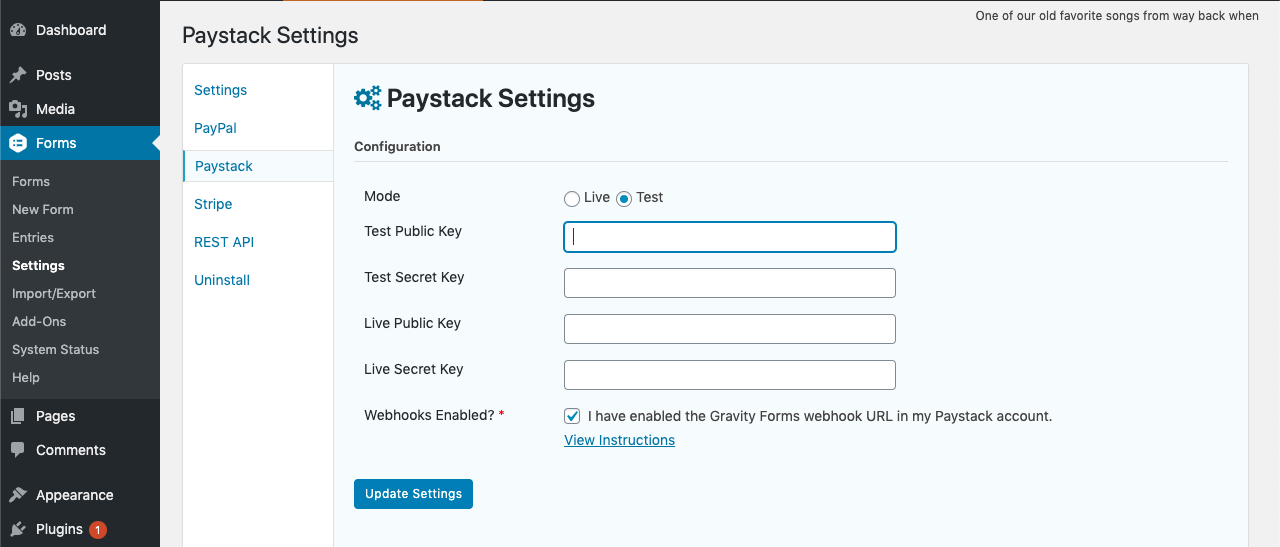
The Paystack Addon for Gravity Forms allows you to quickly and easily implement credit card payments with WordPress. With the Paystack Add-On you can capture one time credit card payments or setup recurring payment subscriptions.
Restricted keys
The add-on connects to Paystack with a restricted key. Choose Test or Live under Mode, then paste an rk_test_... or rk_live_... key into that mode’s Restricted Key field. Only the selected mode’s fields are shown.
- The key needs Transactions: read and write permissions, plus Plans: write if you sell subscriptions.
- Keys with permissions that can move money (transfers, refunds, settlements, payouts and similar) are rejected.
- The key is checked with Paystack every time you save the settings, so after changing its permissions in the Paystack Dashboard, click Save to check them. If Paystack can’t be reached, a key that was already saved stays in use.
- A restricted key needs the Webhook signing secret for the same mode (see below).
- Sites set up before version 2.0.10 keep working with the key they already saved. When you replace it, the new key must be a restricted key.
Webhook signing secret
The Test and Live settings have a “Webhook signing secret” field. Copy the whsec_... value from Settings > API Keys & Webhooks in your Paystack Dashboard.
- It is required with a restricted key.
- Once it is set, webhooks are only accepted with a valid Paystack-Signature header that was signed within the last 5 minutes.
- Successful-payment webhooks are confirmed with Paystack before an entry is marked as paid.
- The webhook URL must listen to charge.success. Forms that sell subscriptions also need subscription.create, subscription.disable, invoice.create, invoice.update and invoice.payment_failed. Selecting all events is fine: the others are ignored.