

Parlato – AI Podcast Generator
v1.0.0ambronet · 2026年7月20日 上架
Turn WordPress posts into AI podcasts — read aloud or AI narrator — with OpenAI or ElevenLabs voices. Bring your own API key, no subscription.
- 正在使用
- 10 以下
- 评分
- 暂无
- 累计下载
- 622
- 最近更新
- 2026年7月20日
贡献者
 ambronet
截图
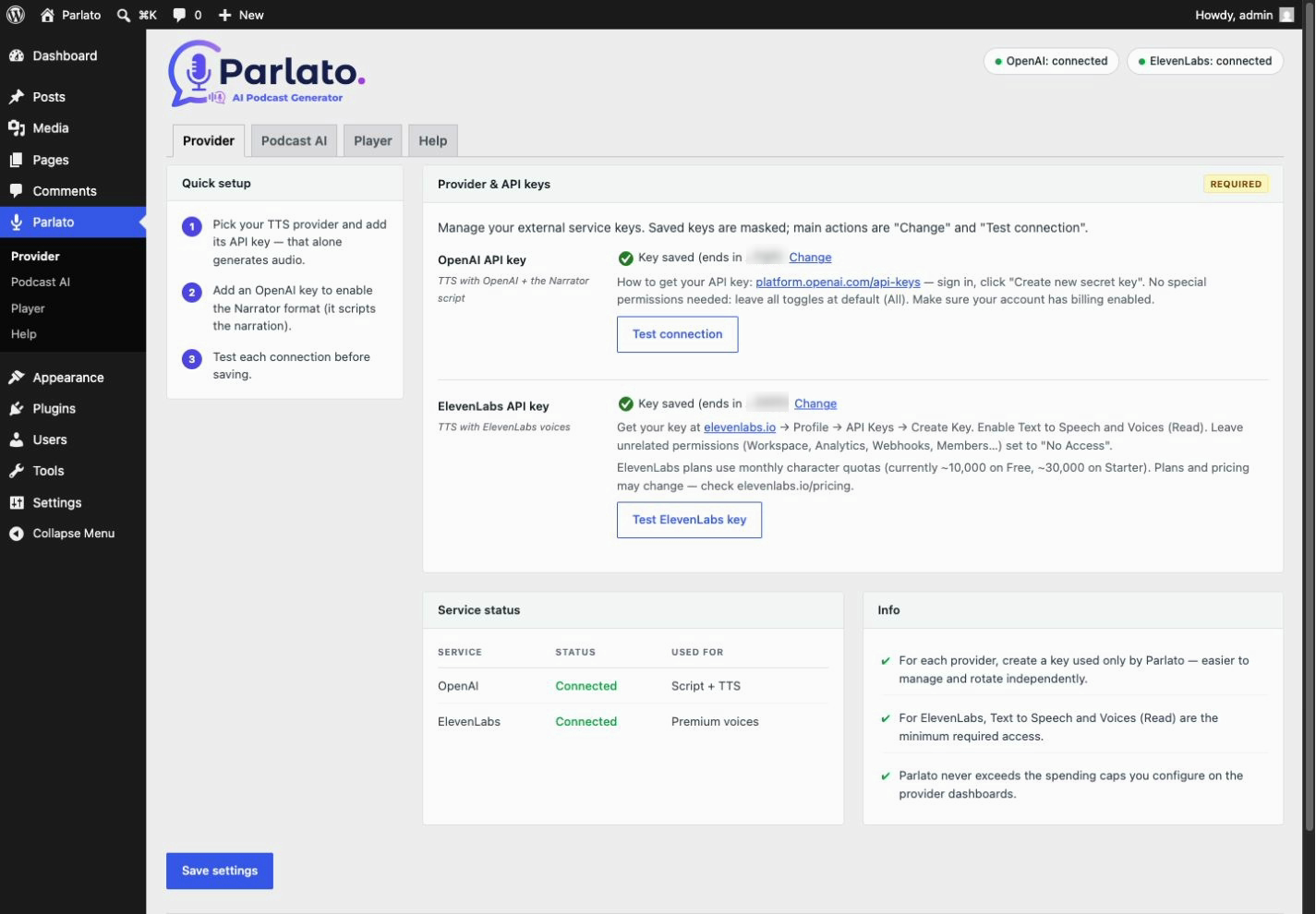
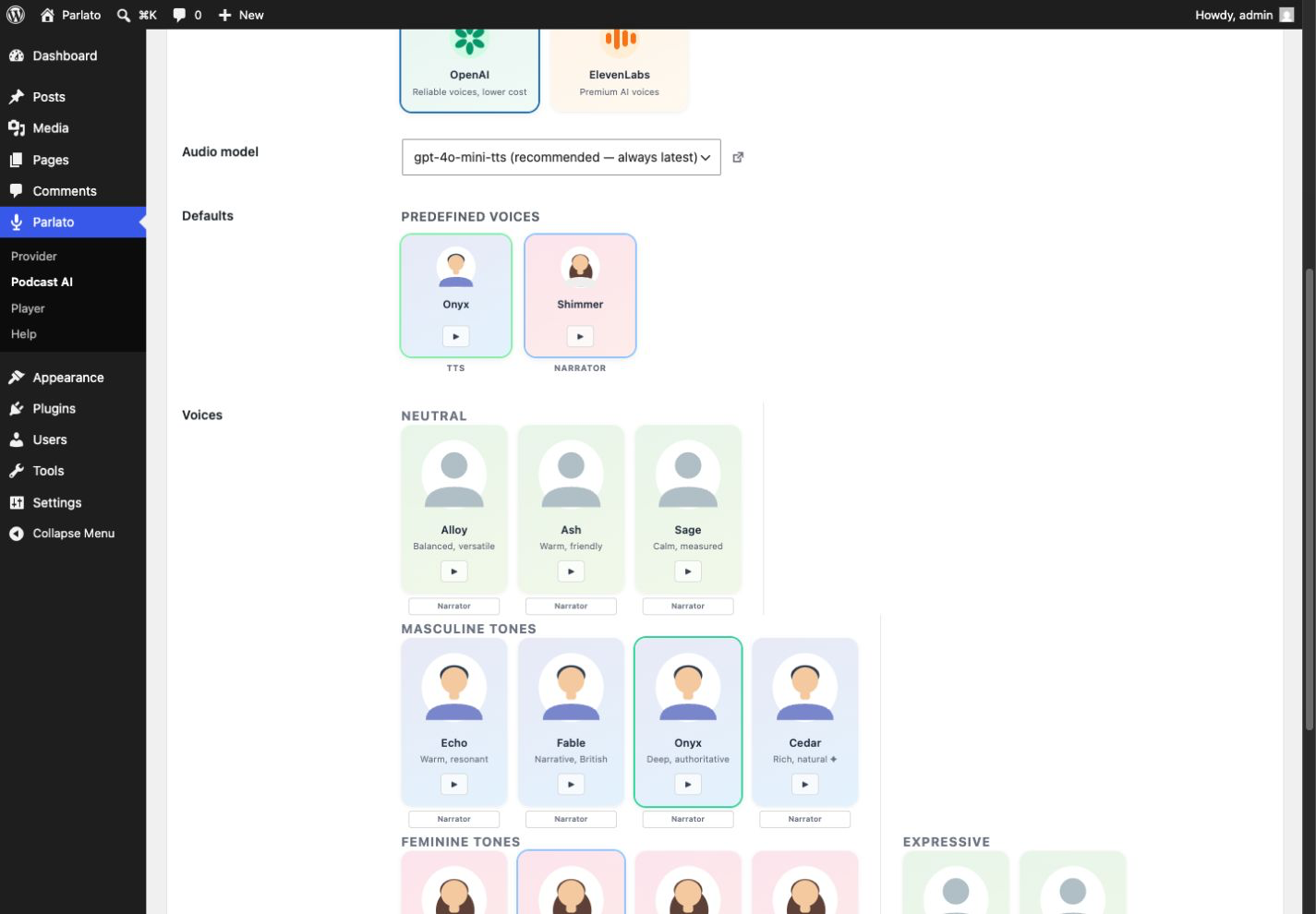
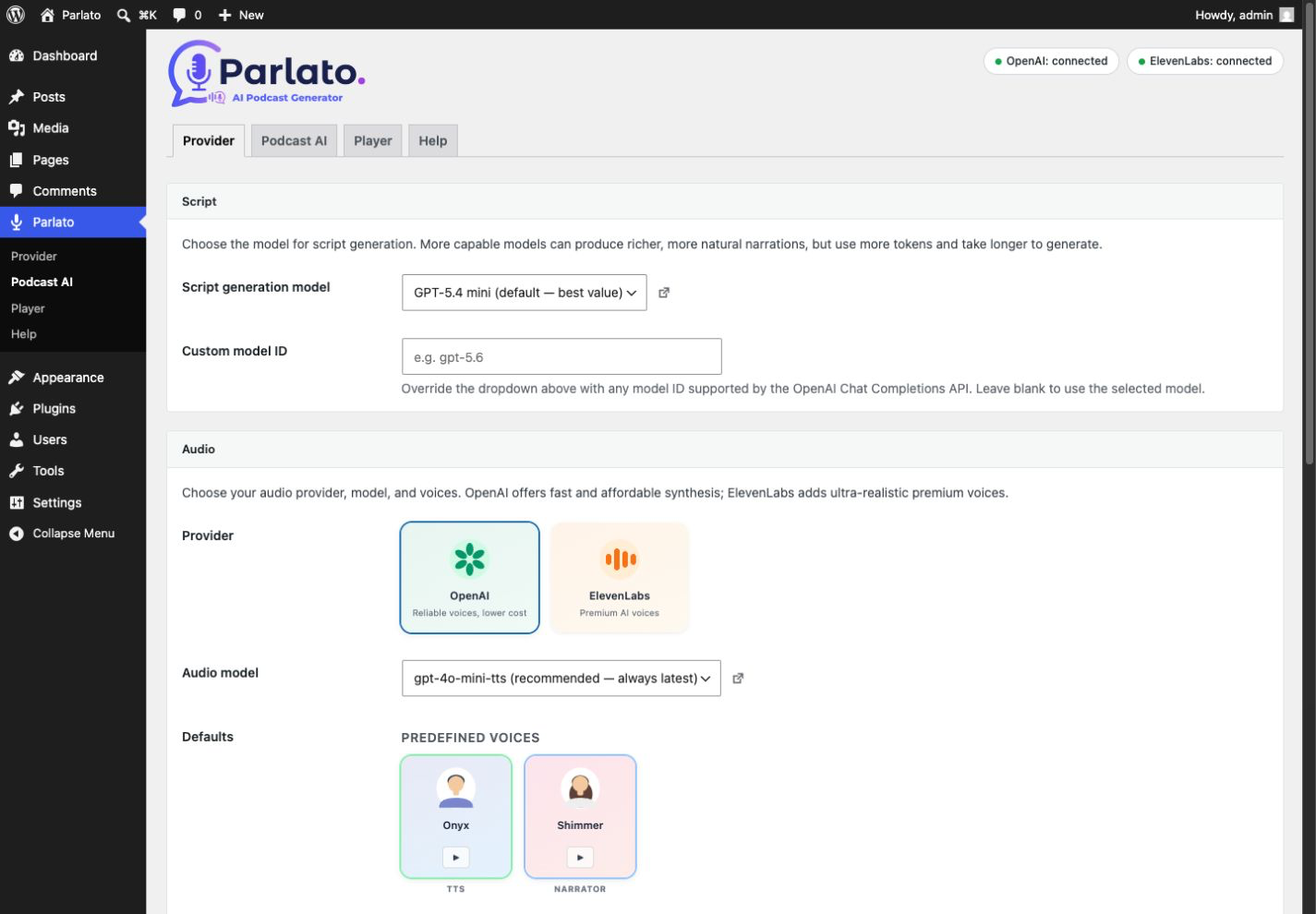
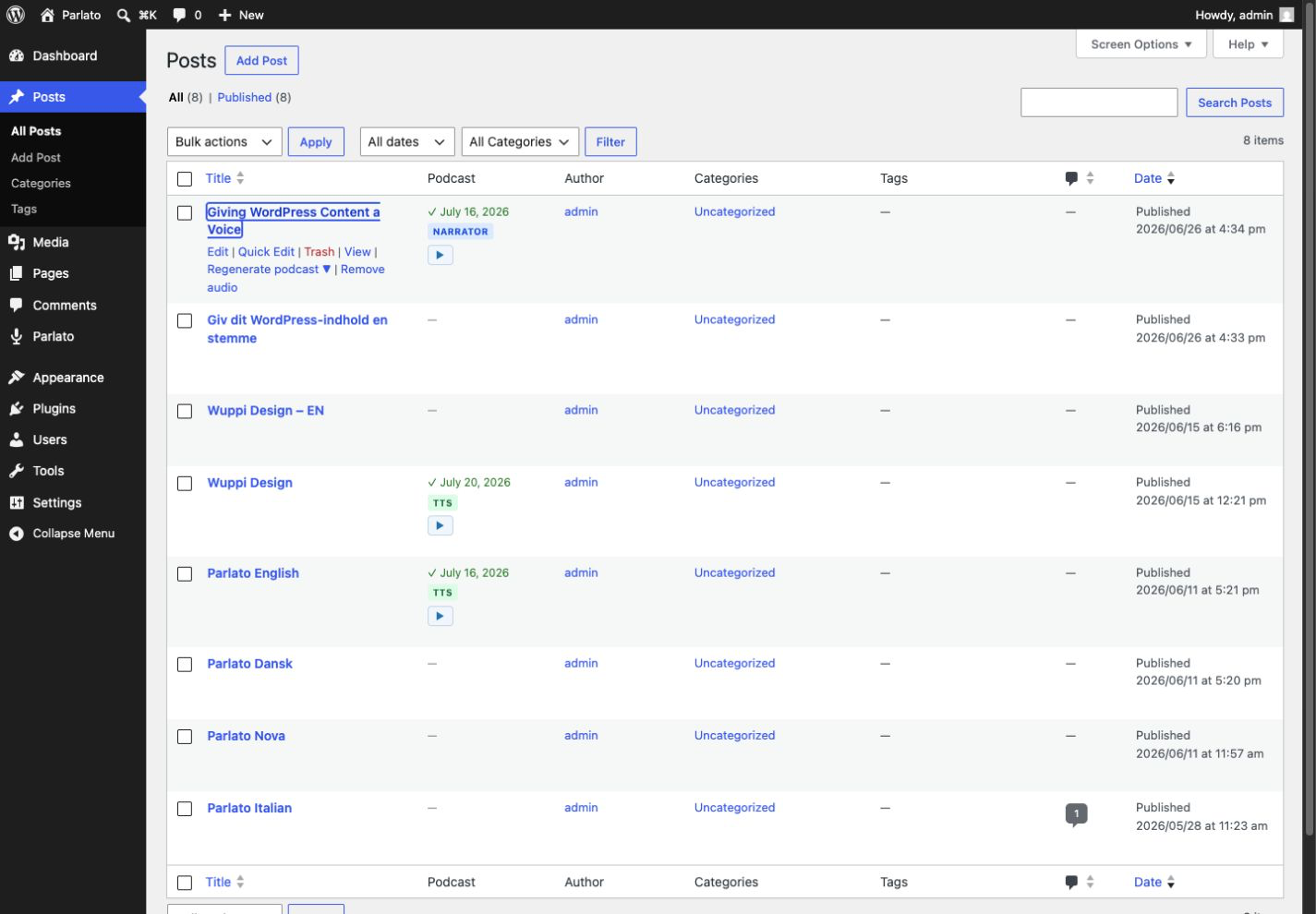
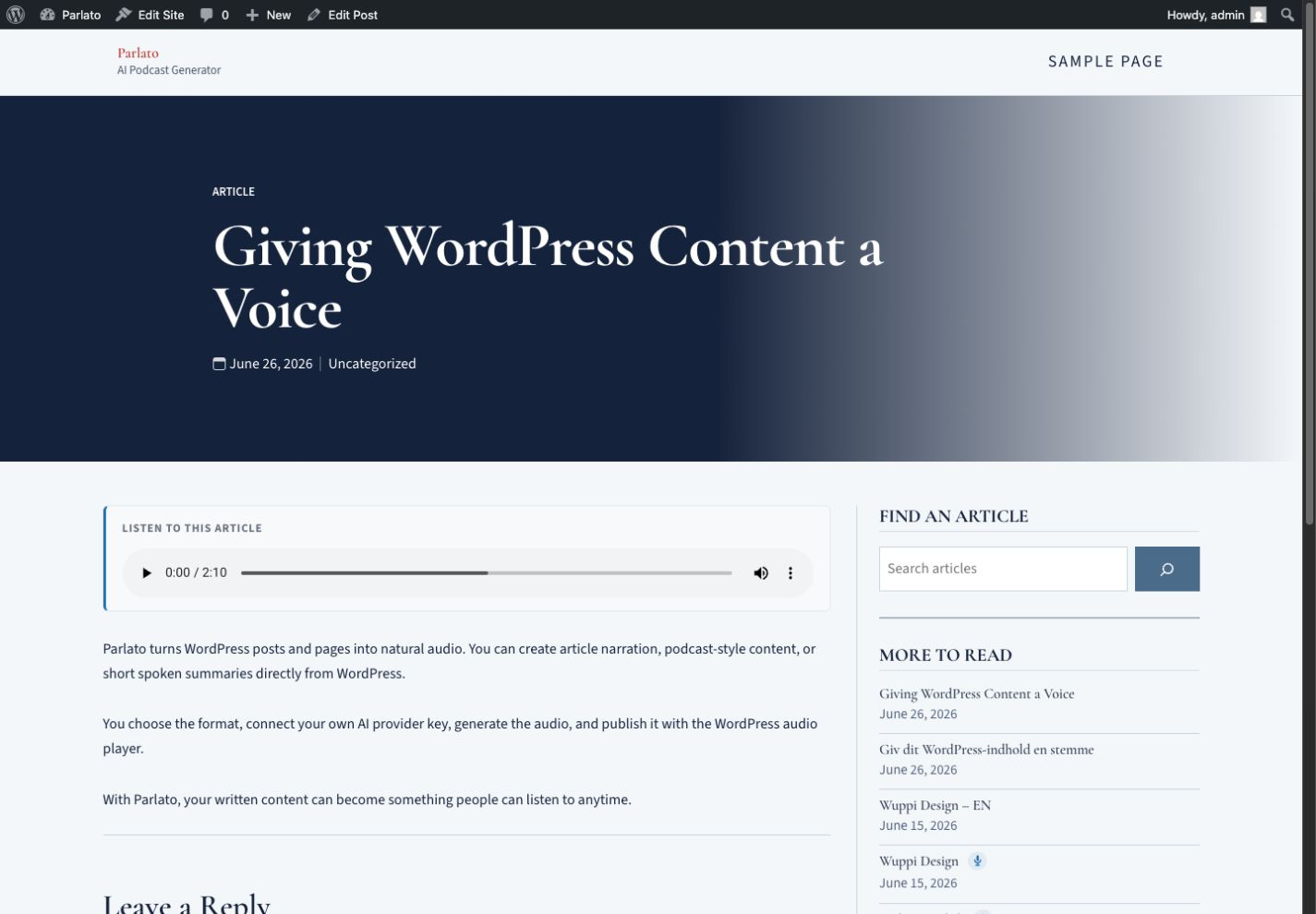
Parlato turns your WordPress posts into audio. Read a post aloud with a single click, or let AI script a narrated podcast monologue and convert it to a natural-sounding MP3. Every file is stored in your Media Library and played back with a lightweight HTML5 player. No third-party embeds, no tracking scripts.
Parlato is bring-your-own-key (BYOK): you connect your own OpenAI and/or ElevenLabs account, so there is no Parlato subscription and you pay your providers directly for what you use.
Two TTS providers:
- OpenAI — 13 voices (Alloy, Ash, Sage, Echo, Fable, Onyx, Cedar, Nova, Shimmer, Coral, Marin, Ballad, Verse) and models gpt-4o-mini-tts, tts-1-hd and tts-1
- ElevenLabs — premium AI voices loaded live from your account (default voices plus your own cloned/generated voices), with the eleven_multilingual_v2 and eleven_flash_v2_5 models
Two ways to generate audio:
- Read aloud (TTS) — convert the post text straight to speech with a single voice
- Narrator — AI writes an audiobook-style script, then reads it in one voice
For the Narrator format, Parlato first generates a structured script with an OpenAI GPT model (selectable, with adjustable reasoning effort), then converts that script to audio with the TTS provider and voice you chose.
Key features:
- 13 OpenAI voices plus your full ElevenLabs voice library
- AI script generation with a selectable GPT model and reasoning effort
- Voice preview directly from the settings page
- Audio saved in your Media Library — you own your files
- Lightweight HTML5 player — no JavaScript frameworks
- Player placed before or after content, or via the
[parlato]shortcode - Works with posts, pages and public custom post types (configurable)
- Optional microphone badge next to post titles in listings, flagging posts that have an audio version
Both formats — plain read-aloud TTS and the AI-scripted Narrator podcast — are fully free: Parlato imposes no generation limit of its own. Usage is subject to your chosen provider’s API quotas, rate limits, billing and availability.
How it works:
- In Parlato Provider, choose OpenAI or ElevenLabs and enter your API key
- Pick a voice and model (and, for podcasts, a script model under Podcast AI)
- Hover a post in the list of an enabled post type and click Generate in the row actions
- The audio player appears automatically on your post
External Services
Parlato is a “bring your own key” plugin: it does not contact any service on its own and ships with no bundled accounts. It connects to the third-party services below only when you configure an API key and explicitly trigger an action (generating audio, generating a podcast script, loading voices, or playing a preview). API requests include the key entered in settings; the browser preview request described below does not. Parlato sends no data in the background and stores no personal data of its own. You should disclose the use of these services in your site’s privacy policy.
OpenAI — Text-to-Speech
Used when OpenAI is the selected TTS provider, to convert your post text into an MP3 audio file. On each generation Parlato sends the (truncated) text of the post and your OpenAI API key to https://api.openai.com/v1/audio/speech. Data is sent only when you trigger generation for a post.
- Terms of use: https://openai.com/policies/
- Privacy policy: https://openai.com/policies/privacy-policy/
OpenAI — Chat Completions (podcast script)
Used for the Narrator podcast format to turn your post into a spoken-style script before audio generation. Parlato sends the post text and your OpenAI API key to https://api.openai.com/v1/chat/completions. Data is sent only when you trigger generation of a Narrator podcast.
- Terms of use: https://openai.com/policies/
- Privacy policy: https://openai.com/policies/privacy-policy/
ElevenLabs — Text-to-Speech
Used when ElevenLabs is selected for TTS. On generation Parlato sends the truncated post text and your API key to https://api.elevenlabs.io/v1/text-to-speech/. It calls https://api.elevenlabs.io/v1/voices with the key when loading voices. When you click a voice preview, your browser loads audio from the URL returned by ElevenLabs; that host receives standard connection data (IP address and user agent), but no API key or post text. Calls occur only after the corresponding user action.
- Terms of use: https://elevenlabs.io/terms-of-use
- Privacy policy: https://elevenlabs.io/privacy