

Parallax Image
v1.9.1thehowarde · 2017年3月27日 上架
Insert a full width parallax image into your page with this simple shortcode. Parameters allow for setting several key functions like height
- 正在使用
- 2,000+
- 评分
- 5.0 / 5
- 累计下载
- 5.8 万
- 最近更新
- 2024年11月15日
贡献者
 thehowarde
截图


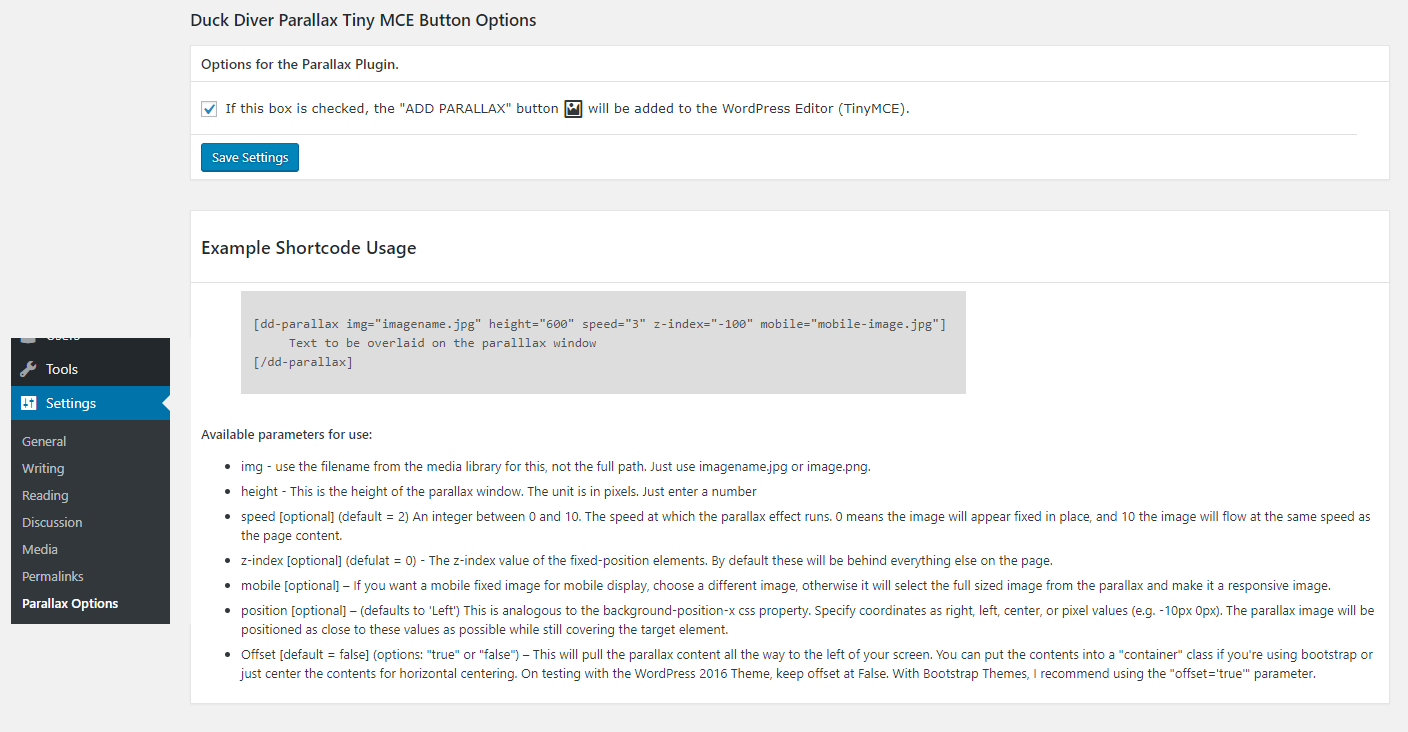
This is a simple parallax image plugin that uses the parallax.js script by pixelcog – http://pixelcog.github.io/parallax.js/
To insert your full width parallax image, simply use the [dd-parallax] shortcode. Include text to be overlaid on the parallax between the open and close [/dd-parallax] code. This plugin has been tested with WordPress 2014, 2015, 2016, and 2017 themes as well as a few themes that use Bootstrap. I can’t guarantee that it will work with all themes, but it’s worth a shot.
** Please note for WP 5.0 **
Currently this plugin works, but the TinyMCE button only works with the classic editor. A Gutenberg widget is in the works.
For example:
[dd-parallax img="imagename.jpg" height="600" speed="3" z-index="-100" mobile="mobile-image.jpg" offset="true"]

Text to be overlaid on the paralllax window

[/dd-parallax]
Available parameters for use:
- img – use the filename from the media library for this, not the full path. Just use imagename.jpg or image.png. (You can also use a fully qualified URL)
- height – This is the height of the parallax window. The unit is in pixels. Just enter a number
- speed [optional] (default = 2) An integer between 0 and 10. The speed at which the parallax effect runs. 0 means the image will appear fixed in place, and 10 the image will flow at the same speed as the page content.
- z-index [optional] (default = 0) – The z-index value of the fixed-position elements. By default these will be behind everything else on the page.
- mobile [optional] – If you want a mobile fixed image for mobile display, choose a different image, otherwise it will select the full sized image from the parallax and make it a responsive image.
- offset [default = false] (options: “true” or “false”) – This will pull the parallax content all the way to the left of your screen. You can put the contents into a “container” class if you’re using bootstrap or just center the contents for horizontal centering. On testing with the WordPress 2016 Theme, keep offset at False. With Bootstrap Themes, I recommend using the “offset=’true'” parameter.
- position [optional] – (defaults to ‘Left’) This is analogous to the background-position-x css property. Specify coordinates as right, left, center, or pixel values (e.g. -10px 0px). The parallax image will be positioned as close to these values as possible while still covering the target element.
- text-pos [optional] – Default is ‘top’ (to maintain compatibility with ver 1.6). Available options are “top”, “center”, “bottom”.
Admin-Settings page enables or disables the TinyMCE icon (if you don’t want it in your WP-Editor)
Demo
View a demo of this plugin here