

Panorama Block – immerse visitors in 360 degree views
v1.2.1bPlugins · 2021年12月15日 上架
Lightweight 360 degree panorama viewer block for Gutenberg – display panoramic images and videos with auto-rotation, zoom, and playback controls.
- 正在使用
- 700+
- 评分
- 5.0 / 5
- 累计下载
- 1.3 万
- 最近更新
- 2026年11月25日
 bPlugins
 Abu Hayat
 Md Shamim Islam
截图


Let visitors look around in every direction – display immersive 360-degree panoramic images and videos on your site within a few clicks.
Image Panorama Demo (Free) | Video Panorama Demo (Free) | Advanced Panorama Demos (Pro) | Pricing.
Why Panorama Block?
Panorama Block is a lightweight 360-degree panorama viewer Gutenberg block that lets you display panoramic images and videos on your website within a few clicks. It supports a variety of panoramic files such as .png, .jpeg, .mp4, and more, with spherical texture projections powered by WebGL/Three.js
The plugin is very easy to use – anyone can configure the viewer without any technical knowledge. Turn on auto-rotation to keep visitors engaged, set the rotation speed right inside the editor, and decide whether viewers can pan, zoom, and drag the scene themselves.
Free Features
- Spherical 360° View: Spherical texture projections powered by WebGL/Three.js.
- Image & Video Support: Panoramic images (PNG, JPEG) and video formats (MP4, WebM).
- Auto-Rotation: Keeps visitors engaged by panning views automatically.
- Speed Control: Set custom rotation speed dynamically inside the editor.
- Toggle Viewer Controls: Show or hide user controls for manual panning, zooming, and dragging.
- Autoplay, Mute & Loop: Custom playback settings for 360-degree video configurations.
- Uninstall Data Clean-up: Safe option to delete settings from the database upon deletion.
Pro Version – Panorama Viewer Pro
Looking for advanced features like interactive Virtual Tours with multi-scene support, markers and custom hotspots, Google Street View, and WooCommerce integration? Panorama Viewer Pro includes all features of the free Panorama Block plugin, plus these powerful tools to create immersive experiences.
How to Use Panorama Block – Quick Start
- Install and activate the Panorama Block plugin.
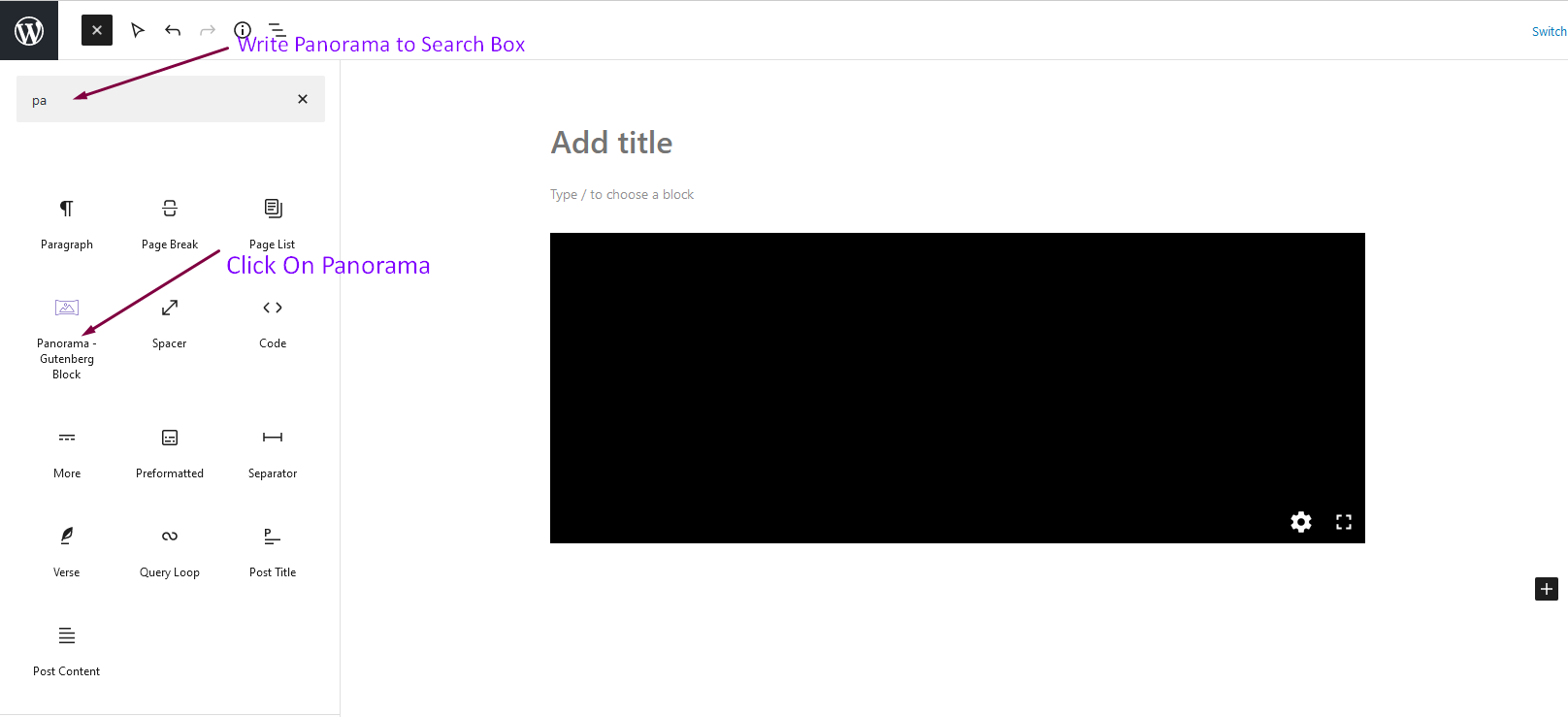
- In the Gutenberg editor, search for Panorama Block and add it to any post or page.
- Select your panoramic image or video from the media library.
- Configure auto-rotation, speed, viewer controls, and playback settings from the right-side sidebar.
- Publish – your 360-degree view is live!
Use Cases
- Real Estate & Interiors: Let prospects explore rooms and properties in 360 degrees.
- Travel & Tourism: Showcase destinations and landscapes with immersive panoramas.
- Hotels & Venues: Present event spaces and facilities from every angle.
- 360 Video Content: Embed panoramic videos with autoplay, mute, and loop options.
Source Code
You can find the source code, report bugs, and contribute to the development of this plugin on our GitHub repository:
Panorama Block on GitHub
Third-Party Libraries
bpl-tools
- Source / GitHub: https://github.com/bPlugins/bpl-tools
- License: GPL-2.0-or-later – https://www.gnu.org/licenses/gpl-2.0.html
- Purpose: Shared utility library providing admin dashboard components and common Gutenberg editor controls.
- External Services: The library may connect to bPlugins, WordPress.org, and Freemius services for product data and checkout functionality. See full details: https://github.com/bPlugins/bpl-tools#external-requests–why-they-are-made