

York IE – Theme Switcher
v1.8.0yorksupport · 2026年6月18日 上架
Assign or preview a different installed theme on individual posts, pages, and custom post types without changing the site-wide active theme.
- 正在使用
- 10+
- 评分
- 5.0 / 5
- 累计下载
- 474
- 最近更新
- 2026年7月13日
1 条评价需要 WordPress 6.0+已测试到 7.0.9PHP 7.4+
贡献者
 yorksupport
截图
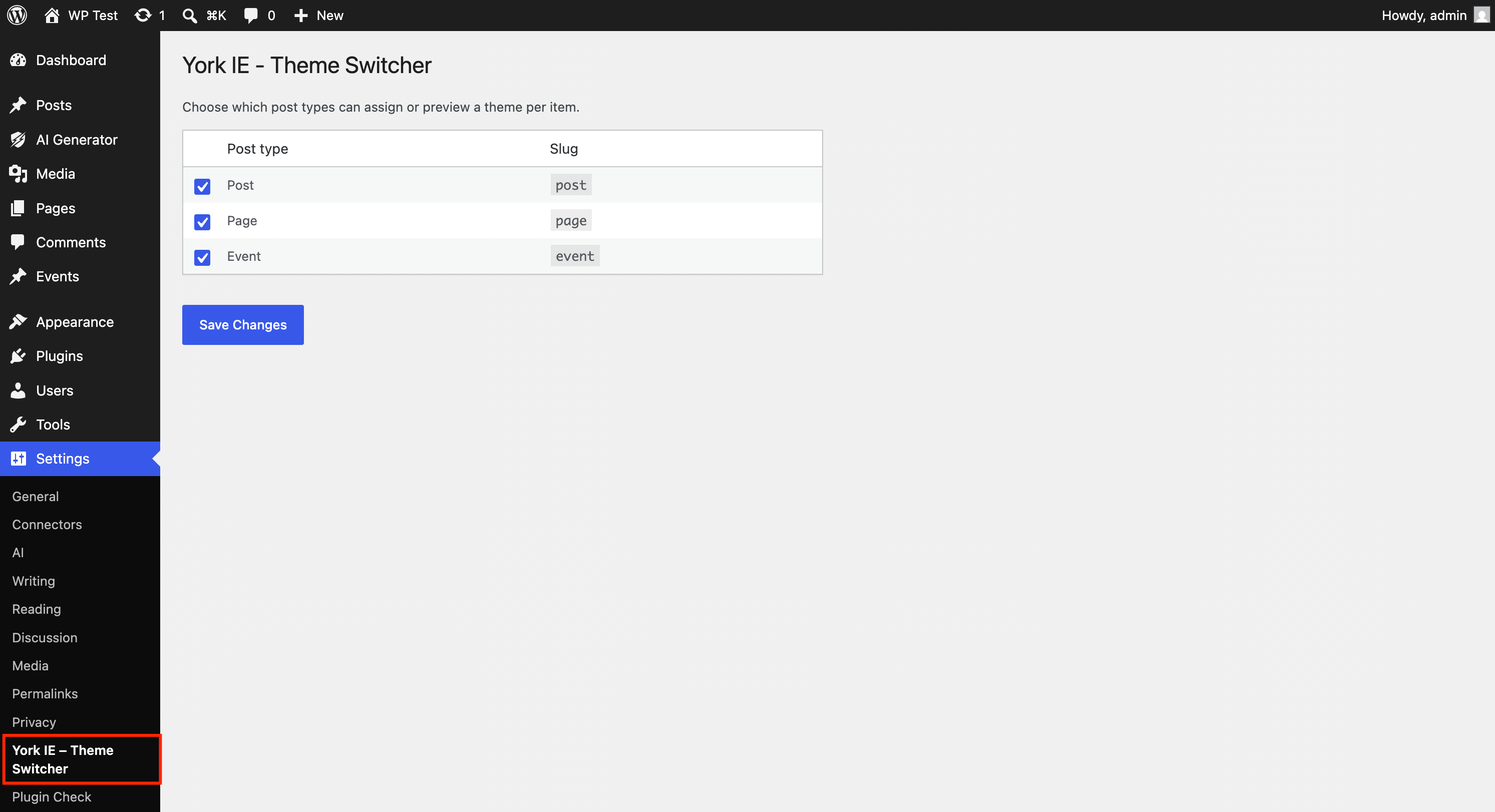
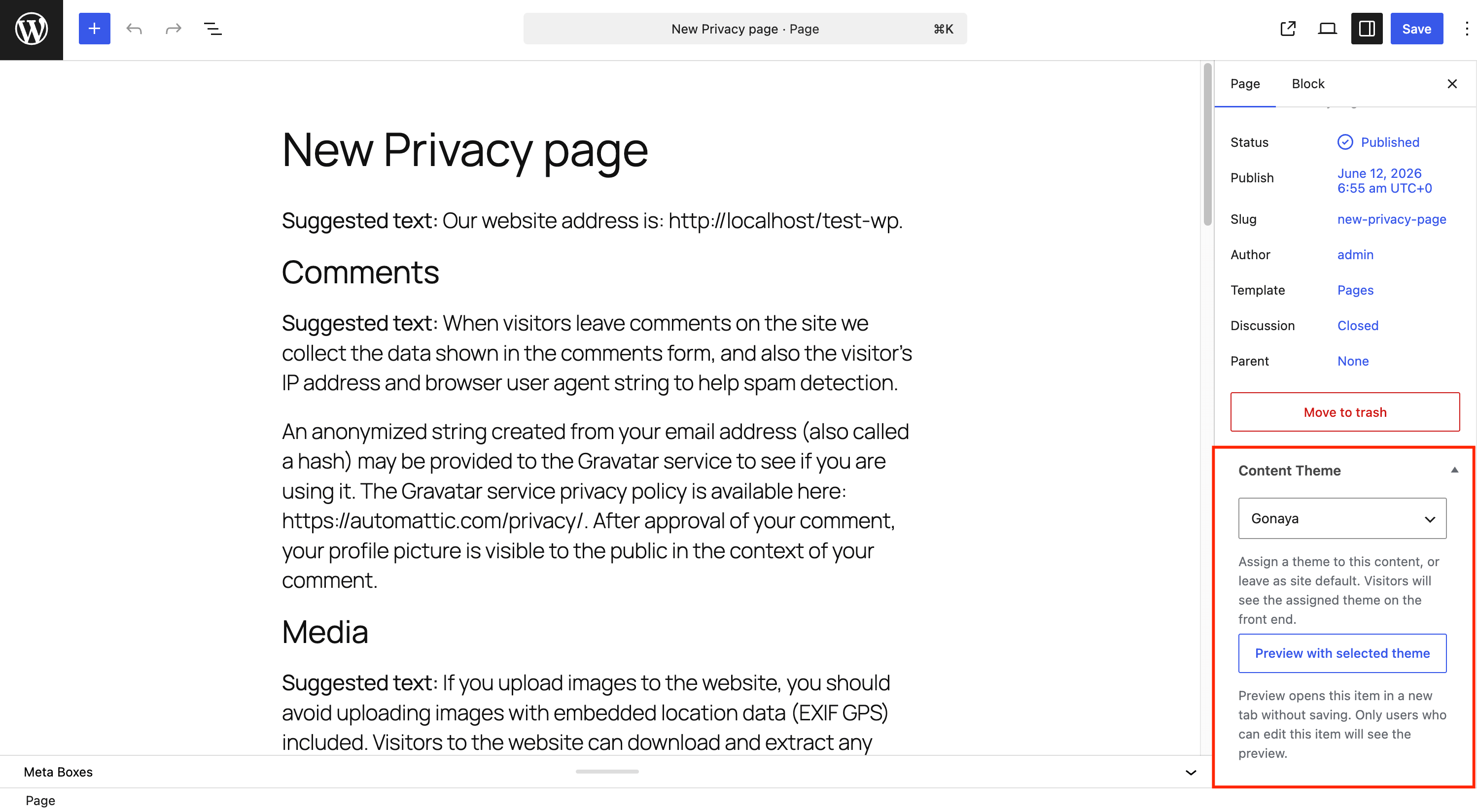
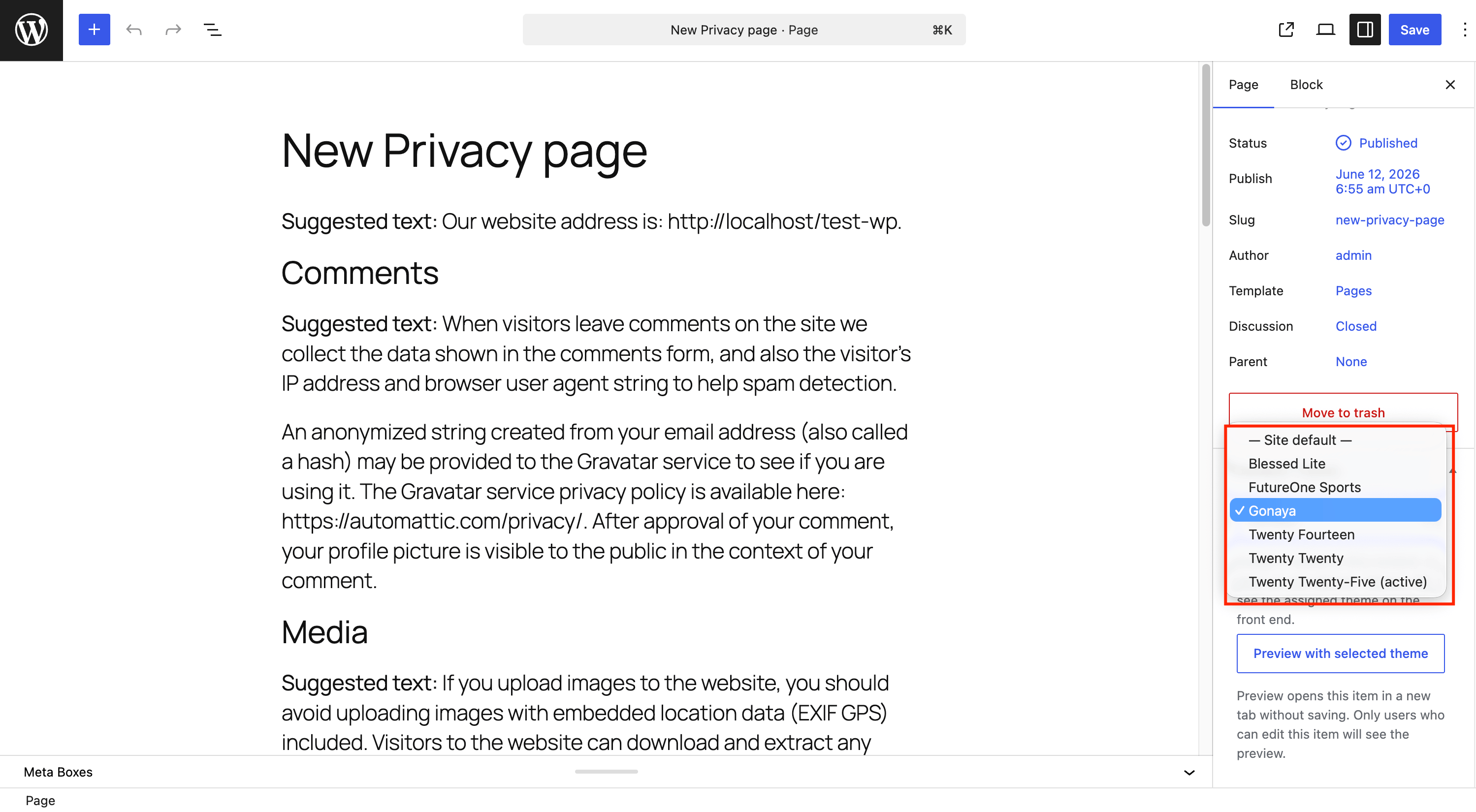
York IE – Theme Switcher lets editors assign a theme to a single piece of content or preview how that content looks in another installed theme. The site-wide active theme stays unchanged.
Features
- Assign a theme per post, page, or public custom post type
- Set a default content theme per enabled post type in settings
- Assign a page template from the selected theme, with a dropdown that updates when the theme changes
- Settings page to enable theme switching per post type
- Preview any supported item with another installed theme in a new tab
- Content Theme meta box in the editor sidebar
- Front-end admin bar menu for quick theme previews while logged in
- Preview banner with an exit link when previewing
- Works with subdirectory WordPress installs
How it works
- Edit a post, page, or custom post type.
- Choose a theme from the Content Theme sidebar panel.
- Optionally choose a Page template from the selected theme. The template list refreshes whenever you change the theme.
- Click Update to save the assignment, or use Preview with selected theme to test the theme and template without saving.
Visitors see the assigned theme only on that content item. Other pages continue using the active site theme.
Permissions
- Theme preview URLs require a valid nonce and permission to edit the item or the
switch_themescapability. - Assigned themes are visible to all visitors on the front end for that content item.
Developer filters
pagethsw_supported_post_types— Limit or extend supported post types.pagethsw_is_supported_post_early— Control post type support beforeinit.