

Origami For Contact Form 7 – Visual Form Progress
v1.1WP DECOR · 2024年10月26日 上架
Tired of boring forms? Enhance your Contact Form 7 with interactive origami animations, making form-filling fun and engaging!
- 正在使用
- 10 以下
- 评分
- 暂无
- 累计下载
- 1,003
- 最近更新
- 2025年1月5日
 WP DECOR
 Anowar Hossain Rana
截图


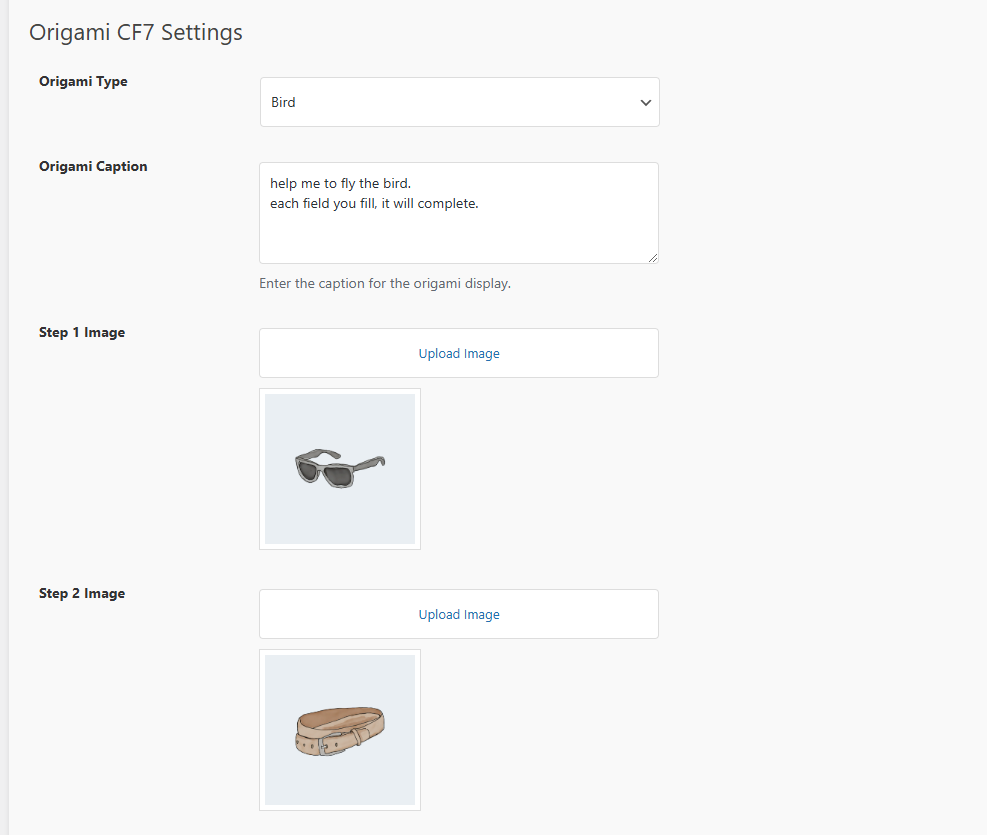
Origami For Contact Form 7 transforms standard forms into interactive, visually engaging experiences. Each form field reveals a step of an origami animation—birds, boats, trees, and more—making your forms unique and enjoyable.
Key Features:
- Interactive Origami Animations – Animated origami figures that respond to form fields being filled out.
- Compatible with Contact Form 7 – Works seamlessly with all your Contact Form 7 forms. Just add a shortcode, and you’re ready to go.
- Customizable Origami Styles – Choose from several themed animations (birds, boats, camels, trees), or upload your own custom origami images for a personal touch.
- Increased User Engagement – Fun, interactive form animations that make filling out forms enjoyable for users.
- Custom Settings – Adjust origami captions, images, and themes directly from the plugin settings page.
Perfect for any website that uses Contact Form 7! Whether you run a business, blog, or eCommerce site, you can easily integrate these animations to make form submissions more appealing and engaging for users.
Benefits of Using Origami for Contact Form 7
- Increased Form Completions – Fun visuals keep users engaged, improving form completion rates.
- Easy Customization – Customize the origami steps and animation types to match your brand or website theme.
- Enhanced User Experience – Create memorable user interactions and avoid boring form designs.
Don’t let your forms be dull—give them life with Origami For Contact Form 7!
How It Works
- Install the Plugin – Upload the plugin to your
/wp-content/plugins/directory or install it directly from the WordPress plugins screen. - Activate the Plugin – Activate it via the WordPress ‘Plugins’ screen.
- Customize Your Form Animations – Choose your preferred origami theme and upload custom images from the plugin settings.
- Use the Shortcode – Add the shortcode
[origami_cf7 id="YOUR_FORM_ID"]to display the origami animation alongside any Contact Form 7 form (replaceYOUR_FORM_IDwith your actual Contact Form 7 form ID).
Video
Plugin Homepage
For more details and updates, visit the Origami For Contact Form 7 Plugin Homepage.