

Order Barcode Plugin
v1.0.3MascotDevelopers · 2020年10月16日 上架
Order Barcode generates unique barcodes for each indiviual order placed on your site. These barcodes can be used as packing slips, order confirmation …
- 正在使用
- 100+
- 评分
- 3.7 / 5
- 累计下载
- 5,225
- 最近更新
- 2021年7月21日
贡献者
 MascotDevelopers
截图
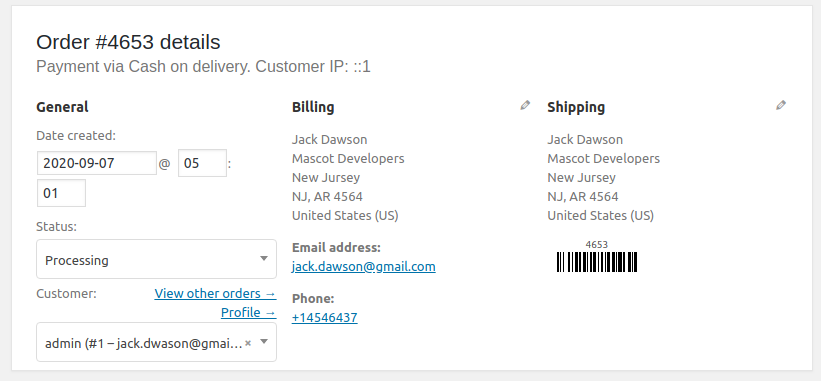
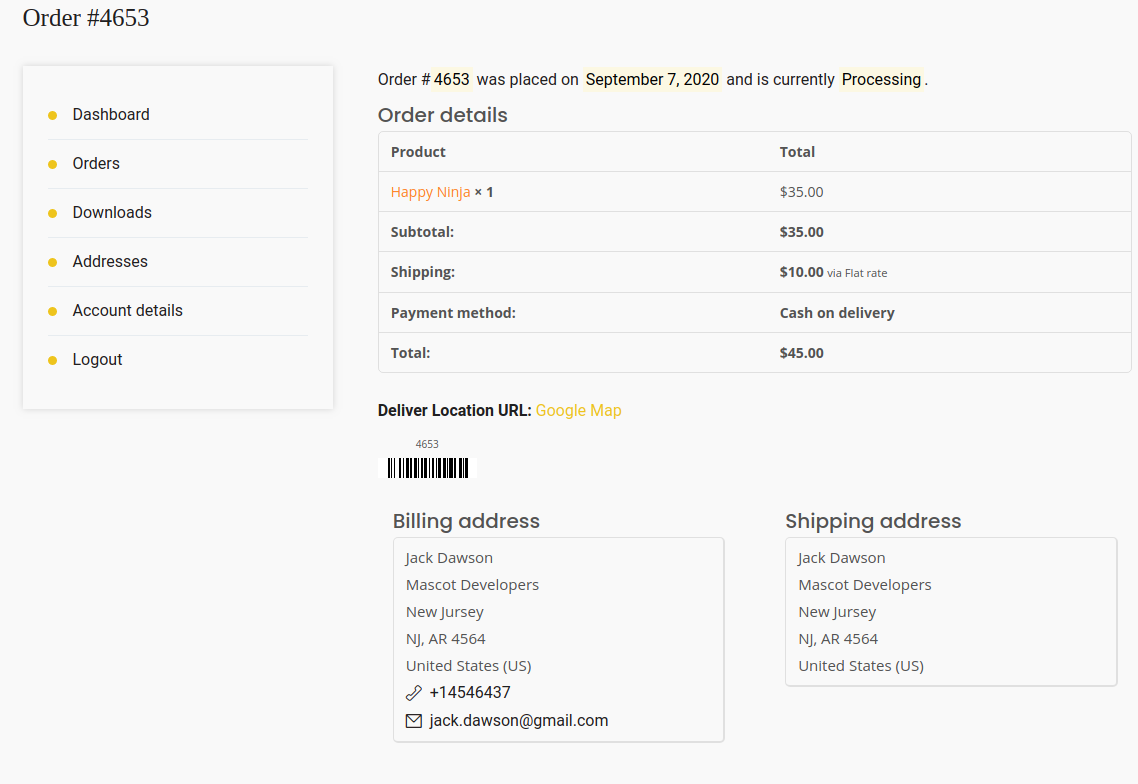


Order Barcode generates unique barcodes for each indiviual order placed on your site. These barcodes can be used as packing slips, order confirmation email, invoices or anything which get benefitted from having a scannable barcode attached to it.
Major features in Order Barcode Plugin include:
-
Indiviual Barcode for each Order
-
Shows in Admin Order Details Page
-
Shows in Customer’s MyAccount Page each order under Order Tab
-
Invoice integration with WooCommerce PDF Invoices & Packing Slips
-
Integrated with Order Confirmation Email.
Pro Features
-
QR Code integration
-
Settings Options for Barcode and QR Code
-
Color Option for Barcode or QR Code
-
Size Option for Barcode or QR Code
-
Order ID adding Option with color and font size
-
Order Number adding option with color and font size
-
Order Number Integration with Sequential Order Number for WooCommerce plugin
Check the Pro version here.
Minimum Requirements
- WooCommerce 2.2 or later
- WordPress 4.9.6 or later
Manual installation via FTP
- Download the plugin file to your computer and unzip it
- Using an FTP program, or your hosting control panel, upload the unzipped plugin folder to your WordPress installation’s wp-content/plugins/ directory.
- Activate the plugin from the Plugins menu within the WordPress admin