

Orchestra Map
v1.9.91SWu Labs · 2026年8月26日 上架
Interactive orchestra map powered by Leaflet. Manage orchestra entries and display them on a map, in a list, or with a search bar.
- 正在使用
- 10 以下
- 评分
- 暂无
- 累计下载
- 368
- 最近更新
- 2026年11月3日
贡献者
 SWu Labs
截图
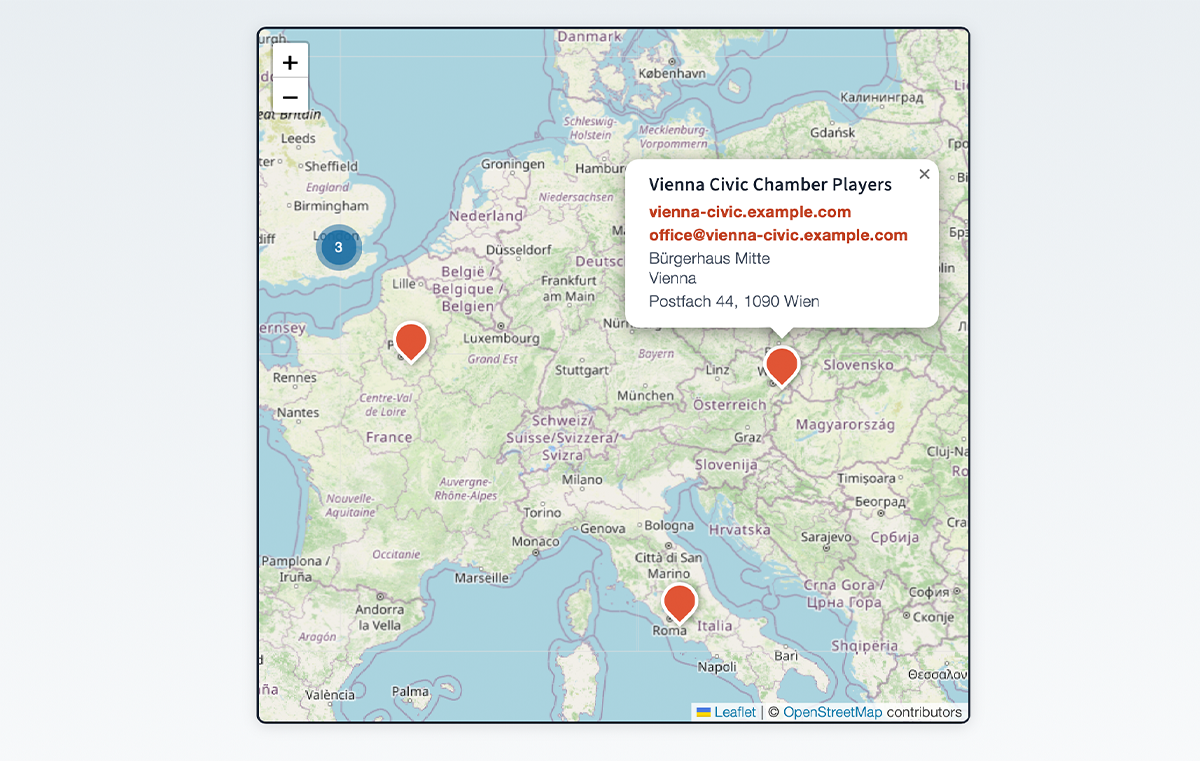
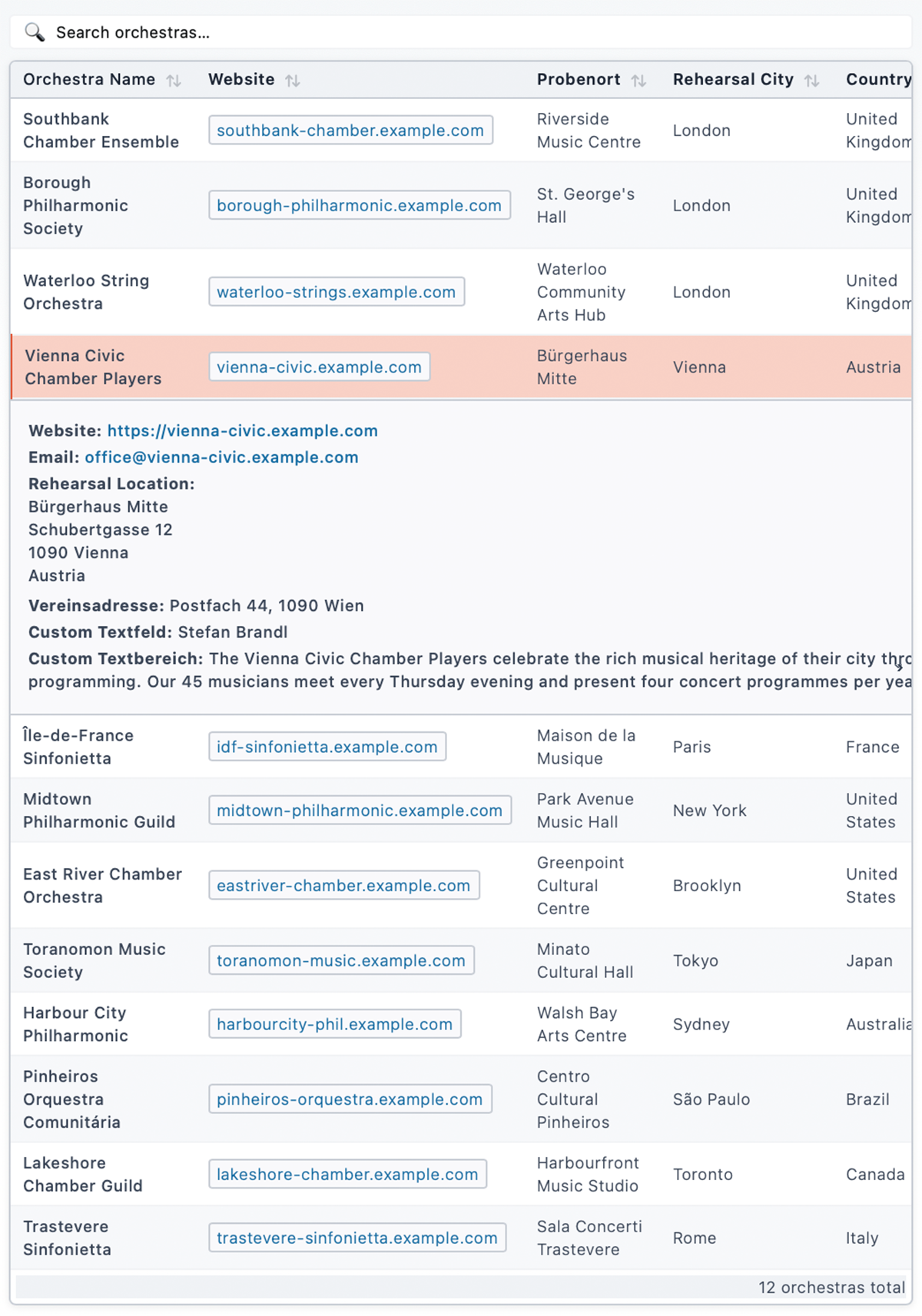
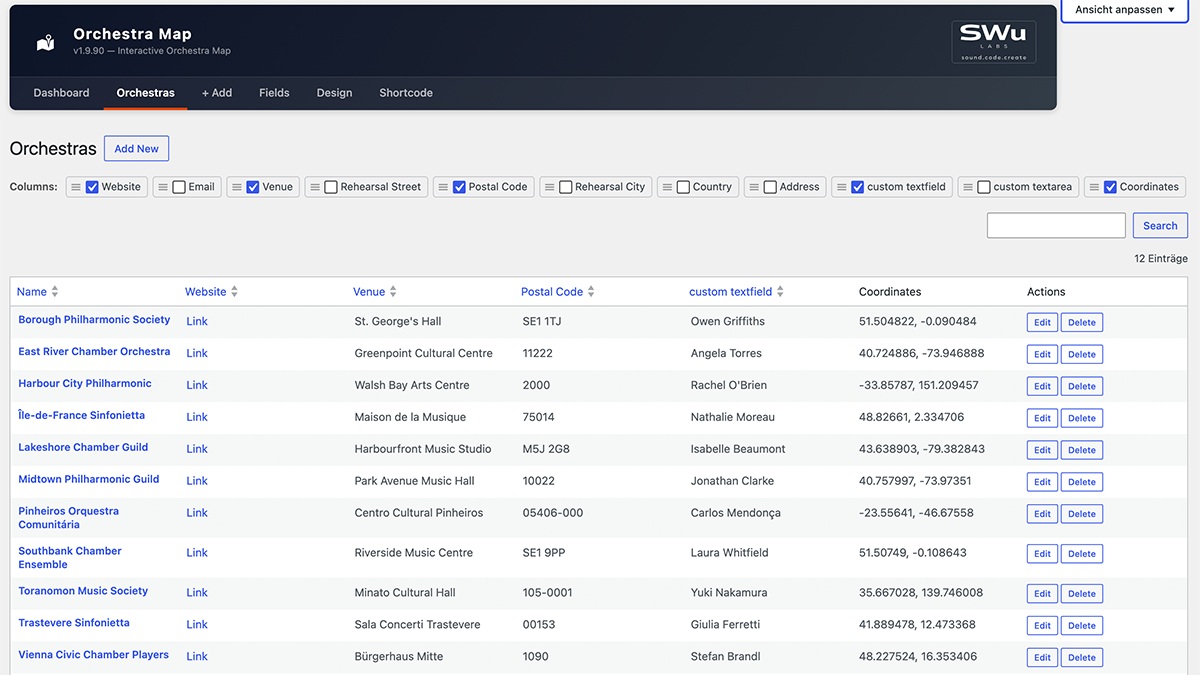
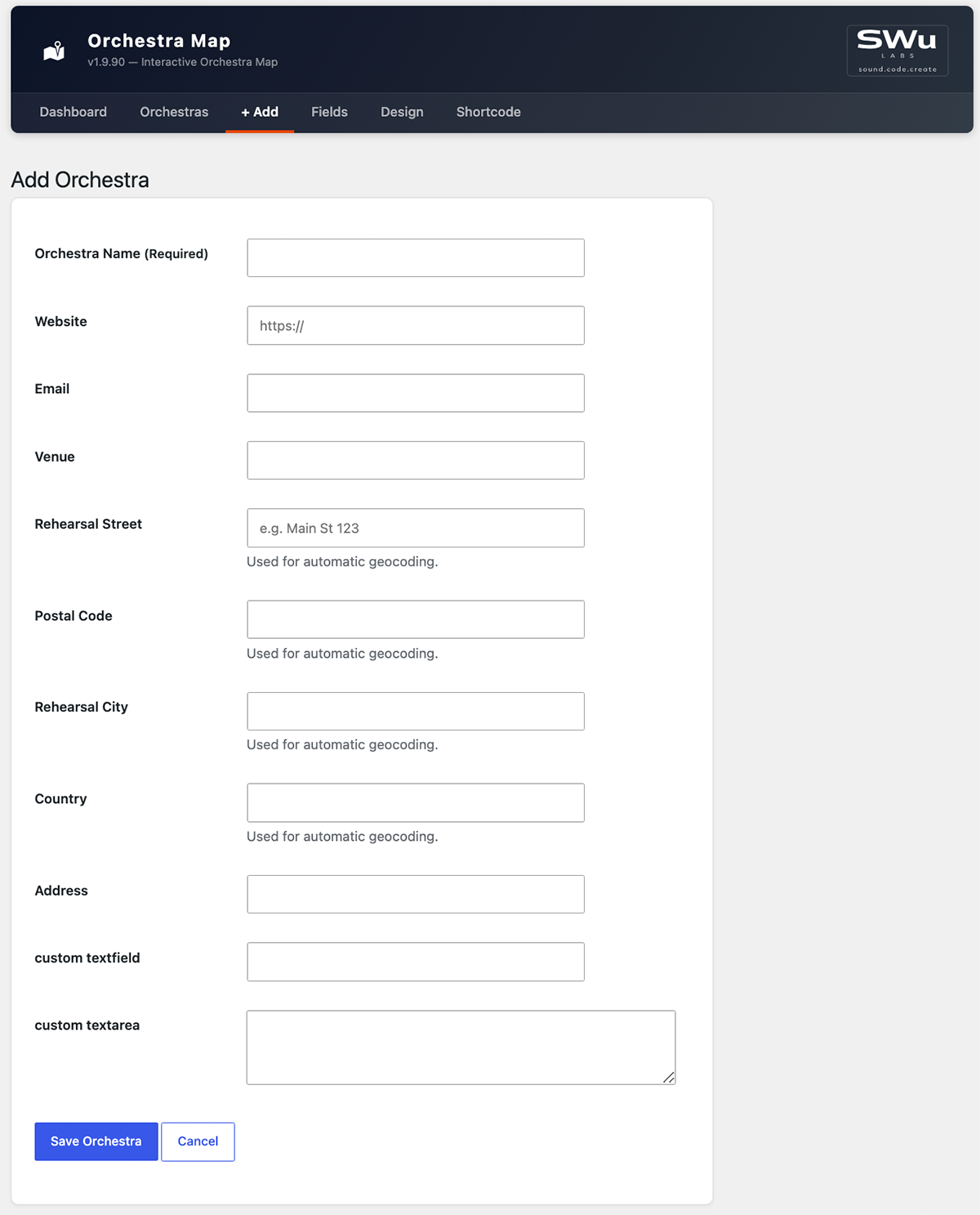
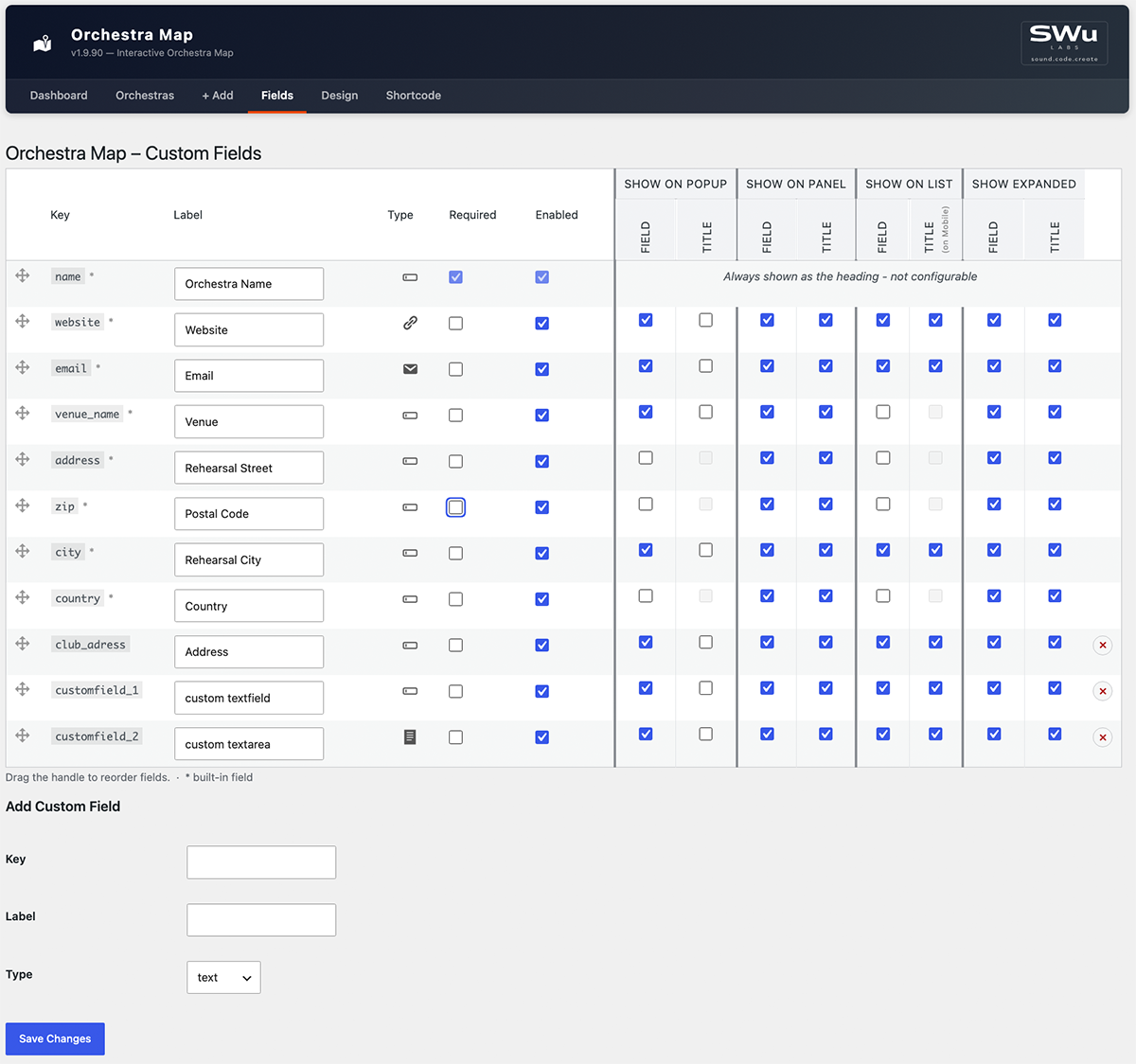
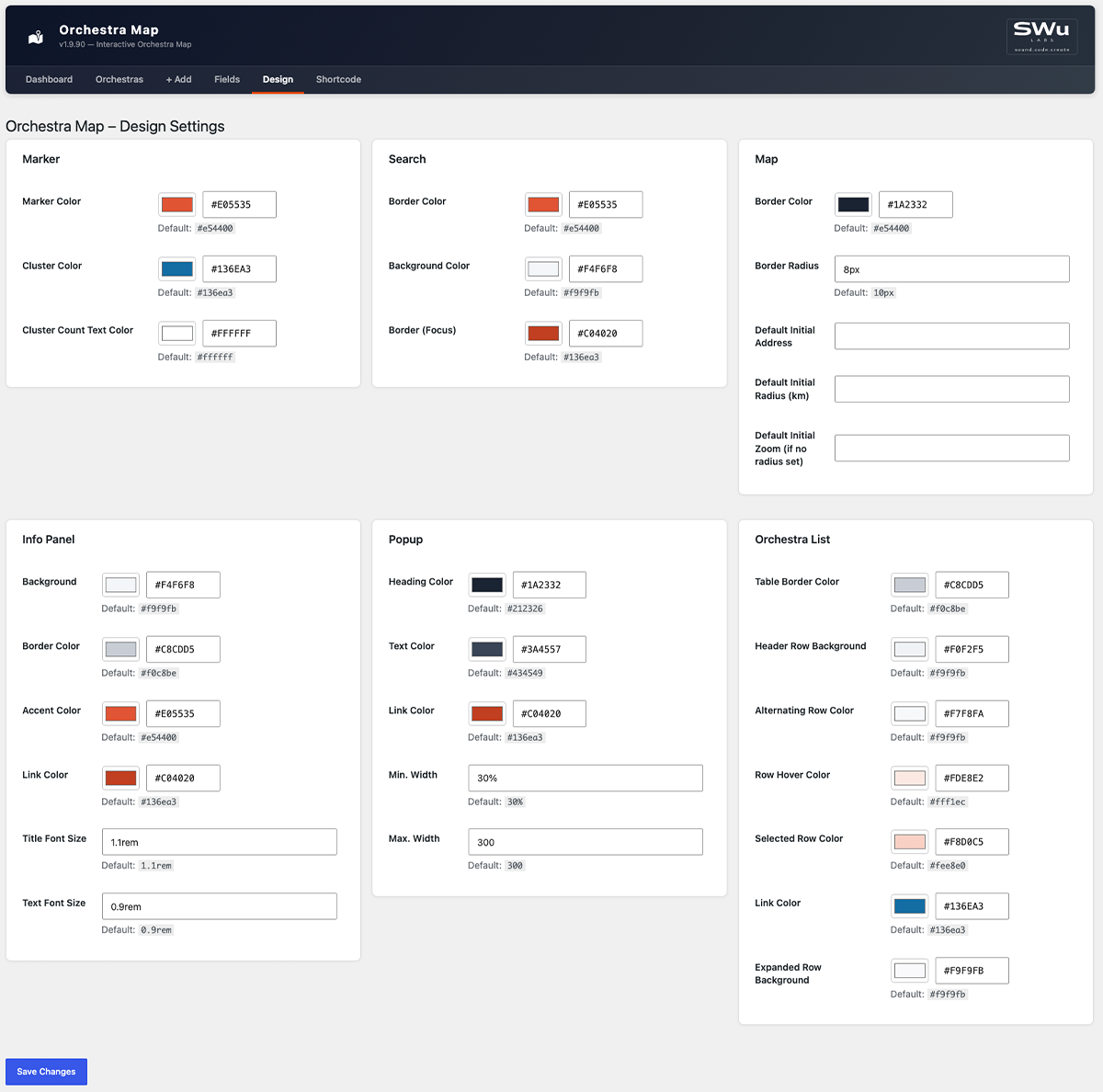
Orchestra Map lets you build an interactive directory of orchestras (or any kind of location-based entries) and display them on a Leaflet map, in a filterable list, or with a standalone search bar.
Core features (free)
- Interactive map via [orchestra_map] shortcode – powered by Leaflet.js and MarkerCluster
- List view via [orchestra_list] shortcode – filterable, connected to the map
- Search bar via [orchestra_search] shortcode – communicates with map and list via DOM events
- Add / edit / delete orchestras in a clean admin UI
- Built-in fields: Name, Website, Email, Venue name, Address, ZIP, City, Country
- Custom Fields – add, reorder, and label your own data columns in the Fields settings page
- Design settings – customise map colors, fonts and sizes in the Design settings page
- Geocoding – converts addresses to coordinates automatically via OpenStreetMap Nominatim (free, no API key required)
- Shortcode reference – full attribute documentation for all shortcodes, right in the admin
Pro add-on
The Orchestra Map Pro add-on (sold separately at swulabs.com) extends the free plugin with:
- Import & Export of orchestra data (CSV / Excel)
- Export & import of design settings (JSON) – e.g. to copy a look between sites
Shortcode reference
Site-wide defaults (colors, initial map view, which fields show where) are configured on the Design and Fields admin pages. The attributes below only override those defaults for a single shortcode instance – see the in-plugin “Shortcode” admin page for the full reference.
[orchestra_map]
Attribute
Default
Description
height
600px
Map height (any CSS value)
lat
51.1657
Initial map center latitude
lng
10.4515
Initial map center longitude
zoom
6
Initial zoom level
address
(none)
Initial map center as an address, auto-geocoded and cached (overrides lat/lng)
radius_km
(none)
Fit the initial view to this radius in kilometers (overrides zoom)
search
yes
Show integrated search (yes/no)
search_position
top
Search position (top/bottom)
[orchestra_list] – displays a filterable table of all geocoded orchestras.
[orchestra_search] – standalone search input; communicates with the map and list via the custom DOM events orchestra-map:filter and orchestra-map:select.
Credits
This plugin bundles the following open-source libraries:
- Leaflet – BSD-2-Clause License, Copyright (c) 2010–2023 Vladimir Agafonkin
- Leaflet.markercluster – MIT License, Copyright (c) 2012 David Leaver
- Geocoding via OpenStreetMap Nominatim – usage subject to the Nominatim Usage Policy
- Map tiles via OpenStreetMap – © OpenStreetMap contributors, data licensed under the Open Database License (ODbL), tile usage subject to the Tile Usage Policy