
Orbitstem SEO
v1.2.2Pratik Prajapati · 2026年10月23日 上架
The SEO plugin that watches your site, fixes problems safely and never charges you. Redirects, schema, local SEO, link suggestions: all free.
- 正在使用
- 10 以下
- 评分
- 暂无
- 累计下载
- 388
- 最近更新
- 2026年11月16日
 Pratik Prajapati
 prizoraitech
截图
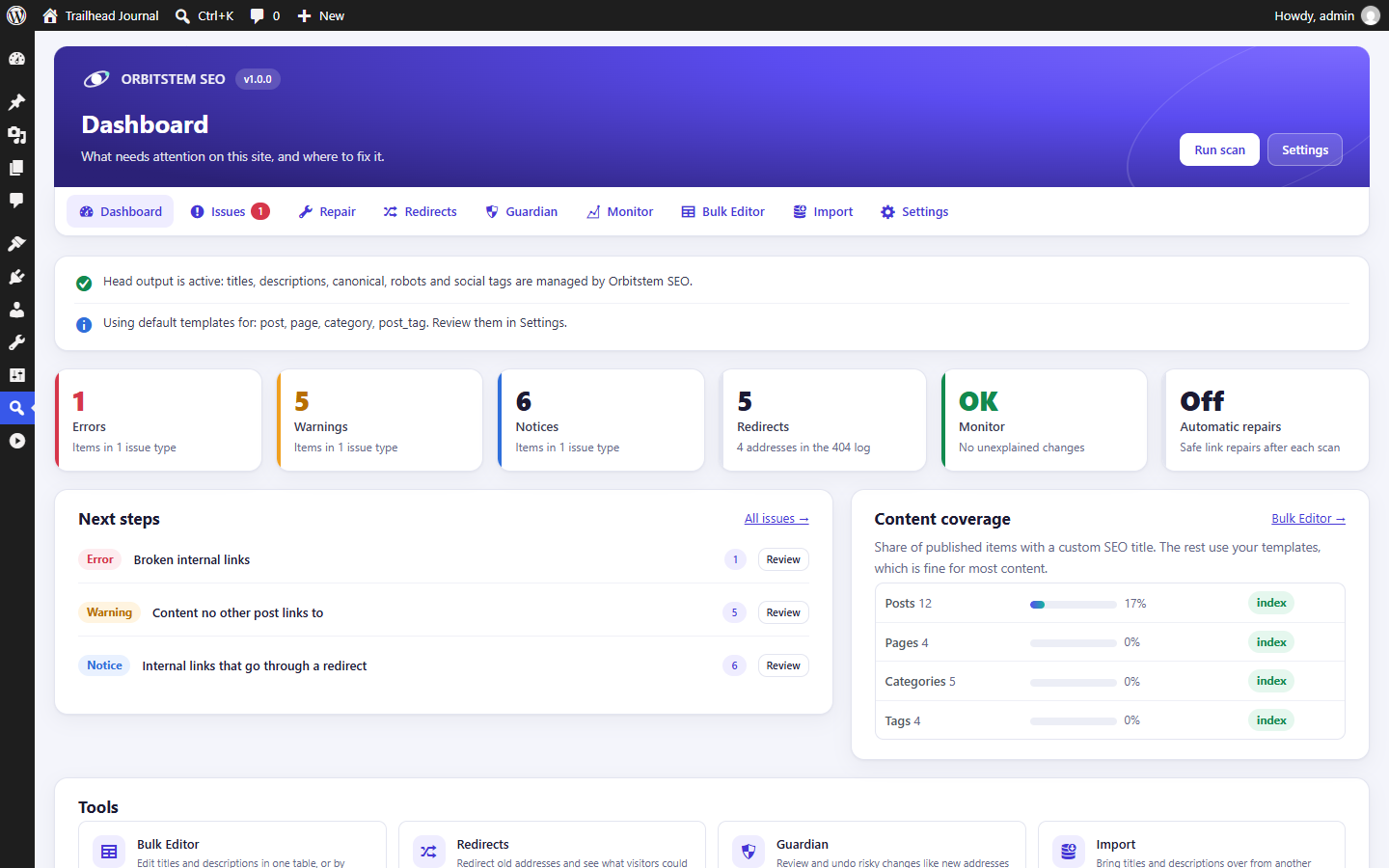
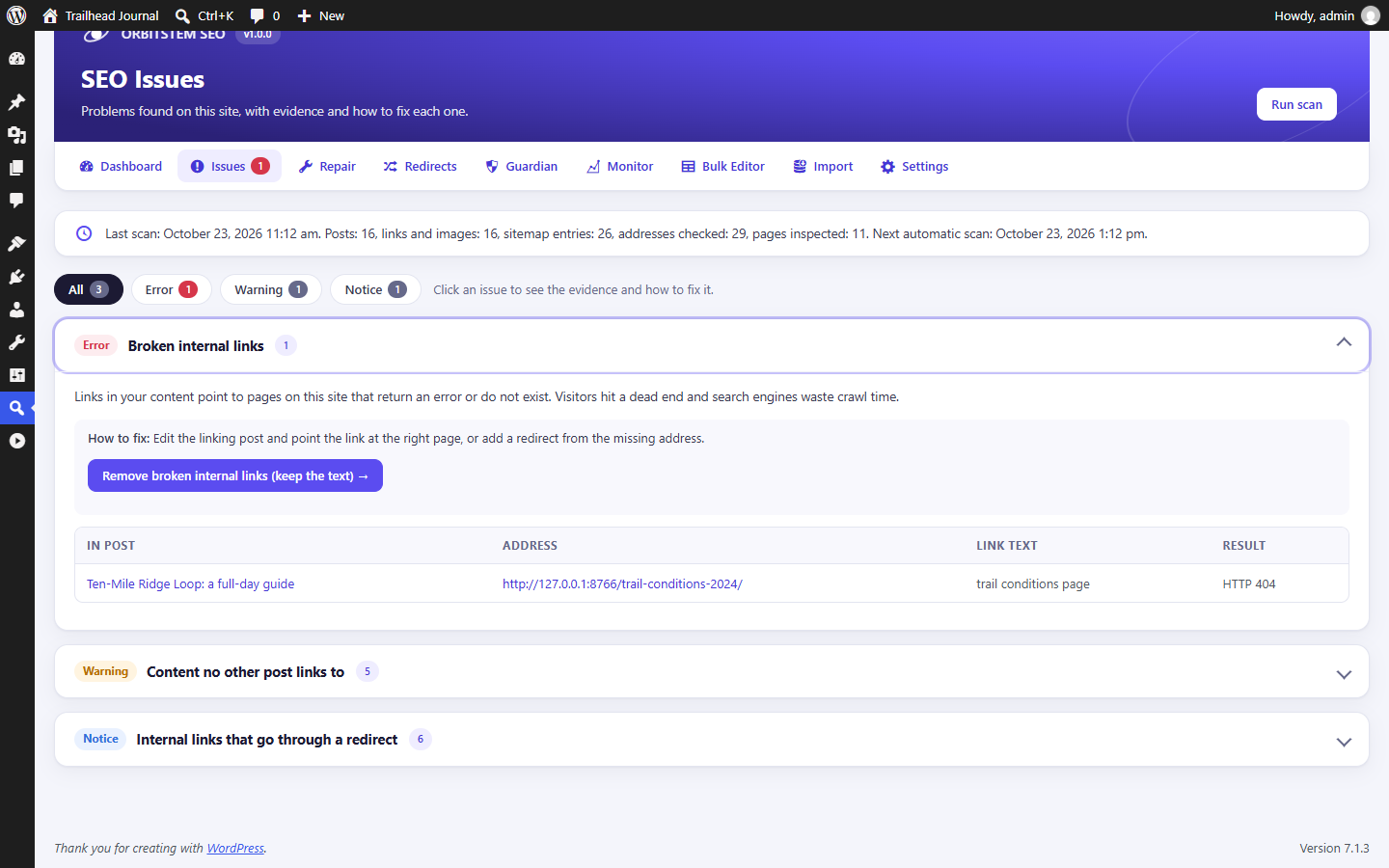
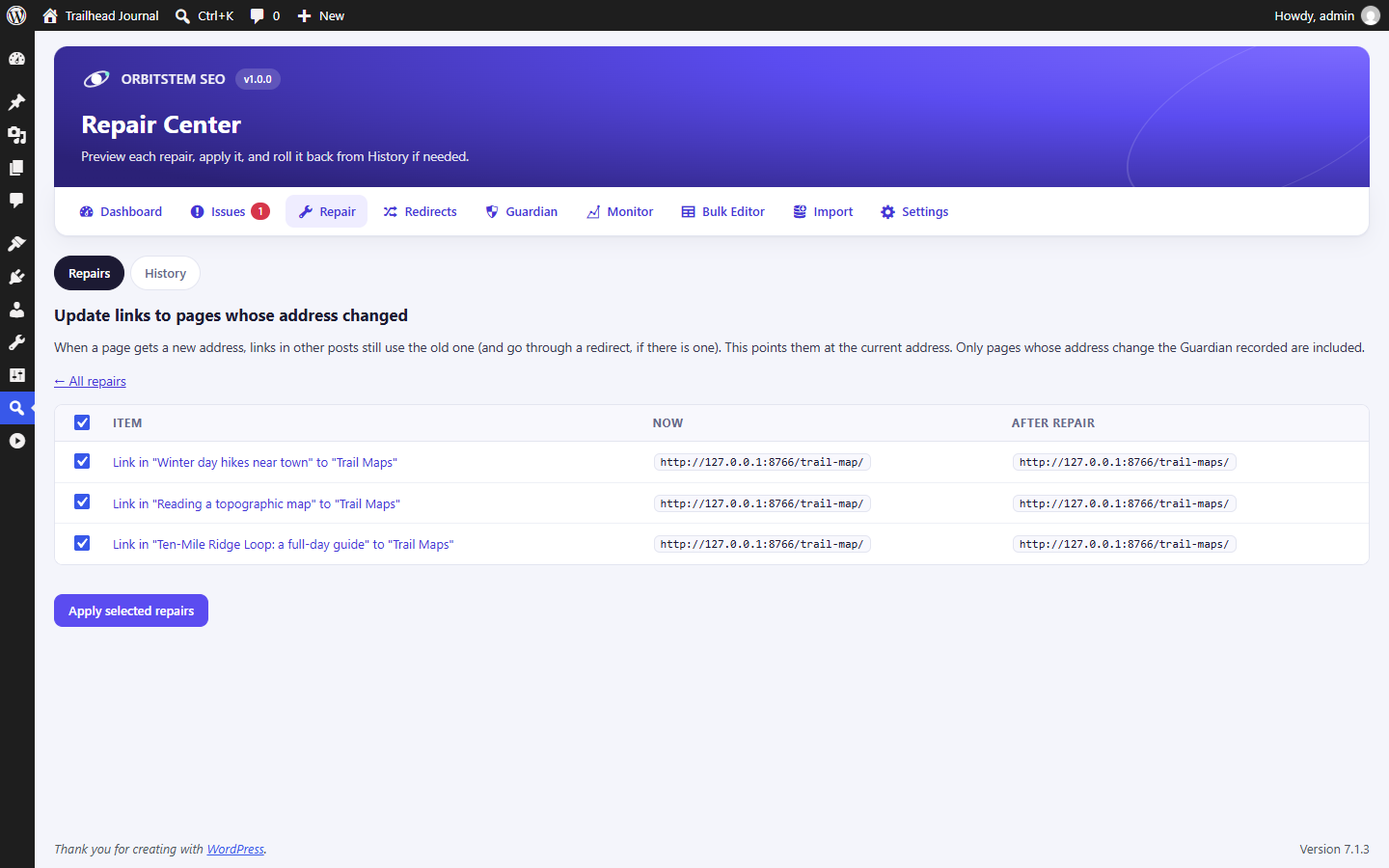
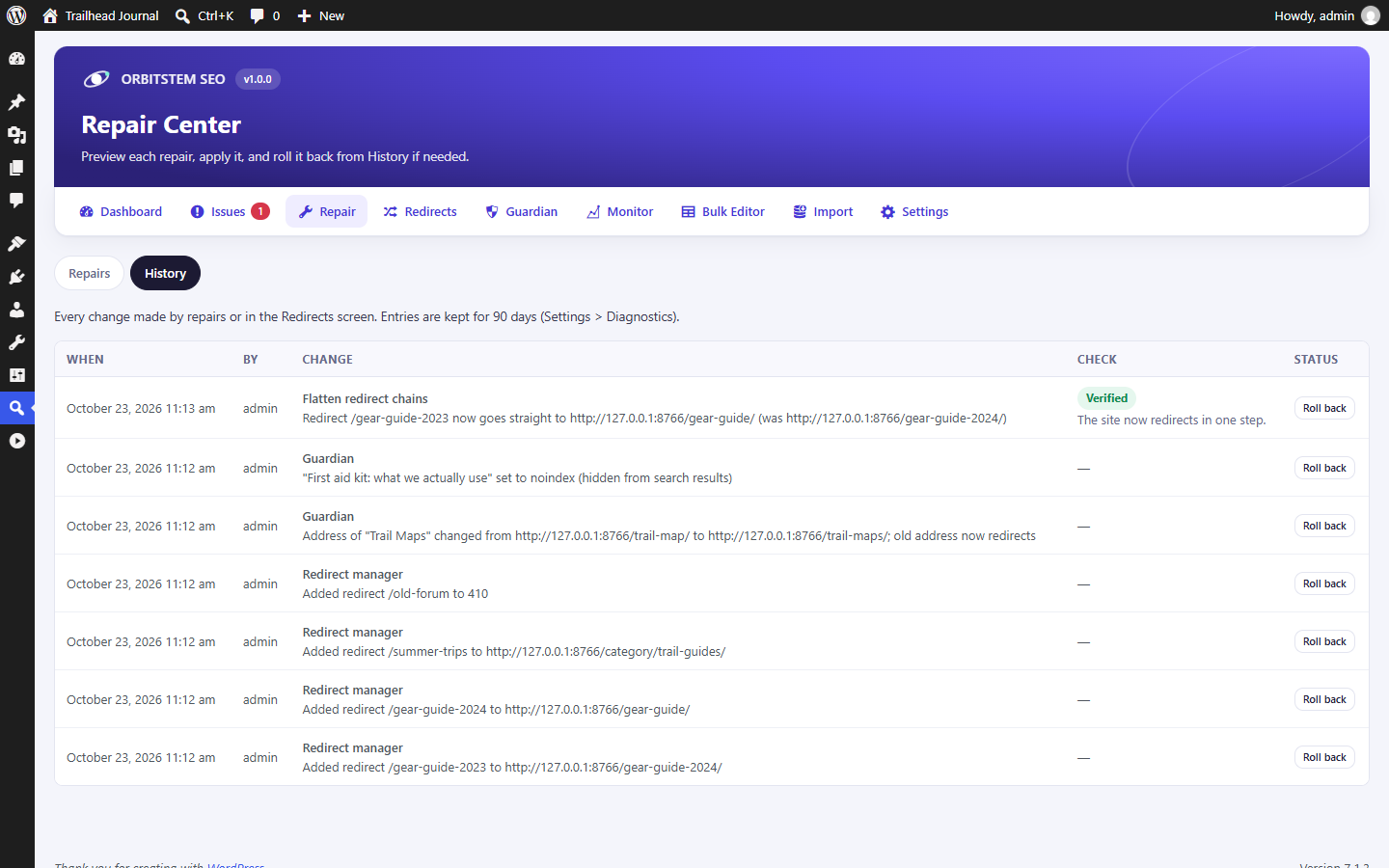
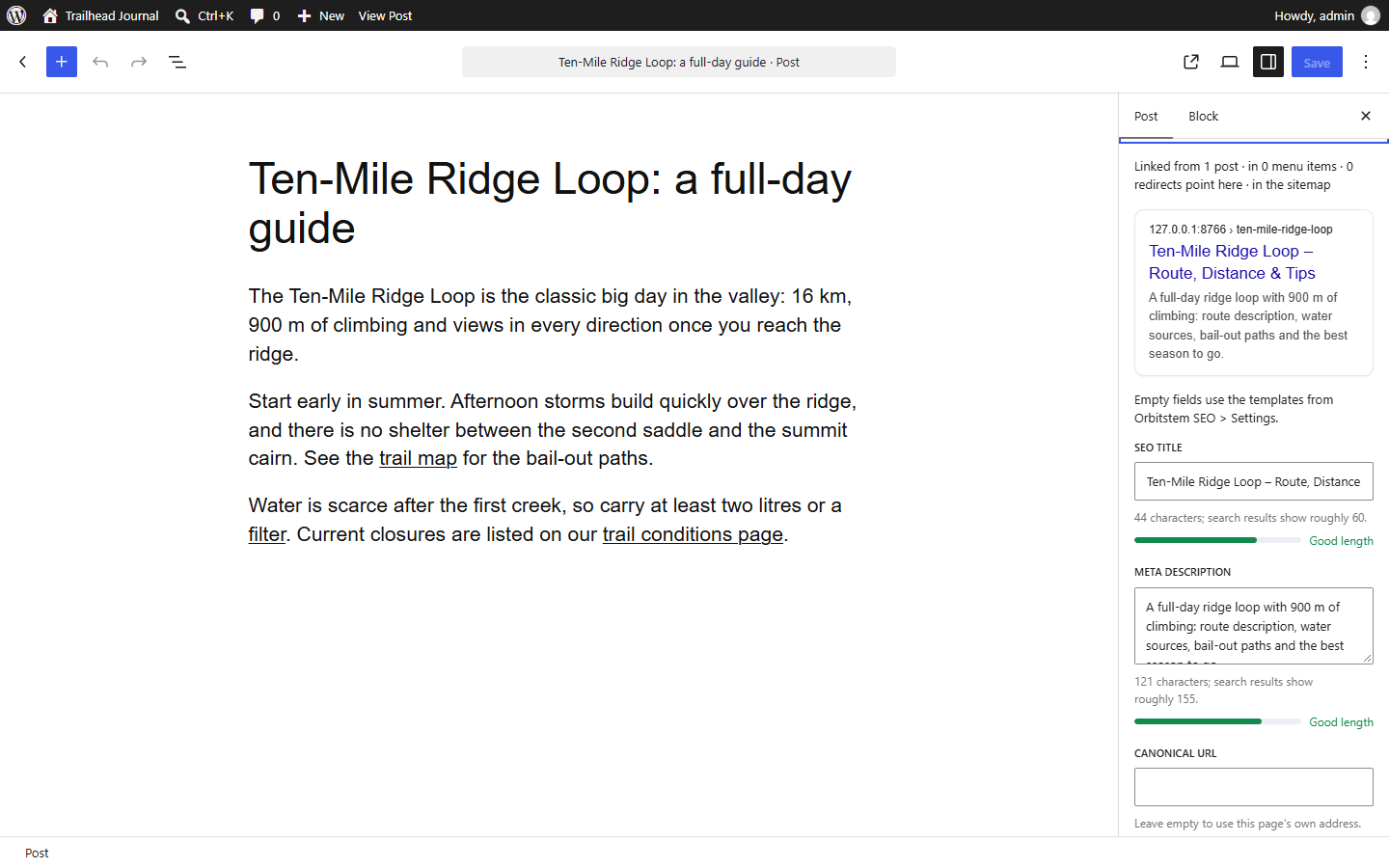
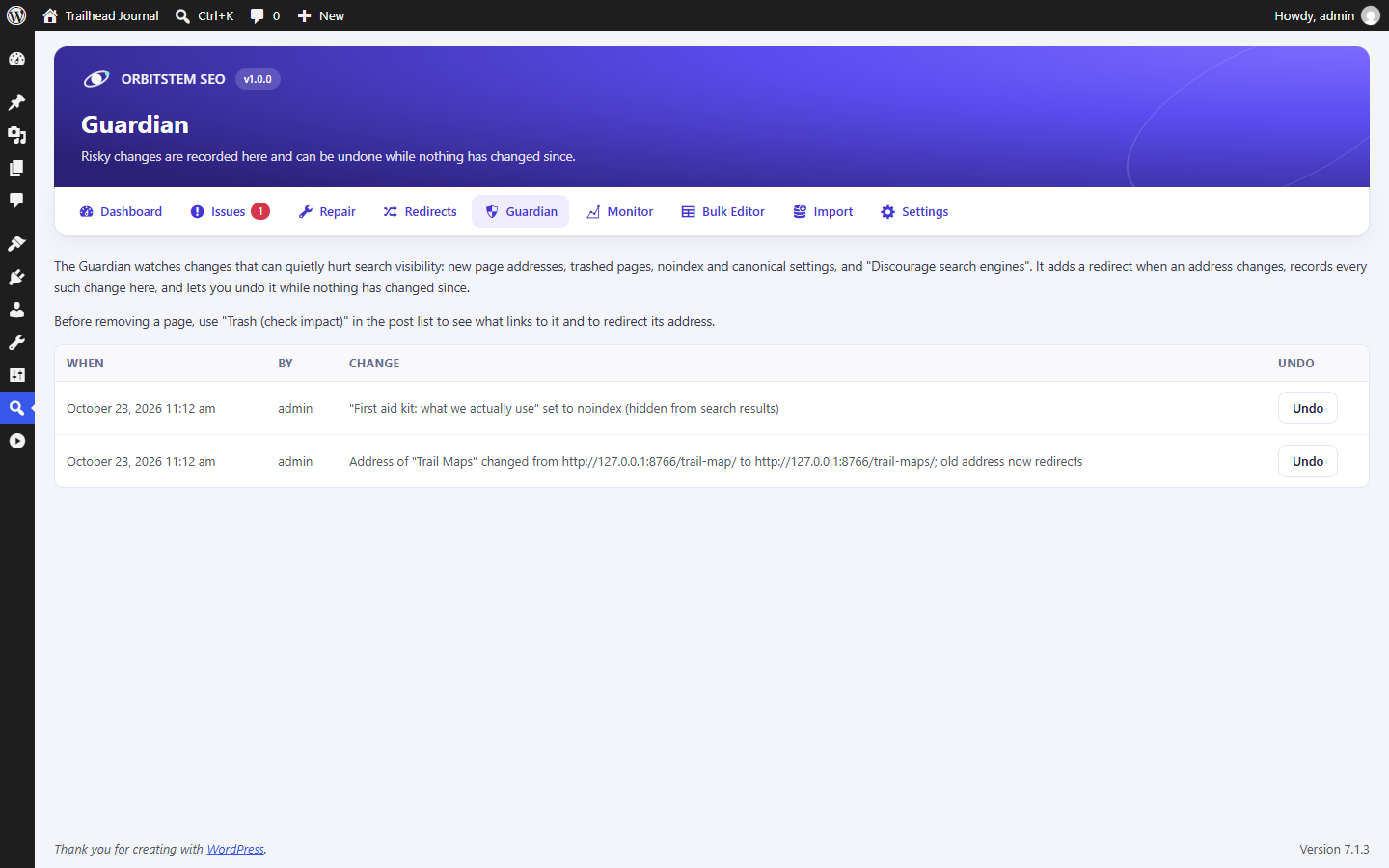
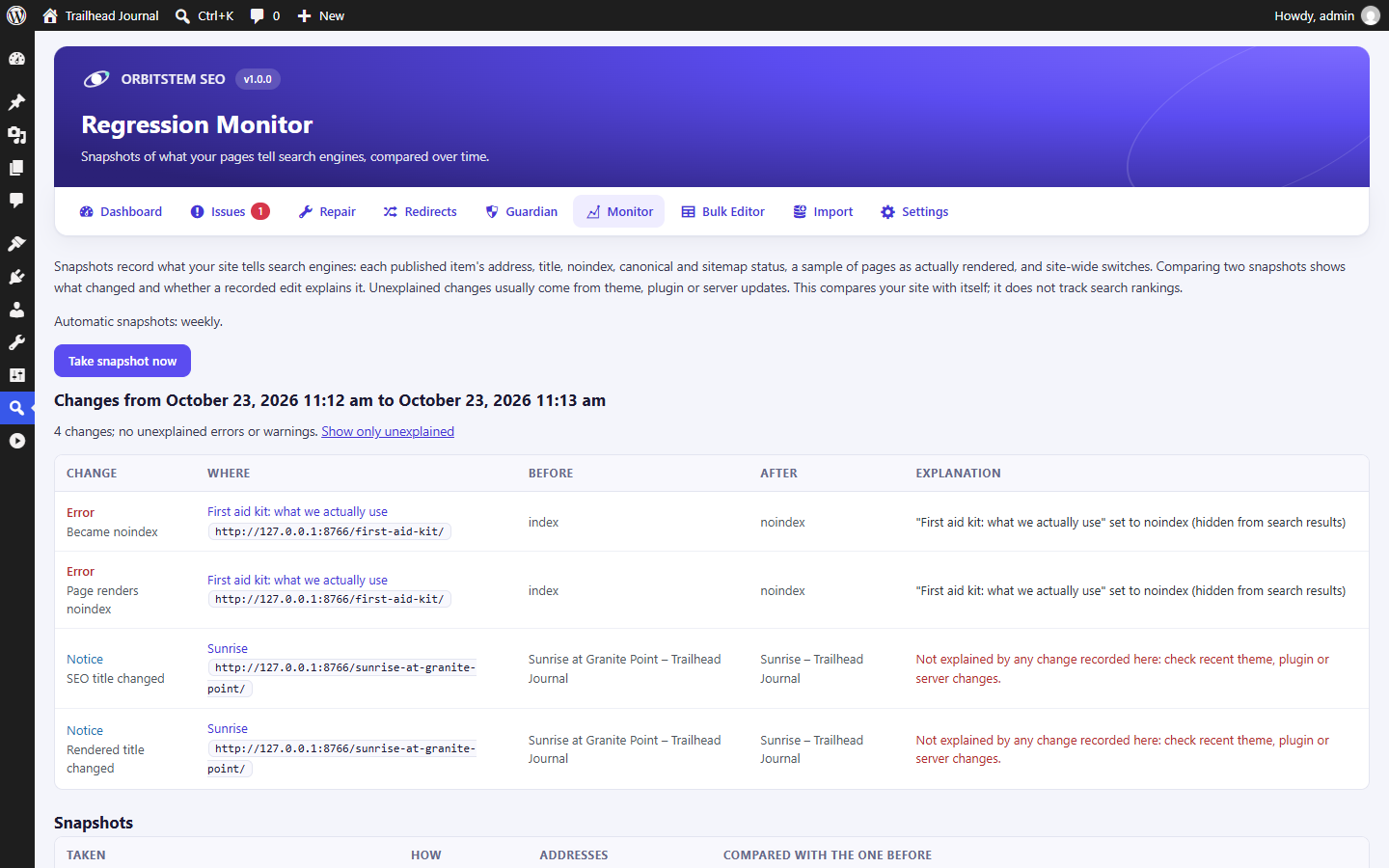
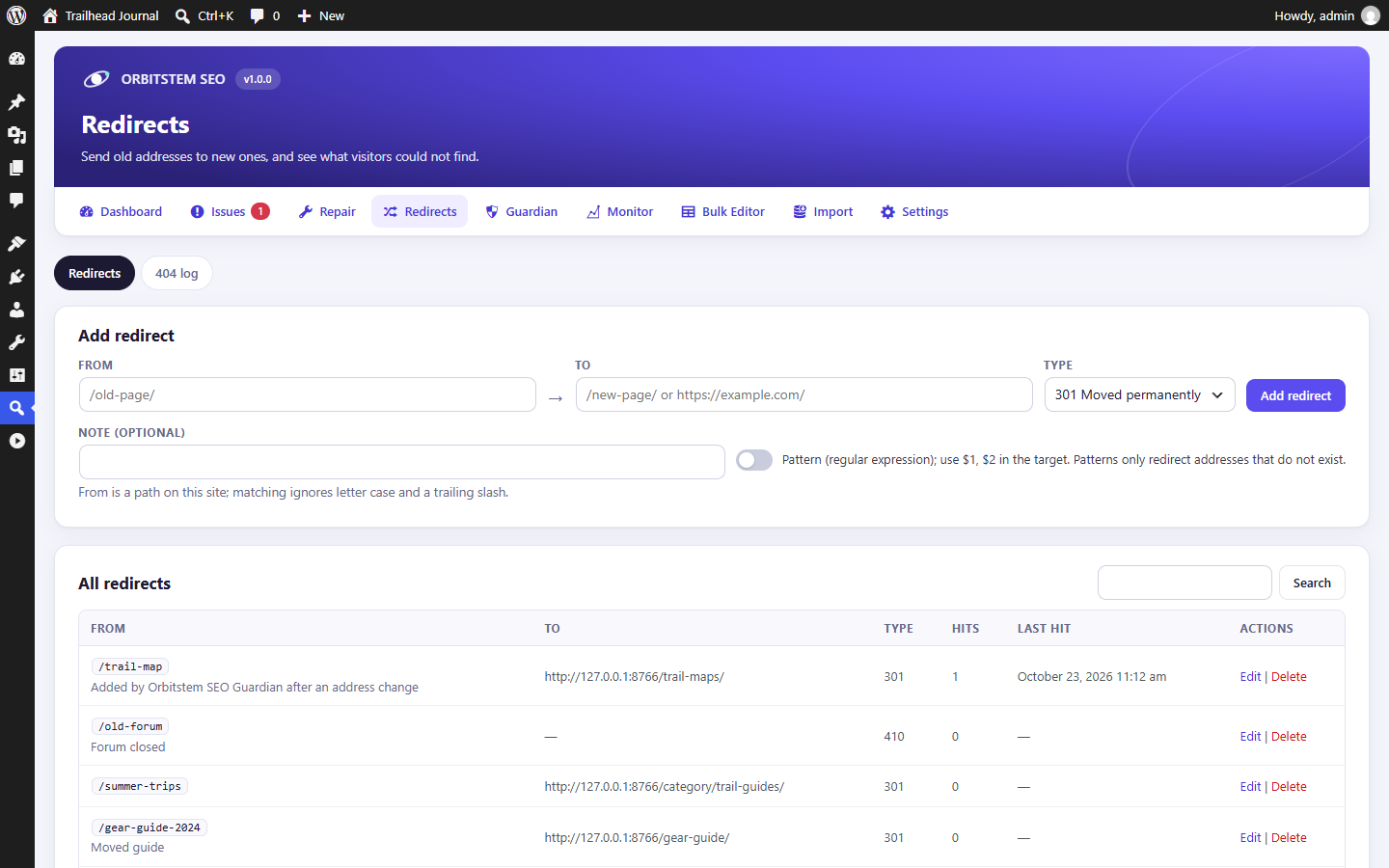
Most SEO plugins help you write a title, give you a green light, and stop there. Orbitstem SEO keeps watching your site after you hit Publish. It finds broken links, redirect chains and pages that dropped out of search, warns you when an update breaks your SEO, and fixes what can be fixed safely. Every change it makes can be undone.
Three promises
- No Premium version, ever. Every feature is in this free plugin: no add-ons, no account, no upsell banners.
- No tracking. No data leaves your site unless you switch on a feature that needs it (see External services).
- Every change can be undone. Repairs, redirects, imports and risky edits are recorded with a one-click undo.
Free here, often a paid upgrade elsewhere
- Redirect manager with 404 log
- Automatic 301 redirect when you change a URL
- Up to 5 keyphrases, content score and search intent
- Internal link suggestions while you write
- 9 rich-result types, schema templates and custom JSON-LD
- Google Search Console data inside WordPress
- Crawl and indexability check with a URL inspector
- Local SEO and WooCommerce Product schema
- Image, video and news sitemaps
- Broken link checker and AI crawler blocking
Writing: a sidebar that says exactly what to change
- Previews: Google (desktop and mobile) with length guidance, plus Facebook and X with their own title, description and image.
- Up to five keyphrases with synonyms. Word forms count (“boot” finds “boots”). Checks title, description, URL, first paragraph, subheadings, alt text, density and spread, and warns when another page already targets the same phrase.
- Headings, images and readability: stray H1s, skipped levels, long sections without a subheading, missing or file-name alt text, long sentences and paragraphs, and (in English) passive voice, transition words and a reading-ease grade.
- Search intent: recognizes informational, commercial, transactional or navigational keyphrases and checks the page fits, for example a price and a call to action for “buy …”.
- A 0–100 content score sums up the checklist; every item says what to do. The analysis runs in your browser and your text is never sent anywhere.
- Links panel: links to and from this post, broken links, and suggested internal links with an “Add link” button.
- Pre-publish check: real problems only (noindex, no description, a duplicate title, missing alt text), with one-click fixes.
SEO Issues: a scan that shows the evidence
A background scan lists what needs attention, with the exact posts, links and addresses involved and how to fix each one:
- broken links and images, links through redirects, redirect chains and loops;
- content no other post links to, and pages competing for the same search;
- sitemap entries that fail or should not be there, and pages missing from the sitemap;
- duplicate or conflicting SEO tags from the theme or another plugin;
- crawl and indexability problems: pages robots.txt blocks (with the exact rule, read the way Google reads it), noindex pages robots.txt hides, canonicals that lead to broken, redirecting or noindex pages, contradicting robots tags, login walls and soft 404s.
The URL inspector checks any address the way a search engine does: redirect steps, robots.txt, meta robots and X-Robots-Tag, where the canonical leads, and whether the page is in the sitemap. “Explain like I’m new” adds one plain sentence per issue.
Repair Center and automatic 301 redirects
- Change a published page’s address and the old one redirects at once, child pages included, without chains.
- Update links that go through a redirect or point at a renamed page, and flatten redirect chains.
- Orphan rescue: add links to pages nothing links to, from posts that already mention them.
- Remove broken internal links while keeping their text (always asks first).
Each repair is previewed, checked afterwards and can be rolled back. Safe repairs can run automatically after each scan.
Watching your site for you
- Update guard: after any theme, plugin or WordPress update, ten key pages are checked for a lost title, broken canonical, new noindex, second H1 or missing schema.
- Change history: every SEO change, who made it and when, grouped by day, including site updates. Orbitstem’s own changes have an Undo button.
- Change Guardian: see what depends on a page before you change its address, noindex it or trash it.
- Regression Monitor: weekly snapshots of what every page tells search engines, with unexplained changes flagged.
- SEO health email (optional), weekly or monthly, sent from your own site.
Schema (structured data)
One connected JSON-LD graph per page (WebSite, Organization or Person, WebPage, Article, BreadcrumbList), plus:
- Rich results from the sidebar: FAQ, HowTo, Product, Recipe, Event, Course, JobPosting, Review and Video, with plain-language checks. Incomplete data is never printed.
- Schema templates: add rich results or your own JSON-LD to every page matching your conditions (content type, category, template, address, author), with variables such as
%title%or%meta:price%, a preview, and undo. - Custom JSON-LD per post, checked as you type (line and column for syntax errors, Google’s required fields per type).
- Automatic: video schema for YouTube embeds, full WooCommerce Product schema (price, stock, reviews), and LocalBusiness schema from your Local SEO details, with the
[orbitstem_business]shortcode.
Google Search Console, inside WordPress (optional)
Connect with your own free Google Cloud key (a guide is built in; no Orbitstem server in between) to see clicks, impressions, click-through rate and position against the previous 28 days, top pages and searches, pages losing clicks, and Google’s indexing check with affected pages explained. Each post gets a Search Console panel in the editor. Access is read-only.
Sitemaps, redirects and crawlers
- XML sitemaps built on WordPress’s own, plus image, video and Google News sitemaps, and “why isn’t this page in my sitemap?” in plain words.
- 301, 302, 307, 308 and 410 redirects, exact or pattern-based, that can never lock you out of the admin. A 404 log without IP addresses, grouped by folder.
- Redirect CSV import and export, import from Redirection, Yoast SEO Premium, Rank Math and AIOSEO Pro, and Apache or nginx export.
- robots.txt editor with undo, one-click AI crawler blocking, optional llms.txt, and staging protection for copies WordPress knows are not live.
- Optional IndexNow notifications for Bing and other participating search engines.
Bulk editing and switching plugins
- Edit titles, descriptions and noindex in one table, or as CSV in any spreadsheet, including page addresses (each change gets its redirect). Every import is previewed and can be undone.
- Import from Yoast SEO, Rank Math, All in One SEO, SEOPress and The SEO Framework: titles, descriptions, canonicals, robots, keyphrases, social data and site settings. Only empty fields are filled, and the import can be rolled back.
- Compare before you switch, then Check the import: every field is compared with the source plugin (same, converted, missing or not supported), and duplicate tags printed by two plugins are found and named.
- While another SEO plugin is active, Orbitstem SEO prints nothing (safe mode), so you never get duplicate titles.
A three-minute setup wizard does the first import and scan. Developers get wp orbitstem-seo commands and filters such as orbitstem_seo_head_tags and orbitstem_seo_schema.
Also from the developer
Media Rename – OrbitStem renames media files safely, with every link updated and every rename undoable. Free, and independent of this plugin.
External services
Orbitstem SEO works on your own server. It contacts other services only for the optional features below, which are off until you switch them on.
IndexNow (Settings > Automation > Instant indexing). When you publish, update, move or remove a post, the plugin sends the following to https://api.indexnow.org/indexnow:
* the changed addresses of your site;
* your site’s host name;
* a verification key it created.
IndexNow shares them with the participating search engines. Nothing about visitors or users is sent. Submissions are logged in Settings. IndexNow terms.
Google Search Console (Orbitstem SEO > Search Console), a service by Google LLC. It is off until a site administrator saves their own Google OAuth client ID and secret and clicks “Connect Google Search Console”. What is sent, and when:
* On connect: the administrator signs in at accounts.google.com; the site then sends the client ID, client secret and authorization code to oauth2.googleapis.com to get access, and later the stored refresh token to renew it.
* Reports (when the Search Console screen is opened or refreshed, at most every 12 hours, and when a post’s Search Console panel is opened in the editor): the property name, date ranges and, for one page, its address, to www.googleapis.com (Search Console API).
* Indexing checks (only when an administrator or editor asks for them): the page address and property, to searchconsole.googleapis.com (URL Inspection API).
* On disconnect or uninstall: the refresh token, to oauth2.googleapis.com, to revoke access.
No visitor data is sent, and nothing is sent to Orbitstem. Google Terms of Service, Google Privacy Policy, Google APIs Terms of Service.
Check external links (Settings > Checks & history). During scans, the plugin sends one request to each website your content links to, at most once a week per address, to see whether the link still works. Nothing beyond the request itself is sent.
Links only, nothing loaded. The editor’s “Test in Google’s Rich Results Test” link and the “Get directions” link of the [orbitstem_business] shortcode are plain links. Nothing is sent unless someone clicks them. Video schema and the video sitemap point at YouTube’s thumbnail and player addresses for videos in your content, without fetching anything from YouTube.