

Media Rename — OrbitStem
v1.9.2Pratik Prajapati · 2026年6月4日 上架
Rename media files safely: updates every link, adds 301 redirects, keeps a full undo history, and finds badly named files for you.
- 正在使用
- 40+
- 评分
- 暂无
- 累计下载
- 1,290
- 最近更新
- 2026年11月12日
 Pratik Prajapati
 Concatstring Solutions
截图
Media Rename — OrbitStem renames images, PDFs and any other media files without breaking your site. Every feature is free — no Pro version, no ads.
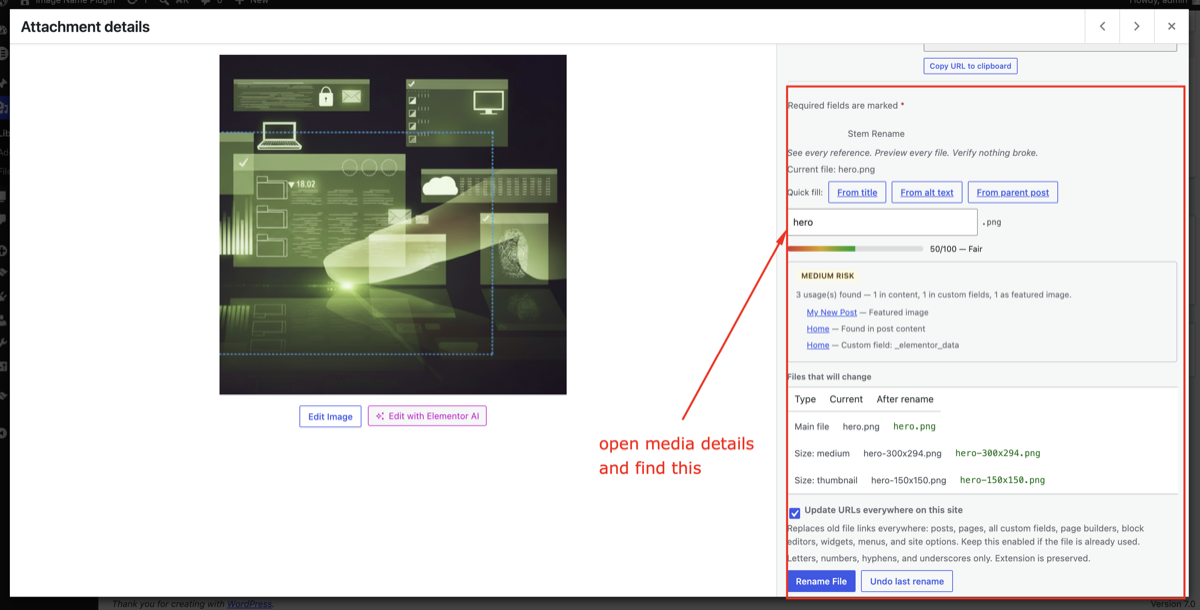
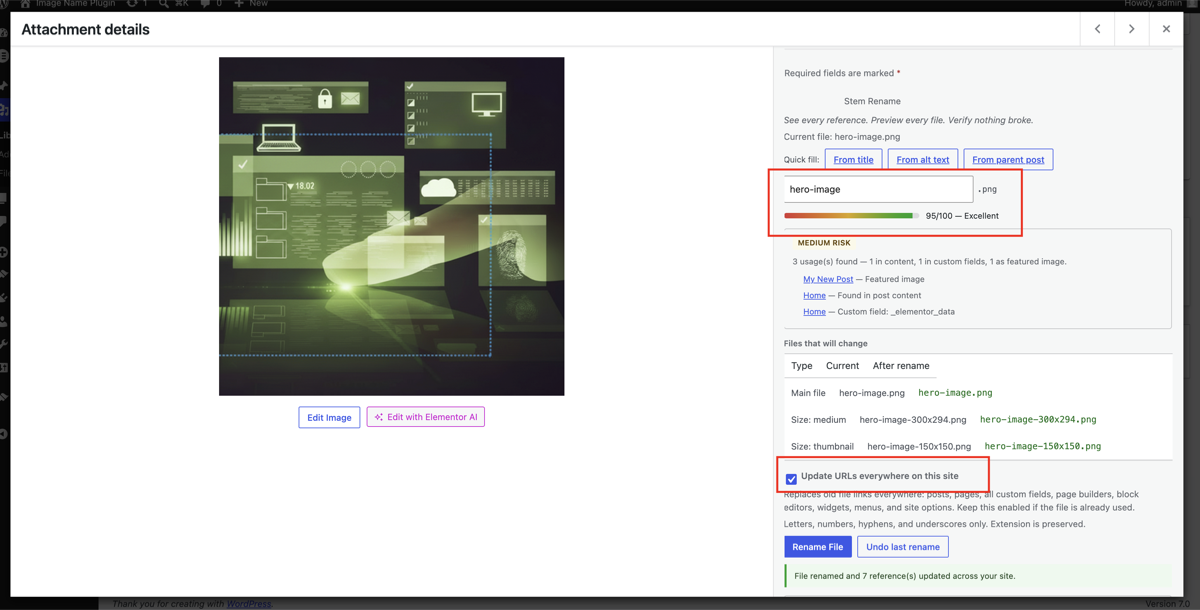
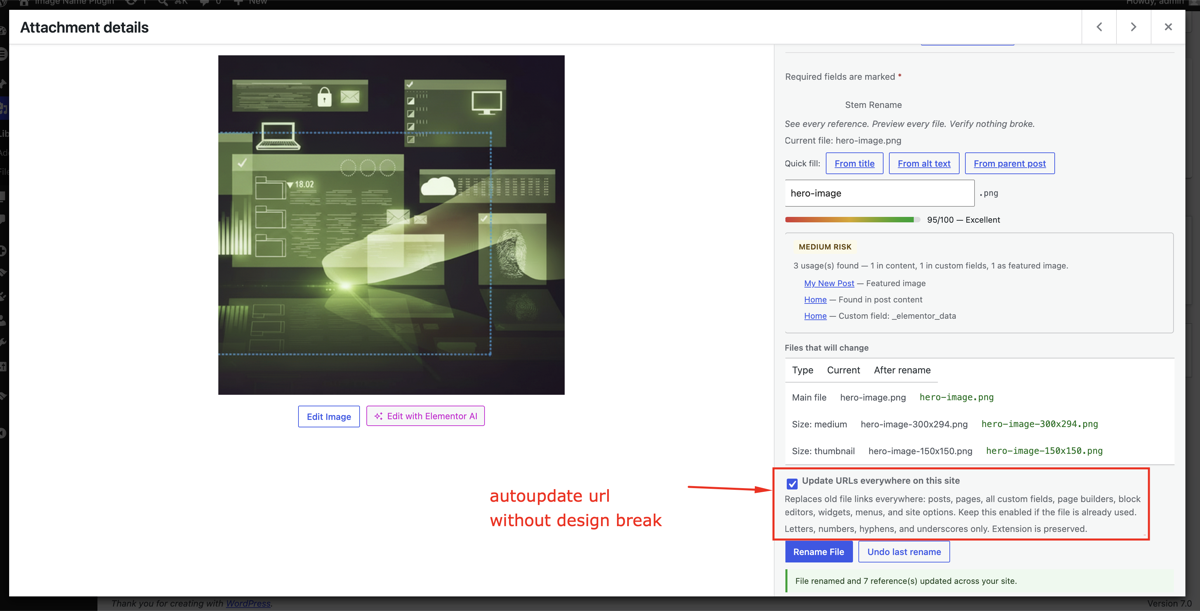
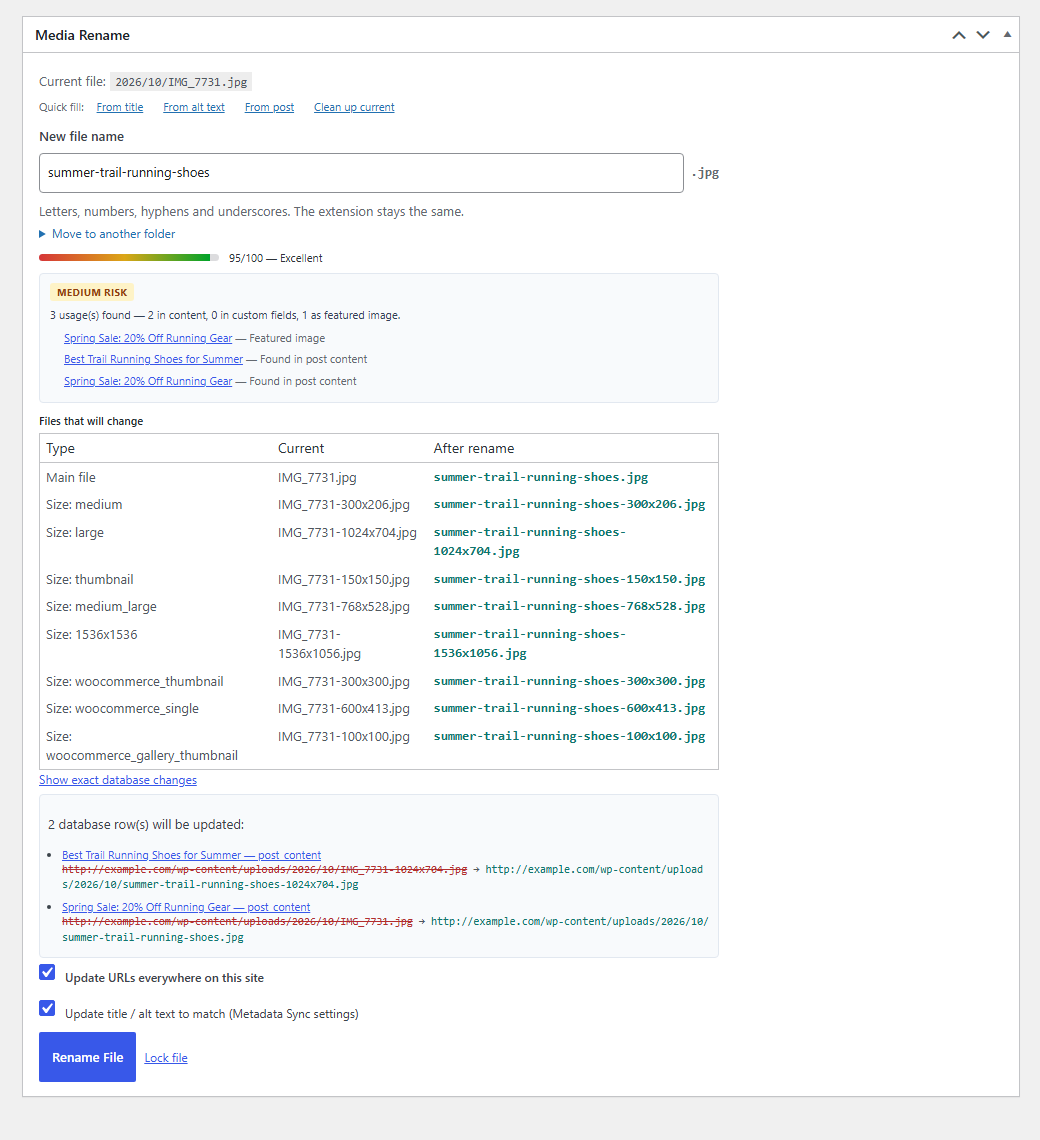
Before you rename, you see where the file is used, every file that will change (all thumbnail sizes, the original of large photos, WebP/AVIF copies) and, if you want, the exact database rows that will be updated. After the rename, links are updated across posts, custom fields, page builders and settings, the old URLs redirect with a 301, and you can undo at any time.
Rename
- Rename panel in the Media Library and on the attachment edit screen, with quick suggestions from the title, alt text or post, an SEO score, and a usage report
- Every file renamed together — main file, all sizes, the pre-scaled original of large photos (
-scaled), and WebP/AVIF copies made by optimisation plugins - Move to another folder inside uploads, with links and redirects updated
- Lock files so bulk and automatic renames never touch them
- Show exact changes — a dry run that lists every database row a rename will update
Bulk and automatic
- Filename audit — finds camera names (
IMG_1234,DSC_,PXL_), screenshots, random hashes, numbers-only and non-Latin names, suggests better names, and fixes them in bulk - Bulk rename with templates:
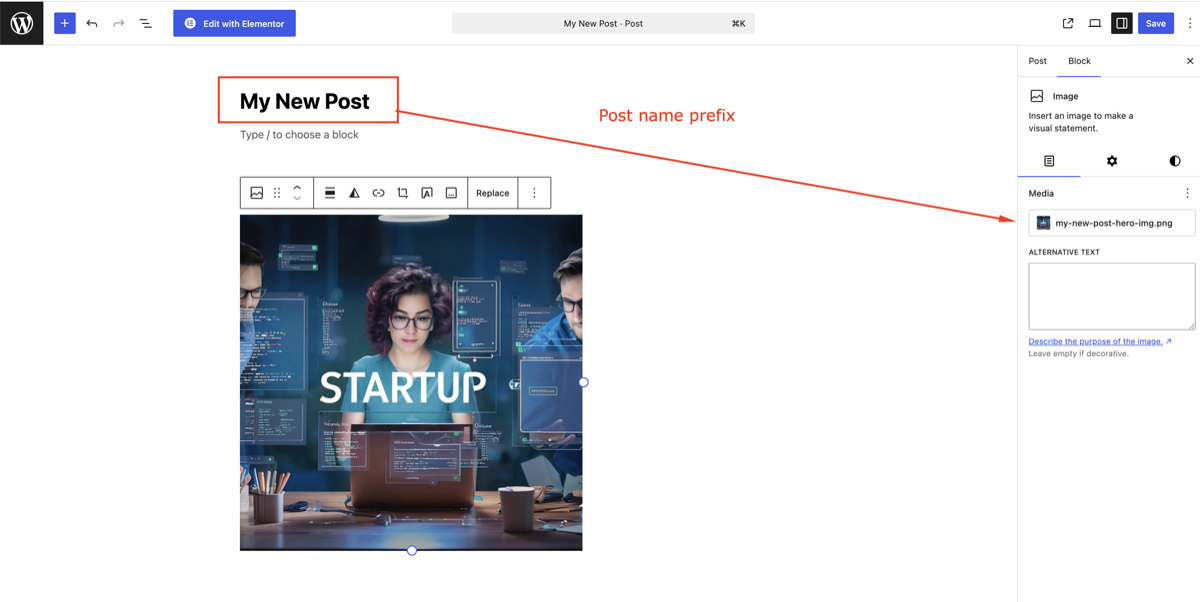
{post-title},{attachment-title},{counter:3},{sku},{product},{category},{date},{uuid}and more — the preview shows exactly the names that will be used - Rename a post’s images from the post, page or WooCommerce product editor (featured image, content images, gallery and variation images)
- Rename when the title changes (optional)
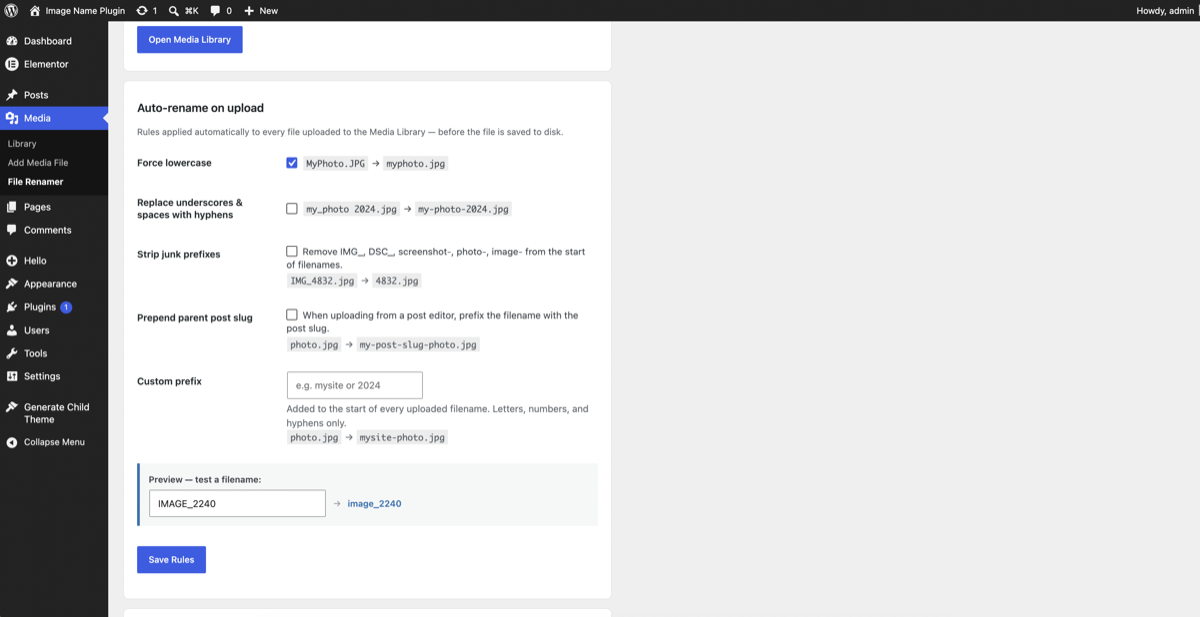
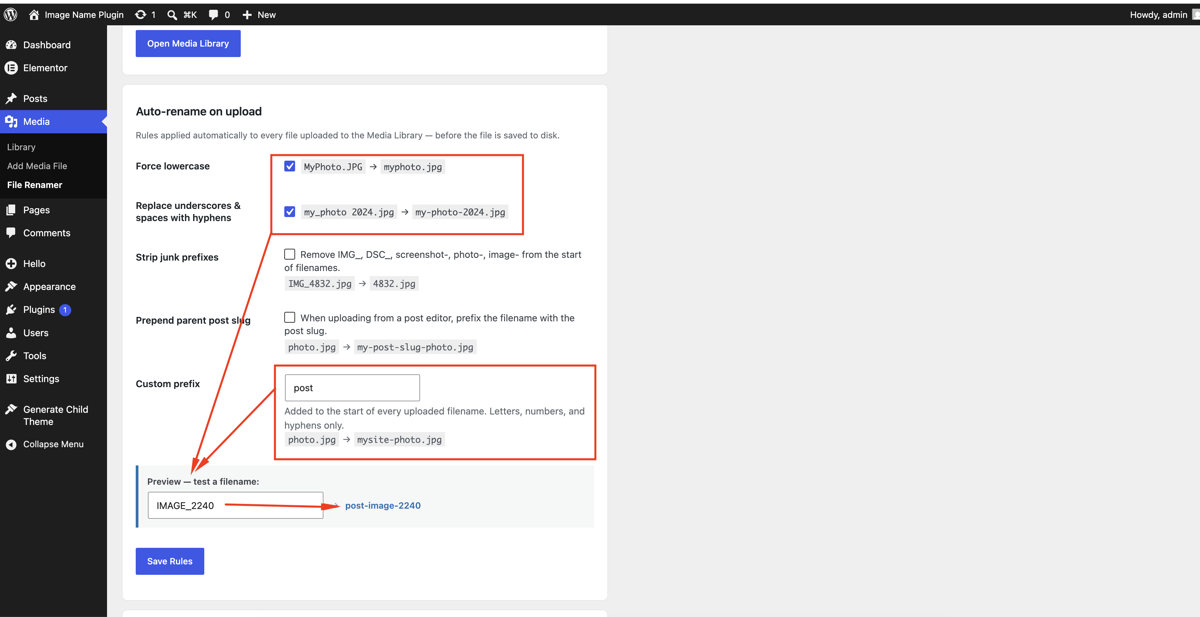
- Auto-rename on upload — transliterate non-Latin names (Москва moskva, 東京 dong-jing), lowercase, hyphens, strip camera codes, dates, hashes and stopwords, add a prefix; also for URL imports and importers. Off until you turn it on
- Metadata sync — set the title, alt text and caption from the file name, only when they are empty or generic, or always
- Background jobs — bulk renames run in small steps, continue with WP-Cron if you close the page, and resume safely after a timeout. On large sites a single rename also updates links in the background, with a progress bar
Safety
- Automatic 301 redirects for every renamed file and size, stored in their own table, with hit counts
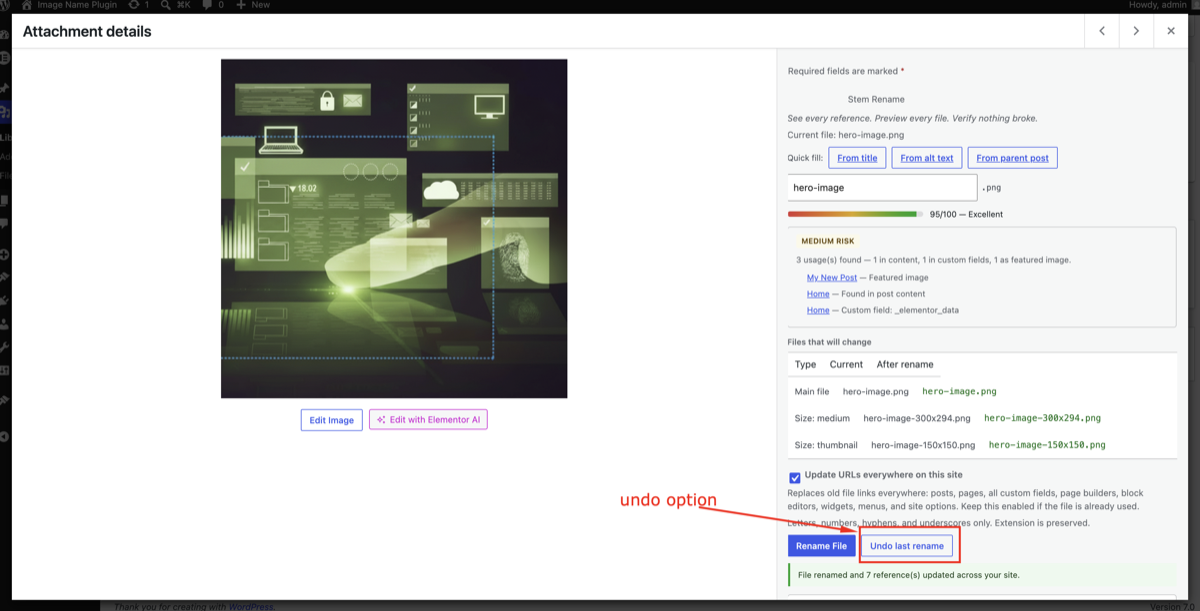
- History of every rename, with undo for a single file or a whole bulk job, and CSV export
- Repair tool finds links to old file names left behind (for example content added later) and fixes them
- Page builders and caches — Elementor, Divi, Bricks, Breakdance, Beaver Builder, Gutenberg; WP Rocket, LiteSpeed, W3TC, WP Super Cache, Cloudflare, SiteGround, Nginx Helper and more
- WP Offload Media — offloaded files are detected and protected from renames that would break them
For developers
- WP-CLI:
wp orbitstem rename,bulk,audit,undo,repair(with--dry-run) - REST API:
orbitstem/v1/media/{id}/rename,/preview,/undo,/lock - Actions:
orbitstem_after_rename,orbitstem_after_rollback,orbitstem_after_content_sync,orbitstem_purge_urls - Filters:
orbitstem_rename_capability,orbitstem_allow_editors_to_rename,orbitstem_rename_blocked_reason,orbitstem_content_sync_pairs,orbitstem_url_hosts,orbitstem_extra_tables,orbitstem_single_sync_budget,orbitstem_show_post_images_box
WordPress Playground
Try it in your browser: https://playground.wordpress.net/?blueprint-url=https://raw.githubusercontent.com/pratik2198/orbitstem-media-rename/trunk/blueprint.json
Privacy
This plugin does not contact external servers, track users, or collect personal data.
Also from the developer: Orbitstem SEO
Orbitstem SEO is a free SEO plugin built with the same care: titles, descriptions, XML sitemaps, a schema builder, content analysis, Google Search Console data inside WordPress, automatic 301 redirects when a page address changes, IndexNow instant indexing, crawl and indexing diagnostics, a scan for broken links and redirect chains, and repairs you can preview and undo. It can import your settings from Yoast, Rank Math or All in One SEO. The two plugins work independently; together, both your media file names and your page addresses can change without breaking links.