
Operanse – WooCommerce Monitoring & Alerts
v1.1.2Jesse Sugden · 2026年10月31日 上架
WooCommerce monitoring that tells you when your store stops taking orders, renewals or payments, even while the site looks fine.
- 正在使用
- 10 以下
- 评分
- 暂无
- 累计下载
- 843
- 最近更新
- 2026年11月25日
贡献者
 Jesse Sugden
截图
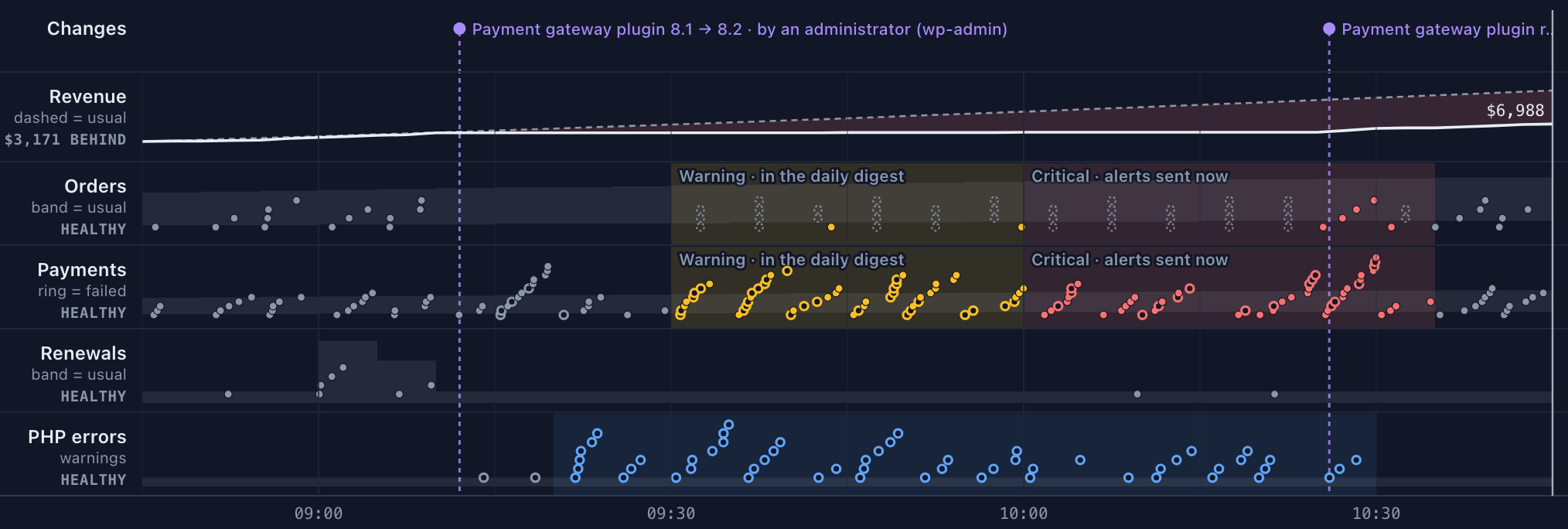
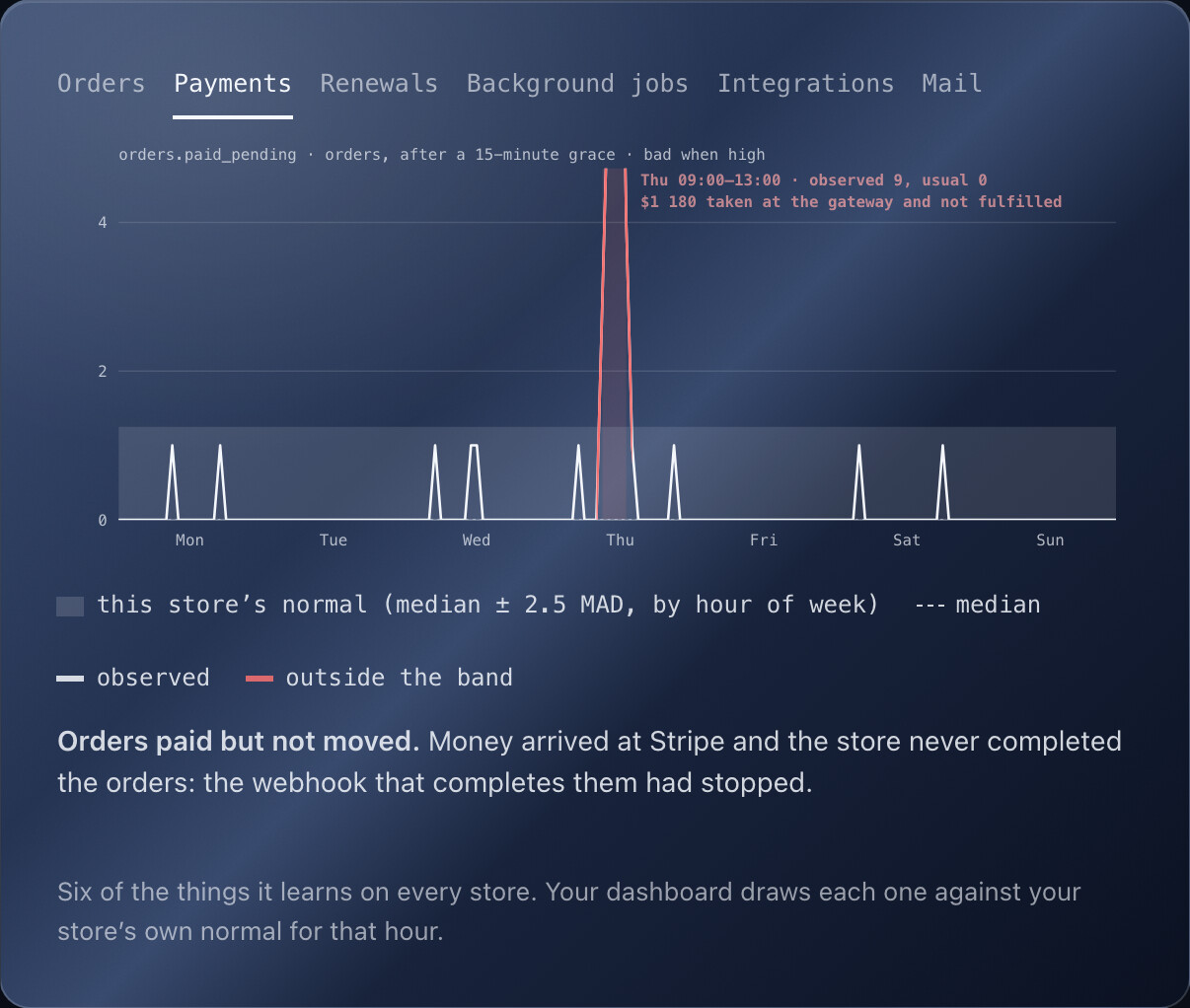

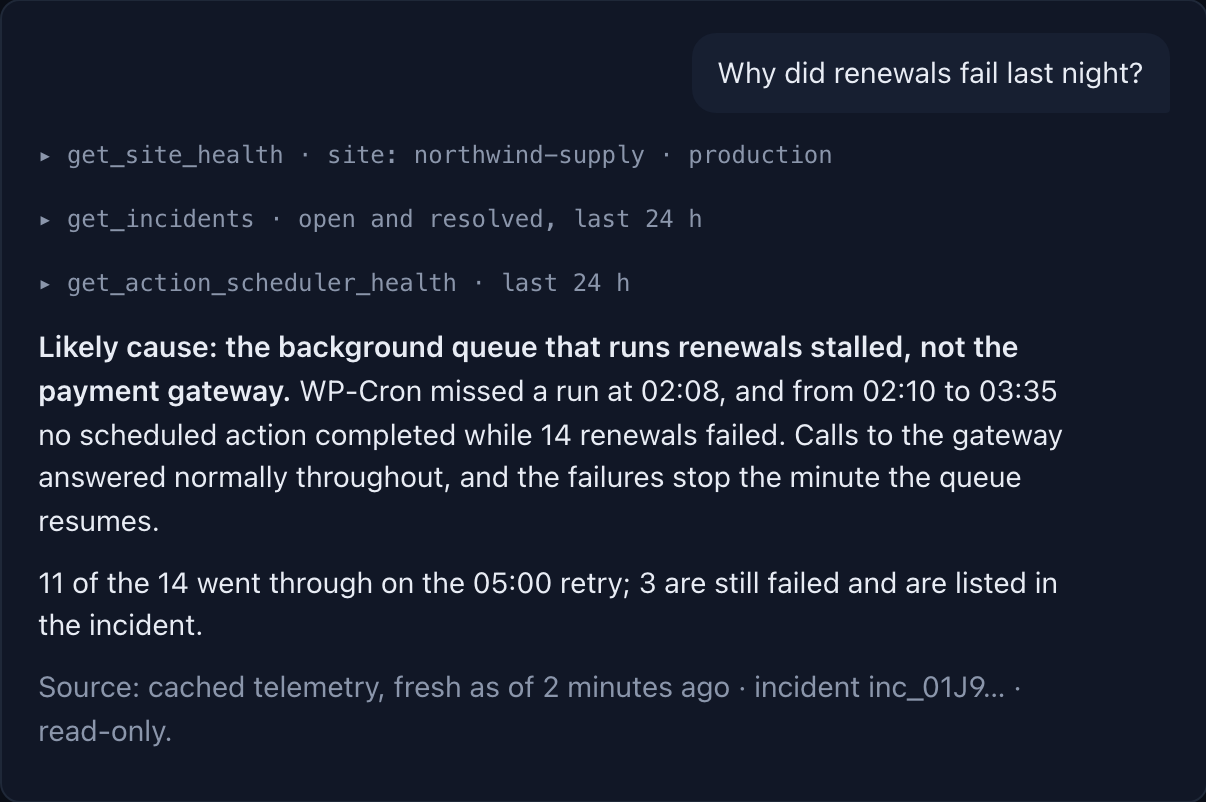
Operanse is a WooCommerce monitoring plugin for store owners. A WooCommerce store can look fine and still be losing money. Renewals have been failing since a gateway update, background tasks stalled overnight, or someone switched off the last payment method. Uptime checks miss all of this. Operanse watches the activity behind your store and tells you when orders, payments, renewals or background tasks stop.
Free WooCommerce monitoring, on Watch: one store, uptime every five minutes, and email alerts when the store can no longer take an order, background tasks (Action Scheduler, WP-Cron) stall, or subscription renewals fail. Includes a weekly report.
Paid, on Monitor and Insight:
- Learns your store’s normal for each hour of the week and alerts on unusual payments, orders, refunds and renewals.
- Estimates the revenue each incident affects.
- Shows what changed before an incident, and replays any day with Playback.
- Answers your own AI assistant (Claude, ChatGPT or another compatible AI app) about your store over a read-only connection.
- Alerts by email, Slack, SMS and WhatsApp.
- Insight adds server monitoring and an AI review of each critical incident, up to six per store per day included.
New accounts get 14 days of Insight with no card required, then move to free Watch unless you add a payment method. See the pricing page.
Monitors your other WooCommerce plugins automatically, with deep integrations for the most common ones
You don’t need to set anything up for your other plugins. Operanse watches orders, payments, renewals, outgoing email, background tasks and every call your site makes to an outside service, whichever plugin is behind them, and it works with any WooCommerce payment gateway. For the plugins below it goes further and reads what the plugin itself knows about why a payment, renewal, email or form failed.
- Stripe, with the official WooCommerce Stripe Payment Gateway or Payment Plugins for Stripe WooCommerce: Stripe’s reason for each refused payment, so an ordinary card decline is told apart from a saved card that no longer works or a mistake in your Stripe settings. Stripe monitoring
- WooCommerce PayPal Payments: PayPal’s webhooks that stop reaching your store. Checkout keeps working without them, so nothing looks wrong, but payments PayPal holds for review stay On hold, customers who approve in PayPal and don’t come back to your store are never charged, and refunds or disputes made in PayPal don’t show in WooCommerce. PayPal Payments monitoring
- WooCommerce Subscriptions: failed renewals, with retries kept apart from first attempts, and renewals that never ran. Subscriptions monitoring
- Action Scheduler: background actions that stop running, pile up or fail. Action Scheduler monitoring
- WP Mail SMTP, FluentSMTP and Post SMTP: emails your email provider refused, and an email plugin left set not to send, which can happen when a staging copy goes live. WP Mail SMTP, FluentSMTP, Post SMTP
- WPForms, Gravity Forms and Contact Form 7: submissions and failures for each form, named by the page it is on. WPForms, Gravity Forms, Contact Form 7
Free Watch includes the Action Scheduler and failed-renewal checks. The rest of this list needs Monitor or Insight.
Safe by design
- Read-only: it never changes your content, orders, products or settings.
- Your pages don’t wait for Operanse. While a page loads, the plugin doesn’t contact Operanse at all. It saves what happened on your server, and a background task sends it on about every two minutes.
- It sends no customer names, email addresses, IP addresses or card data.
- It records nothing until you connect it to an Operanse account.
External services
This plugin connects to the Operanse API (https://api.operanse.com), run by JES WEB PTY LTD. It needs an Operanse account and sends nothing until an administrator pairs the site.
After pairing, it sends operational data. This includes counts, statuses and timings; order and subscription ids, totals and currency; plugin, theme and settings changes (names only, never values); PHP error lines and server resource figures; and the structure of active plugins (hook names, never source code). It never sends customer names, email or postal addresses, phone numbers, IP addresses, card data or cookies. Free text is redacted on your server first. Operanse also requests your home page and a status URL to check uptime. On Insight, redacted evidence about a critical incident is sent to Anthropic to write the AI review.
After pairing, the plugin also adds one small script to your store’s pages. It notices when a page’s JavaScript breaks or a script or stylesheet fails to load, and reports that to your own site, never to another server. Your site then passes on a count, the plugin or theme the broken file belongs to, and the error message with addresses and personal details removed. The script uses no cookies, stores nothing in the visitor’s browser and does not identify visitors. A page with no errors sends nothing. To turn it off, add define( 'OPERANSE_BROWSER_OBSERVATION', false ); to wp-config.php.
The full list of what is sent, why, and how long it is kept is in the FAQ under “What exactly is sent to Operanse?”. Data is processed under the Operanse Terms of Service and Privacy Policy, with the providers listed on the Sub-processors page.