

OpenPorte Spam Protection
v1.30.3J-C Berthon · 2026年6月15日 上架
Stop spam without CAPTCHAs. Proof-of-Work protection for your forms and logins. Open-source, self-hosted, privacy-first.
- 正在使用
- 700+
- 评分
- 5.0 / 5
- 累计下载
- 6,814
- 最近更新
- 2026年11月13日
贡献者
 J-C Berthon
截图

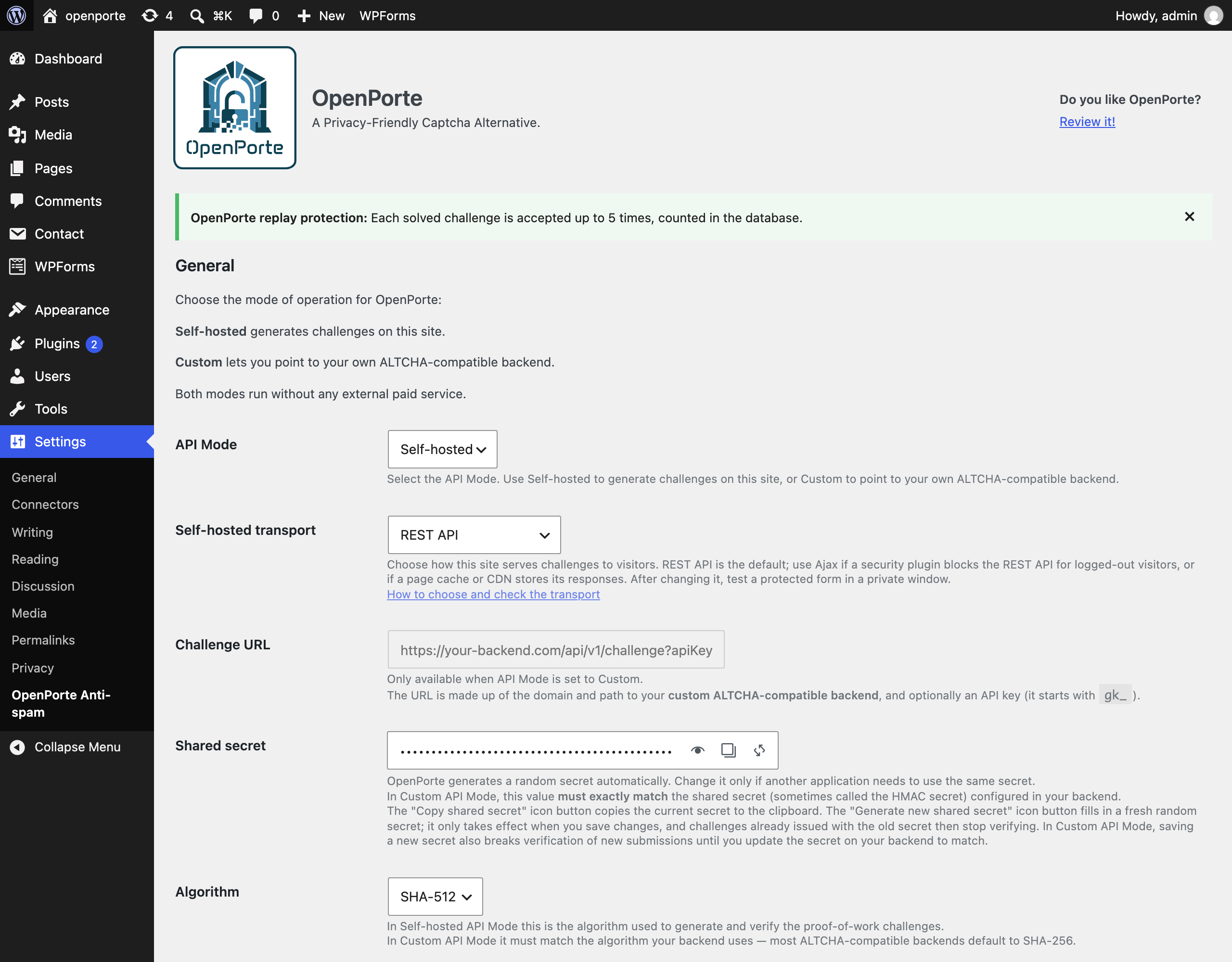


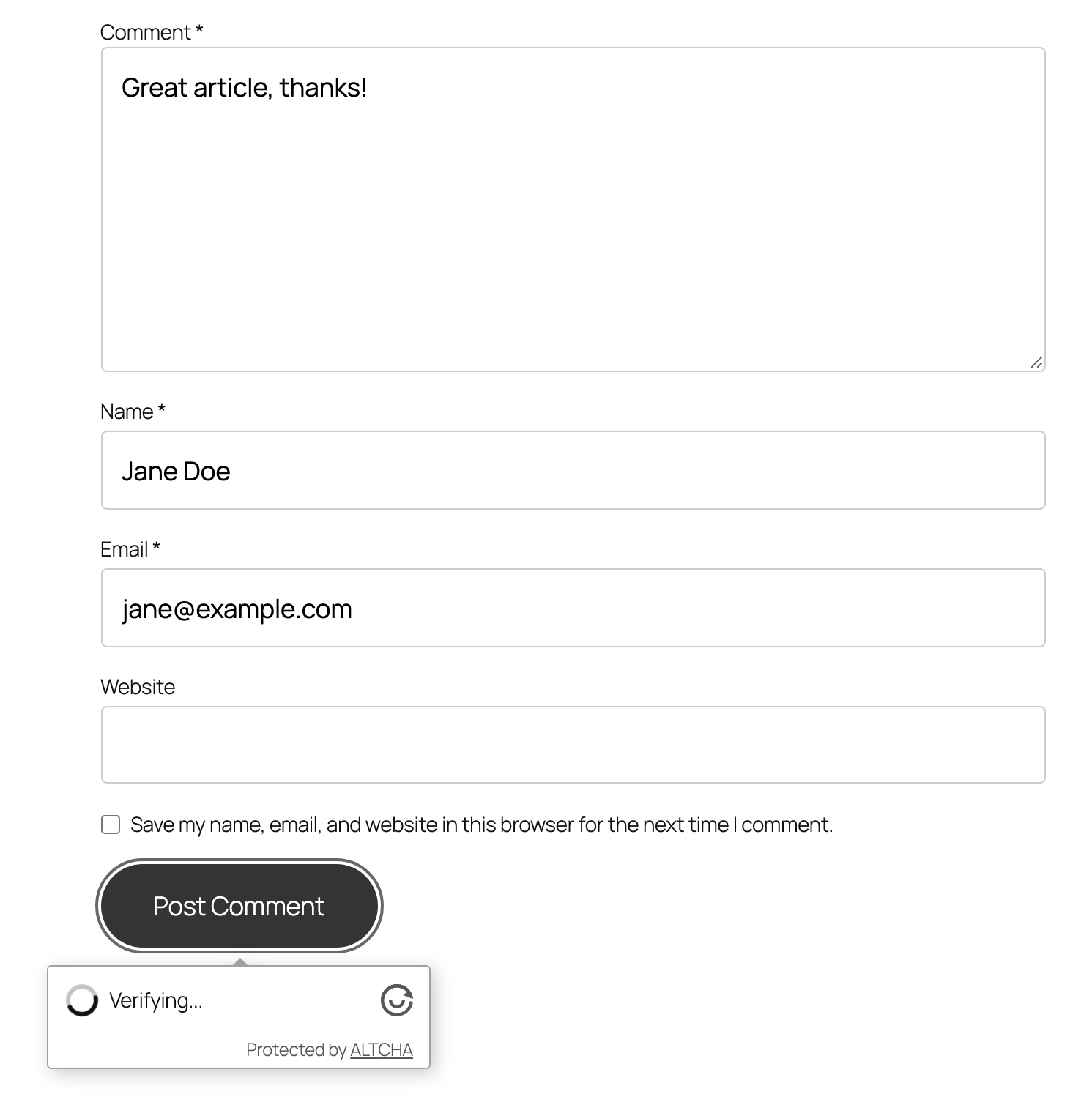
OpenPorte is a free and open-source WordPress plugin that protects forms, comments, logins, registrations, and WooCommerce from spam and bots using lightweight Proof-of-Work challenges instead of CAPTCHAs.
The goal is simple: make spam attempts computationally costly for bots while keeping the experience unobtrusive for legitimate visitors and respecting their privacy.
Key benefits
- CAPTCHA-free spam protection: No image-recognition puzzles or intrusive challenges.
- Open source (GPL): Free software, developed openly and welcoming community contributions.
- Self-hosted by default: Challenges are generated and verified directly by your WordPress site, without requiring an account or external service.
- Privacy-first: No tracking, fingerprinting, or cookies introduced by OpenPorte, helping simplify GDPR compliance.
- Accessible by design: Built around the open-source ALTCHA widget, with an emphasis on accessibility and minimal user interaction.
- Easy configuration: Enable the integrations you need and configure the widget to suit your site.
- Flexible deployment: Choose between WordPress REST API and Ajax for self-hosted challenge delivery, or use a compatible external challenge provider through Custom API Mode.
- ALTCHA v1 migration: Supported settings from ALTCHA Spam Protection v1 (≤ 1.26.3) can be imported automatically, with deprecated compatibility aliases for existing integrations.
OpenPorte is built around the open-source ALTCHA widget. It is a community-driven project committed to openness, transparency, privacy, and long-term stewardship.
For the list of contributors, see the GitHub contributors page.
AI-assisted development
OpenPorte is an AI-assisted project. I remain responsible for its architecture, security decisions, and final review. AI tools (Claude, Mistral, local LLMs and others) assist with drafting code, tests, translations, and documentation.
Without these tools, maintaining and developing a project of this scope as a single contributor would be difficult. AI assistance helps me keep the project moving forward, while responsibility for its quality and security remains mine.
Compatibility & Migration
OpenPorte can import supported settings from ALTCHA Spam Protection v1
(≤ 1.26.3) and retains deprecated aliases for several legacy interfaces.
Some features have changed or been removed; review your settings and test
protected forms after migration.
Migrating from the original ALTCHA Spam Protection v1 plugin
Deactivate the original ALTCHA plugin, then install and activate OpenPorte.
On activation, supported v1 settings are copied where corresponding OpenPorte
settings do not already exist. The original ALTCHA settings are left untouched.
Do not run both plugins at the same time.
Migrating from ALTCHA for WordPress v2/v3 plugin
If you previously upgraded or were automatically upgraded to ALTCHA v2/v3,
OpenPorte can still import your original v1 settings if they remain in the
database. Settings introduced in v2/v3 are not imported. The original ALTCHA
v1/v2/v3 settings are left untouched.
Deactivate ALTCHA, then install and activate OpenPorte. Do not run both plugins
at the same time.
Backward compatibility
The following legacy interfaces remain available as deprecated aliases:
- The
[altcha]shortcode continues to work alongside[openporte]. - The
altcha_*filters and actions continue to fire alongside theiropenporte_*equivalents. - The
altcha/v1REST API namespace remains available alongsideopenporte/v1.
These aliases are deprecated and may be removed in a future release. See the Deprecations section for compatibility aliases, deprecated integrations, and recommended replacements.
Custom API compatibility
OpenPorte supports Custom API Mode, allowing challenges to be obtained from an ALTCHA-compatible backend.
This mode has been verified against GateCHA, an open-source server implementing the ALTCHA challenge protocol.
Challenge verification is performed locally by OpenPorte using the configured shared secret, even when challenges are issued by an external backend. Backend-side verification features are therefore not used.
OpenPorte does not support the former ALTCHA SaaS API Mode. Users who rely on ALTCHA Sentinel’s advanced features should consider the official ALTCHA Spam Protection v2/v3 WordPress plugin instead.
Downgrading OpenPorte
Downgrading to an earlier version of OpenPorte is not officially supported.
- Major or minor version downgrade (e.g. 1.30.1 1.29.0): You must remove the existing plugin settings before installing the older version. To do so, disable Keep settings when the plugin is deleted under Settings OpenPorte Data, save your changes, then deactivate and delete the plugin through WordPress’s Plugins screen and install the older version.
- Patch version downgrade (e.g. 1.30.1 1.30.0): This may work without removing your settings, but compatibility is not guaranteed.
Important: Deactivating OpenPorte does not remove its settings. Deleting it through WordPress’s Plugins screen removes them only if Keep settings when the plugin is deleted is disabled. This option is available since version 1.30.0.
Clearing OpenPorte settings leaves the original ALTCHA settings intact. Activating a version with the legacy migration routine can import supported ALTCHA v1 settings again, so this does not necessarily produce a default configuration.
Multisite: The current uninstall handler cleans only the current site’s options table; it does not reset settings across the network. Before a major or minor downgrade, have your network administrator ensure that OpenPorte settings are removed on each affected site.
Before downgrading, back up your site and database. After installing the older version, clear your WordPress, hosting, and CDN caches to prevent cached pages from referencing features unavailable in that release. You may also need to reconfigure OpenPorte.
Need help?
If you’re considering a downgrade or encounter difficulties, you’re welcome to ask for advice in the OpenPorte support forum on WordPress.org.
Support is provided on a voluntary, best-effort basis by the maintainer and community. Questions and contributions from other users are welcome and appreciated. Please understand that responses and resolution times cannot be guaranteed, as availability may vary.
Deprecations
The following compatibility aliases and integrations are deprecated and
scheduled for removal in a future release:
- The
[altcha]shortcode — use[openporte]. - The
altcha/v1REST namespace — useopenporte/v1. - The
altcha_*filters and actions — now firing through WordPress’ deprecated
hook mechanism; use theopenporte_*equivalents. - The
AltchaPluginclass and theALTCHA_VERSION/ALTCHA_WIDGET_VERSION
constants — useOpenPortePluginand theOPENPORTE_*constants. - Integrations targeting paid-only third-party plugins; affected users should
migrate to the official ALTCHA v2/v3 plugin. - The “Custom HTML” integration (auto-configuration of hand-written
tags) — place the[openporte]shortcode instead. You can
re-enable it for now under Settings OpenPorte Integrations.
Privacy
No cookies, no tracking
OpenPorte prioritizes user privacy by avoiding the use of cookies and fingerprinting techniques.
No mandatory external service
In its default self-hosted mode, OpenPorte generates and verifies Proof-of-Work challenges entirely within your WordPress installation, without requiring an external service or account.
Alternatively, Custom API Mode allows challenges to be obtained from an ALTCHA-compatible backend, including a service hosted separately from your WordPress site. Verification still takes place locally.
Modes of Operation
OpenPorte verifies submissions in one of two modes, selected in the settings
(API Mode):
- Self-hosted (default) — a proof-of-work challenge is issued and verified by
your own WordPress site, served through the REST API (default) or
admin-ajax.php (see Self-hosted transport). Fully self-contained, with no
external service and no additional setup beyond enabling the integrations you
need. - Custom — point the Challenge URL at your own ALTCHA-compatible backend (for
example GateCHA).
Submissions are verified with your site’s shared secret.
The paid altcha.org regional SaaS classifier offered by earlier versions has
been removed. Neither mode requires a paid service; a Custom backend may have
its own costs and terms.
Self-hosted transport
In Self-hosted mode the widget fetches each challenge from your own site. The
Self-hosted transport setting (Settings OpenPorte, below API Mode) chooses
which endpoint serves it:
- REST API (default):
/wp-json/openporte/v1/challenge, or
/?rest_route=/openporte/v1/challenge with plain permalinks. - Ajax:
/wp-admin/admin-ajax.php?action=openporte_challenge.
Both serve the same challenge, are verified the same way, and stay available
whichever one is selected. The deprecated /wp-json/altcha/v1/challenge alias
is still served too. In Custom API mode all of them refuse with HTTP 403
instead: your backend issues the challenges there.
Keep REST API unless a security plugin blocks the REST API for logged-out
visitors; then either allow /openporte/v1/challenge in that plugin, or switch
to Ajax. If admin-ajax.php is blocked for visitors instead, stay on REST API.
The same applies when a page cache or CDN stores the REST API’s responses
(opening the challenge URL twice, logged out, shows the same challenge): exclude
/openporte/v1/challenge from it, or switch to Ajax. Since 1.30.1 the challenge
endpoints already opt out of LiteSpeed Cache and of caching plugins that honour
DONOTCACHEPAGE.
OpenPorte does not test this automatically: a check from the server cannot see
firewall, CDN or browser-side rules. See the FAQ for how to check by hand.
On multisite, each site has its own transport setting; a site where it was
never saved uses the REST API.
Supported Integrations
- CoBlocks
- Contact Form 7
- Elementor Pro Forms (deprecated — paid plugin, see Deprecations)
- Formidable Forms
- Forminator
- GravityForms
- HTML Forms
- wpDiscuz
- WPForms
- WordPress Login, Register, Password reset
- WordPress Comments
- WooCommerce
- Many other plugins and your own content (via the
[openporte]shortcode, or the deprecated[altcha]alias)
Source Code
All source code for the plugin, and the ALTCHA widget is available on GitHub. In the repository, you’ll also find versions of non-minified JavaScript and CSS assets:
- Plugin: https://github.com/openporte/openporte
- ALTCHA Widget: https://github.com/altcha-org/altcha