
Open Web Analytics for WordPress
v2.4.1padams · 2008年8月10日 上架
Adds Open Web Analytics tracking to WordPress sites and multisite networks.
- 正在使用
- 100+
- 评分
- 暂无
- 累计下载
- 5,982
- 最近更新
- 2026年11月2日
贡献者
 padams
截图

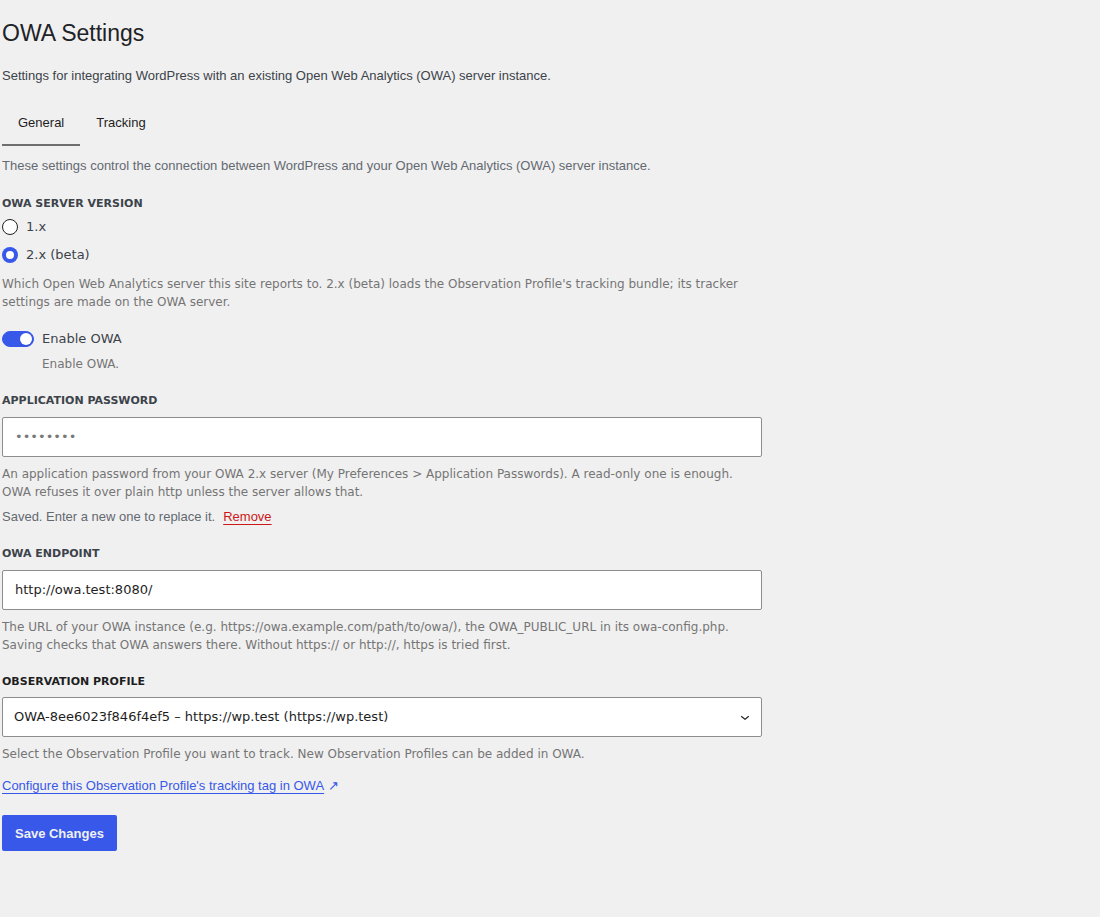
Adds the Open Web Analytics (OWA) tracking tag to your site’s public pages. Requires an OWA server, 1.14 or later. The plugin does not install one.
OWA 1.x and 2.x
Choose the server version under OWA > Settings.
- 1.x authenticates with an OWA user’s API key and the server’s Secret Auth Key. Tracker options are set in WordPress.
- 2.x (beta) authenticates with an OWA application password and loads the Observation Profile’s tracking bundle. Tracker options are set on the OWA server; the settings page links to them.
What is tracked
- Public pages, with their title and page type.
- The user name of logged-in users, if Track Named Users is on.
- WordPress admin pages, if Track WP Admin Pages is on (1.x only).
Previews, the Customizer and logged-in users are not tracked. For a logged-in user the tracker still loads, paused, so OWA’s heatmap and Domstream player open on the site. Turn off Don’t Track Logged-in Users (on by default) to track logged-in users.
Multisite
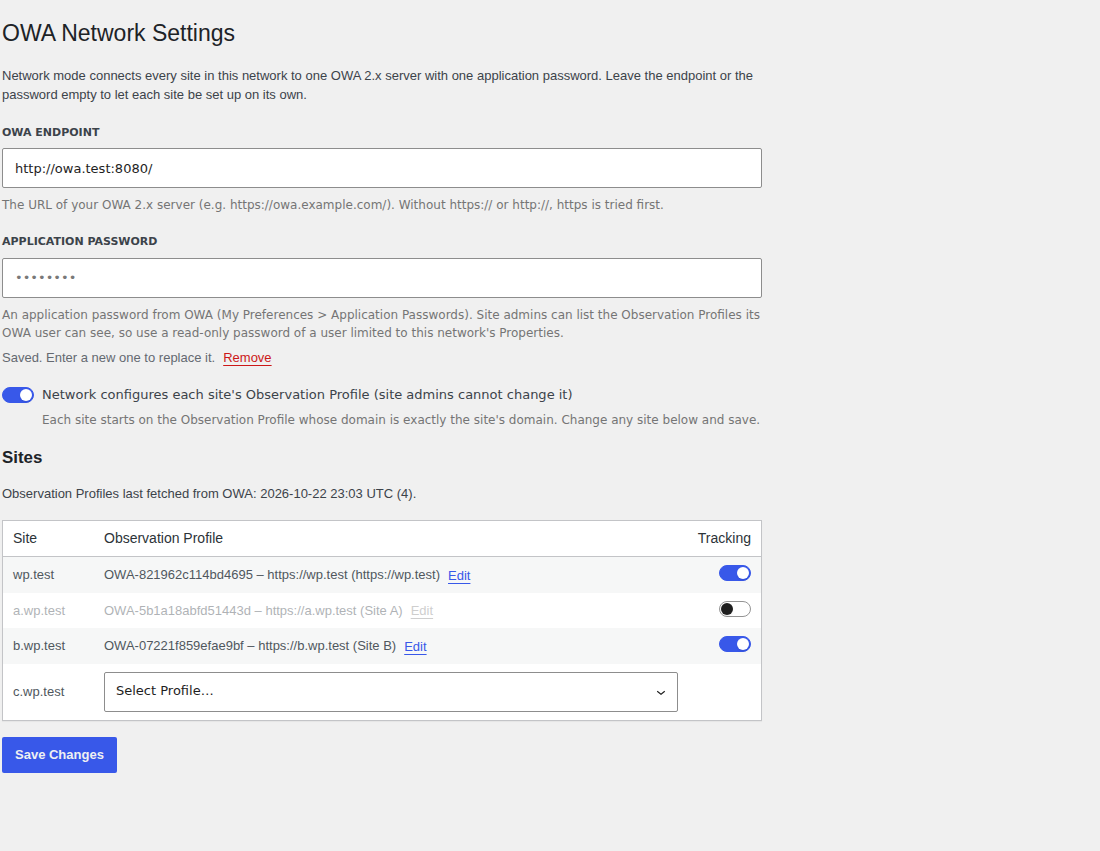
With OWA 2.x, Network Admin > OWA sets one OWA server and application password for every site in the network. Then either:
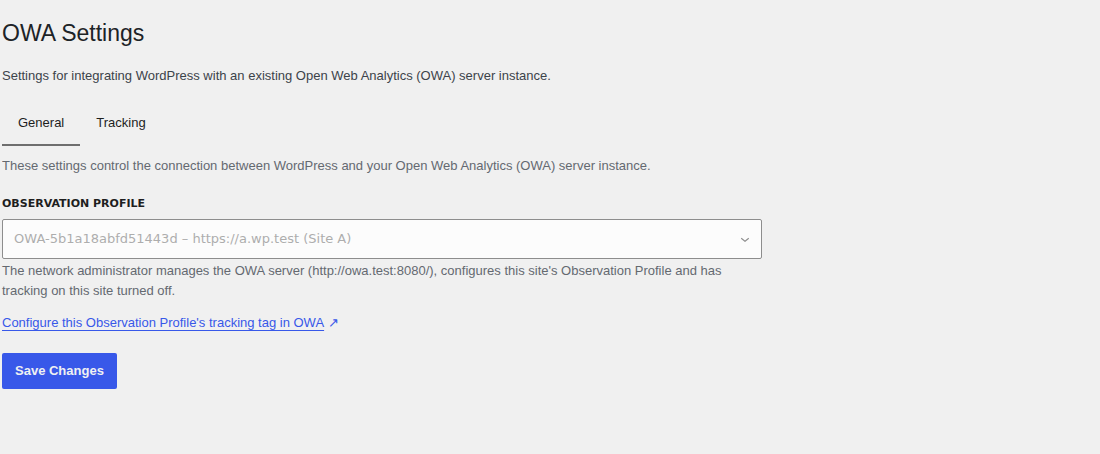
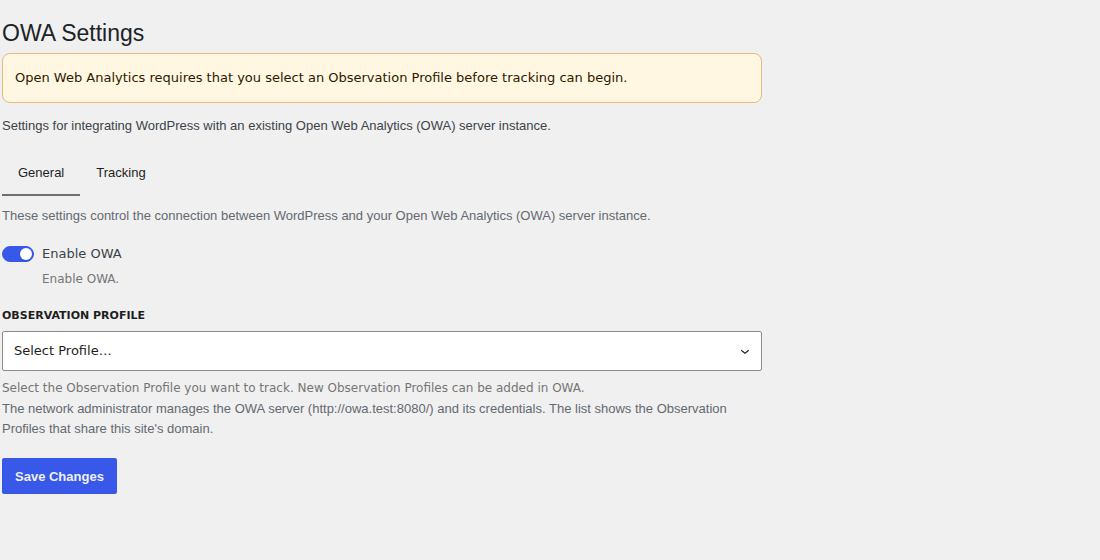
- each site chooses its Observation Profile from those that share its domain, or
- the network sets each site’s Observation Profile and turns tracking on or off per site.
Page caches
A cached page keeps the tracking tag it was rendered with. When a site’s tag changes (tracking turned on or off, another Observation Profile or OWA server), the plugin fires owa_wp_tag_changed with the blog ID, in that site’s context. Proxy Cache Purge purges the whole site on it. Other page caches can hook the same action.
Development
Developed on GitHub. File bugs and feature requests there.
Donate
Open Web Analytics is free. If you need support or find the plugin useful, please donate.