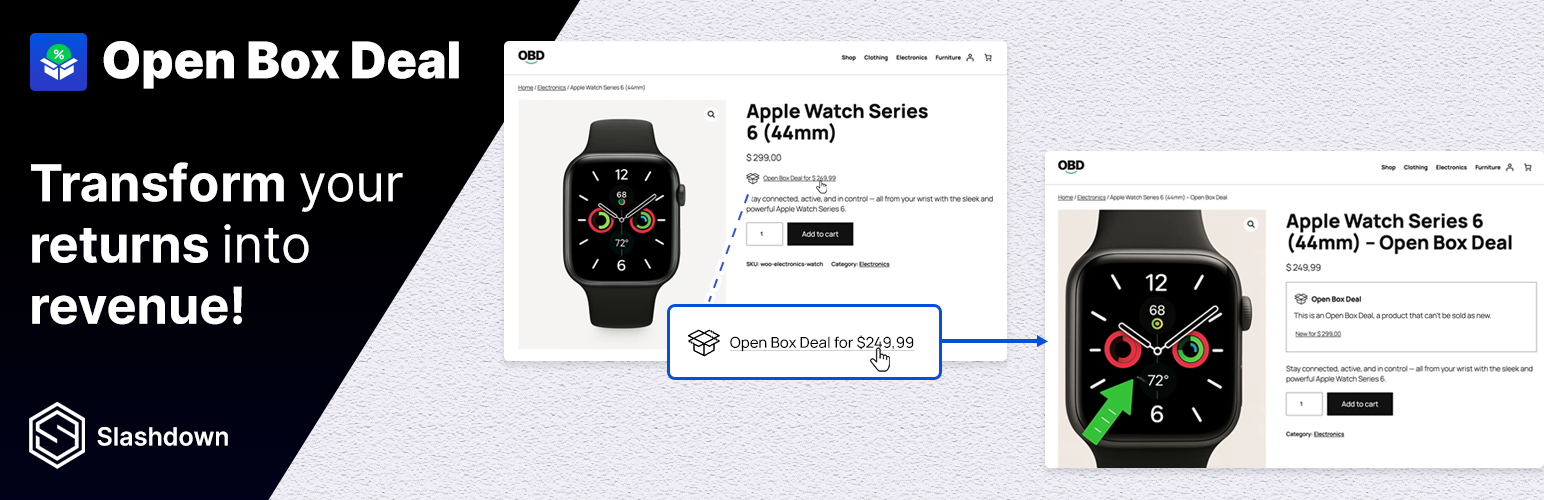

Open Box Deal – Resell returned products and B-stock
v1.0.10Slashdown · 2025年10月7日 上架
Open Box Deal for WooCommerce allows you to resell returned products that can no longer be sold as new.
- 正在使用
- 10 以下
- 评分
- 暂无
- 累计下载
- 919
- 最近更新
- 2025年10月29日
贡献者
 Slashdown
截图


Resell returned, open-box and B-stock products directly in WooCommerce.
Manage returns, recover lost revenue and reduce waste with this free plugin.
Check out the demo
Video includes premium functionality as well: Learn more
With this plugin you can easily:
* Create dedicated “Open Box Deal” products linked to the original item.
* Add product photos of the returned item.
* Offer a lower price to attract buyers while recovering lost revenue.
* Keep your main catalog clean: Open Box Deals don’t clutter your shop loops.
This plugin is perfect for stores that want to reduce waste, improve sustainability, and maximize profit from B-stock or second chance products.
Free vs Pro (Premium) Features
Free version: Create Open Box Deals for simple products.
Premium: Adds support for variable products, condition templates, visibility control, advanced settings and priority support.
Learn more
Create Open Box Deal
- In your WordPress Admin, go to Products > Add New Product.
- Enter the Product name of your Open Box Deal product. This will be displayed on the product page and in the order summary.
- Scroll down to the Product data section and ensure that Simple product is selected from the dropdown menu.
- Click on the Linked Products tab within the Product data section.
- Click on the dropdown under Open Box Deal Main Product and search for the product you want to link this Open Box Deal product to.
Optionally, add a product image specifically for the Open Box Deal. If no image is selected, the default image from the main product will be used.