跳到内容

ONLYOFFICE Docs

v2.3.0

onlyoffice · 2022年5月11日 上架

ONLYOFFICE Docs plugin allows users to edit and view office documents from WordPress using ONLYOFFICE Docs.

正在使用
100+
评分
暂无
累计下载
6,888
最近更新
2025年7月25日
需要 WordPress 5.7+已测试到 6.8.13PHP 7.4+

贡献者

截图

ONLYOFFICE Docs plugin configuration settings within the WordPress administrative dashboard.
ONLYOFFICE Docs -> Files page within the WordPress administrative dashboard.
ONLYOFFICE Docs editor opened from the WordPress admin dashboard.
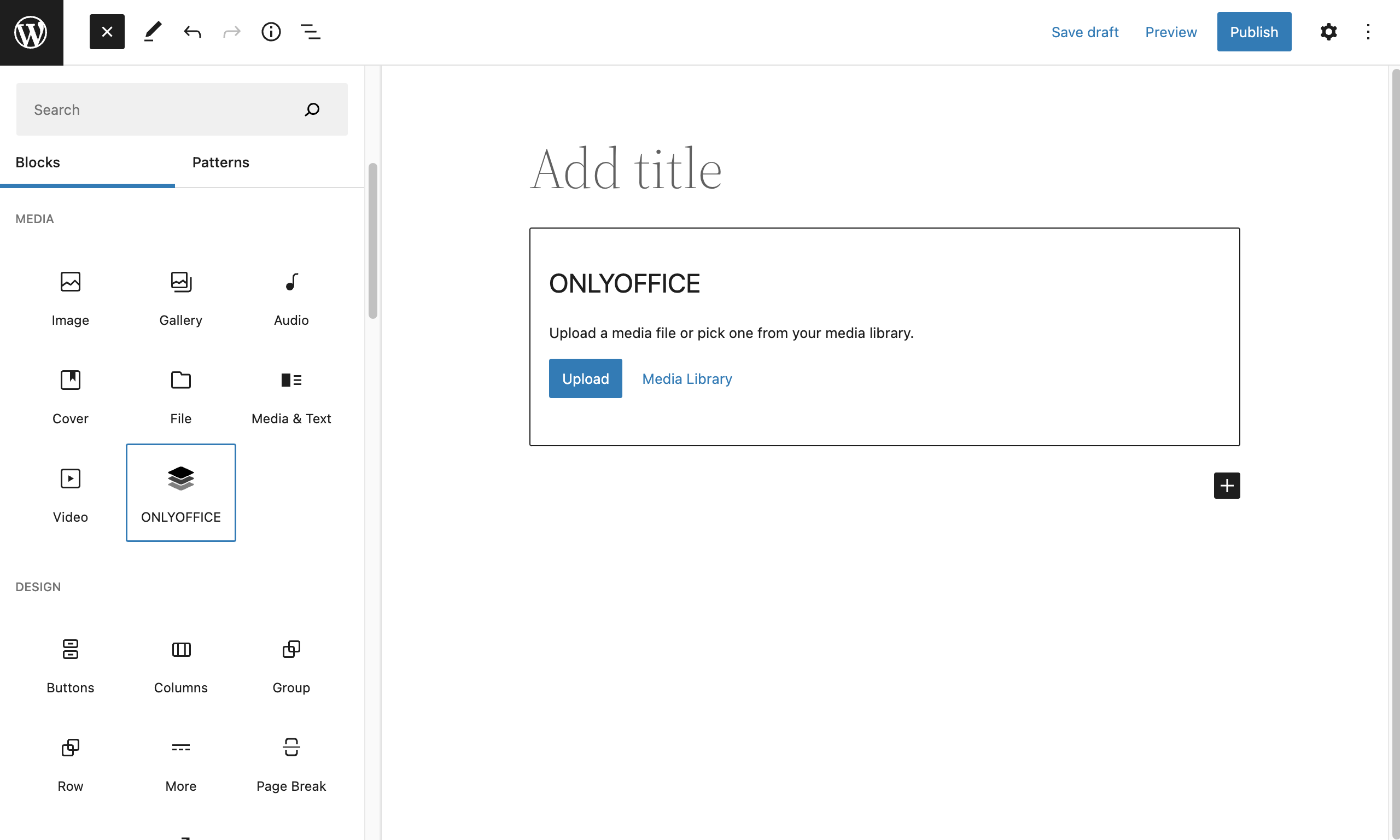
Adding ONLYOFFICE Docs block when creating a post.
Uploading a new file or selecting one from the Media Library to the ONLYOFFICE Docs block.
Added file displayed as the ONLYOFFICE logo with the file name in the currently edited post.
ONLYOFFICE file available for viewing in the Embedded mode to the WordPress site visitors.

ONLYOFFICE Docs plugin allows WordPress administrators to open documents, spreadsheets, and presentations for collaborative editing using ONLYOFFICE Docs (online document editors). In published posts, the editors are visible to all WordPress site visitors (both authorized and unauthorized) in the Embedded mode only.

Editing files uploaded to WordPress

All uploaded files from the Media section will appear on the ONLYOFFICE Docs -> Files page. The editor opens in the same tab by clicking on the file name. Users with administrator rights are able to co-edit documents. All the changes are saved in the same file.

Creating a post

When creating a post, you can add the ONLYOFFICE Docs element (block) and then upload a new file or select one from the Media Library. The added file will be displayed as the ONLYOFFICE logo with the file name in the currently edited post. After the post is published (when you press the Publish or Update button), your WordPress site visitors will have access to this file for viewing in the Embedded mode.

Plums

按场景查找 WordPress 插件。安装量、评分和兼容版本来自官方目录。

导航

说明

WordPress 是 WordPress Foundation 的商标。本站与 WordPress Foundation、Automattic 没有隶属关系。这里不托管插件文件,下载和安装以 WordPress.org 上的页面为准。

© 2026 Plums