
Omnix Responsive Preview
v1.0.0wpomnix · 2026年1月28日 上架
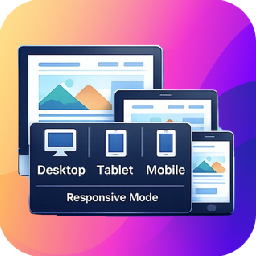
Quickly preview your website in Desktop, Tablet, and Mobile views using a clean popup panel without leaving the page.
- 正在使用
- 10 以下
- 评分
- 暂无
- 累计下载
- 723
- 最近更新
- 2026年1月29日
需要 WordPress 5.8+已测试到 6.9.12PHP 7.2+
贡献者
 wpomnix
截图


Omnix Responsive Preview helps developers, designers, and site owners instantly preview their website in different screen sizes.
The plugin adds a lightweight popup panel on the frontend that allows you to toggle between Desktop, Tablet, and Mobile views. It’s perfect for testing responsive layouts during development or content editing — no browser dev tools required.
Key Features
- Toggle between Desktop, Tablet, and Mobile views
- Popup panel with clean and minimal UI
- Instant preview without page reload
- Works on any WordPress theme
- Lightweight and performance-friendly
Ideal for:
– WordPress theme developers
– Plugin developers
– Designers & QA testers
– Content editors checking responsiveness
Usage
- Open any page on the frontend.
- Click the floating Responsive Preview.
- Choose:
- Desktop
- Tablet
- Mobile
- The page will instantly resize to the selected viewport.
- Go to Settings > Responsive Preview from WordPress admin dashboard and change screen sizes for desktop, tablet and mobile devices.
No configuration required — it works out of the box.
License
This plugin is licensed under the GPL v2 or later.