
Jooosi Icon – Modern SVG icon library for WordPress
v1.0.24suasgn · 2026年1月12日 上架
A modern SVG icon library for WordPress with support for custom uploads and 200,000+ Iconify icons across block editor, page builders, and themes.
- 正在使用
- 200+
- 评分
- 5.0 / 5
- 累计下载
- 4,194
- 最近更新
- 2026年9月30日
 suasgn
 Sua
截图
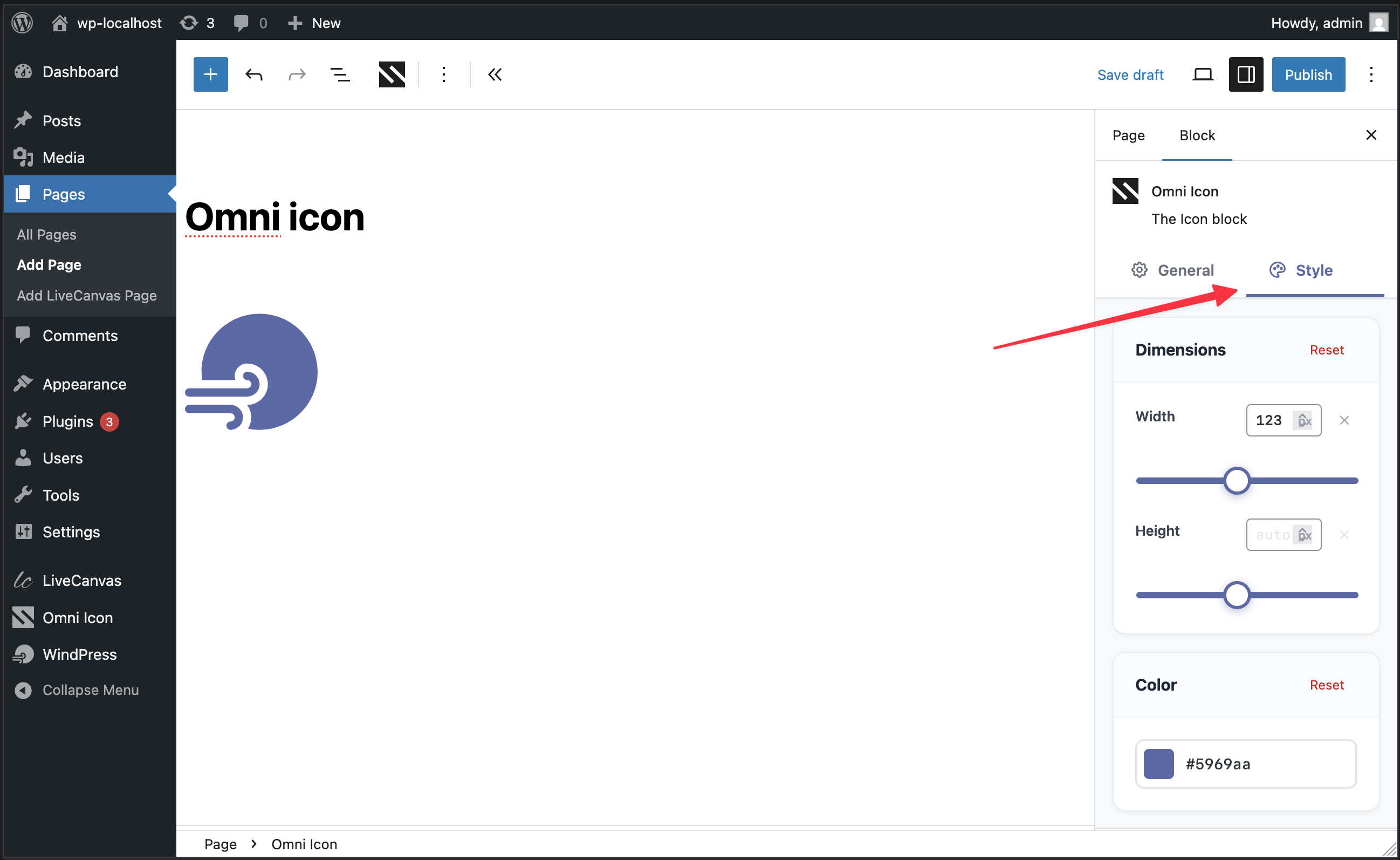
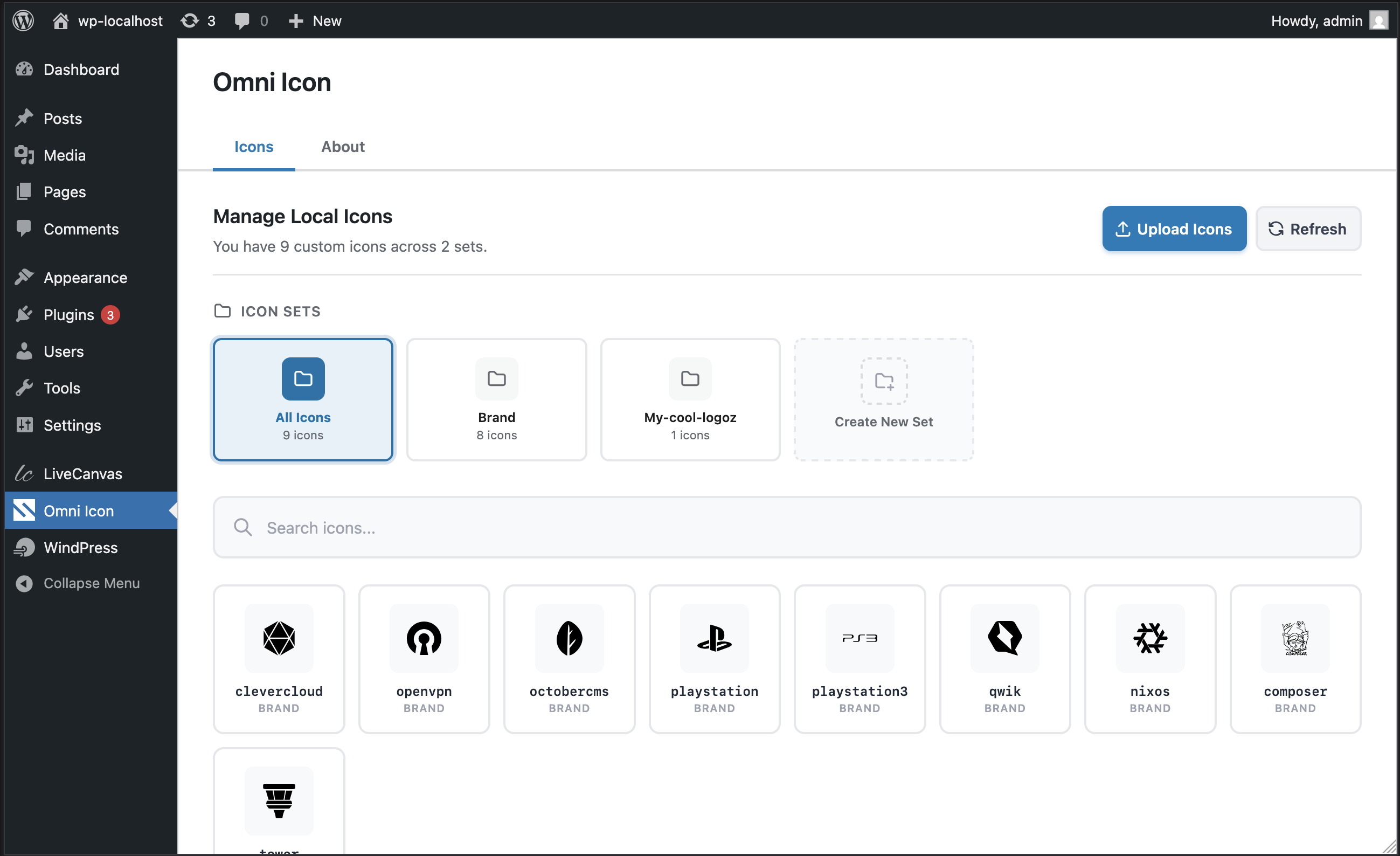
Jooosi Icon: Modern icon management solution for WordPress
Jooosi Icon is a comprehensive icon management solution that seamlessly integrates icons across the WordPress ecosystem. Upload custom icons, use bundled icons, or access 200,000+ icons from Iconify with support for Gutenberg, Elementor, Bricks, Breakdance, and LiveCanvas.
Features
Jooosi Icon is packed with features designed to make icon management effortless:
- Multi-source Icon System: Upload custom SVG icons, use pre-bundled icons, or access 200,000+ Iconify icons
- Icon Search & Discovery: Powerful search across all icon sources with intelligent caching
- Server-Side Rendering (SSR): Icons pre-rendered on server for instant display and optimal performance
- Smart Caching: Multi-layer caching (memory, filesystem, IndexedDB) for blazing fast load times
- Web Component: Use
<jooosi-icon>custom element anywhere in your theme or content - Secure: SVG sanitization prevents XSS attacks on uploaded icons
- Modern Architecture: Built with PHP 8.0+ attributes, Symfony DI, and auto-discovery
- Lightweight: Small footprint with lazy loading won’t slow down your site
Visit our GitHub repository for more information.
Seamless Integration
Jooosi Icon works perfectly with the most popular visual/page builders:
- Gutenberg / Block Editor — Custom Icon block with live preview
- Elementor — Native widget with Elementor controls
- Bricks — Native element with full theme compatibility
- Breakdance — Element Studio integration with SSR
- LiveCanvas — Custom block with panel controls
- Advanced Custom Fields (ACF) — Custom field type for icon selection
- Etch — Web Component with icon picker
- Divi 5 — Native module
- More integrations coming soon!
Icon Sources
Local Icons (Custom Uploads)
Upload your own SVG icons and organize them in custom sets. All uploads are sanitized for security.
Bundle Icons
Pre-packaged icons included with the plugin, including sponsor logos and commonly used icons. Use the jooosi: prefix; the former omni: prefix remains supported for existing content.
Iconify Icons
Access to 150+ icon collections with 200,000+ icons including:
- Material Design Icons (mdi)
- Font Awesome (fa6-brands, fa6-regular, fa6-solid)
- Bootstrap Icons (bi)
- Hero Icons (heroicons)
- Lucide (lucide)
- And 150+ more collections
Browse available icons at Iconify
Usage
Gutenberg:
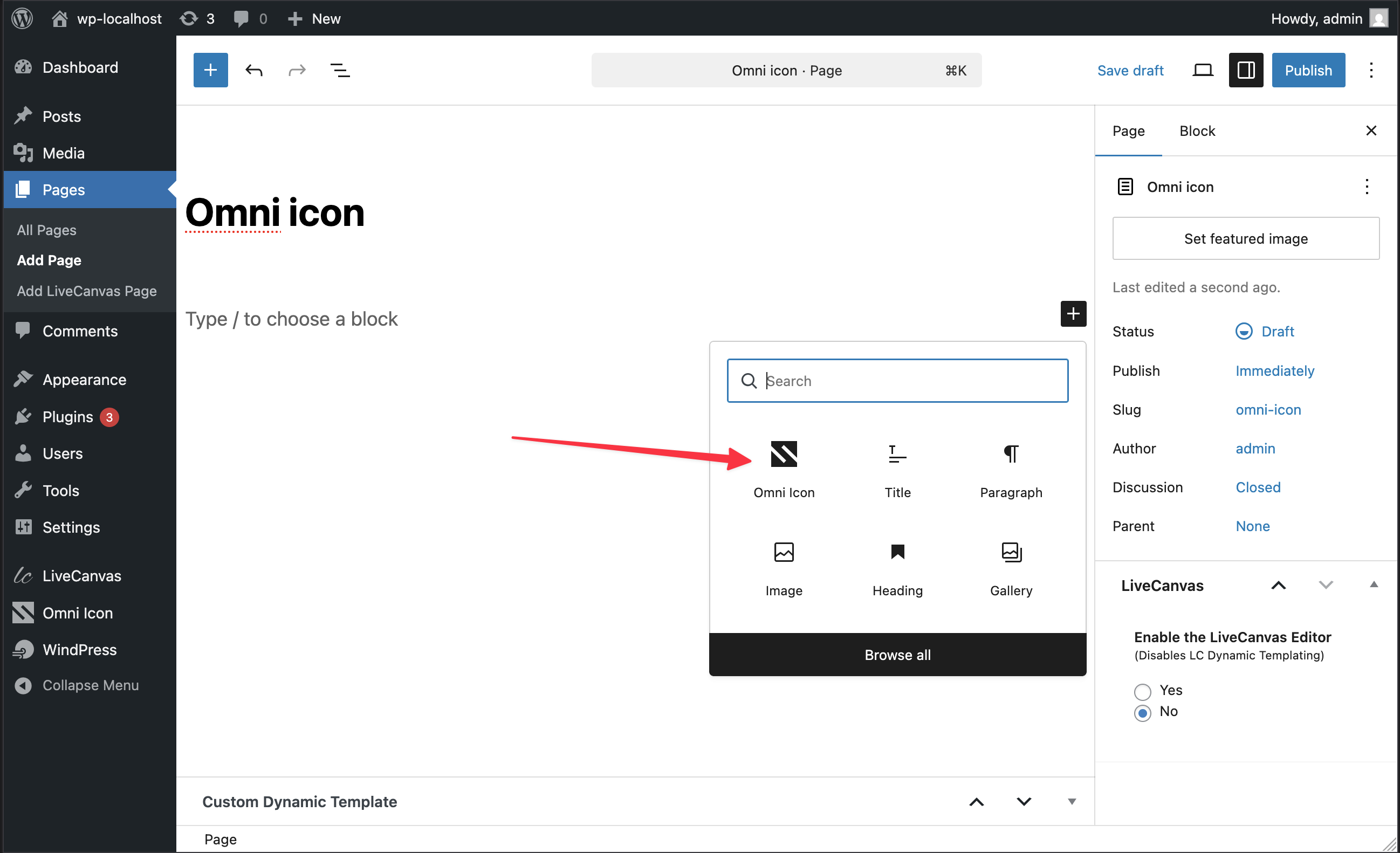
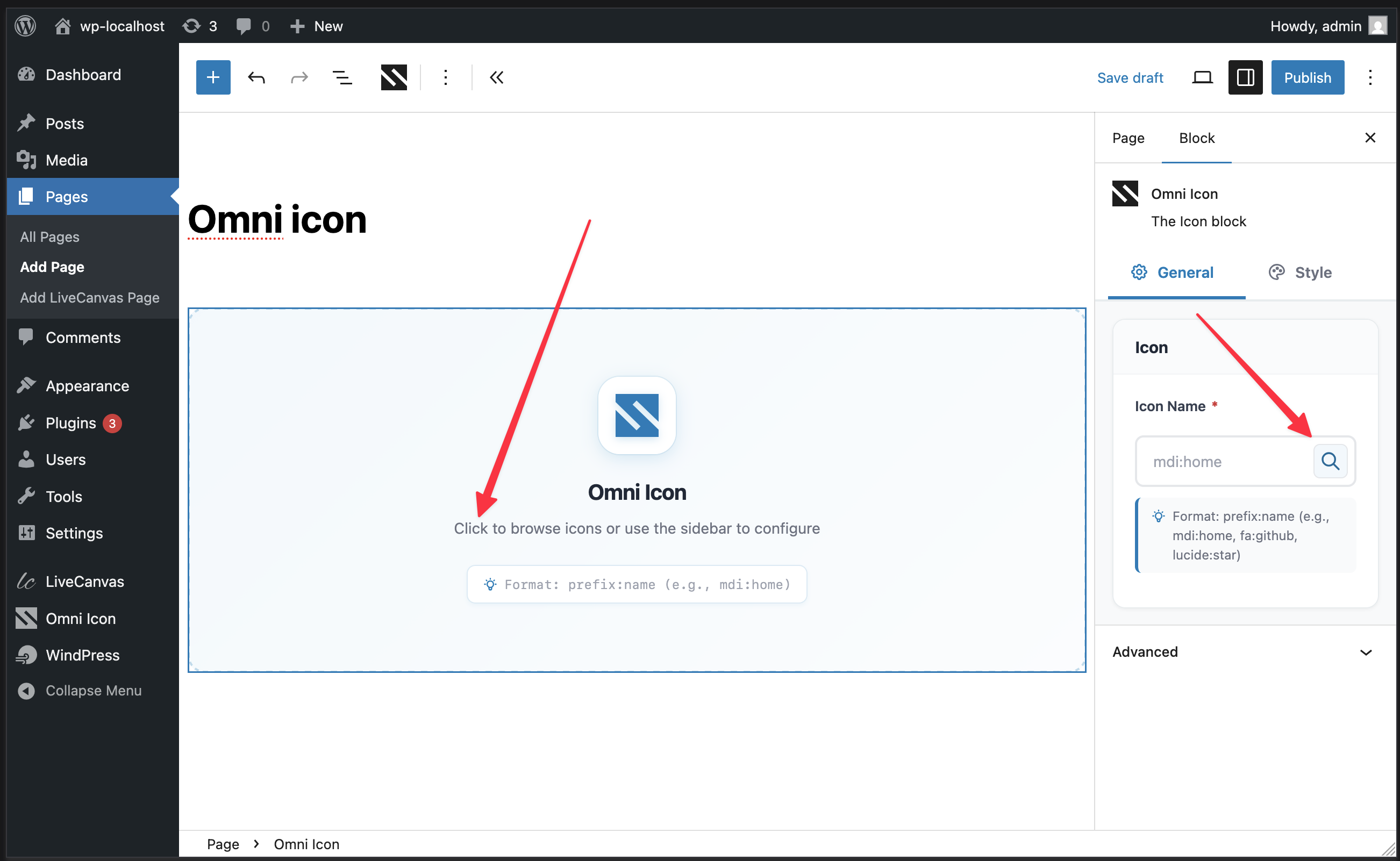
- In the block editor, add a new “Jooosi Icon” block
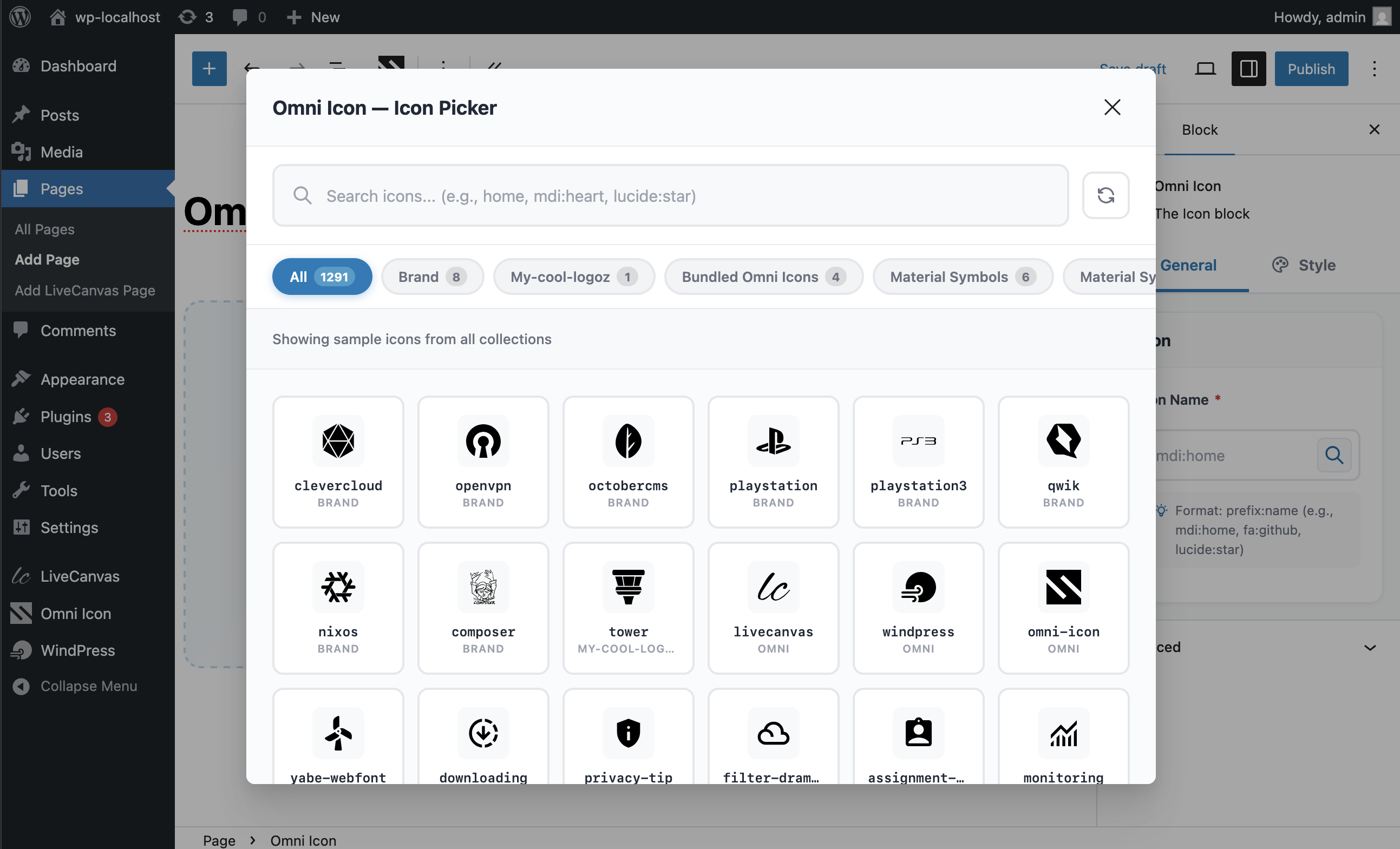
- Click the icon picker to browse or search icons
Elementor:
- Add the “Jooosi Icon” widget
- Click “Browse Icons” to open the icon picker
Bricks:
- Add the “Jooosi Icon” element
- Click “Browse Icons” to open the icon picker
Breakdance:
- Add the “Jooosi Icon” element
- Click “Browse Icons” to open the icon picker
LiveCanvas:
- Add the “Jooosi Icon” element
Advanced Custom Fields (ACF):
- Create or edit an ACF Field Group
- Add a new field and select “Jooosi Icon” as the field type
- Configure return format (string, array, or HTML)
Etch:
- Add the “jooosi-icon” element from the element menu at the bottom of the screen
- Browse or search icons in the icon picker
- Confirm selection to copy the code to clipboard
- Paste the copied code into the HTML editor
Web Component Usage
Use the <jooosi-icon> web component directly in your theme or content:
<jooosi-icon name="mdi:home"></jooosi-icon>
<jooosi-icon name="local:my-logo" width="64" height="64"></jooosi-icon>
<jooosi-icon name="fa6-solid:heart" color="#3b82f6"></jooosi-icon>
Existing <omni-icon> markup remains fully supported as a backward-compatible alias.
Performance & Security
- Lazy Loading: Web components loaded on-demand
- Multi-layer Caching: Memory Filesystem IndexedDB
- SSR Support: Icons pre-rendered on server for instant display
- SVG Sanitization: All uploaded SVGs sanitized to prevent XSS
- MIME Type Validation: Server-side validation of uploaded files
Love Jooosi Icon?
- Give a 5-star review
- Join our Facebook Group
- Sponsor us on GitHub or Ko-fi
Credits
- Built with Symfony UX Icons
- Powered by Iconify
- SVG sanitization by enshrined/svg-sanitize
Affiliate Disclosure: This readme.txt may contain affiliate links. If you decide to make a purchase through these links, we may earn a commission at no extra cost to you.