
AI for Home Services
v1.4.0XAPP AI · 2022年11月2日 上架
Book More. Know More. Grow More. AI agents that book jobs and capture leads 24/7 from your website, Google and AI assistants.
- 正在使用
- 800+
- 评分
- 5.0 / 5
- 累计下载
- 9,607
- 最近更新
- 2026年11月19日
贡献者
 XAPP AI
截图
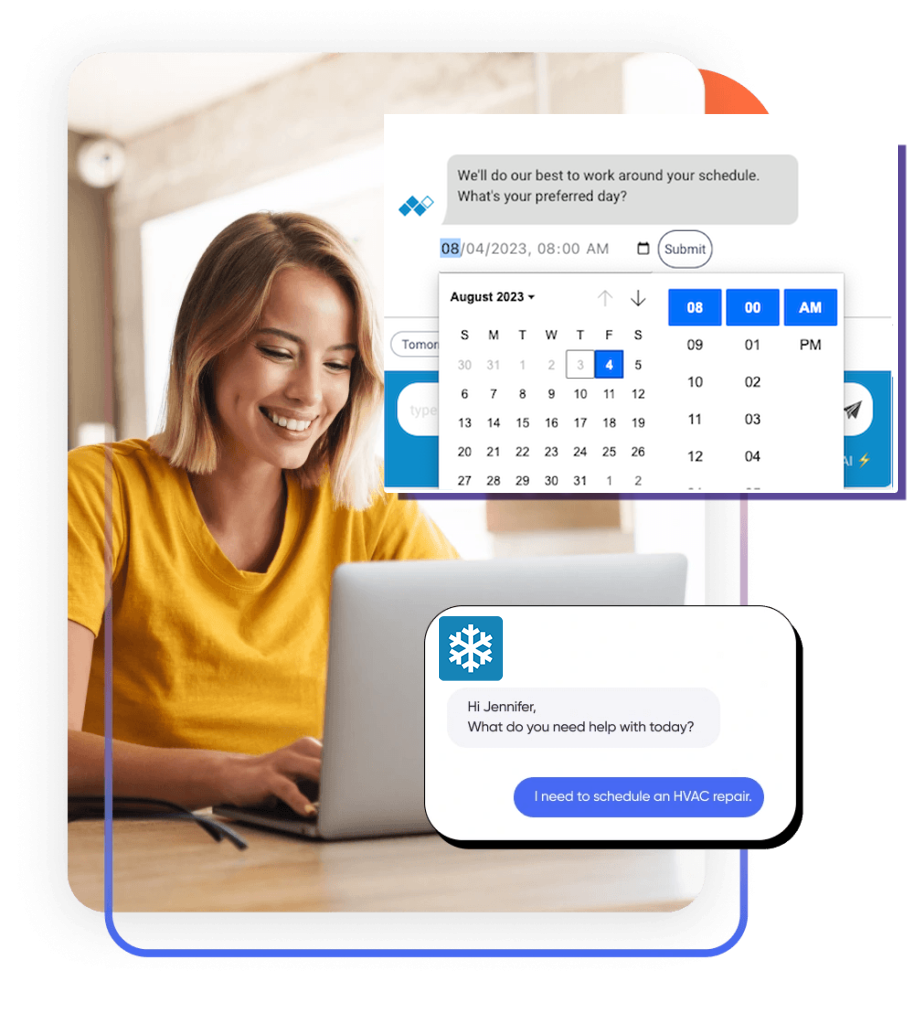
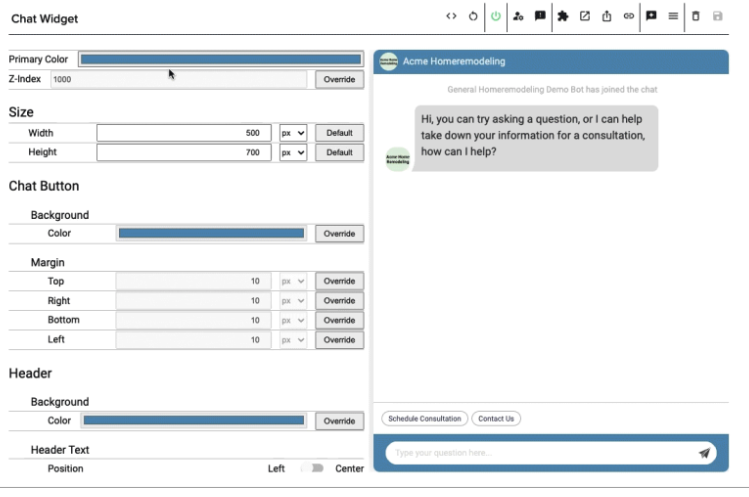
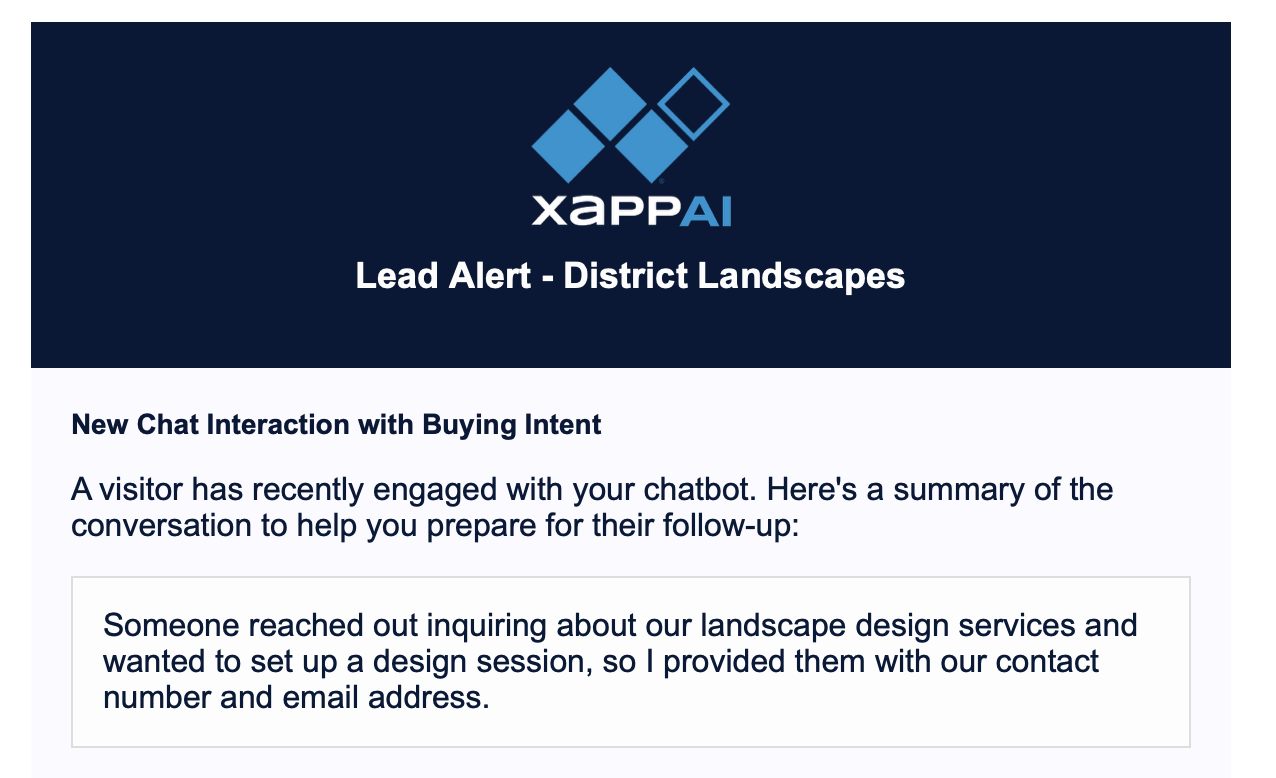

Book More. Know More. Grow More. XAPP AI’s agents turn your website visitors into booked jobs around the clock, and show you what homeowners are asking for. One plugin puts them on your WordPress site:
- Book Online Agent – a simple 3-step Book Online button that collects the homeowner’s contact details, preferred day and time, and the job they need done.
- AI Chat Agent – answers questions about your services, service area and hours, and books the job when the homeowner is ready. AI assistants like ChatGPT, Claude, Gemini and Meta AI can also find and use it, through the
/.well-knownstandards the plugin publishes for you. - Reporting Agent – turns every interaction into business intelligence: channel attribution, booking urgency, booking heat maps, the homeowner’s own words for your SEO and SEM, and an AI monthly summary.
Why local pros use XAPP AI
- Always on – capture bookings whenever homeowners are ready, even while you’re on the job.
- No lead or booking fees – unlimited bookings.
- Integrated with your FSM – jobs go straight into Jobber, FieldPulse, ServiceTitan, Housecall Pro and more, or to your inbox.
- Built for multi-location businesses – show each location’s agents on that location’s pages and a default everywhere else, with quick import for every location at once.
- Track every lead – bookings and chat leads are sent to Google Analytics 4 with their source and location.
- More places to book – the same booking powers a Google approved Book Online button on your Google Business Profile, a custom landing page with AI chat, and social and directory listings. XAPP AI is an approved Google Partner.
- Your data stays yours – customer data is never used for model training.
See plans and packages at xapp.ai/solutions.
Setup
Open Settings -> XAPP AI in your WordPress admin dashboard.
Enter your Widget Key from XAPP AI Studio and save. The widget loads on every page of your site, with the AI Chat Agent and your Book Online button as you set them up in Studio.
Several locations? See Per-page Widgets below.
Don’t have a XAPP AI account? Get started here.
The Widget
The AI Chat Agent appears as an overlay with a launch button, in the bottom right corner by default. The Book Online button appears as a tab on the left or right side of your site and connects to your field service management software. Configure both in XAPP AI Studio.
The separate Scheduling Widget Key is deprecated: the Widget loads your scheduling form now. Sites that still have one saved see it under Settings -> XAPP AI, where it keeps working until you clear it.
Per-page Widgets
Load a different widget on part of your site: for example, one widget per location on /north-side/ and /south-side/, and a support widget on /support/. Under Settings -> XAPP AI -> Per-page widgets (advanced), add a rule with a path and a Widget Key. A rule covers its path and every page under it; when several rules fit a page, the longest path wins. Pages with no rule, such as your home and service pages, load your default Widget Key. The label is an optional note for you.
Quick import takes one rule per line, path, widgetKey, label (comma or tab separated, so you can paste rows from a spreadsheet; blank lines and lines starting with # are ignored). Preview the rules, then replace your rules with them or merge them in (the same path overwrites). Test any URL to see which widget loads there.
Turn on “Remember the visitor’s location for their visit” so a visitor who opened a page with a rule, such as a location page, keeps that rule’s widget on pages with no rule until they close the tab. It works in the visitor’s browser (sessionStorage, no cookies), so page caching keeps working.
AI Agent Discovery
AI agents (ChatGPT, Claude, Gemini, Meta AI) look for a business’s assistant at /.well-known/mcp/server-card.json. With your Widget Key set, the plugin publishes your XAPP AI assistant there (and at /.well-known/mcp.json, /.well-known/mcp-server-card and /.well-known/mcp/manifest.json), so an agent helping a homeowner can ask your business questions and request a callback directly. Turn it off under Settings -> XAPP AI. Requires WordPress to be installed at the root of your domain.
PHP Security Notice
If your site’s PHP is missing the October 2026 security fixes (CVE-2026-109618, CVE-2026-109619), the plugin shows administrators a notice to ask their host to update PHP.
Integrations
Send jobs and leads to:
- Jobber
- FieldPulse
- ServiceTitan
- Housecall Pro
And more. Read about our integrations here.