

NotiDrawer
v1.0.0carlosgmartinez · 2026年11月2日 上架
Moves the notices that plugins and WordPress stack across wp-admin into a drawer in the toolbar, with one screen to review them all.
- 正在使用
- 10 以下
- 评分
- 暂无
- 累计下载
- 397
- 最近更新
- 2026年11月2日
需要 WordPress 6.3+已测试到 7.1.5PHP 7.4+
贡献者
 carlosgmartinez
截图
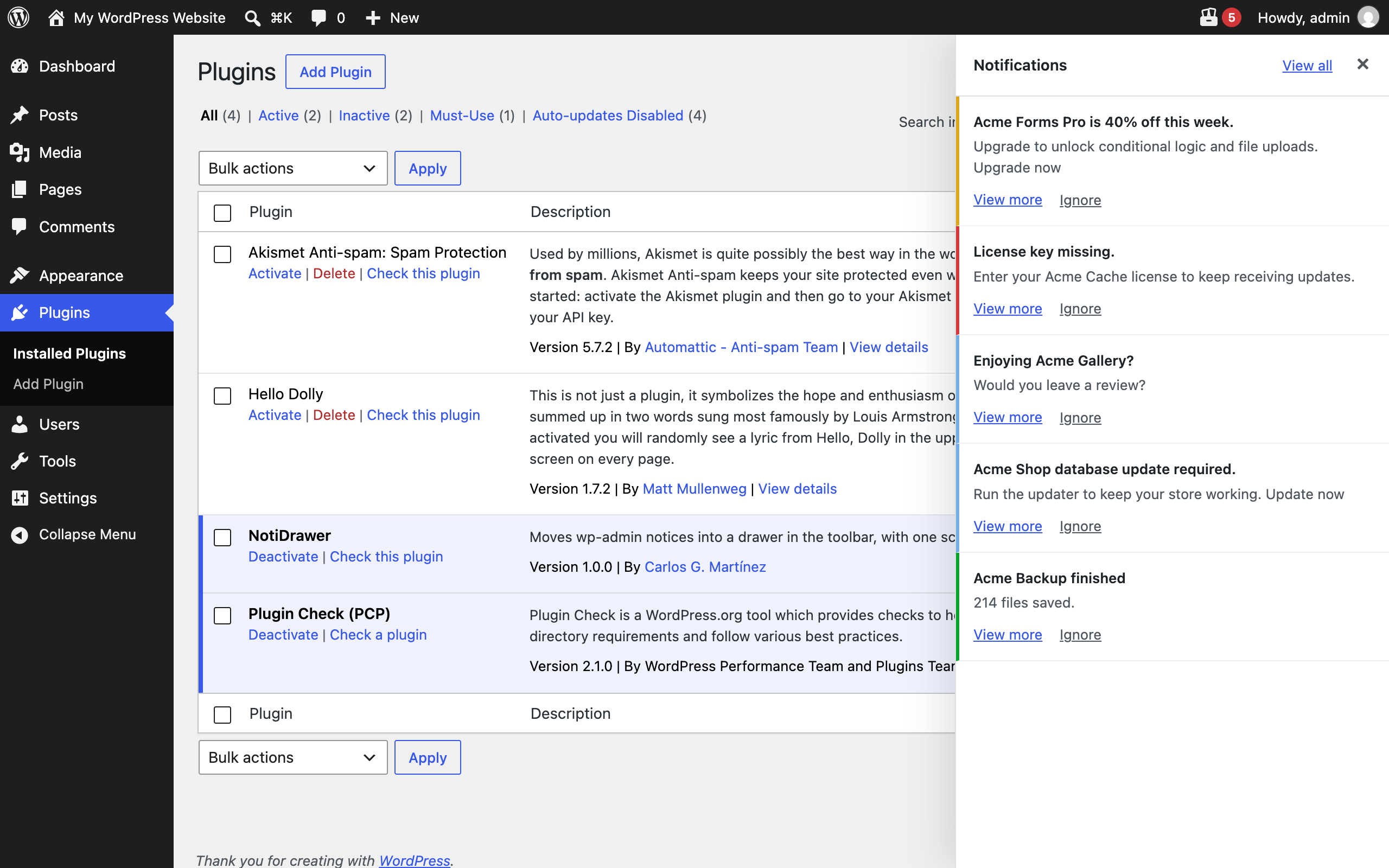
Every plugin wants your attention. Upgrade offers, license reminders, review requests and setup prompts pile up across the top of every admin screen and push the page you came for out of view.
NotiDrawer moves them out of the way:
- A drawer icon in the toolbar fills with papers and shows how many notices are waiting. When there is nothing to review, it stays empty.
- Click it to open the drawer with a short summary of each notice: its title, a one-line summary, and two actions, View more and Ignore.
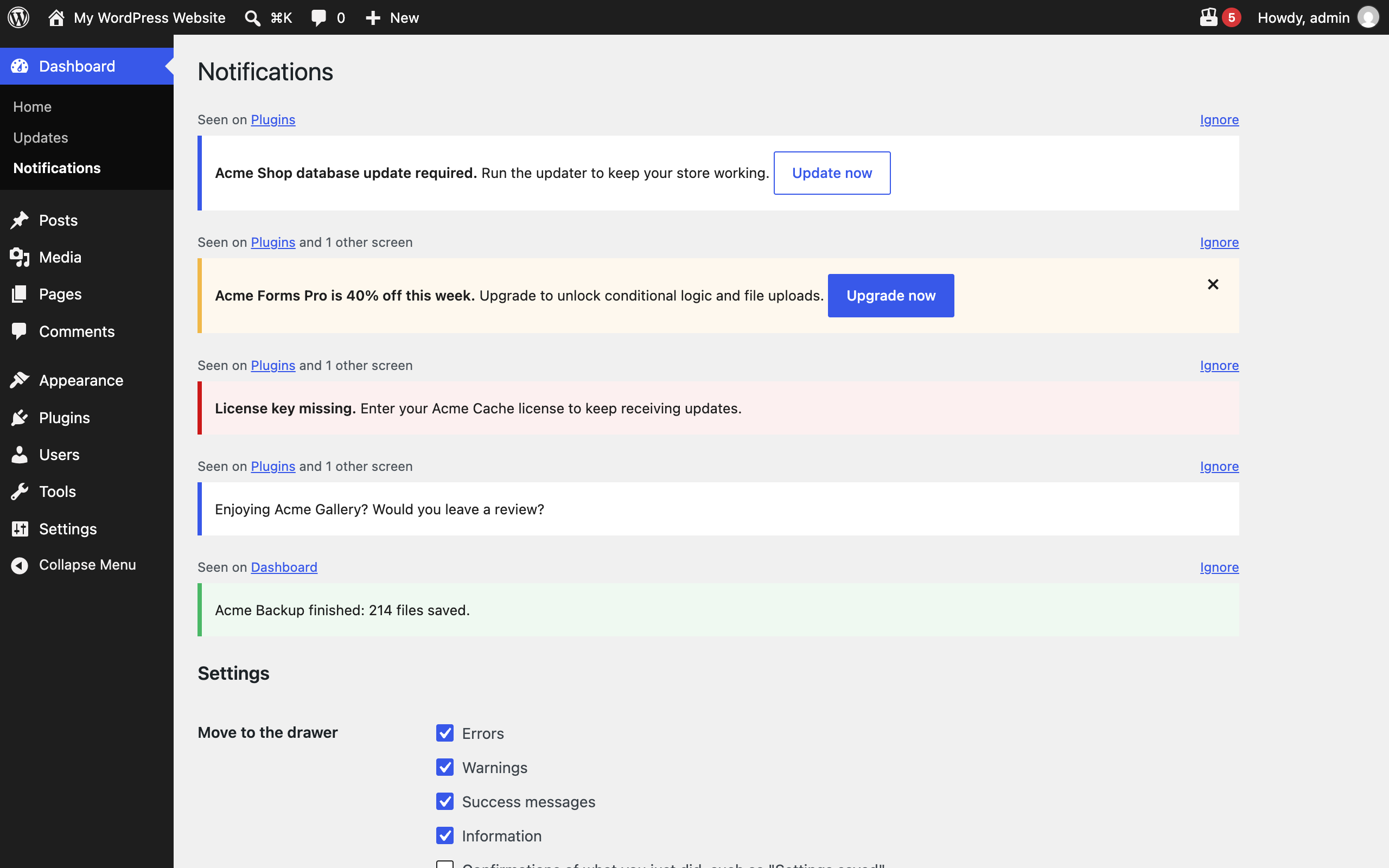
- View more opens Dashboard > Notifications, where every notice appears as its plugin designed it, collected from every admin screen in one place, with a link back to the screen that showed it.
- Ignore hides a notice from the drawer. Ignored notices stay listed on the Notifications screen, where you can restore them.
You decide what moves
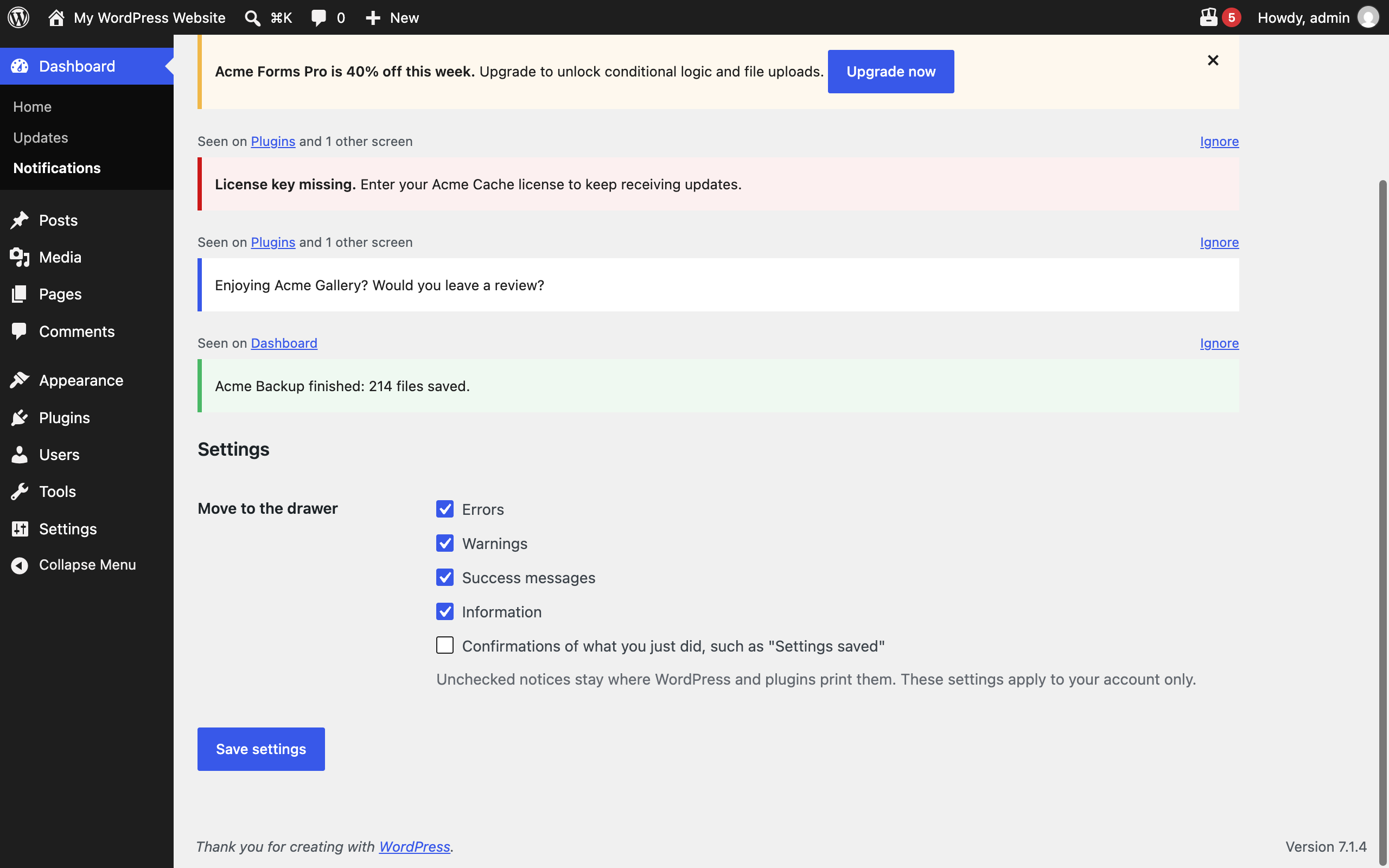
On the Notifications screen, each user chooses which notices go to the drawer: errors, warnings, success messages and information. Confirmations of what you just did, such as “Settings saved” or “Post updated”, stay in place by default.
What it does not do
- It does not delete or dismiss notices. The plugin that shows a notice still controls it.
- It does not touch notices that are part of a page’s own content, such as the inline messages in the plugin list.
- It sends nothing to any server. Notices are saved in your own database, per user and per site.
Security
- Every change is protected by a nonce and a capability check.
- Each user can only read and change their own saved notices and settings.
- Saved notices are filtered with the same rules WordPress uses for post content, without form controls, and their styles cannot paint outside their row.
- Notice text is never inserted into the page as HTML.
Built by Carlos G. Martínez.