

Notice Box Block
v1.0.0Lucid Gen · 2024年10月27日 上架
A custom Gutenberg block to create a notice box with different types like info, warning, success, and danger.
- 正在使用
- 20+
- 评分
- 暂无
- 累计下载
- 1,266
- 最近更新
- 2024年10月27日
贡献者
 Lucid Gen
截图
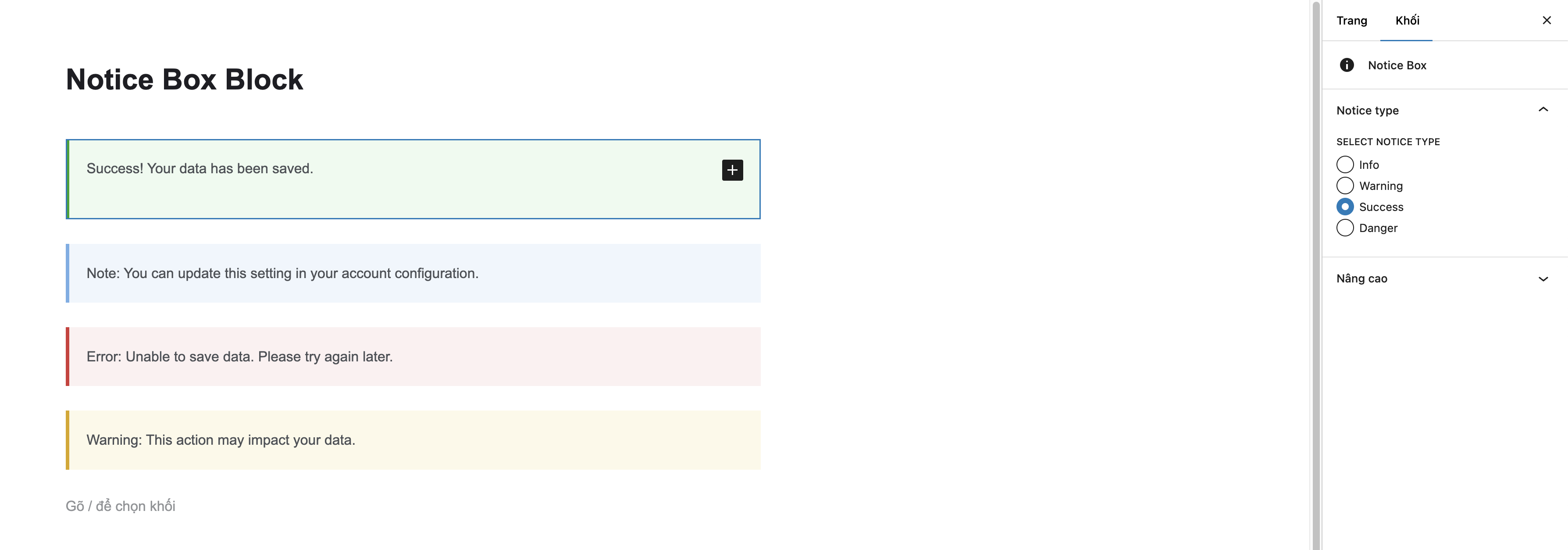

Notice Box Block is a powerful and flexible Gutenberg block that allows you to create customizable notice boxes within your WordPress posts and pages. Whether you need to display informational messages, warnings, success notifications, or error alerts, Notice Box Block has you covered.
Features:
- Four types of notices: Info, Warning, Success, and Danger.
- Easy to use with the Gutenberg editor.
- Customizable styles to fit your website’s design.
- Lightweight and fast.
How to Use:
- Install and activate the Notice Box Block plugin.
- In the Gutenberg editor, add a new “Notice Box” block.
- Select the type of notice you want to display (Info, Warning, Success, or Danger).
- Add your content inside the notice box.
- Publish or update your post/page.
Arbitrary section
Compatibility:
Notice Box Block is tested and compatible with WordPress version 5.0 and above. It requires PHP version 7.0 or higher.
Customization:
You can easily customize the appearance of the notice boxes by adding your own CSS styles. Use the class selectors such as .notice-box.info, .notice-box.warning, .notice-box.success, and .notice-box.danger to apply your styles.
Support:
For support, please visit our support forum or contact us via email at contact@lucidgen.com.
Credits and Acknowledgements:
This plugin was developed by Lucid Gen. Special thanks to the WordPress community for their continuous support and contributions.
Known Issues:
Currently, there are no known issues. If you encounter any bugs or have suggestions for improvements, please let us know through our support forum.
Additional Information
- This plugin is actively maintained and regularly updated to ensure compatibility with the latest WordPress releases.