

NoCopium Trade Journal
v1.2.31jlcox1964 · 2026年8月27日 上架
A trading journal that lives on your WordPress site. Log options, futures, and stocks by hand. See your P&L, keep notes, and review how you traded.
- 正在使用
- 10 以下
- 评分
- 暂无
- 累计下载
- 858
- 最近更新
- 2026年11月21日
贡献者
 jlcox1964
截图
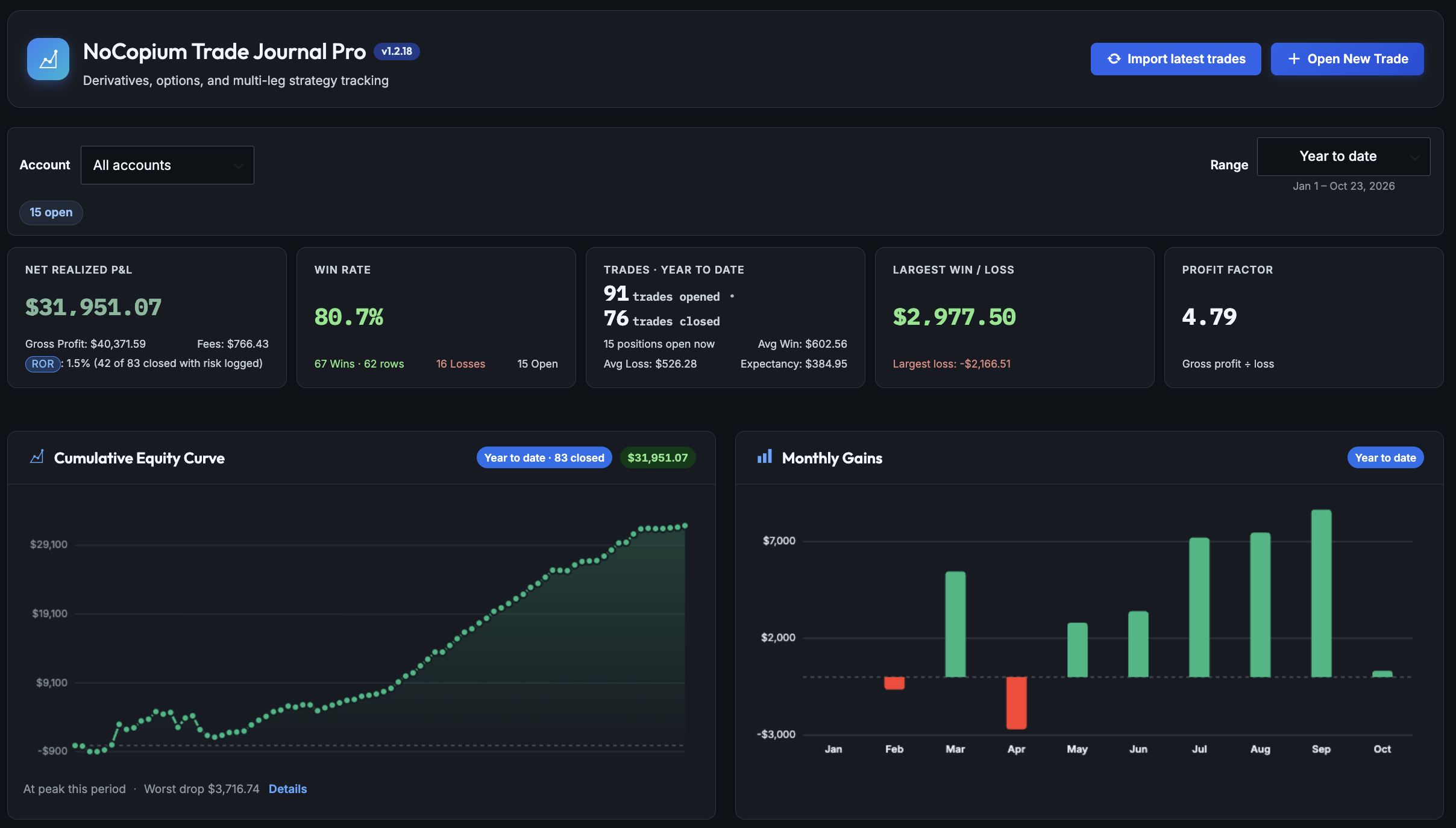
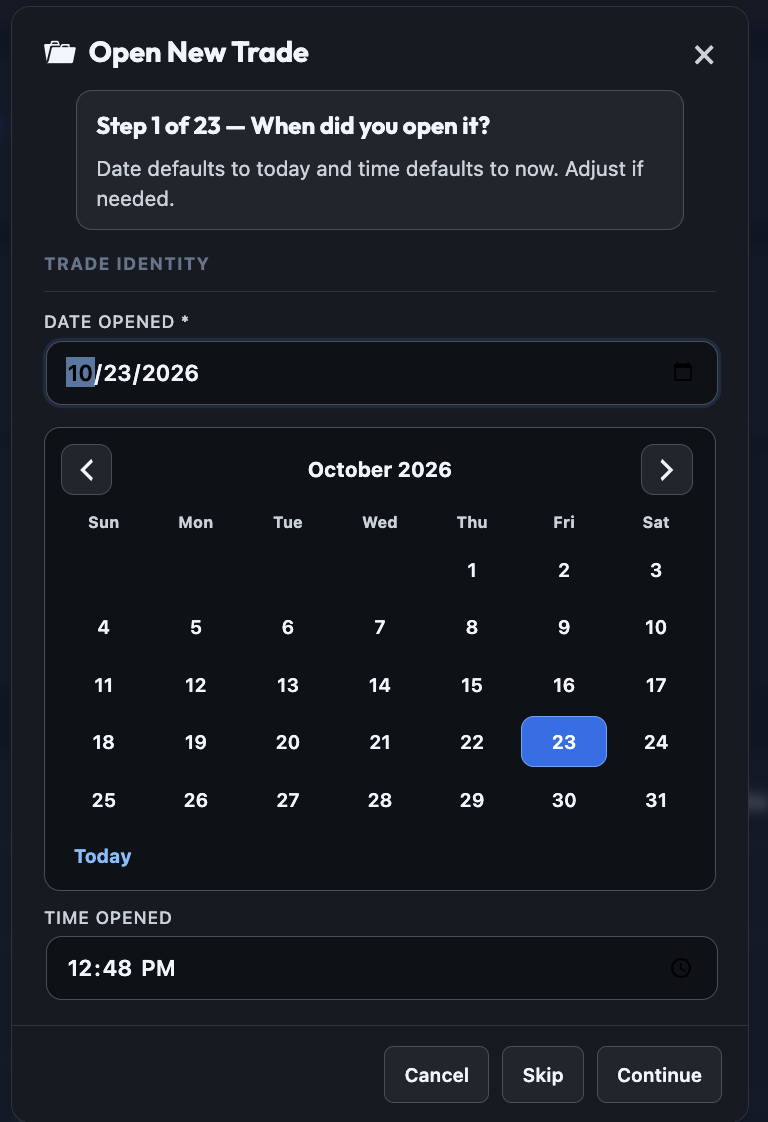
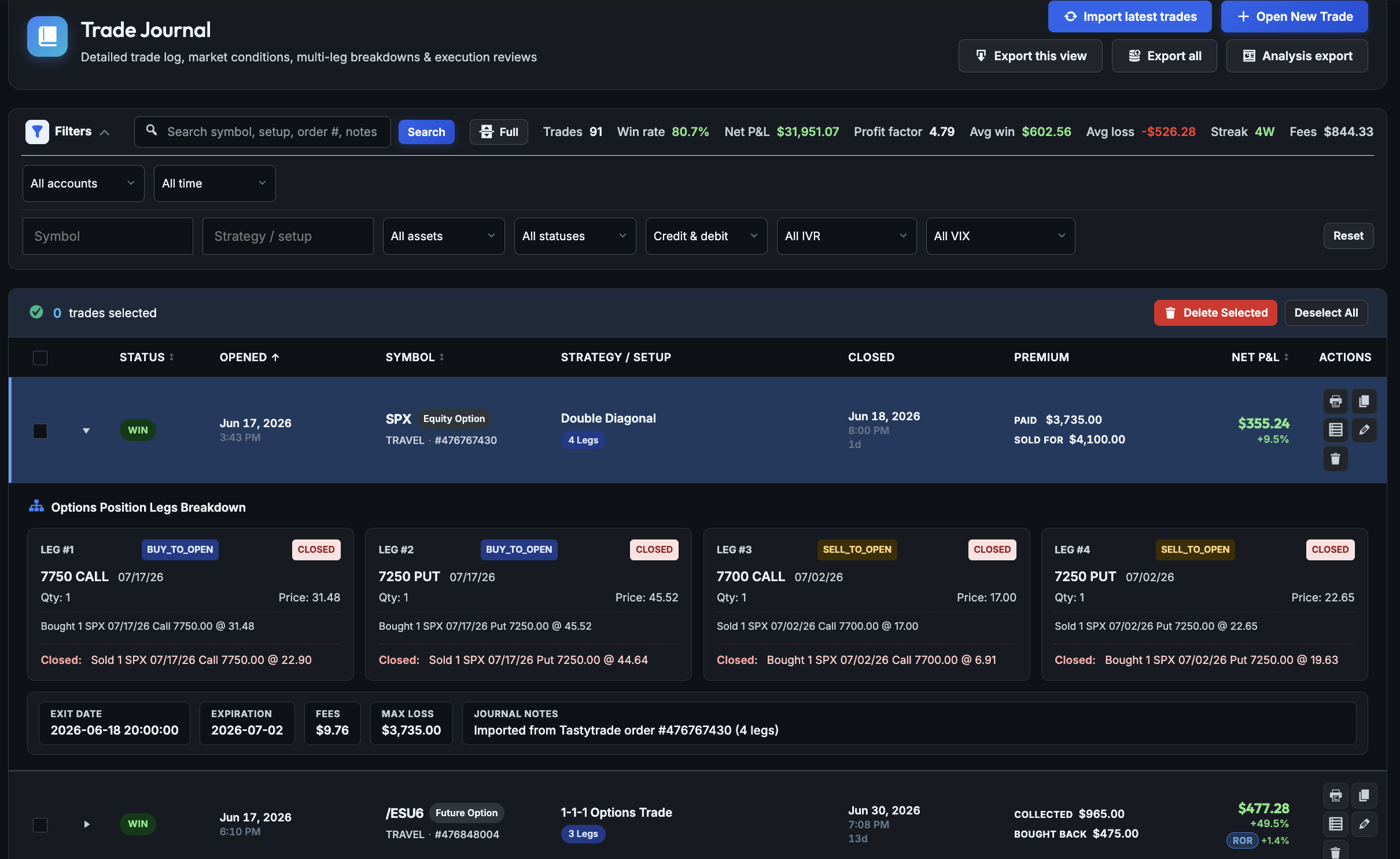
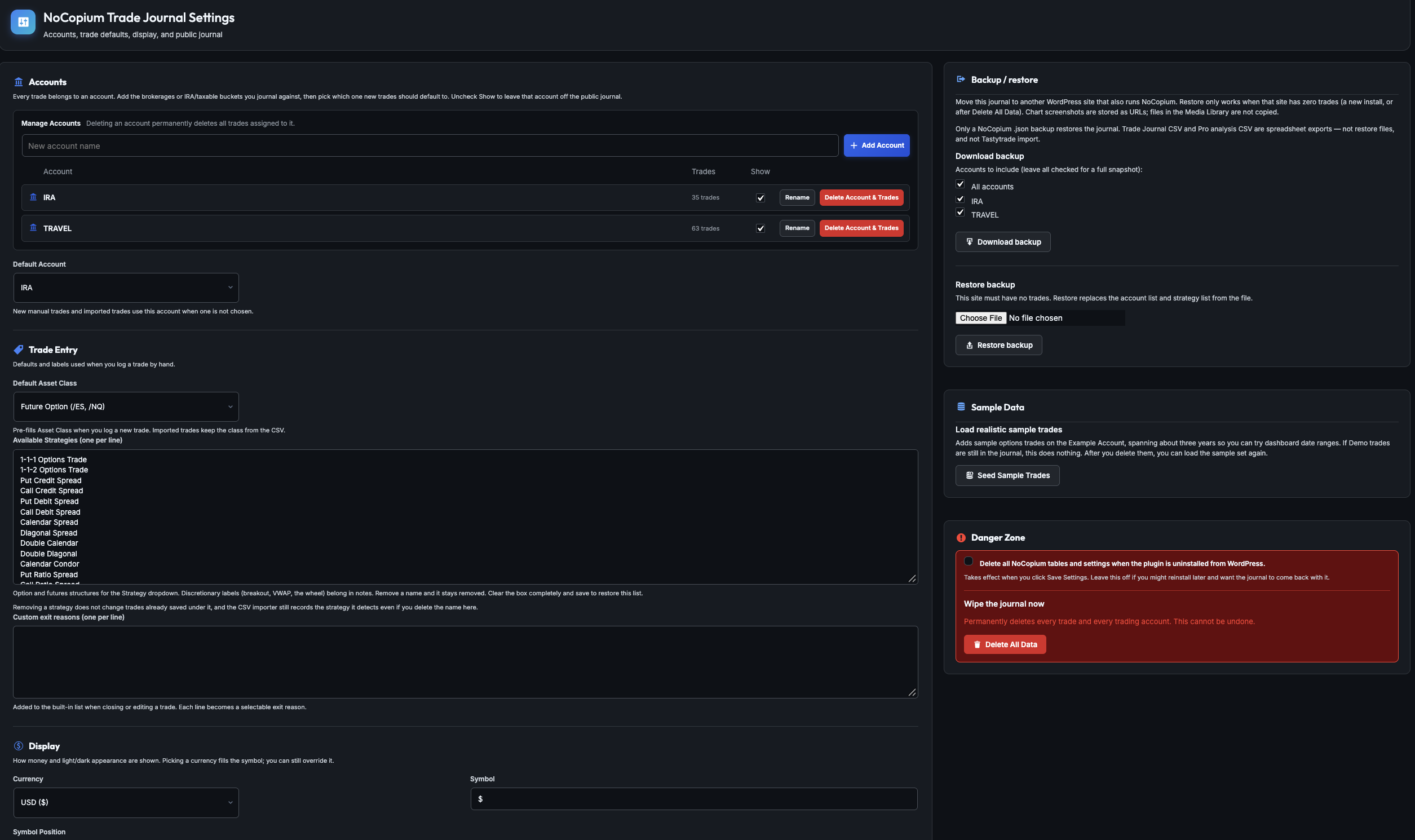
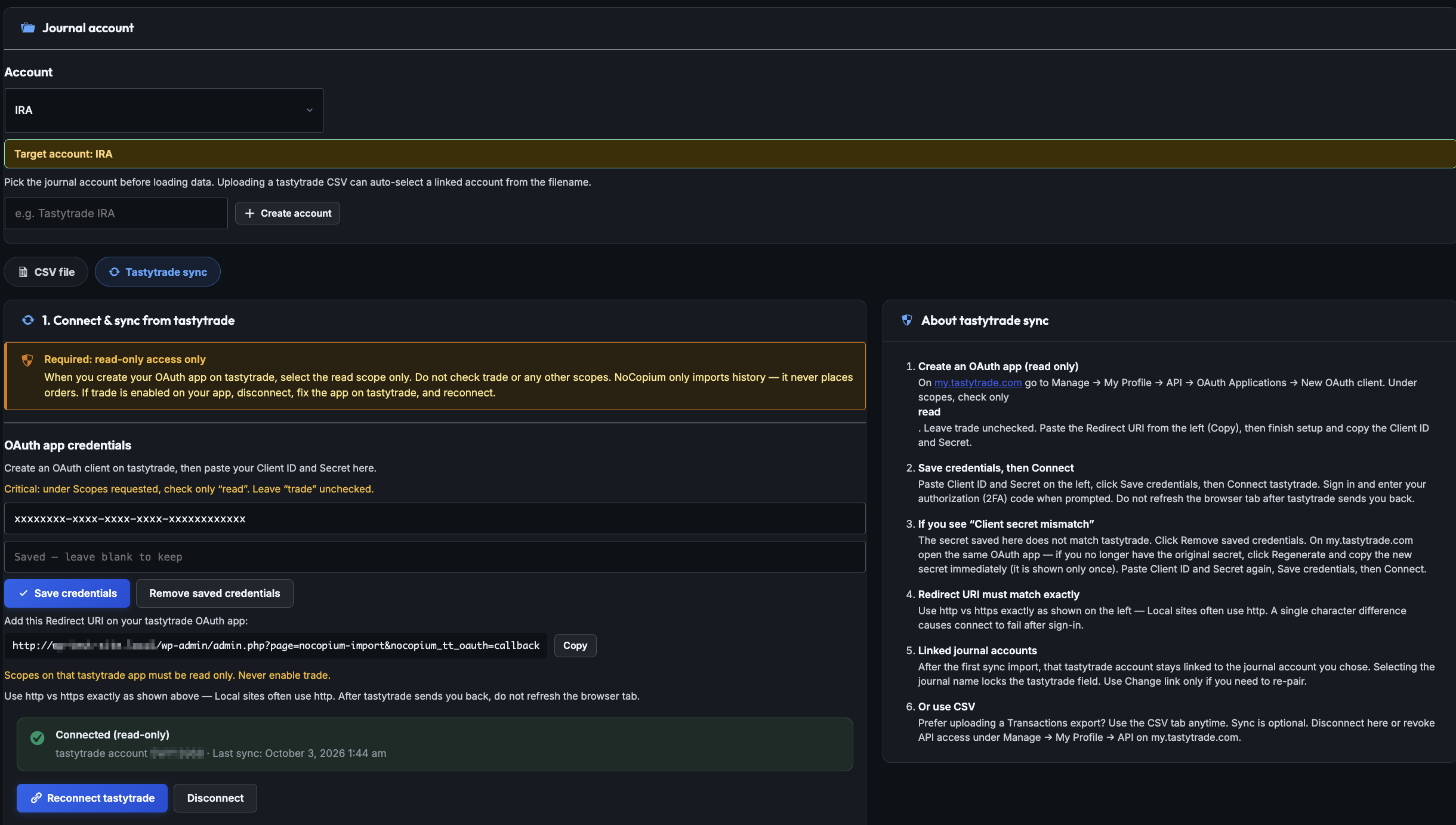
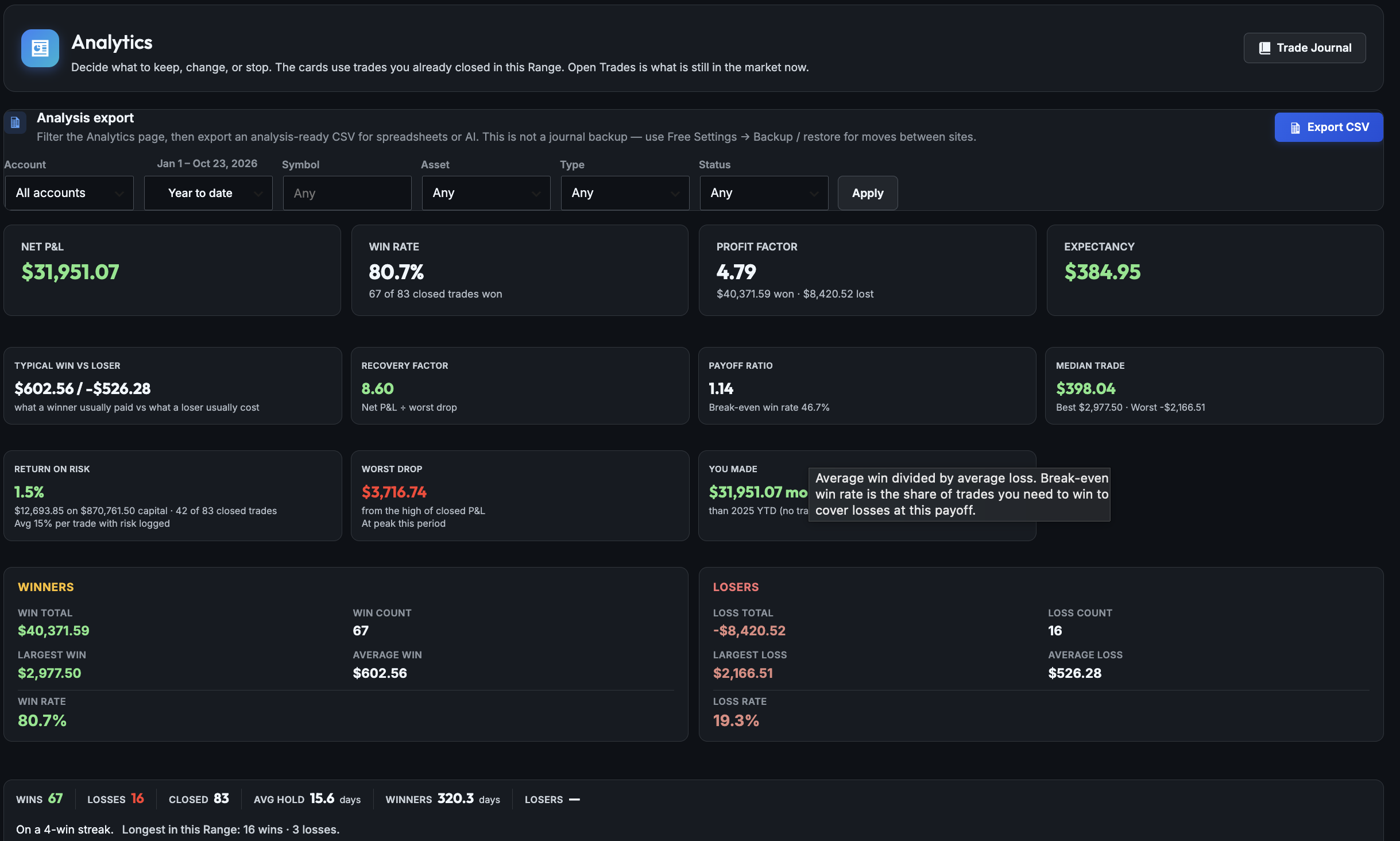
NoCopium Trade Journal is a trade journal on your own WordPress site. You type in the trades you care about — stocks, options, futures, and multi-leg structures — then review them with a simple dashboard and a full journal list.
Your fills stay on your server. This is not a SaaS journal that holds your data for you.
Website and Pro: nocopium.com
Live demo: https://nocopium.com/demo/
Help & FAQs: https://nocopium.com/faqs/
How-to pages: Dashboard · Trade Journal · Open New Trade · Settings · Rolling & linked trades
Pro help: Import & tastytrade sync · Analytics
What You Get For Free
- Log as many trades as you want — no trade cap
- Options with up to four legs in one trade
- Name your strategies and keep more than one account
- Search and filter the journal
- Roll an open trade from the journal (Roll… / Roll this leg) — log the new Order # and link it without rewriting the opening ticket
- Linked trades — one journal row for the position, labeled Last while open and Closed as after it closes, with Booked so far or Net P&L; Unlink / Move / Split when you need to fix a link
- Dashboard with P&L, win rate, equity curve, period gains / return-on-risk charts, and a day-by-day P&L calendar
- Switch the Free dashboard between this year (YTD) and this month (MTD)
- Quick glance: how many trades are open, what expires soon, and how this week looks
- Optional tags: how you felt when you opened (mindset), and whether you followed or broke your plan when you closed
- Optional buying power / max loss so you can see return on risk when it adds something beyond profit %
- Export trades to a spreadsheet; back up and restore your journal (onto an empty journal)
- Load sample trades to explore before you log your own
- Optional public journal page with
[nocopium_journal] - Light or Dark look for the admin screens and the public journal
What Free Does Not Include
- Tastytrade import (read-only sync or manual CSV) — that is Pro
- Possible Roll flags after import/sync — that is Pro (Free still links rolls by hand from the journal)
- Deep Analytics (full strategy tables, drawdown, streaks, P&L by plan/mindset, and the Rolling card) over any date range
- The full dashboard date Range menu (beyond Free’s YTD / MTD)
- A paid license — Free on WordPress.org needs none
Optional Tags (Mindset & Plan)
When you open a trade, you can note your mindset (for example Disciplined or FOMO). When you close, you can mark Followed Plan or Broke Plan.
The Free dashboard shows a short look at your recent tagged trades. Pro Analytics turns those tags into full reports over the date range you pick. Import does not fill these tags for you.
Your Journal
- Each trade lives in your WordPress database
- Common fields: symbol, account, strategy, entry/exit, fees, P&L, notes
- Optional extras: IVR, VIX, underlying price, buying power, max loss, and more
- Needs Review marks incomplete rows so they do not skew your stats until you fix them
Dashboard
- See this year or this month (Free toggle)
- Equity curve and monthly gains
- Calendar of green and red days
- Filter by account when you have more than one
Backup, Export & Public Page
- Back up / restore from Settings (the destination journal must be empty)
- Export the journal to a spreadsheet from the Trade Journal page
- Put
[nocopium_journal]on a page if you want a public view (on by default; turn it off in Settings)
Upgrade To Pro
Buy Pro at nocopium.com. Install NoCopium Trade Journal Pro next to this Free plugin. Keep Free installed — your trades stay in the same journal.
Demo: nocopium.com/demo/
Pro adds:
- Full tastytrade sync — connect read-only, fetch your history, and import all trades into the same journal (no retyping fills). CSV import is there too when you want a manual file upload instead of sync
- Possible Roll after import/sync — confirm into the same linked-trade flow Free already has
- Full Analytics (strategy, ticker, plan, mindset, drawdown, Rolling card, and more)
- A longer date Range menu on the Dashboard and a Profit Factor card
Support
Free: use the support forum on this WordPress.org plugin page.
Pro: support through nocopium.com per your license.