
NivoSearch – Ajax Search for WooCommerce
v2.1.0Nazmun Sakib · 2025年11月13日 上架
WooCommerce Ajax Search with instant results, plus a WooCommerce search plugin with typo tolerance, SKU, GTIN and attribute search.
- 正在使用
- 60+
- 评分
- 5.0 / 5
- 累计下载
- 2,382
- 最近更新
- 2026年11月23日
贡献者
 Nazmun Sakib
截图


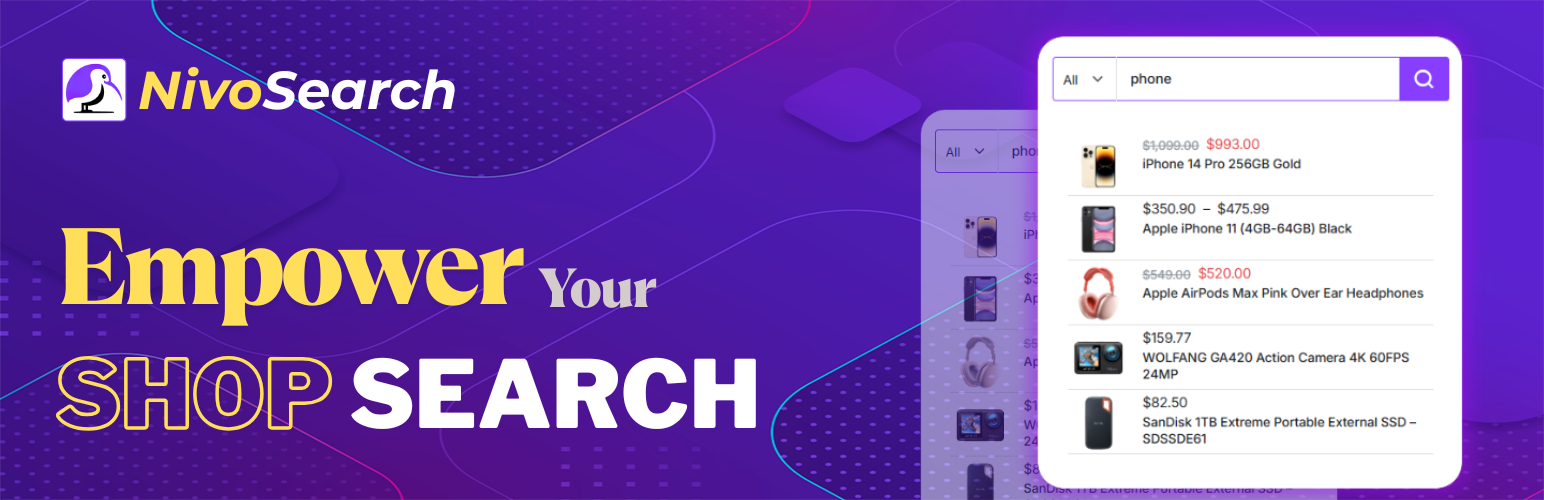
NivoSearch is a WooCommerce Ajax Search plugin that replaces the default product search with instant, typo-tolerant live results. Customers find products as they type, without reloading the page.
As a WooCommerce search plugin, it uses an indexed search engine with typo tolerance, fuzzy matching, synonyms, and SKU, variation SKU, GTIN, EAN, UPC, ISBN and attribute search. It also includes ranking and merchandising controls, three result layouts, and six search bar styles.
Store owners use search presets to choose which product fields are searched, which details appear in results, and how each search bar looks and behaves. NivoSearch suits WooCommerce stores of any size and includes mobile-friendly layouts, multilingual support, and product discovery tools in one plugin. Shoppers find relevant products even when they misspell a term or know a product only by its SKU.
Live demo | Features | Documentation | WordPress.org support
WooCommerce Ajax Search: instant results as customers type
- Live results: WooCommerce Ajax Search shows matching products in a dropdown while the customer types, with no page reload.
- Rich results: Image, price, sale price, SKU, stock status, category labels and optional add to cart, in list, compact or grid layouts.
- Built for speed and access: Results come from a local product index and are cached. A mobile full-screen overlay and keyboard and screen-reader support are included.
- Forgiving: Typo correction, fuzzy matching, synonyms and a clickable “Did you mean?” suggestion.
WooCommerce Search Plugin: full control over product search
- What it is: A free WooCommerce search plugin that improves search quality across the whole store, not only in the dropdown.
- What it searches: Product titles, descriptions, SKUs, variation SKUs, GTIN/EAN/UPC/ISBN codes, attributes, categories and tags.
- How it finds products: An indexed engine with typo correction, fuzzy matching, accent-insensitive matching and synonyms.
- How it displays results: List, compact or grid layouts with images, price, SKU, stock status and optional add to cart.
- How you control it: Search presets, relevance ranking, pin/bury/redirect merchandising rules, shortcode, block and theme search replacement.
- For developers: REST API, WP-CLI index commands, PHP filters and JavaScript events.
- Works with: WooCommerce, WPML, Polylang, block themes and classic themes.
Why choose NivoSearch?
NivoSearch improves WooCommerce product discovery by showing relevant product suggestions while customers type. Instead of requiring shoppers to submit a search and wait for a separate results page, it lets them inspect matching products directly in a live search panel.
Key benefits include configurable product search, SKU and variation SKU matching, built-in typo corrections, fuzzy search fallback, and optional add-to-cart controls. Store owners can customize search behavior and presentation for different areas of their store using separate search presets.
The free version includes up to 10 custom typo correction rules and up to 10 custom synonym groups.
What’s new in 2.1.0
- Index-first search engine: Product titles, SKUs, content, attributes, categories and tags are searched through a local index table, with automatic fallback to the standard WordPress query if the index is not ready.
- Background indexing for large catalogs: The index is built in resumable background batches (Action Scheduler when available, otherwise WP-Cron) with a progress notice, plus
wp nivo-search index rebuildandwp nivo-search index statusWP-CLI commands. - GTIN, EAN, UPC and ISBN search: Shoppers can find products by barcode or ISBN as well as SKU.
- Attribute search: Match product attribute values such as color, size or material.
- Synonyms: A built-in synonym dictionary plus up to 10 custom synonym groups, for example “sofa, couch, settee”.
- Relevance ranking: Adjust how much title, SKU and content matches count, and boost in-stock, popular, highly rated or recent products.
- Merchandising rules: Pin products to the top, bury products, or redirect a search term to a page, such as a returns policy or a category.
- Six search bar styles: Standard, icon left, pill, with button, minimal, and an icon-only bar that opens the search box when clicked.
- Three result layouts: List, compact list and product grid, including on the mobile search overlay.
- Cleaner result design: Full product titles, muted SKU, sale price with the old price struck through, a “From” price for variable products, and a placeholder when a product has no image.
- Accessibility: WAI-ARIA combobox pattern with arrow-key navigation, Enter and Escape handling, visible keyboard focus and screen-reader result announcements.
- REST API: Public
nivo-search/v1/search,/presetsand/presets/<id>endpoints for headless and app integrations. - Easier preset editor: Visual layout picker, live preview, input limits, a Duplicate preset action and an index status line.
- Protection and stability: Per-visitor rate limiting, catalog visibility and password-protected product filtering, and a safe fallback to core search if the engine fails.
Features
- Live WooCommerce Ajax Search: Display matching products as customers type, without a full page reload. Results are ordered by relevance, with product title and SKU matches contributing to ranking.
- Configurable product search: Choose whether to search product titles, full and short descriptions, and SKUs. Category and tag matches can appear in separate result sections when enabled.
- SKU and variation SKU search: Help shoppers find products using product codes. A variation SKU match returns the parent product in the search results.
- Typo correction and fuzzy search: Use a built-in dictionary containing more than 300 common corrections. When a search returns no products, the indexed fuzzy search fallback can suggest close matches, restricted to the fields the preset searches. An optional clickable “Did you mean?” suggestion is also available.
- Custom typo correction rules: Add up to 10 custom correction rules in the free version to address store-specific product names and common spelling mistakes.
- Customizable product details: Choose whether search results display product images, prices, SKUs, short descriptions, stock status, category labels, and highlighted search terms.
- Product availability filters: Exclude out-of-stock products or selected product IDs from search results.
- Add to cart from search results: Optionally display an add-to-cart control and quantity selector for eligible products. Variable products link to their product pages so shoppers can choose the required options.
- Unlimited search presets: Create separate search configurations with different search scopes, display settings, colors, dimensions, result counts, and search delays.
- Shortcode and block support: Add a search bar using the
[nivo_search id="123"]shortcode or the NivoSearch block in the WordPress block editor. - Optional theme search replacement: Replace search forms rendered through supported WordPress and WooCommerce hooks or the core Search block. Custom theme markup may require the shortcode or block instead.
- Mobile search overlay: Use a full-screen search interface on narrow screens for a mobile-friendly product discovery experience.
- Recent search history: Store up to eight recent queries in the visitor’s browser, display them when the search input is focused and empty, and allow individual entries or the entire history to be removed.
- Multilingual and accented search: Scope product and taxonomy results to the current WPML or Polylang language and match accented or unaccented words.
- WooCommerce search results page: When enabled, route submitted WordPress searches to the WooCommerce shop page. If that page is unavailable, show product-only search results.
- View all results: Optionally display a link from the live search panel to the full product results page.
- GA4 and Google Tag Manager events: Send search events to an existing GA4 or Google Tag Manager integration. NivoSearch does not load the analytics scripts. See the Privacy and data section for details.
- Search index and caching: Maintain a local product index that powers search and fuzzy matching, and cache search results for five minutes. Rebuild the index from the plugin settings, in the background, or with WP-CLI.
Who is NivoSearch for?
NivoSearch is designed for WooCommerce store owners who want to improve product discovery with live search without developing a custom search interface.
This WooCommerce Ajax Search plugin is useful for stores where customers:
- Need to find products quickly without leaving the current page.
- Search for products using SKUs or variation SKUs.
- Frequently misspell product names or search with accented and unaccented words.
- Want to inspect product images, prices, stock status, or other details before opening a product page.
- Prefer to add eligible products to their cart directly from search results.
- Shop on mobile devices and need a responsive search interface.
- Browse multilingual catalogs using WPML or Polylang.
- Need different search configurations for different pages or sections of a store.
Search index and performance
NivoSearch searches a local product index first and falls back to standard WordPress queries when the index is not built yet. The same index supports fuzzy matching. Build or rebuild it from the plugin settings (it runs in background batches and can be resumed) or with WP-CLI.
Product saves and WooCommerce imports update the index. If indexed terms look incomplete, rebuild the index. Search results are cached for five minutes, and the cache is invalidated when products or presets change.
Actual search response times depend on the store’s hosting environment, database performance, product catalog, and configuration. No fixed response-time or catalog-size guarantee is made.
WooCommerce Ajax Search compared with standard search
The standard WooCommerce search form generally submits a query and loads a separate results page. A WooCommerce Ajax Search interface can display matching product suggestions while customers remain on the current page.
NivoSearch adds configurable live product suggestions, SKU and variation SKU matching, typo correction, fuzzy search fallback, product details, and optional add-to-cart controls. Store owners can choose which product fields are searched and which details appear in the results.
These features give shoppers another way to discover products without replacing the underlying WooCommerce product catalog or requiring a separate search service.
Developer hooks and events
The following PHP filters are available in the current plugin:
nivo_search_args: Change search arguments before the product query.nivo_search_results: Change the complete results array before the response is sent.nivo_search_result_item: Change an individual product result.nivo_search_shortcode_html: Change the rendered shortcode HTML.nivo_search_localize_data: Change data passed to the frontend script.nivo_search_should_enqueue_assets: Prevent frontend assets from being enqueued.nivo_search_typo_corrections: Change the built-in and custom correction map.nivo_search_corrected_term: Override a correction for a query.nivo_search_max_custom_rules: Change the default limit of 10 custom correction rules.nivo_search_language_query_args: Change language arguments for multilingual queries.nivo_search_results_redirect_url: Change or cancel the search results redirect.nivo_search_results_post_types: Change post types in the search results page fallback.nivo_search_index_tokens: Change tokens stored for an indexed product.nivo_search_script_dependenciesandnivo_search_style_dependencies: Change frontend asset dependencies.nivo_search_script_versionandnivo_search_style_version: Change frontend asset versions.nivo_search_use_index_engine: Turn the index-first engine on or off.nivo_search_enable_synonymsandnivo_search_synonyms: Turn synonyms on or off, or change the built-in dictionary.nivo_search_max_custom_synonyms: Change the limit of 10 custom synonym groups.nivo_search_rate_limitandnivo_search_rate_limit_ip: Change the per-visitor search rate limit or the detected IP address.nivo_search_use_action_scheduler,nivo_search_sync_rebuild_limitandnivo_search_auto_reindex: Control how and when the index is rebuilt.nivo_search_index_contentandnivo_search_index_content_token_limit: Control how much product content is indexed.nivo_search_candidate_pool: Change how many candidates the index considers before ranking.nivo_search_engine_failed: Fires when the index engine fails and core search is used instead.
Available PHP actions:
nivo_search_plugin_loaded: Fires when the main plugin controller is initialized.nivo_search_components_loaded: Fires after plugin components are initialized.nivo_search_after_enqueue_scriptsandnivo_search_after_enqueue_styles: Fire after frontend assets are enqueued.nivo_search_migrations_complete: Fires after database migrations run.nivo_search_results_query: Fires after the search results page fallback query is configured.
Frontend events are dispatched on document and use the nivo_search: prefix:
nivo_search:initnivo_search:beforeSearchnivo_search:resultsDisplayednivo_search:noResultsnivo_search:errornivo_search:resultsClearednivo_search:focusnivo_search:blurnivo_search:didYouMeanClickednivo_search:addedToCartnivo_search:mobileOverlayOpenednivo_search:mobileOverlayClosed
Privacy and data
Search queries are sent to the store’s own WordPress site to retrieve results. Recent searches are stored in the visitor’s browser using localStorage, with up to eight entries. When the typo correction system changes a query, NivoSearch records the original and corrected terms in a local correction analytics table.
The Google Analytics tracking setting is enabled by default. If an existing Google Analytics 4 gtag function or Google Tag Manager dataLayer is present, NivoSearch sends a search event containing the query and result count. NivoSearch does not load those analytics scripts or check consent itself.
Store owners should disable the tracking setting or coordinate it with their site’s consent tool as required by their privacy and consent policy.
When the plugin is deactivated or deleted, presets and settings are preserved by default. Transient caches are removed on deletion. Enable “Delete all data on uninstall” in NivoSearch settings before deleting the plugin if you want it to remove its presets, settings, and custom tables as well.
Developer
NivoSearch is developed and maintained by Nazmun Sakib.
Visit the NivoSearch website for product information, the GitHub repository for source code, and the documentation for setup guides.