

Niso Carousel Slider
v1.3.22Noor Alam · 2016年10月10日 上架
Niso carousel slider is a nice post, image and video carousel and slider wordpress plugin.
- 正在使用
- 200+
- 评分
- 4.0 / 5
- 累计下载
- 3.2 万
- 最近更新
- 2026年6月29日
贡献者
 Noor Alam
截图


Niso Carousel is one of the most user friendly wordpress plugin.You can create unlimited post, image and video carousel or slider with lots of options by Niso Carousel.You can set new options for every carousel.Niso Carousel also support image lightbox .Niso Carousel has lots of icons for arrow button.Niso Carousel supports arrow button, dots, variable width, center mode, Animation, Caption, hover caption, Lazy load, Mousewheel, RTL and much more.
Most powerful features:
- Multiple post and post category carousel.
- Multiple image and video carousel.
- Single image and video carousel.
- Lots of icon for arrow button.
- Image caption support.
- Lazy load support.
- Border support.
- Four different image size supports.
- User-friendly Editor.
- CSS3 Animation support.
- Images lightbox support.
- Mousewheel support
- Carousel center mode.
- Carousel variable height.
- RTL support.
- Different dots position.
- Different arrow position.
- Full Responsive.
See online Niso Carousel slider live preview
Video carousel live preview
Post carousel live preview
product carousel live preview
Services carousel live preview
Portfolio carousel live preview
Testimonial carousel live preview
Team carousel live preview
How to use Niso Carousel Slider
See short video tutorial for better use
See online Niso Carousel slider documentation
Niso carousel slider online documentation
Add post carousel or slider
- Click post carousel button in tab and then select your post category for carousel or slider.
- First create one category like slider and then add your selected post in the category.
- Select Multiple image carousel for post carousel and select Single image slider for post slider under setting tab.
- You will get carousel shortcode
Add image carousel or slider
- Click image carousel button in tab and then click add or upload files for add carousel images.
- After upload image.Now click publish button
- Select Multiple image carousel for carousel and select Single image slider for slider under setting tab.
- You will get carousel shortcode
Add caption carousel slider
- Click caption carousel button in tab and then click add or upload file for add image.Write caption in caption box.Now click add new item button for add more image and caption.Minimum 5 items for carousel.
Add Video carousel slider
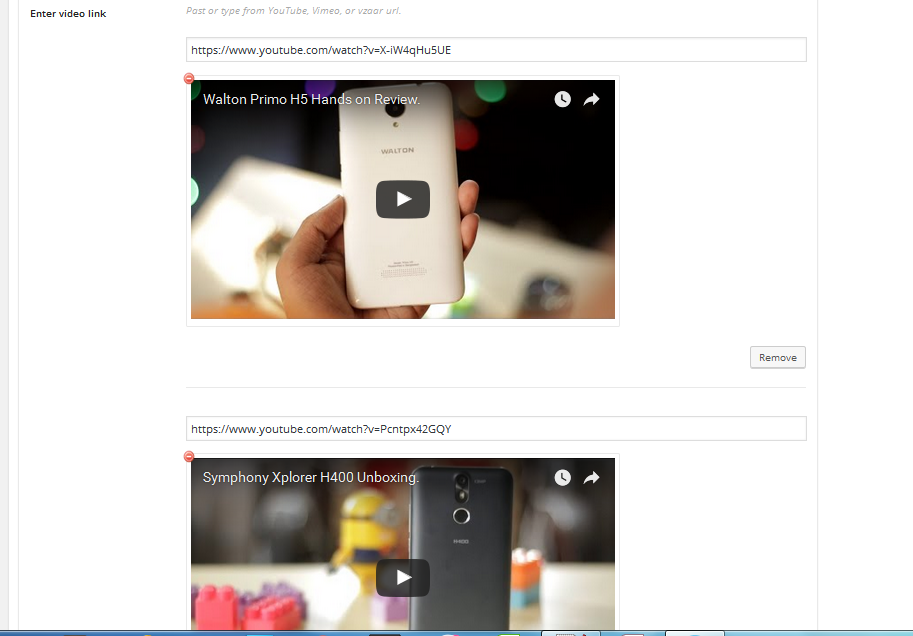
- Click Video carousel button in tab and then set video height and width .Now add video links in video link box.Click add more video link button for more video link add.add 4 or more video link for carousel.
- Copy and past video link.
Carousel settings
- Click carousel settings button in tab and then you will see two setting buttons 1. Multiple image carousel 2. Single image carousel.
Multiple image carousel settings.
Single image slider settings
Translations
- English