

Nina Systems
v0.3.16Nina Systems · 2026年9月14日 上架
Connect your WordPress site to Nina to get AI-generated blog drafts automatically. Approve access with WordPress's built-in authorization.
- 正在使用
- 10 以下
- 评分
- 暂无
- 累计下载
- 711
- 最近更新
- 2026年11月24日
贡献者
 Nina Systems
截图

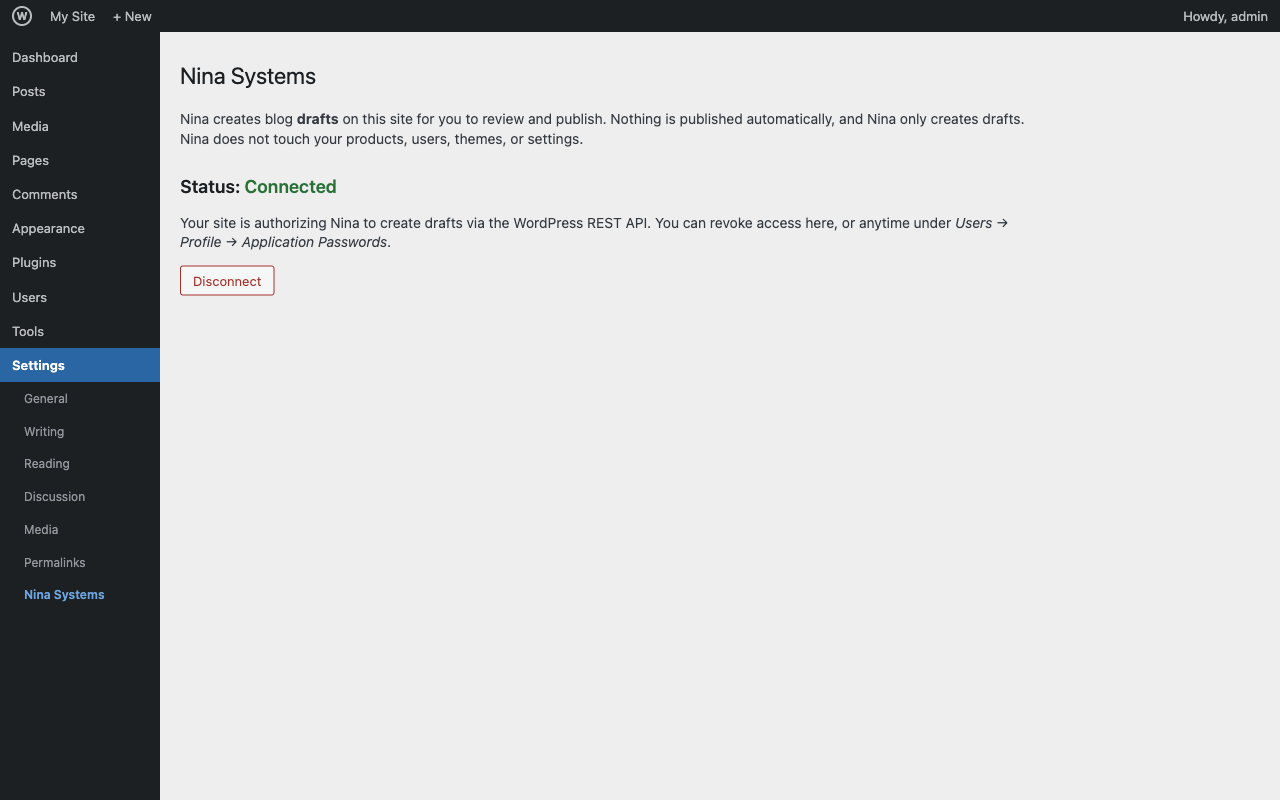
Nina Systems creates blog drafts on your WordPress site for you to review and publish. Instead of copying API keys, you click Connect and WordPress creates an Application Password that links your site to Nina.
- One-click connect using WordPress’s built-in Application Passwords authorization. No manual keys.
- Nina only ever creates drafts. Nothing is published automatically. A human reviews and publishes every post.
- Nina never touches your products, users, themes, or settings.
- Disconnect anytime, which revokes the access you approved.
Nina is a service that generates SEO blog content for your brand. You need a Nina account/engagement to use this plugin.
External services
This plugin connects your site to Nina Systems, a service operated by Nina Systems (https://trynina.co), so Nina can create blog drafts for you via the WordPress REST API. This connection is required for the plugin to do anything.
When it runs: only when you click “Connect to Nina” on the plugin’s settings page, or approve on WordPress’s authorization screen if you choose that option instead. It never runs on its own, on activation, or on a schedule.
What is sent, and where: after you click Connect, your site sends your site URL, your site title, the approving administrator’s WordPress username, and the Application Password it just created to Nina’s connection endpoint at https://t9b.app.n8n.cloud/webhook/install-wp. That endpoint is Nina Systems’ automation backend, hosted for Nina on n8n Cloud (https://n8n.io). The site title is used only as the label for your account inside Nina; the Application Password is what lets Nina create drafts through your site’s REST API. This plugin does not send your post content, visitor data, or any other personal data.
Service terms and privacy for Nina Systems (the service this data goes to):
- Terms of Service: https://trynina.co/terms-of-use/
- Privacy Policy: https://trynina.co/privacy-policy/
To disconnect at any time, revoke the “Nina Systems” application password from Settings Nina Systems, or under Users Profile Application Passwords.