

Ni Customs Duty Fees for WooCommerce
v1.0.2Anzar Ahmed · 2026年11月2日 上架
Charge the EU flat customs duty at checkout: one fee per distinct HS code, only for the EU countries you choose. Classic and block checkout.
- 正在使用
- 10 以下
- 评分
- 暂无
- 累计下载
- 377
- 最近更新
- 2026年11月3日
贡献者
 Anzar Ahmed
截图
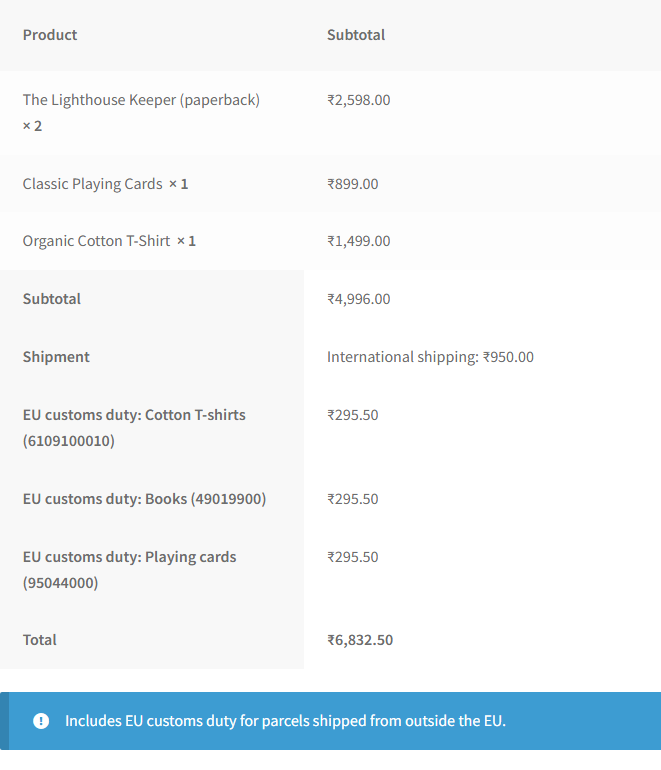
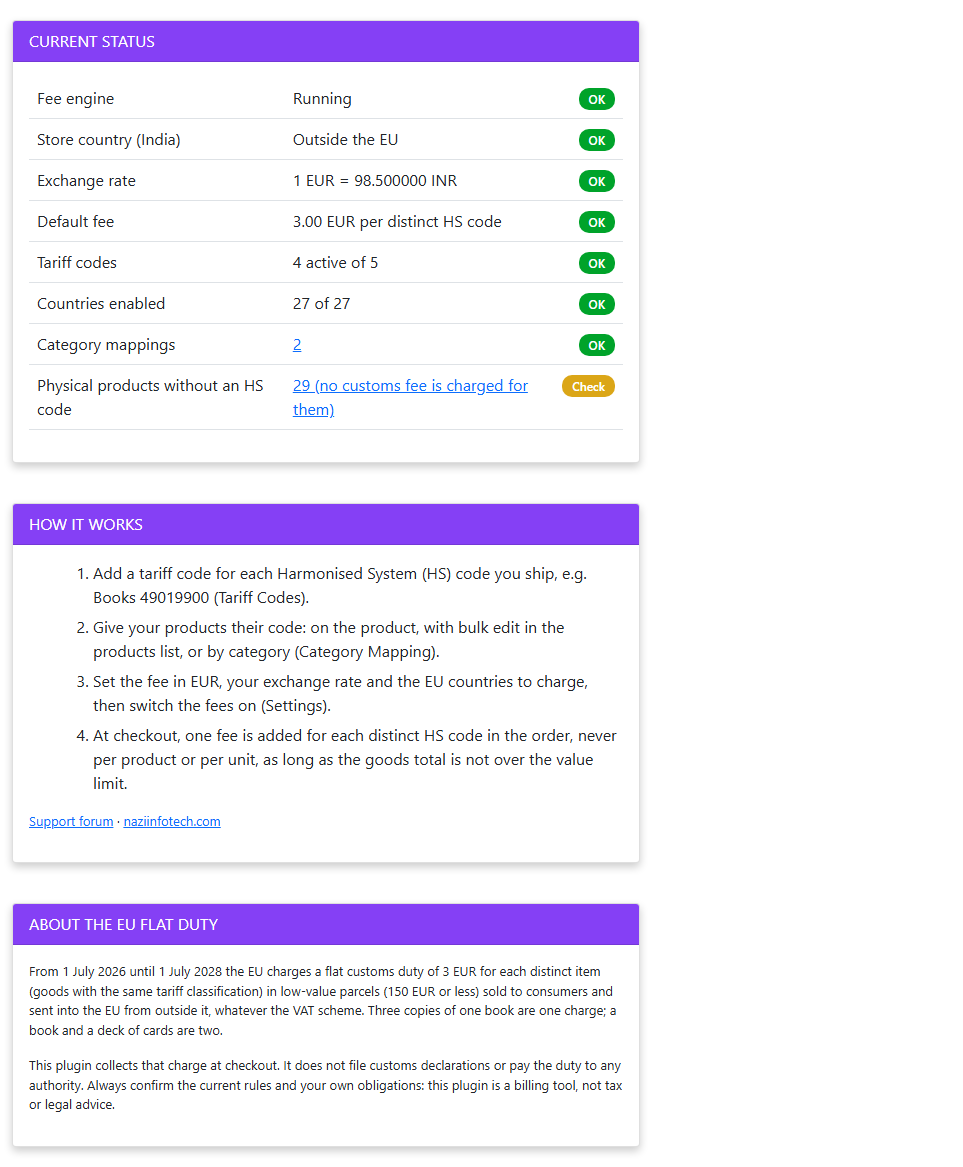
From 1 July 2026 the EU charges a flat customs duty of 3 EUR on low-value parcels (150 EUR or less) sold to consumers and sent into the EU from outside it. The duty is charged once for each distinct item in the parcel, where an item means goods with the same tariff classification: three copies of one book pay once, a book and a deck of cards pay twice.
Ni Customs Duty Fees for WooCommerce collects that charge at checkout, so your customers pay it up front instead of the carrier asking for it on delivery.
Who it is for
Stores outside the EU (UK, US, Asia, Middle East and elsewhere) and dropshippers who ship physical goods to customers in the EU.
How it works
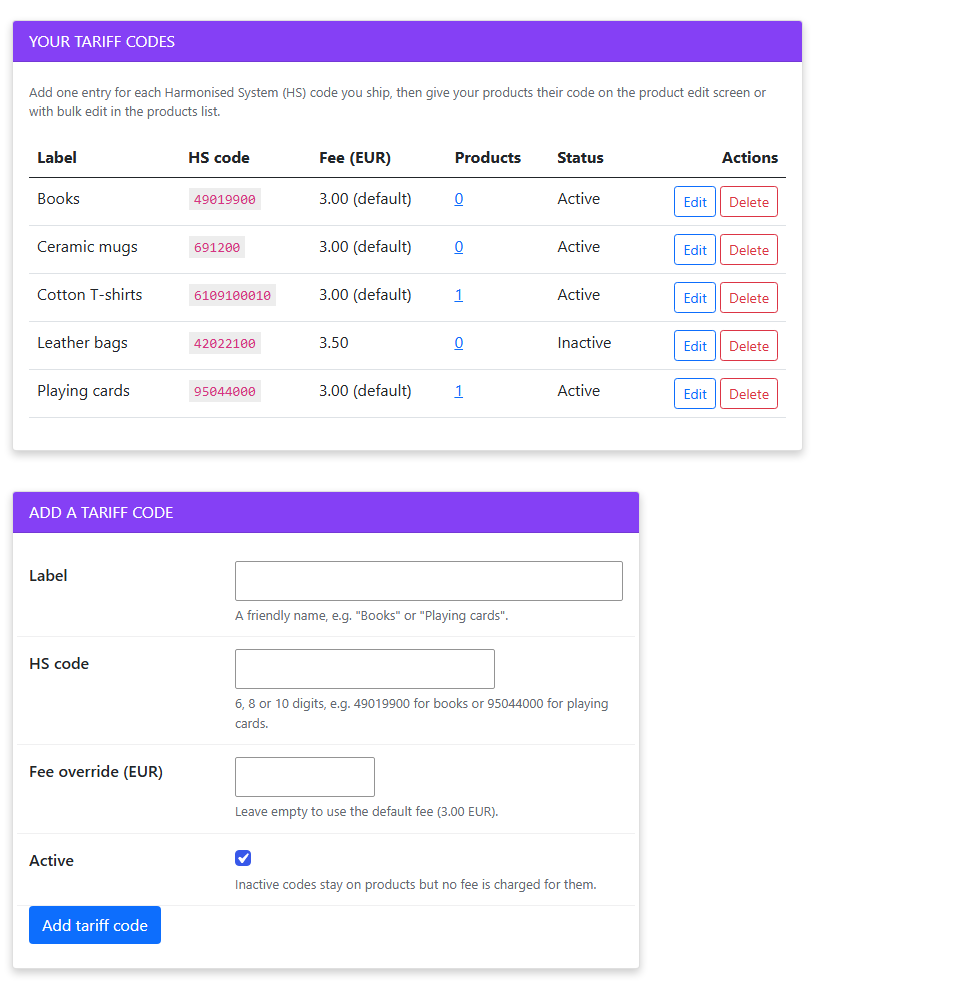
- Add a tariff code for each Harmonised System (HS) code you ship, for example Books = 49019900.
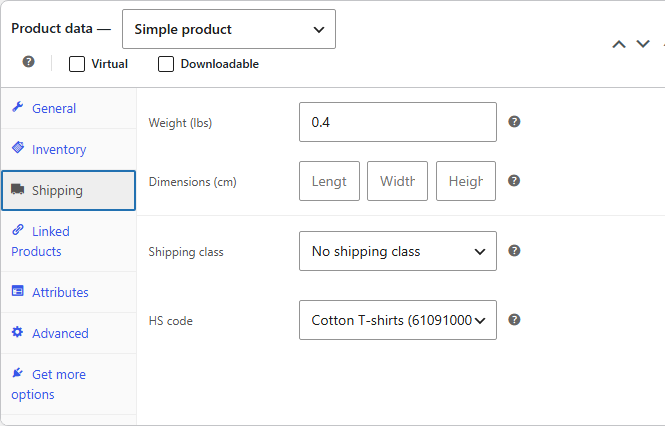
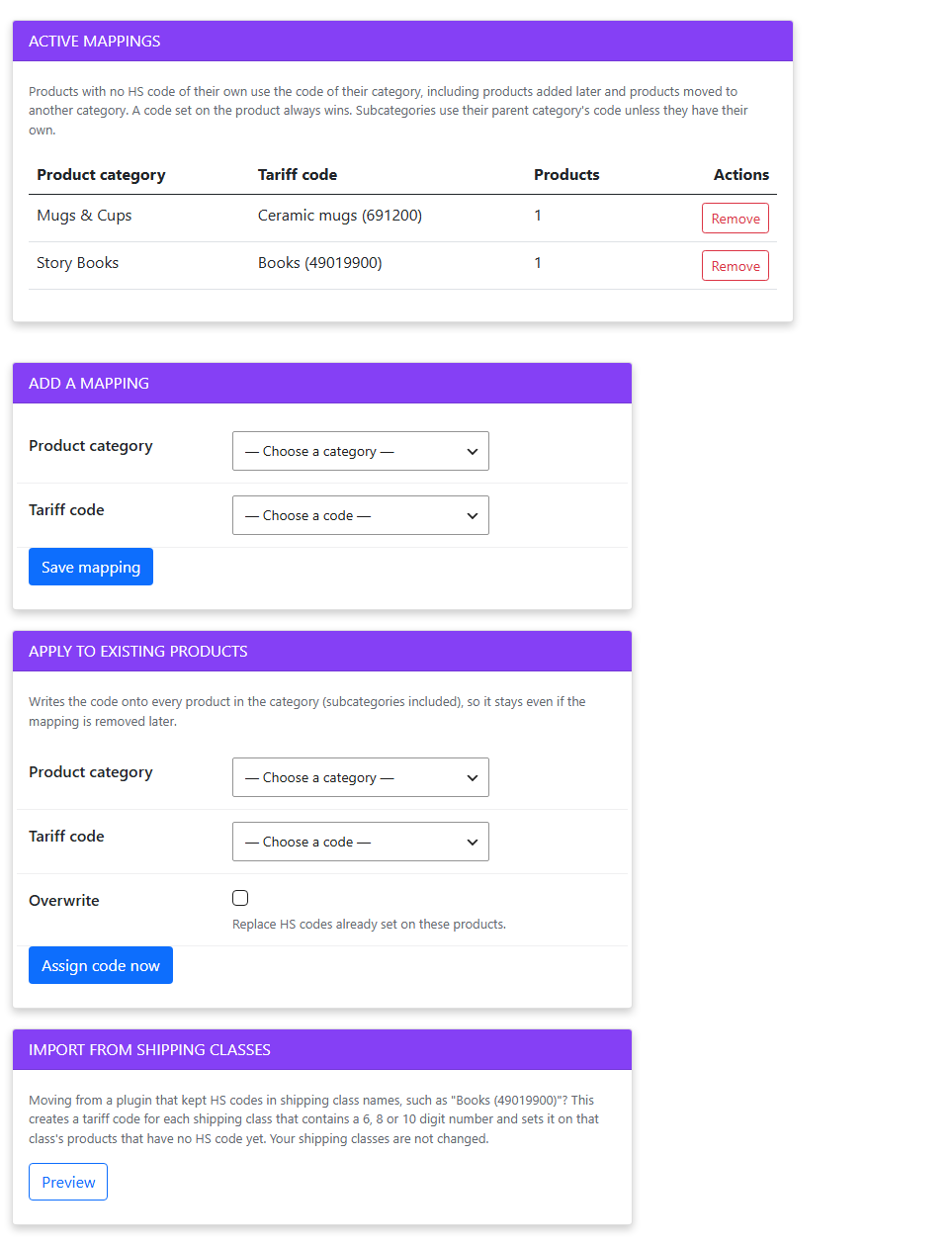
- Give your products their code: on the product (each variation can have its own), with bulk edit in the products list, or for a whole category at once.
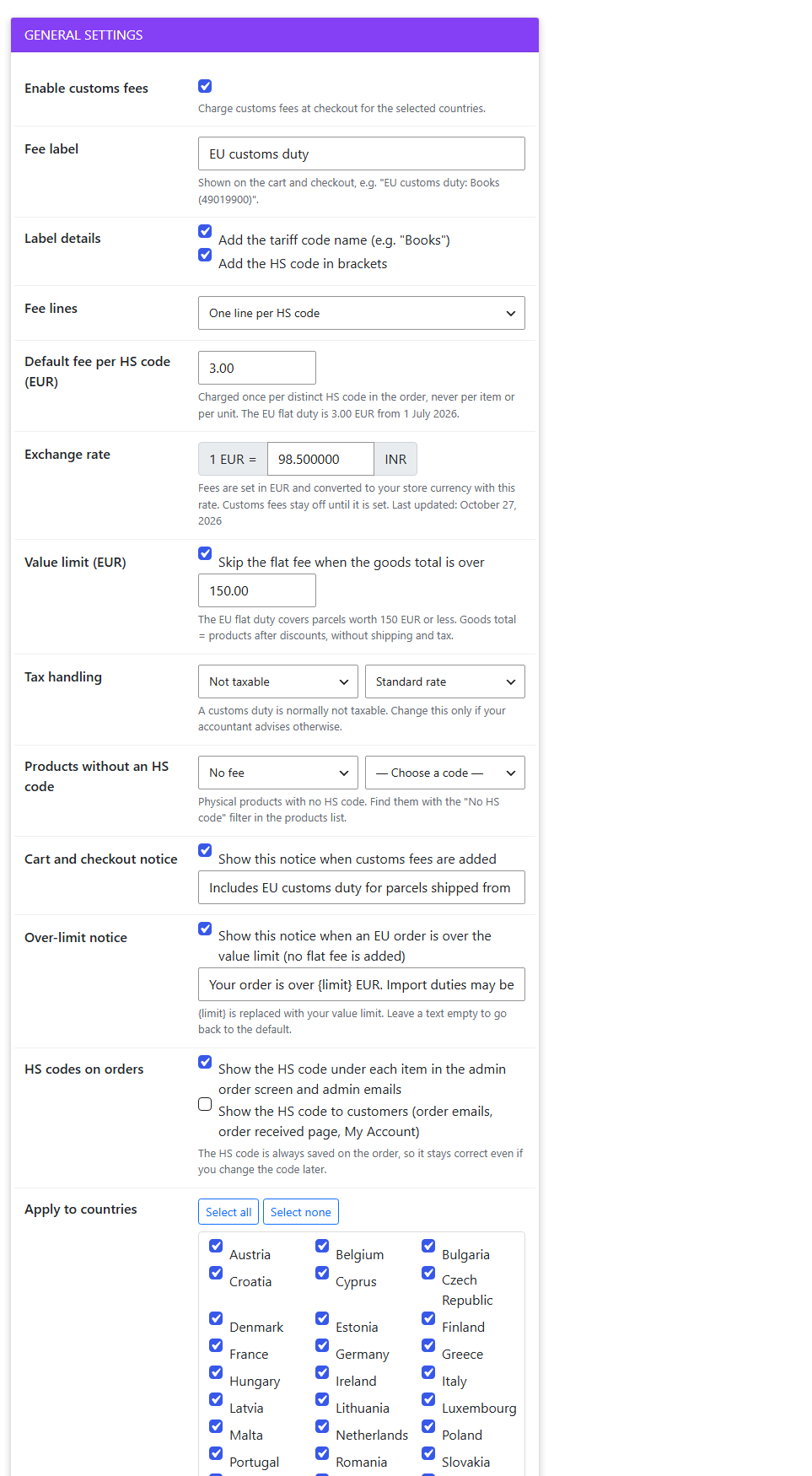
- Set the fee in EUR, your exchange rate and the EU countries to charge, then switch the fees on.
- At checkout one fee line is added for each distinct HS code in the order, for example “EU customs duty: Books (49019900)”.
Features
- One fee per distinct HS code, never per product or per unit.
- Fee set in EUR and converted to your store currency with your exchange rate, so the customer pays the right amount in pounds, dollars, rupees or any other currency.
- 150 EUR value limit: orders over the limit get no flat fee, and an optional notice tells the customer that import duties may be charged on delivery.
- Only the countries you choose: all 27 EU countries with Select all / Select none. Customers anywhere else see no change.
- Charged only when the country is known: the shipping country decides, or the billing country when nothing needs shipping. Virtual products are ignored.
- Your own HS code field: products and variations, products list column, quick edit, bulk edit and a “No HS code” filter. Your shipping classes are never touched.
- Category mapping: products without their own code use their category’s code, including products you add later. Apply a code to all products in a category in one click.
- Moving from a plugin that kept HS codes in shipping class names? Import them in one click; your shipping classes are not changed.
- Per-code fee override, inactive codes, an optional fallback code for products without one, one combined fee line if you prefer, taxable or not.
- Orders keep the record: the HS code on each item and how each fee was worked out (EUR amount, rate, country), shown in the admin order screen and admin emails, and optionally to customers.
- Customer notices in the cart and checkout, both editable.
- Status & Help page that shows what is missing, and a warning if the fees are switched on but cannot be charged.
- Works with the classic and block cart and checkout, and with HPOS (High-Performance Order Storage).
- Addons page with the other Ni plugins for WooCommerce.
- Translation ready.
What it does not do
The plugin collects the charge at checkout. It does not file customs declarations, register you for IOSS or pay the duty to any authority: that stays with you, your customs agent or your carrier. Always check the current rules and your own obligations. This plugin is a billing tool, not tax or legal advice.