

NexusLink Mobile Call to Action
v1.0.0NexusLink Services · 2026年8月10日 上架
A mobile-only contact button with 10 one-click presets, a live phone preview, business-hours scheduling and in-app-browser-safe CSS.
- 正在使用
- 10 以下
- 评分
- 暂无
- 累计下载
- 252
- 最近更新
- 2026年8月10日
 NexusLink Services
截图
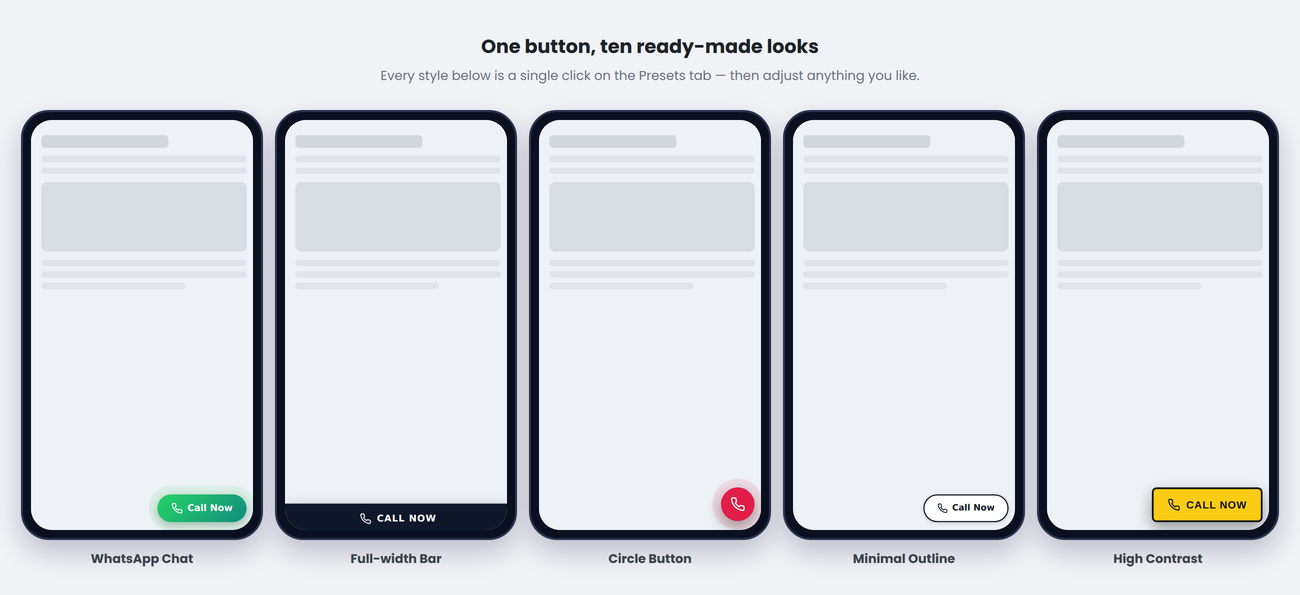
NexusLink Mobile Call to Action adds a single call-to-action button to the bottom of your site for mobile visitors only — turning phone traffic into calls, chats and enquiries with one tap.
What makes it different
- Mobile-only by design. The button is wrapped in one media query and simply does not exist above your breakpoint, so there is no desktop layout to fight and nothing to hide with extra CSS.
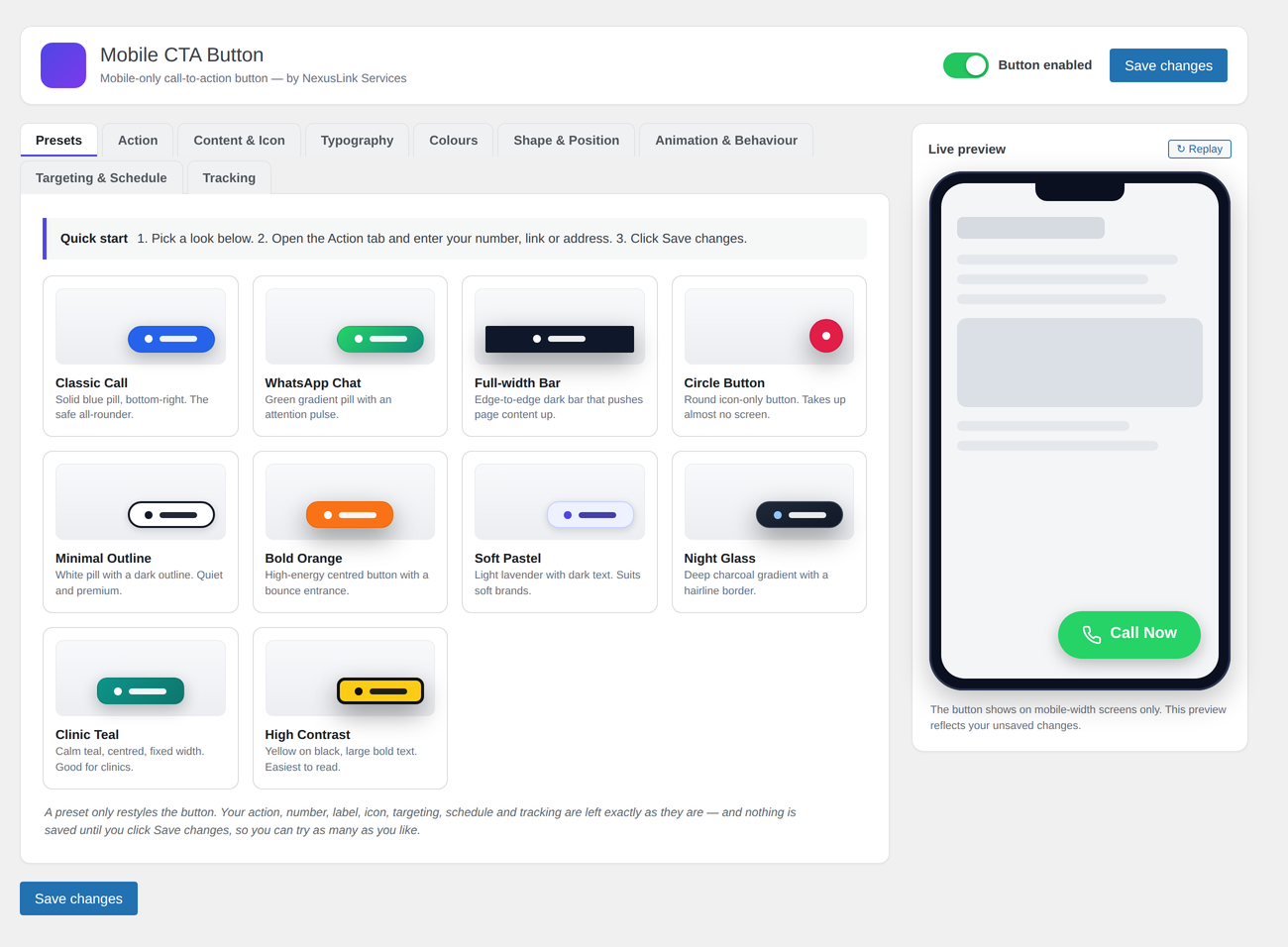
- Ten one-click presets. Pick a finished look — pill, full-width bar, round icon button, outline, high-contrast and more — then adjust anything you like. A preset only restyles the button: your number, label, targeting and tracking are never touched.
- A real phone preview. Every control updates a phone-frame preview instantly, including the entrance animation, so you can see the result before you save.
- Built for in-app browsers. The front-end CSS and JavaScript stick to a deliberately conservative baseline — no
gap, noinset, no:has(), no ES6 — so the button lands identically in the WhatsApp, Facebook, Instagram and Messenger webviews and on older phones, not just in an up-to-date Chrome. - Still works without JavaScript. The button is rendered visible by default; the script only adds the entrance animation, triggers and dismiss behaviour on top.
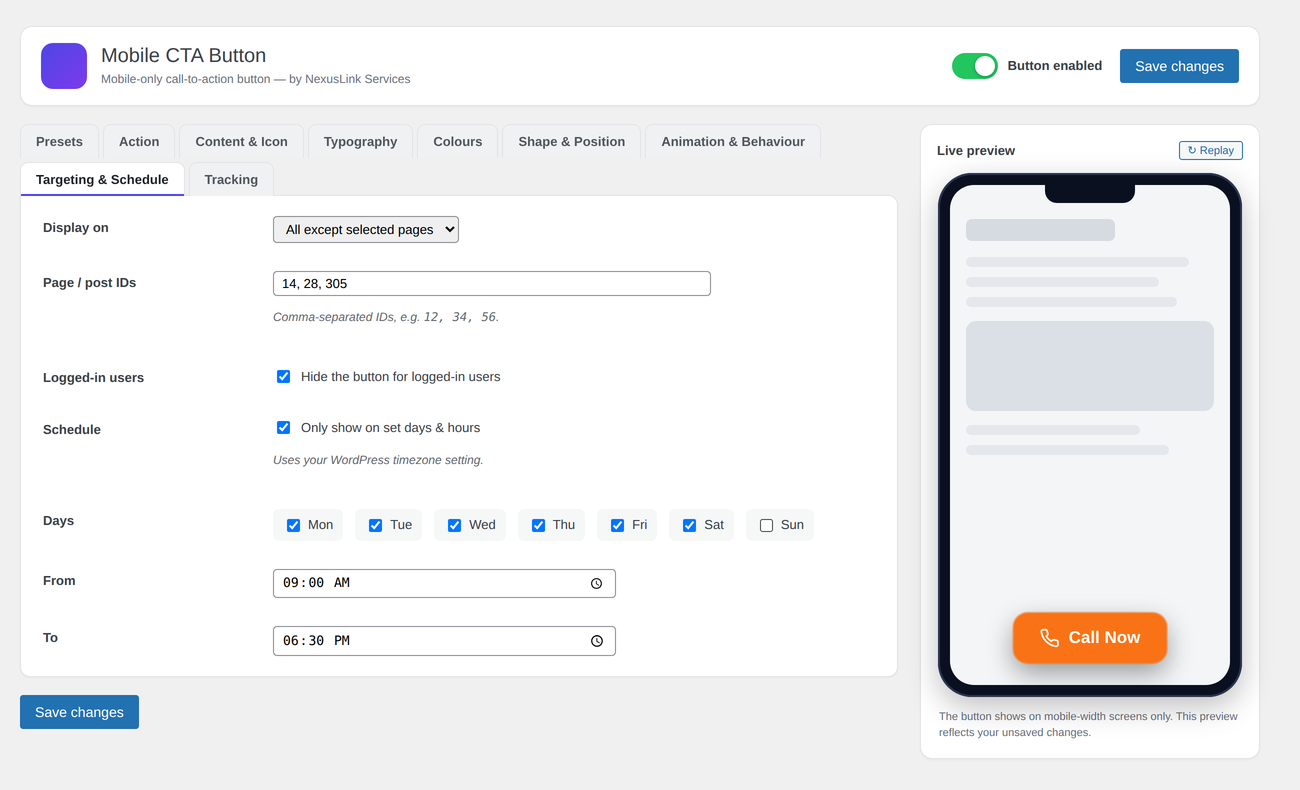
- Business hours, not just a button. Show it only on chosen days between chosen times (in your WordPress timezone), only on certain pages, and hide it from logged-in users.
One button, any action
- Phone call (
tel:) - WhatsApp chat (with optional pre-filled message)
- SMS / text (with optional pre-filled body)
- Email (
mailto:with optional subject) - Custom link / URL (open in same or new tab)
- Google Maps directions
Ten built-in presets
Classic Call, WhatsApp Chat, Full-width Bar, Circle Button, Minimal Outline, Bold Orange, Soft Pastel, Night Glass, Clinic Teal and High Contrast. Each one sets colour, shape, size, spacing, position, typography and animation in a single click, and nothing is saved until you press Save changes — so you can try them all.
Full styling control
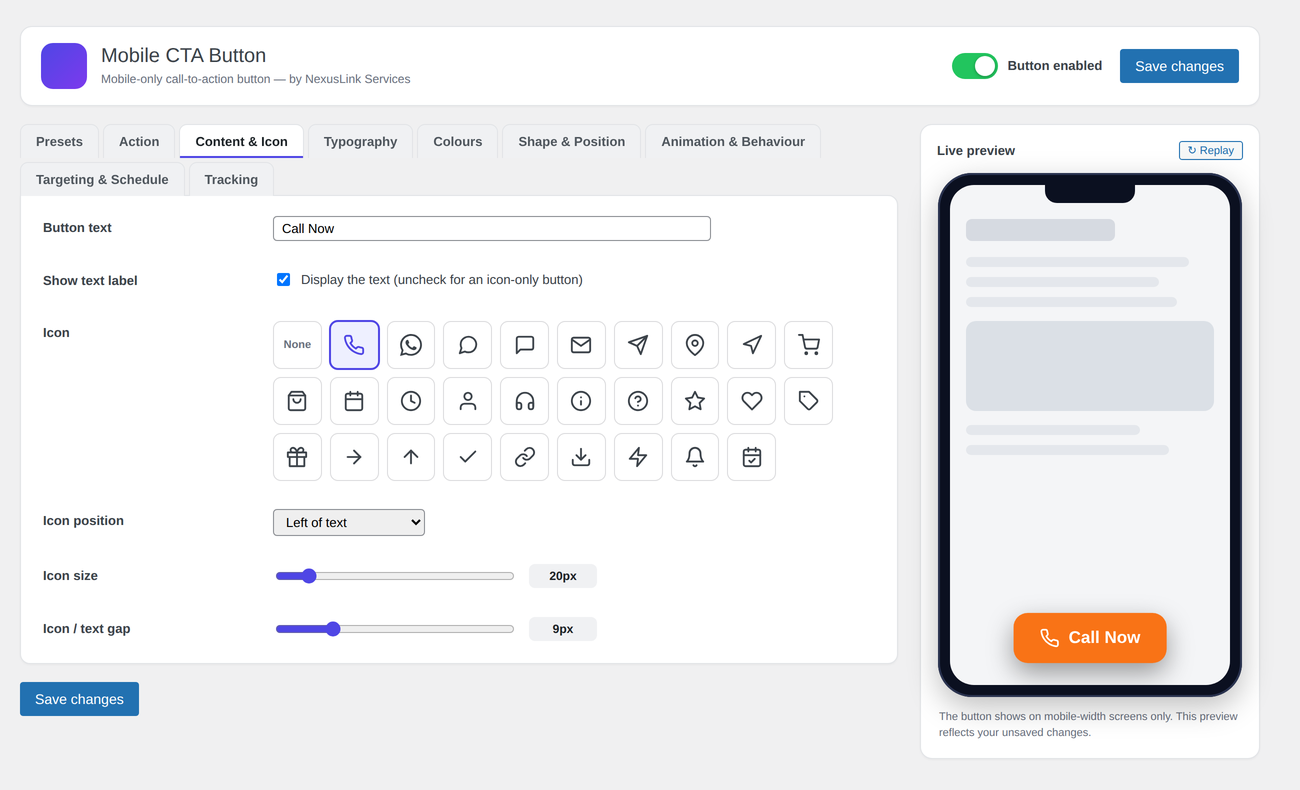
- 28-icon built-in library (phone, WhatsApp, chat, mail, cart, map pin, calendar and more) or no icon
- Icon position (left / right / above / icon-only) plus icon size, gap and colour
- Font family (12 presets or your own custom family), size, weight, transform and letter-spacing
- Solid or gradient background (with angle), text colour, icon colour, border width and colour
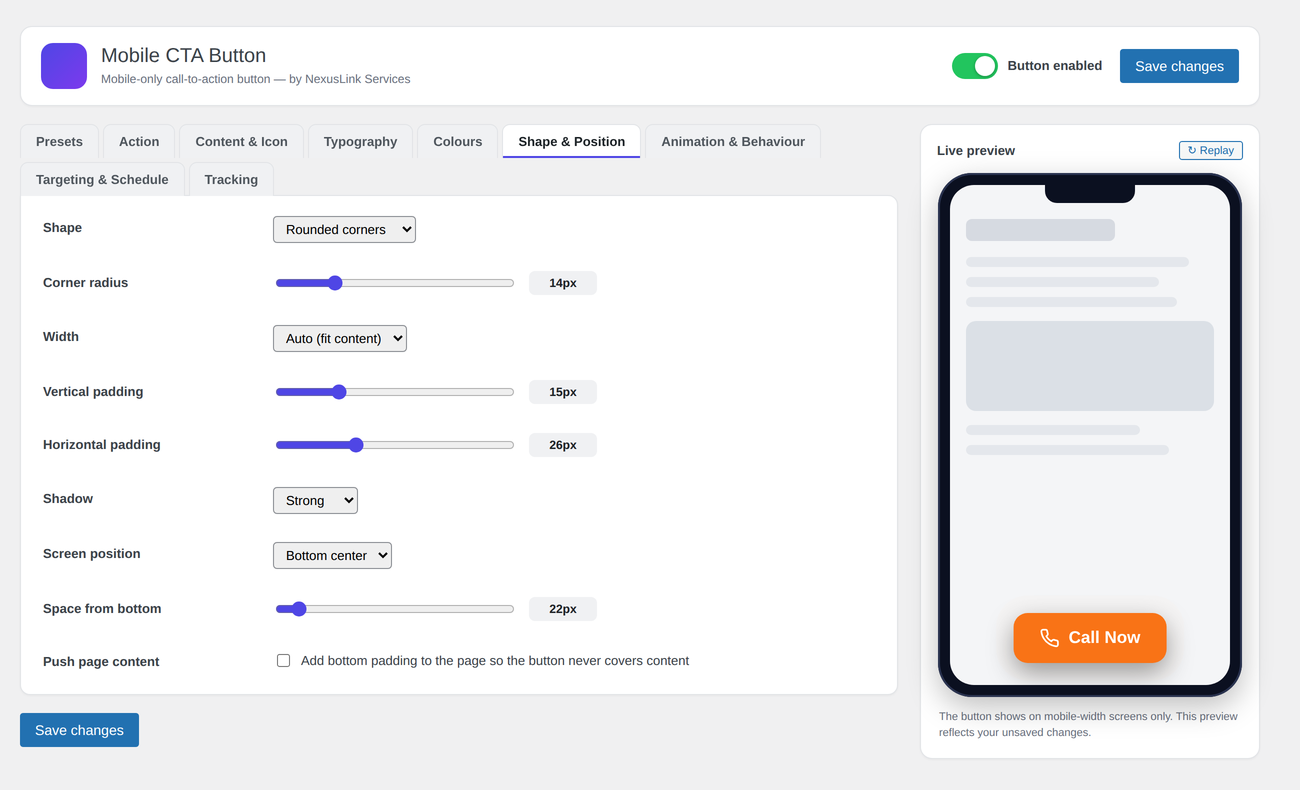
- Shape: pill, rounded (custom radius), square, or circle
- Width: auto, fixed or full-width bar
- Vertical / horizontal padding and drop-shadow presets
- Screen position: bottom-left, bottom-center, bottom-right, or full-width bar
- Exact spacing from the side and from the bottom
- Optional “push page content” so the button never covers text
Behaviour and power features
- Entrance animation: slide-up, fade, zoom or bounce, plus an optional attention pulse
- Show trigger: on load, after a delay, or after scrolling a set percentage
- Dismissible (visitor can close it; remembered with a cookie for a set number of days)
- Configurable mobile breakpoint and z-index
- Page/post targeting (show only on, or hide on, specific IDs) and hide for logged-in users
- Day + business-hours schedule (uses your WordPress timezone)
- Click tracking for GA4 (gtag), Universal/Classic Analytics, and Google Tag Manager dataLayer
Everything lives on one settings screen. There is no separate import or export step, no external service and no account to create.
Credits
Developed by NexusLink Services. Bundled icons are derived from open-source, GPL-compatible icon sets: outline icons from Lucide (ISC licence) and the WhatsApp glyph from Simple Icons (CC0). All bundled code and assets are GPLv2-or-later or GPL-compatible.