
NextGEN Gallery Image Chooser
v1.1.2umertin · 2012年6月20日 上架
Comfortable Image Chooser for the NextGEN Gallery, based on g2image
- 正在使用
- 200+
- 评分
- 4.7 / 5
- 累计下载
- 1.9 万
- 最近更新
- 2025年12月17日
贡献者
 umertin
截图
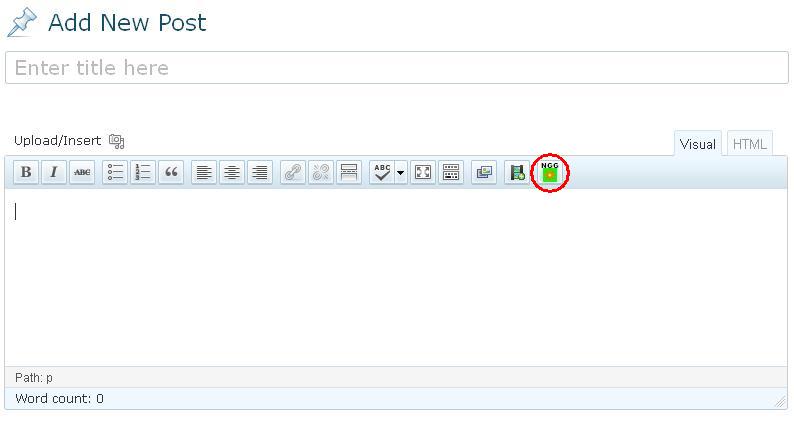
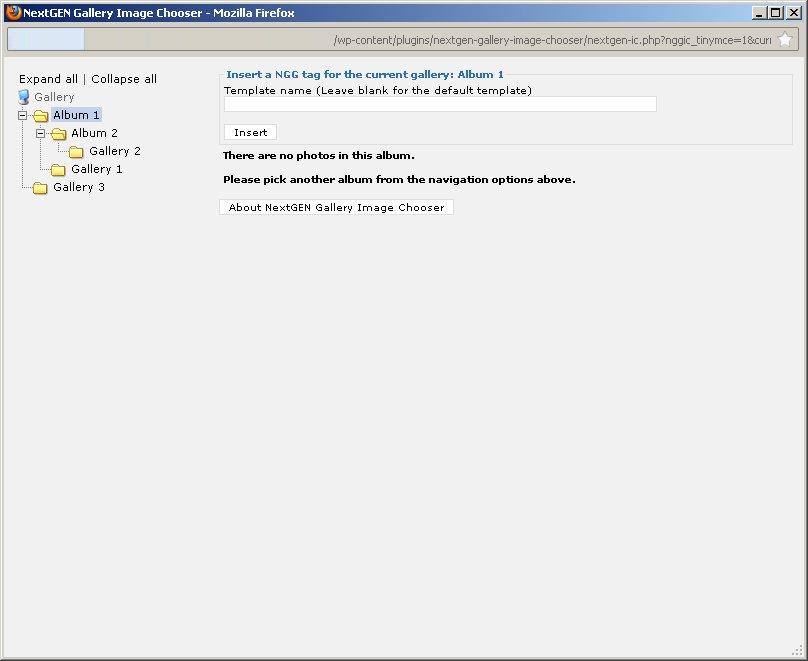
NextGEN Gallery (NGG) is an excellent gallery for WordPress. Its major drawback, as far as I’m concerned, is the minimalistic image chooser. So I’ve taken the liberty to adapt the equally excellent g2image image chooser, which also is embedded in the WPG2 connector to Gallery2.
This image chooser allows to browse through hierarchical albums and galleries, insert NGG tags for albums and galleries, as well as NGG and HTML tags for one or more images and thumbnails at a time.
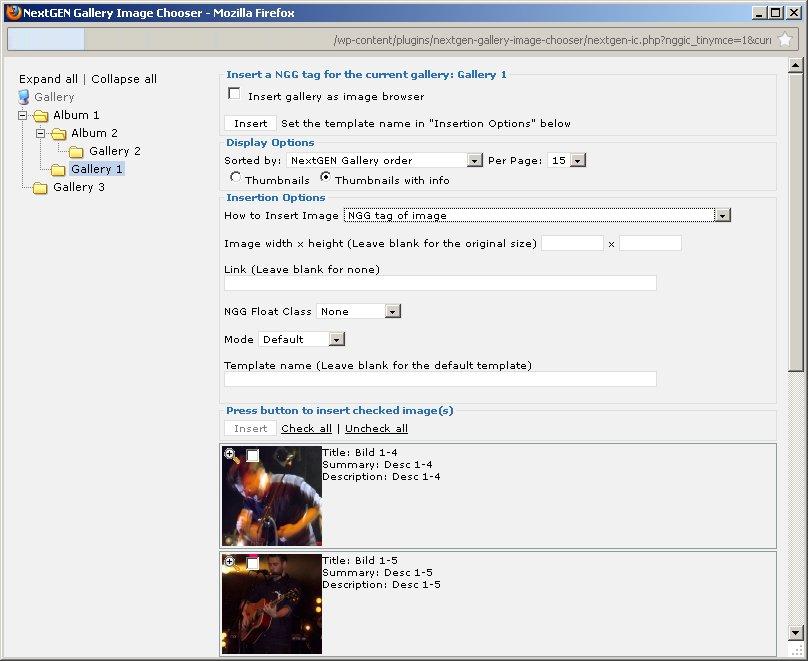
- On the left side of the image chooser pop-up there is the tree view of all albums and galleries. On the top are the albums and their galleries, then follow the galleries, which are not attached to any album.
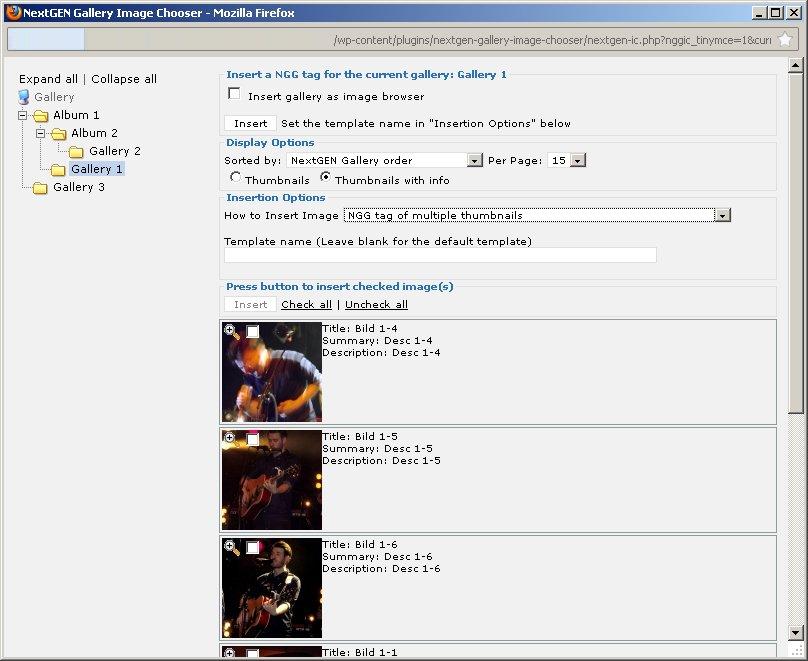
- On the upper right side there are the controls to insert the tags with their relevant options. Depending on which insert mode (NGG or HTML tag, image or thumbnail) is selected, only the relevant options are shown.
- Below the controls, the thumbnails of the images in the selected gallery are shown, optionally together with their title, summary and description. There multiple images can be selected for insertion.
At present, the NGG tags [album], [nggallery], [thumb], [singlepic], and [imagebrowser], plus some html links are supported.
Default settings can be altered on the settings page.
NOTE: This plugin does not work with the new Gutenberg editor. There now is a new plugin that allows you to insert NGG tags for images, galleries and albums as Gutenberg blocks: Image Chooser Block for NextGEN Gallery.
Alternatively you can switch to the classic editor, e.g. by using the Classic Editor plugin.
At this time, the image chooser is available in English (default) and German. Other translations are welcome and will be included in the next release.