

Neutrope Translate Ease
v0.8.7Neutrope Inc. · 2026年9月15日 上架
Create reviewed English pages and posts with DeepL draft translation, /en/ URLs, hreflang, and a language switcher.
- 正在使用
- 10 以下
- 评分
- 暂无
- 累计下载
- 374
- 最近更新
- 2026年10月24日
贡献者
 Neutrope Inc.
截图


TranslateEase helps WordPress site owners create and manage English translations without turning the whole site into a complex multilingual system.
It is designed for small sites that want to translate a limited number of Japanese pages or posts into English, review the translation, and publish only when ready.
Main features
- Create paired English translations for pages and posts.
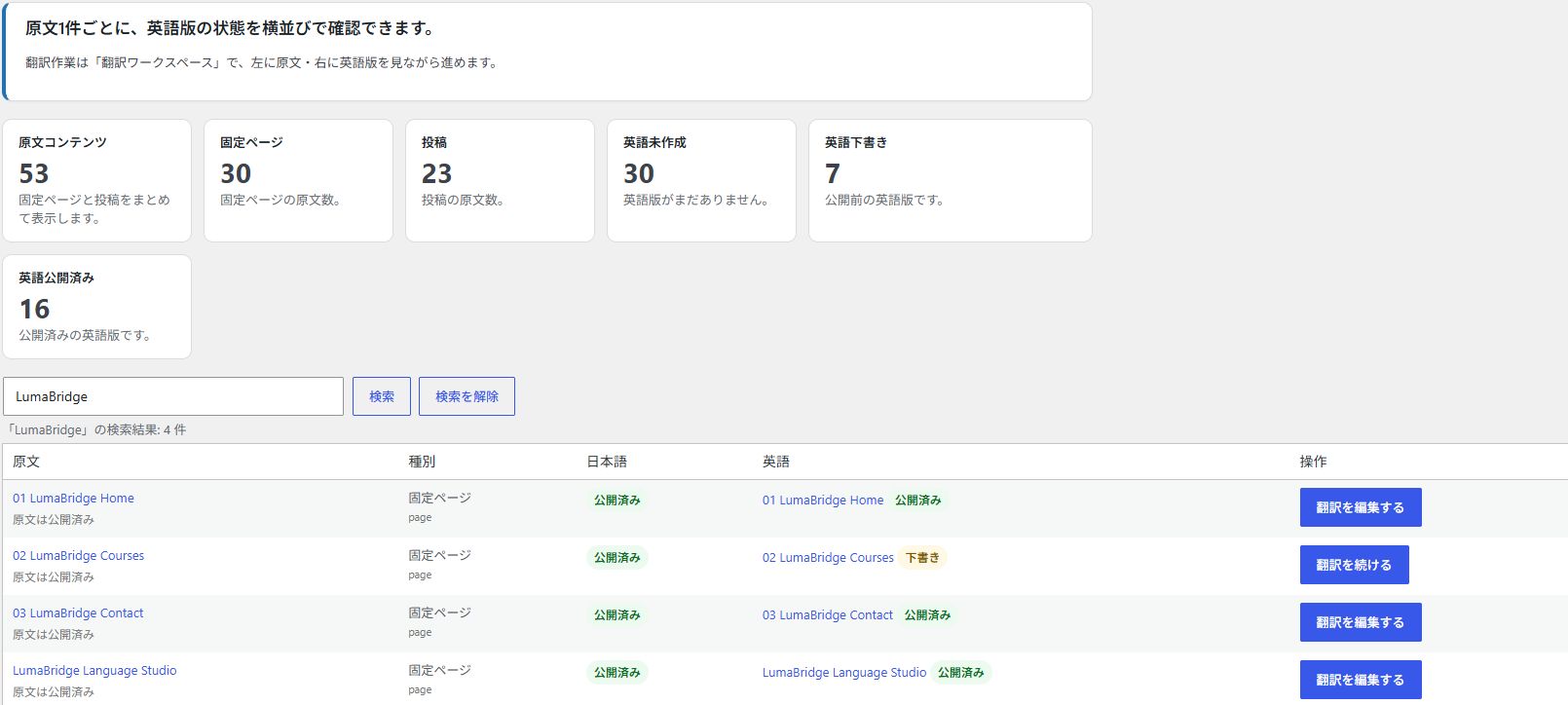
- Manage original and English content from a dedicated Content Translations screen.
- Search original and English content by title or slug, and start translating from post and page lists.
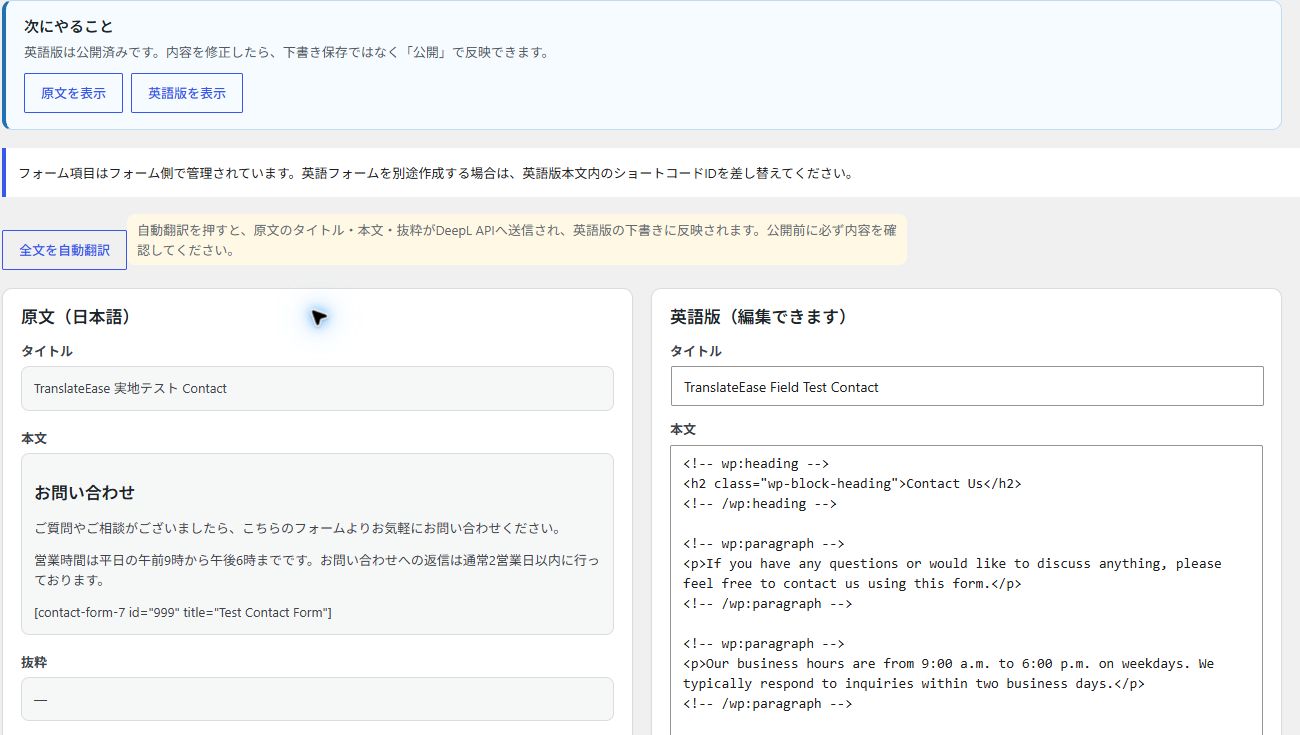
- Edit translations in a side-by-side Translation Workspace.
- Use manual translation without any external API key.
- Optionally create English draft translations with DeepL API.
- Keep automatic translation output as draft until reviewed.
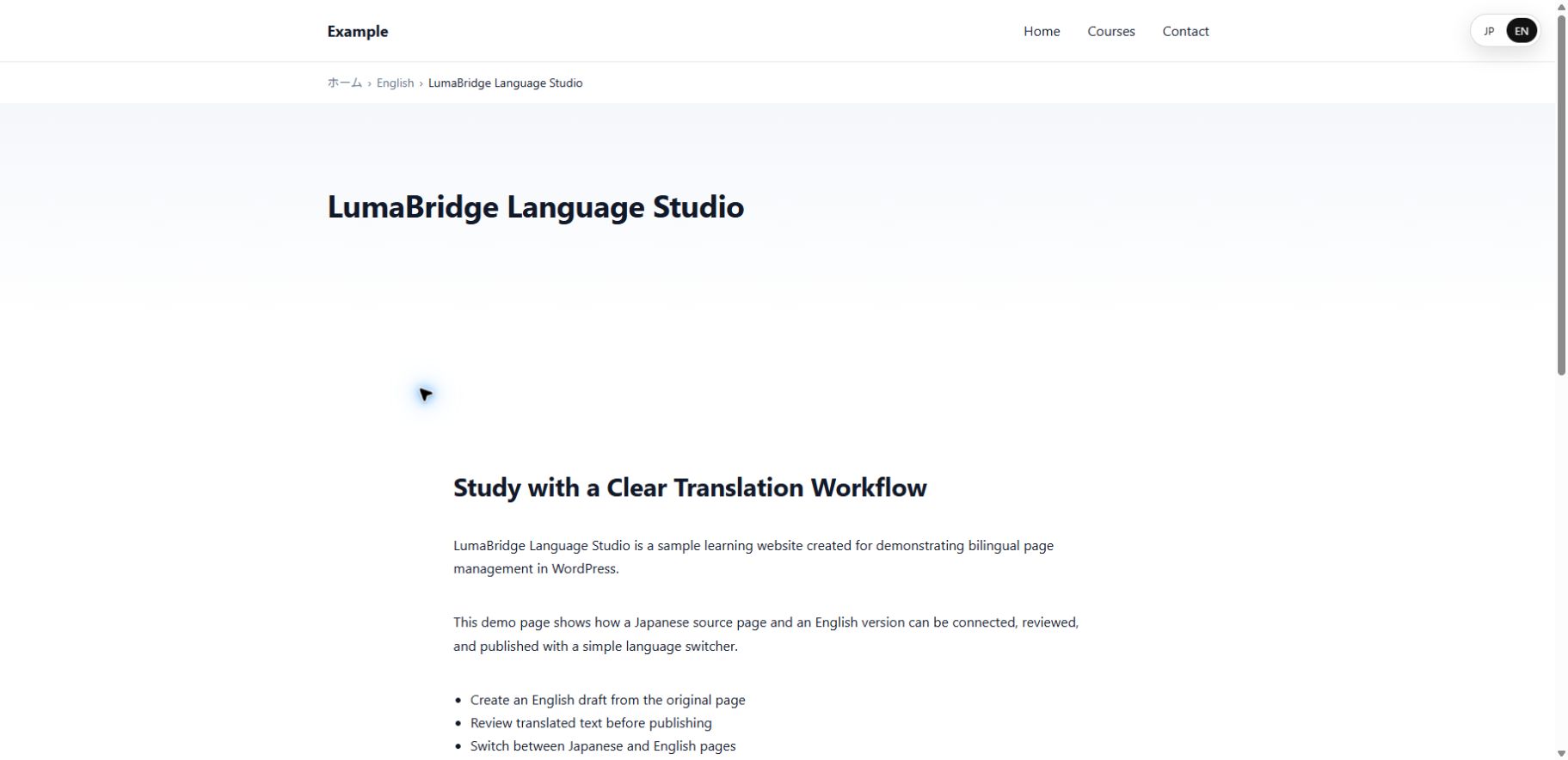
- Show a JP / EN language switcher on paired published content.
- Output hreflang alternates for paired published content.
- Preserve Gutenberg block structure during automatic translation.
- Preserve list structure and shortcode-only blocks such as form embeds.
DeepL API and external service use
TranslateEase can be used without DeepL by manually editing English translations.
If you choose DeepL as the translation provider and enter a DeepL API key, TranslateEase sends the selected source title, content, and excerpt to the DeepL API only when an authorized administrator clicks an automatic translation action in the WordPress admin area.
TranslateEase does not send visitor data to DeepL. Automatic translation is not triggered by front-end visitors.
DeepL API service information:
- Service: DeepL API
- API endpoint used for Free keys: https://api-free.deepl.com/v2/translate
- API endpoint used for Pro keys: https://api.deepl.com/v2/translate
- DeepL Privacy Policy: https://www.deepl.com/privacy
- DeepL Terms: https://www.deepl.com/pro-license
You are responsible for your own DeepL account, API key, and usage limits.