
Nelio Content – Editorial Calendar & Social Media Auto-Posting
v5.0.2Nelio Software · 2016年7月25日 上架
WordPress editorial calendar and social media auto-posting plugin. Schedule posts, share to social networks, and streamline content workflows.
- 正在使用
- 3,000+
- 评分
- 4.4 / 5
- 累计下载
- 60 万
- 最近更新
- 2026年11月16日
 Nelio Software
 David Aguilera
 Antonio Villegas
截图
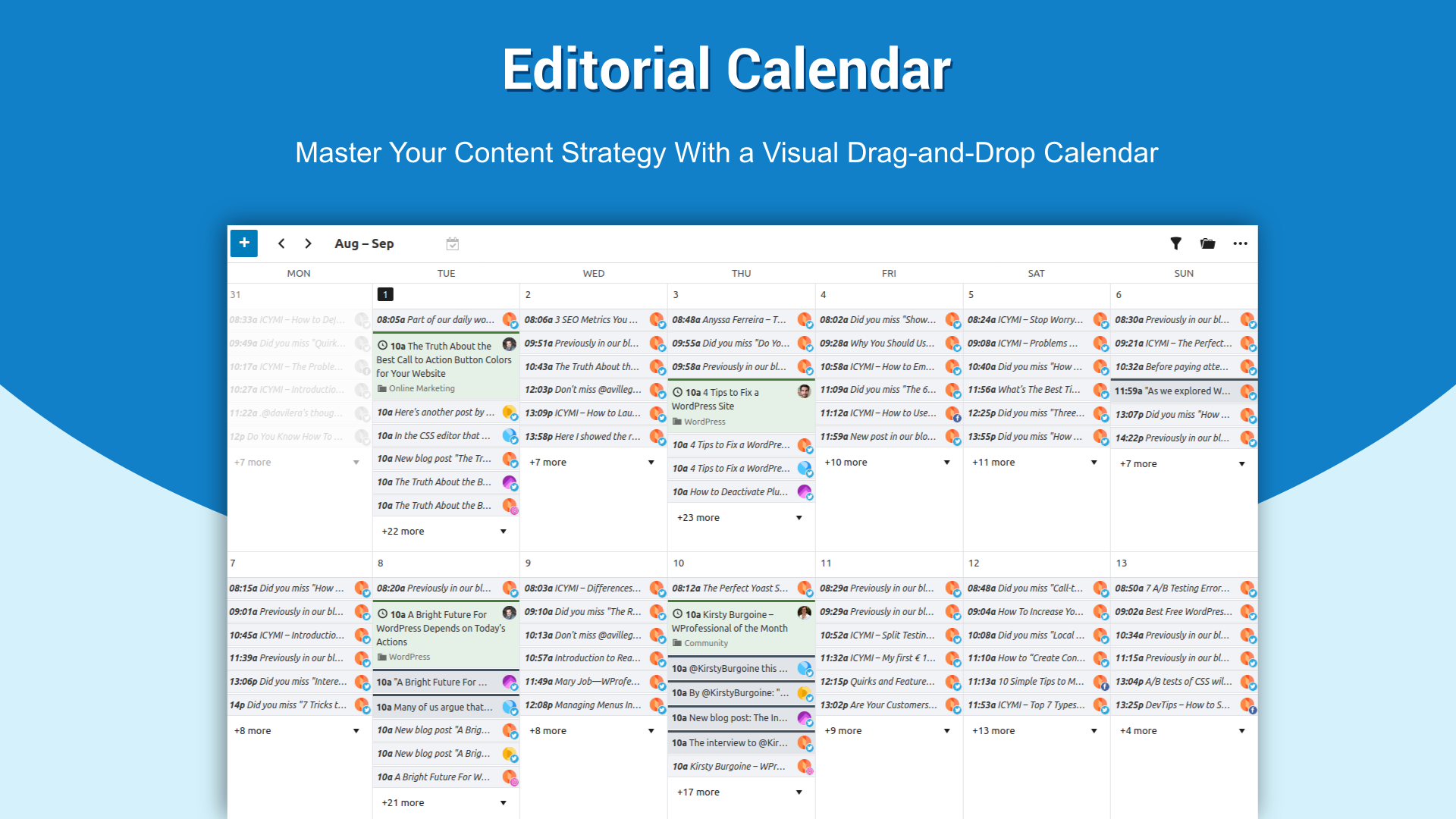
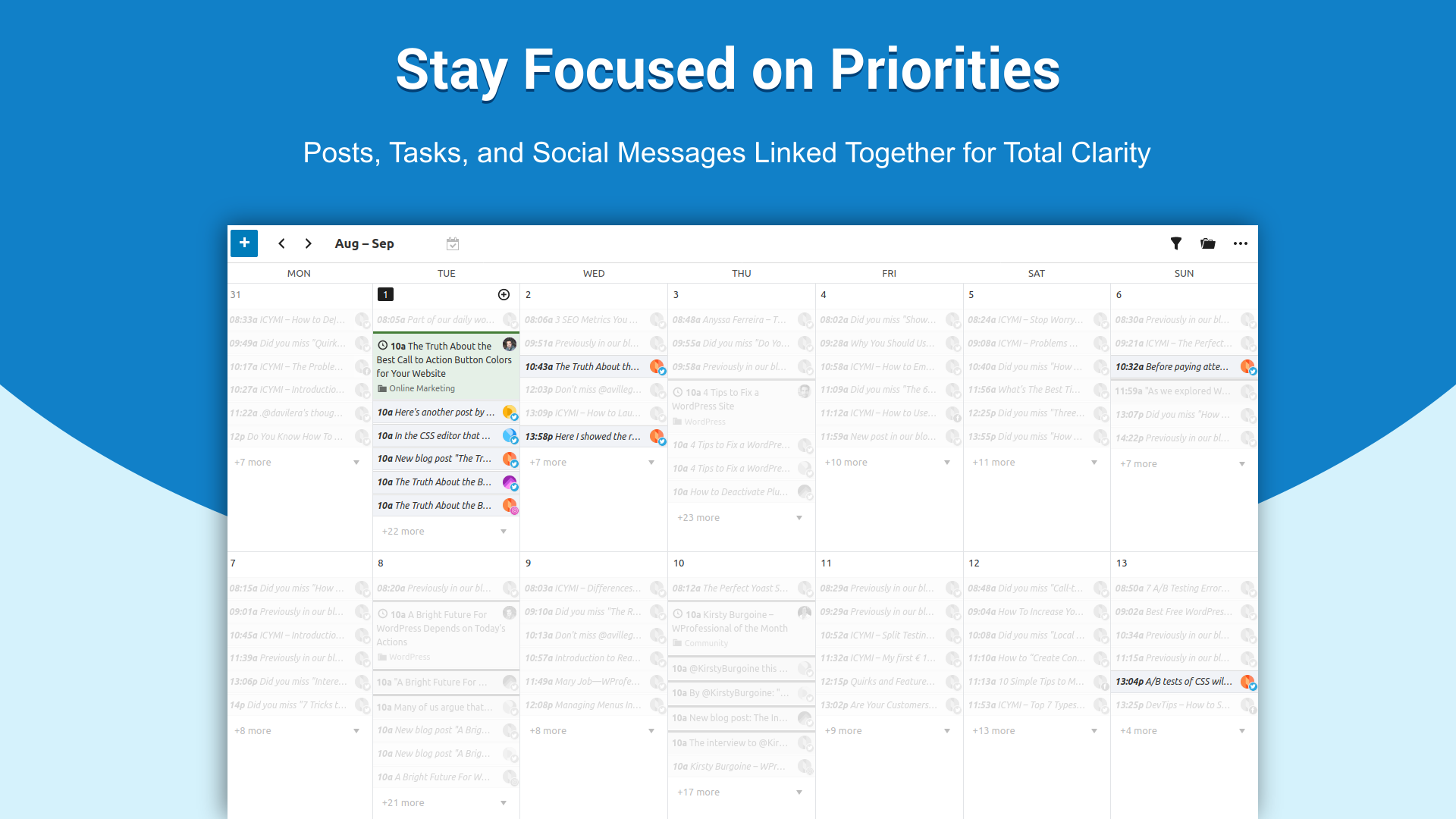
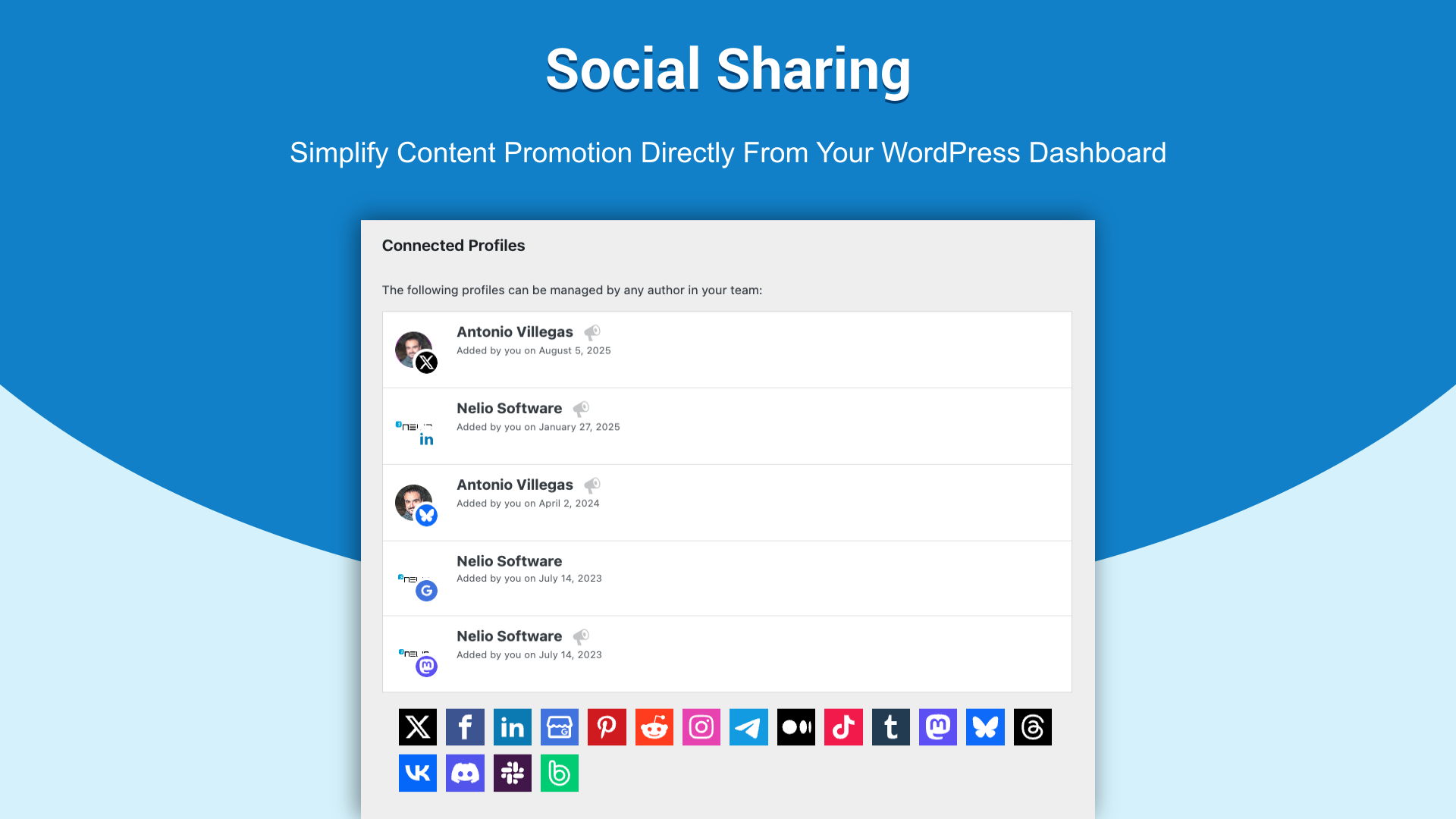
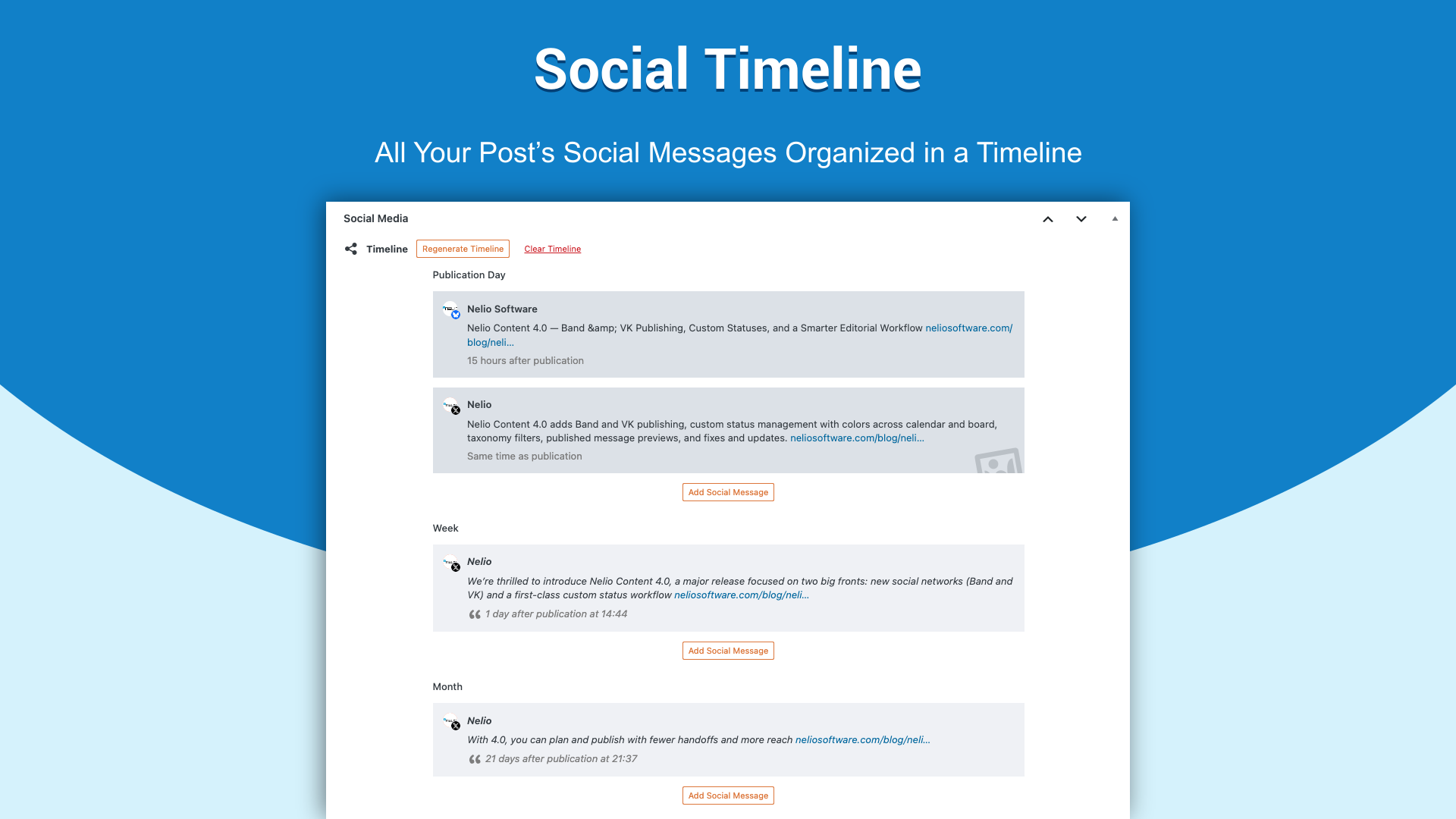
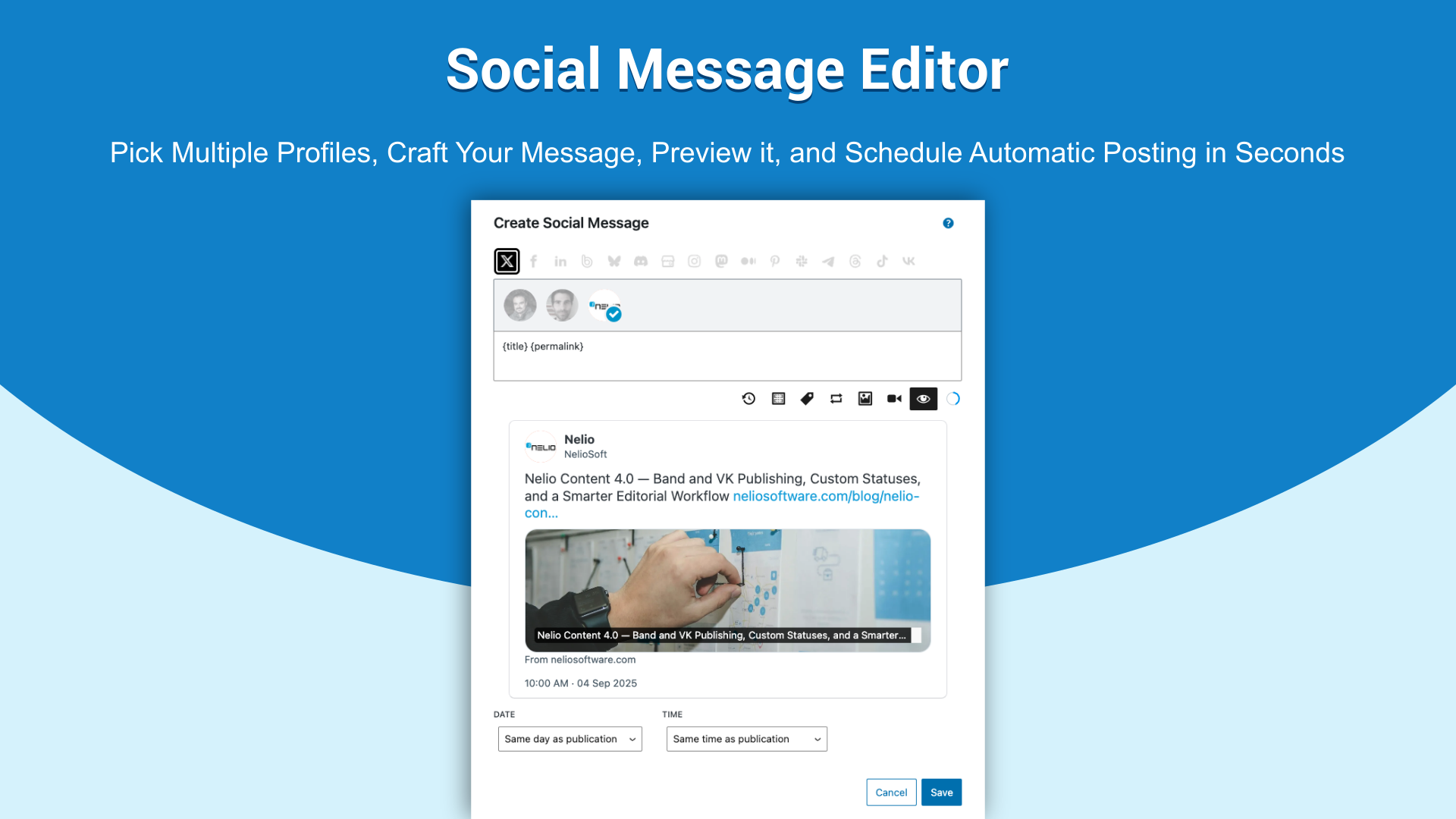
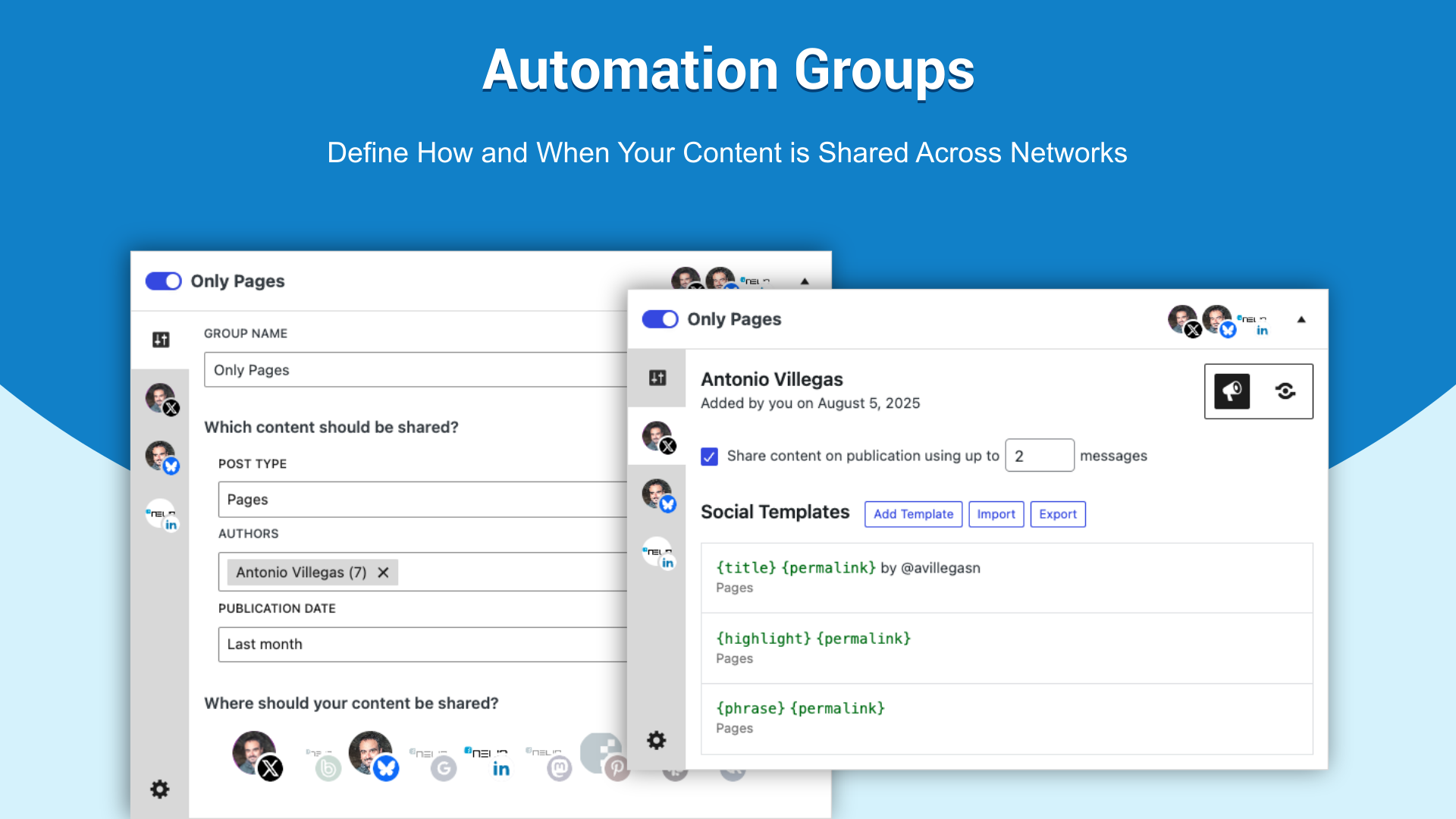
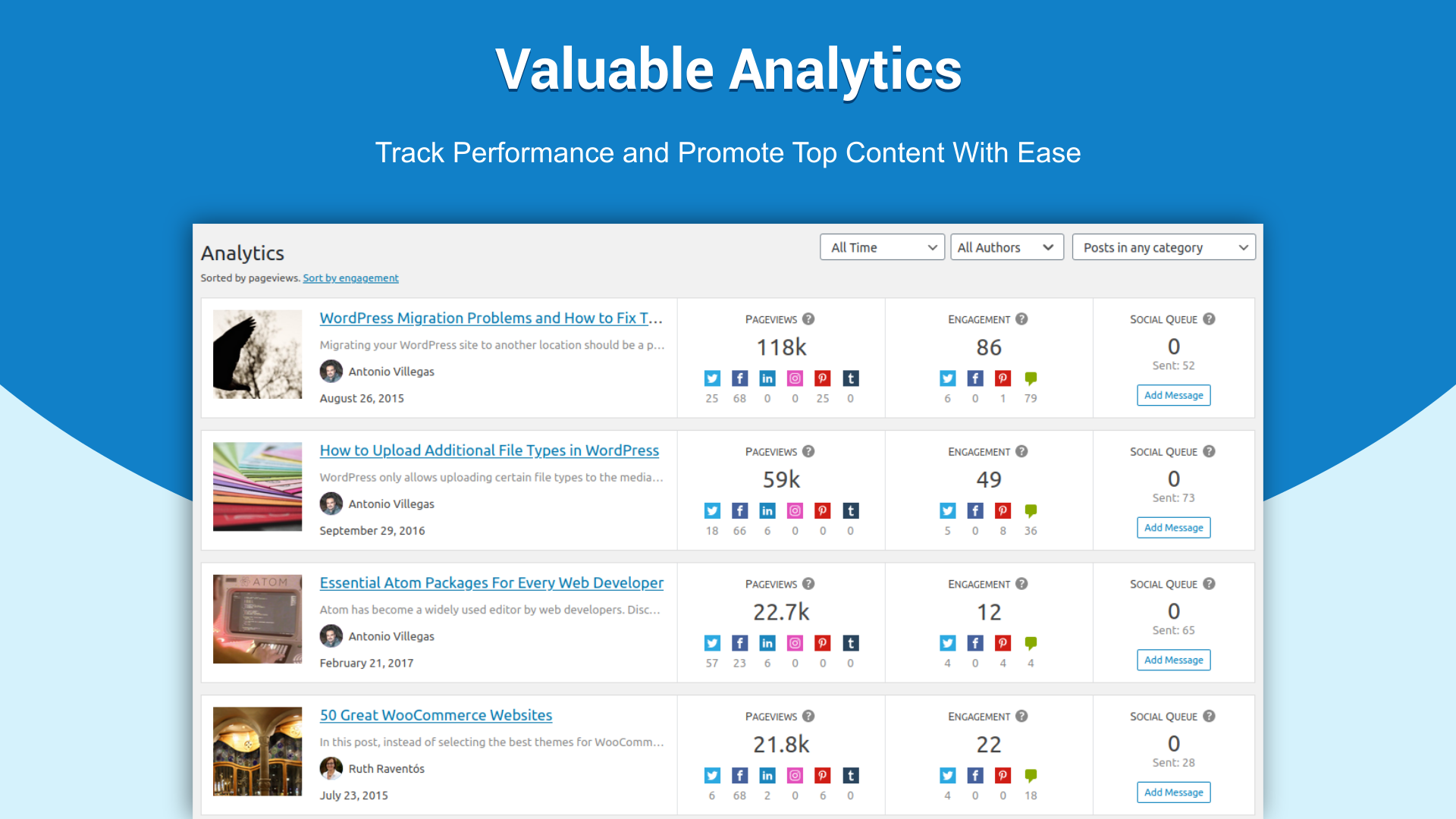
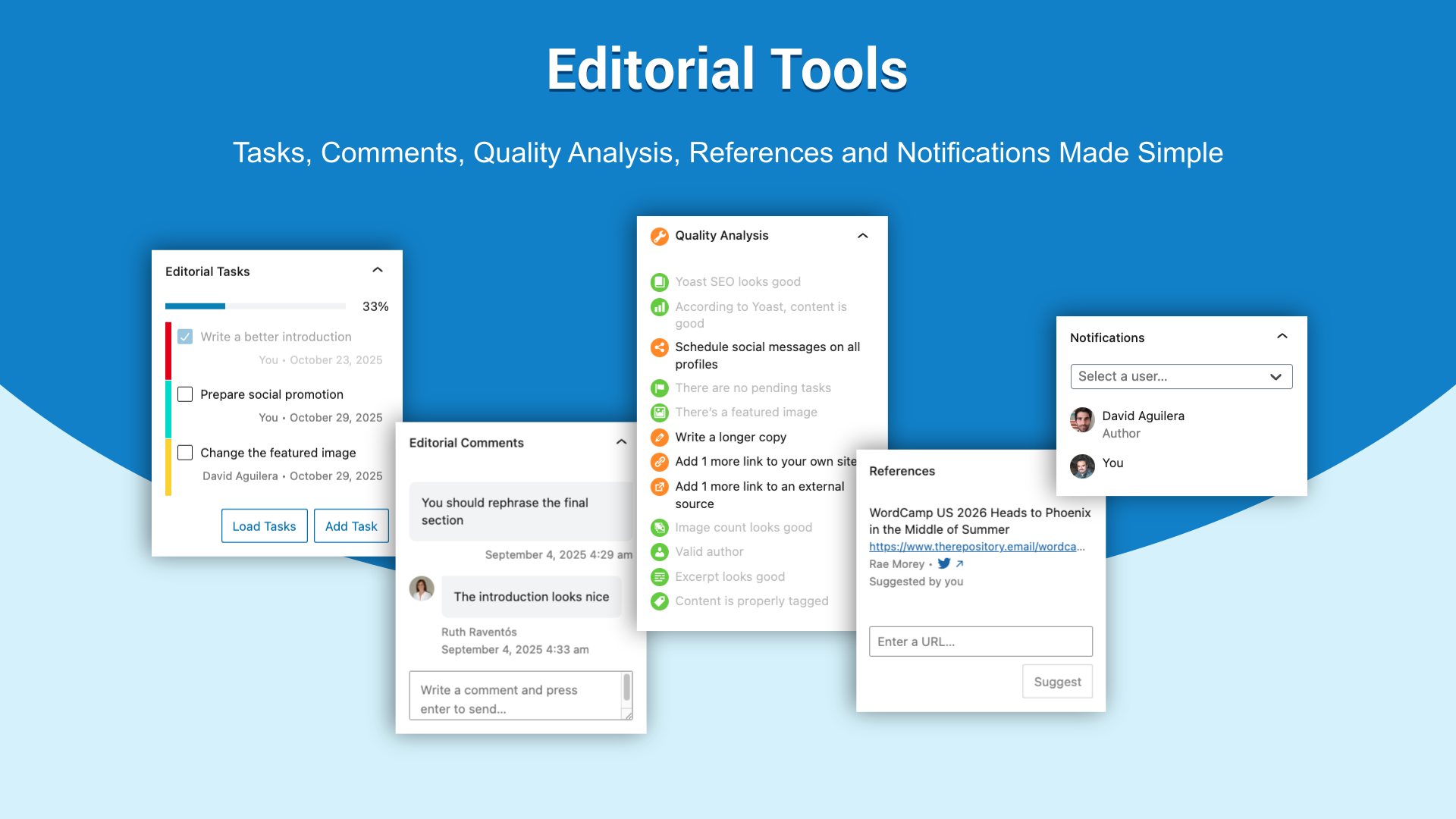
Plan your WordPress content and automate social media sharing from one editorial calendar.
Nelio Content combines a WordPress editorial calendar, social media scheduling and auto-posting, and content workflow tools. Plan and schedule blog posts, share content to Facebook Pages, LinkedIn, Instagram, Pinterest, Threads, Bluesky, and other supported networks, and keep editorial work organized without switching between separate tools.
Whether you publish your own blog or coordinate a multi-author WordPress site, Nelio Content helps you manage the process from draft to publication and promotion.
Why use Nelio Content?
- Plan WordPress posts visually. Drag and drop posts in the editorial calendar, track unscheduled ideas, and organize your publishing schedule.
- Schedule and auto-post to social media. Prepare messages for connected profiles, share when a post is published, and schedule additional promotion.
- Keep posts and social messages in sync. Adjust your content schedule without manually rebuilding every related social message.
- Improve your editorial workflow. Use content checklists and, with Premium, editorial tasks, comments, a content board, and other collaboration features.
- Review content performance. Bring supported Google Analytics and social engagement metrics into your WordPress workflow.
- Put your AI assistant to work. Explore your calendar, find content worth promoting, and manage your publishing workflow through a compatible AI assistant.
Built for bloggers, WordPress publishers, marketing teams, and agencies who want to manage editorial planning and social distribution in one place.
Helpful Links
- Do you need help getting started? HELP DOCUMENTATION
- Do you have a support request? SUPPORT FORUM
- What do our users say about us? REVIEWS
- Are you interested in the premium version? ABOUT NELIO CONTENT PREMIUM
Use of Nelio Content’s service
Nelio Content connects your WordPress site with Nelio Software’s external service to provide social media scheduling and auto-posting, social profile connections, social automations, analytics-related integrations, and account or subscription management. The service handles communication with the supported social networks and other integrations so your scheduled messages can be published at the right time.
Some editorial features, such as the calendar and post planning tools, run inside WordPress. Service-backed features require connecting your site to Nelio Content and may send the information needed to provide those features to Nelio Software and the third-party services you choose to connect. When you connect an external AI assistant through MCP, that client receives the data returned by the abilities it calls, subject to the authenticated user’s permissions. Please review the Nelio Content Terms and Conditions and Privacy Policy for details.
Supported Social Networks and Integrations
- X (formerly Twitter) – Post to your X account (requires the applicable X posting quota; see the plan and quota details)
- Facebook – Post to your Facebook pages
- LinkedIn – Post to your profile or company page
- Instagram – Post to your Business Account
- Mastodon – Post to your Mastodon account
- Medium – Post to your profile or publication with canonical backlinks to your original content
- Tumblr – Post to your blog with canonical-backlinks to your original post
- Telegram – Post to your Telegram groups and Telegram channels
- Bluesky – Post to your Bluesky account
- Google Business Profile – Post to your business location
- Blogger – Post to your blog with backlinks to your original post
- Pinterest – Post to all your different Pinboards
- Reddit – Post to your subreddits
- Threads – Post to your Threads account
- TikTok – Share your videos on TikTok
- Discord – Post to your Discord channels
- Slack – Post to your Slack channels
- Band – Post to your bands
- VK – Post to your profile or community wall.
- OK.ru – Post to your profile or group.
- LINE – Post to your groups.
- Plurk – Post to your profile.
- Webhooks – Send requests to external servers and integrations.
- Buffer – Share your content to your connected Buffer profiles
- Hootsuite – Share your content to your connected Hootsuite profiles
Connect supported social networks directly through Nelio Content or use integrations such as Buffer and Hootsuite. Available publication formats and account requirements vary by network.
Start with Nelio Content Free to organize your WordPress editorial calendar and share posts to supported social networks, subject to the free plan’s profile and automation limits. Choose Nelio Content Premium when you need more social profiles, advanced social automation, and collaboration tools.
Your Content Workflow, Now Connected to AI
Turn a conversation into your next editorial action. Connect a compatible AI assistant to Nelio Content and get help planning your calendar, finding content worth sharing, and keeping your publishing workflow moving.
Ask things like “What’s on my calendar this week?” or “Which posts have the most engagement?” Your assistant works with your site’s content and available analytics, so you can move from questions to decisions faster.
Start with Nelio Content Free:
- See what’s coming next. Review upcoming posts and social messages, find unscheduled ideas, and move posts to a new publication date.
- Find content worth another look. Discover your top-performing posts using available engagement and pageview data.
- Keep your social queue on track. Review promotion plans, update existing messages, and spot failed publications that need attention.
- Bring your research together. Find, suggest, and organize editorial references for your posts.
Do more with Nelio Content Premium:
- Plan your next social campaign. Schedule new messages across your connected profiles, with images or videos from your WordPress media library.
- Give great content a longer life. Generate a post’s promotion timeline or queue automatic resharing with your confirmation.
- Keep your team moving. Create and complete editorial tasks, add internal comments, and check what’s ready to publish.
- Build your next content series. Create draft copies, organize posts into series, and manage their order.
- Shape your publishing routine. Manage automation groups, adjust sharing frequencies, and schedule future actions for your posts.
Your assistant works within your WordPress permissions. It can only access the posts, social profiles, and tools available to the connected user. Premium actions require an active subscription and the matching Premium plugin.
Ready to connect? The integration uses the WordPress Abilities API and Model Context Protocol (MCP). You’ll need WordPress 6.9 or later and, for MCP connections, WordPress MCP Adapter 0.7.1 or later. Follow our step-by-step guide to connecting your AI assistant to get started.
What You Can Do with Nelio Content
Explore the editorial planning, social scheduling, and content promotion tools included in Nelio Content.
NELIO CONTENT FREE
The Editorial Calendar provides a bird’s-eye view of all your content, including posts, custom post types, social messages, and tasks:
- View your upcoming work by week, month, or agenda.
- Create, schedule, and edit posts with categories, tags, and references within the calendar.
- Draft unscheduled posts as ideas.
- Automatically adjust social messages when a post is rescheduled.
- Integrate iCal events, MailPoet newsletters, and events from The Events Calendar.
- Filter content by author and status.
- Filter social messages by profile, creation method, and publication issues.
- Define and manage custom statuses that match your unique editorial workflow.
View the RSS feeds of your favorite blogs directly in your WordPress so you can generate new content from them:
- View RSS feeds directly in WordPress for inspiration.
- Schedule ideas by dragging and dropping them into the calendar.
- Create new draft posts using feed content as references.
- Suggest helpful links to authors as references.
The Content Assistant provides a writing checklist and tools to prepare WordPress posts and their social promotion:
- Use external image URLs for featured images.
- Check post quality as you write it.
- Ensure posts include images, tags, links, and excerpts.
- Plan and customize social messages while writing.
- Highlight content for automatic social messages.
- Add custom URL parameters for tracking in Google Analytics.
Use Social Automations to promote your content effectively across multiple social networks:
- Automatically create social message timelines.
- Use highlighted sentences, templates, and excerpts for automatically created messages.
- Customize social templates with #hashtags, @handles, emojis, and much more.
- Share on all social networks, including X (formerly Twitter), Facebook, LinkedIn, Instagram, Mastodon, Telegram, Pinterest, Reddit or Threads, to name a few.
- Use popular link shortener services: Bitly, TinyURL, Rebrandly, YOURLS, Shlink, Short.io, T.ly, and Polr.
Bring supported content and social metrics into WordPress to review performance and decide what to promote again:
- View key statistics on your WordPress dashboard.
- Track pageviews from Google Analytics.
- Measure audience engagement through likes, shares, and comments.
- Monitor planned social messages for each post.
- Re-promote top-performing content with one click.
- Customize permalinks on social media by adding query parameters.
All these features are included in Nelio Content Free. Upgrade to Premium for advanced capabilities.
NELIO CONTENT PREMIUM
Designed for teams, Nelio Content Premium provides each user with tailored tools for their role:
- Connect up to 15 social profiles.
- Discuss posts with editorial comments.
- Visualize your editorial pipeline with a content board that organizes posts by their status.
- Duplicate posts with just one click.
- Rewrite or update a published post without taking it offline, using a copy of its content.
- Monitor and track team activities with editorial tasks.
- Receive email notifications for status changes and comments.
- Create reusable task presets for posts.
- Add editorial comments and references in the calendar.
- Group your posts into multiple collections or series.
- Set custom tags on social messages for Medium.
- Automatically display series information on posts that are a part of a series.
- Schedule automatic changes to your posts, pages, and other content types.
- Create social messages for multiple networks simultaneously within the calendar.
- Re-share old posts in social media with ease.
- Automatically reschedule tasks when a post is rescheduled.
- Export the calendar in CSV format, Google Calendar or iCal format.
Advanced tools for automatic content promotion:
- Create reusable social messages that can be easily placed on any desired day in the calendar.
- Automatically generate timelines to promote posts after publication.
- Reshare automatically top old content on social networks.
- Create multiple social automation templates with #hashtags, @handles, and emojis.
- Select different versions of the same image to share in each social network, each with a different size.
- Customize publication and resharing frequency.
- Configure multiple automation group settings for content-sharing.
Unlike generic social tools, Nelio Content connects your editorial calendar and social media automation directly to your WordPress posts.
Manage the steps from planning and writing to publishing and re-sharing your WordPress content in one workflow.
Reviews and Real-World Examples
Read third-party reviews and an example of how publishers use Nelio Content:
- A Nelio Content Review (digisavvy.com)
- Nelio Content Automates and Assists with Content Creation and Social Marketing (wpmayor.com)
- Nelio Content’s Social Automations Tools – Saving Resources & Time in Content Marketing (thedevcouple.com)
- Editorial OnMedia and Nelio Content – Case Study (neliosoftware.com)
- Nelio Content: improve your WordPress to the next level (silocreativo.com in Spanish)