

Neatplug Notify for Telegram
v1.0.0Neatplug · 2026年11月3日 上架
Instant Telegram alerts for new WooCommerce orders, order status changes and Contact Form 7 submissions. Setup in three minutes, delivery log.
- 正在使用
- 10 以下
- 评分
- 暂无
- 累计下载
- 387
- 最近更新
- 2026年11月3日
贡献者
 Neatplug
截图


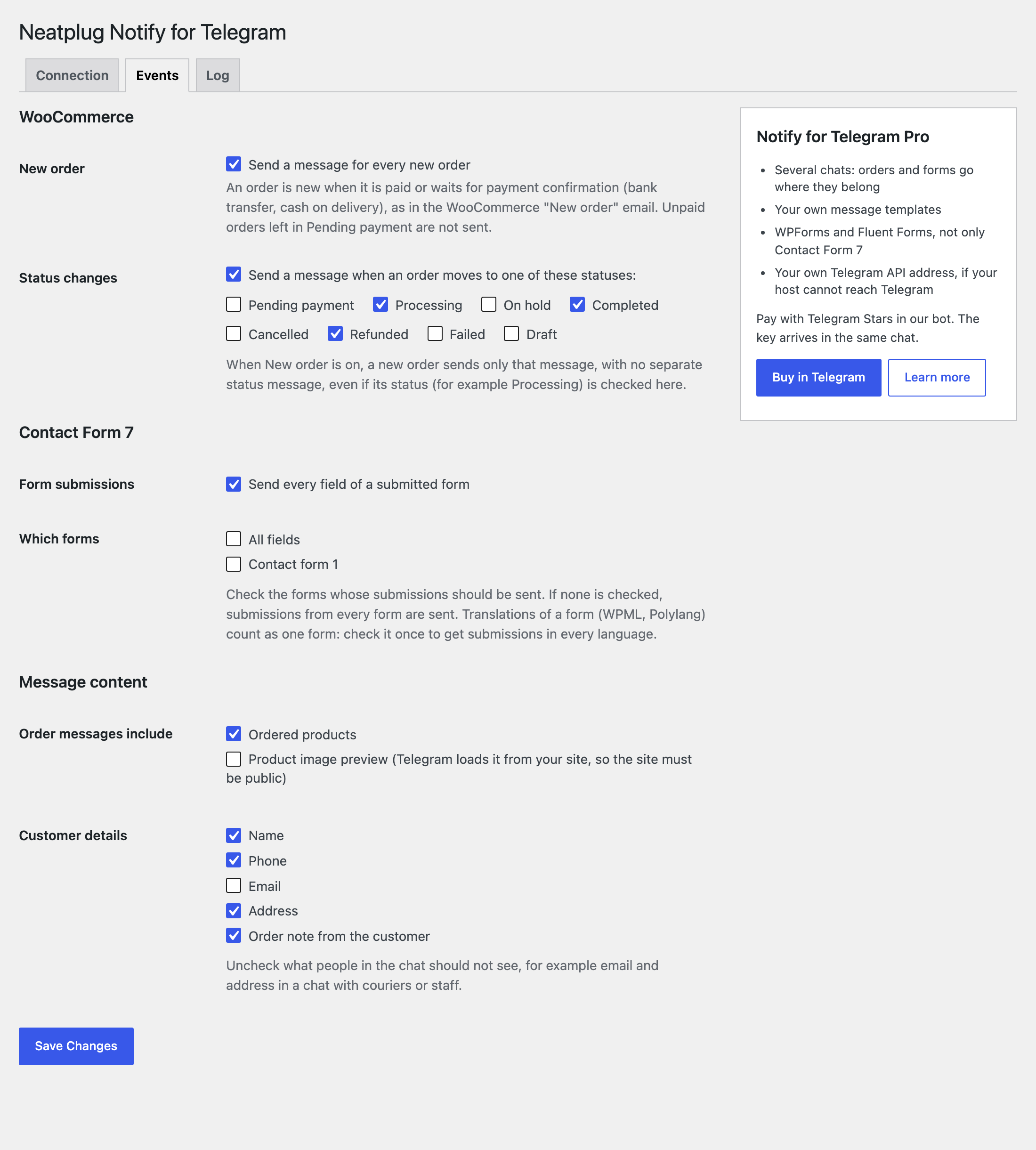


Get a Telegram message the moment something happens on your site:
- a new WooCommerce order;
- an order moving to a status you pick;
- a Contact Form 7 submission, with every field.
Messages go to your own Telegram bot: to a private chat, a group, a topic of a group or of your chat with the bot, or a channel. Nothing passes through the plugin author’s servers.
Setup in three minutes
Paste the token from @BotFather, press Find chats and pick the chat or topic from the list. Pictures next to each step show what to do in Telegram. A test message confirms that everything works before you save.
Orders
- New orders from the block checkout, the classic checkout, the admin and the REST API. One message per order, never two.
- Status changes: pick the statuses you want to hear about.
- You choose what the message shows: products, customer name, phone, email, address, order note, product image.
- A link to open the order in the admin.
- Works with both order storage types (HPOS and posts).
Contact Form 7
- Every field under the label it has in the form, and the names of attached files.
- If the site fails to send the form’s email, the message still arrives and says so, so no request is lost.
- Pick which forms send messages. Translations of a form (WPML, Polylang) count as one form.
Reliable delivery
- Sending runs in the background, so checkout and forms never wait for Telegram. Temporary errors are retried.
- Long messages are split into parts, nothing is cut off.
- The log shows the last 100 messages with the chat and topic names, and for every failed one, Telegram’s error and what to do about it.
- If your hosting cannot reach Telegram, the settings page tells you.
Languages
The settings screens and the messages are in English and Russian. Messages use the site’s language; on a multilingual site, the default language.
Pro
Need several chats, your own message templates or messages from WPForms and Fluent Forms? A Pro add-on is available at https://neatplug.dev/plugins/notify-for-telegram/. It also adds your own Telegram API address for hosts that cannot reach Telegram.
External services
This plugin connects to the Telegram Bot API (api.telegram.org), and only after you enter your own bot token:
- to check the token and show the bot’s name (getMe);
- when you press Find chats, to read the chats the bot was recently added to or messaged in (getUpdates);
- to deliver notifications: the message text (the order or form details you choose to include) is sent to the chat you configure (sendMessage);
- if you turn on the product image preview, the message also carries the address of the product image on your site, and Telegram downloads the image from there to show it.
No data is sent to the plugin author.
Telegram Terms of Service: https://telegram.org/tos
Telegram Privacy Policy: https://telegram.org/privacy