
SEPA QR-Code for Woocommerce (GDPR-compliant)
v1.1.0thedoctorcoernel · 2022年10月5日 上架
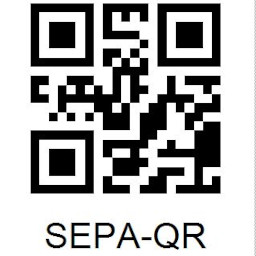
Adds a SEPA-QR Code for bank transfer payments (bacs) in the WooCommerce Thankyou page and Woocommerce emails. The QR-Code can be hooked into other pl …
- 正在使用
- 200+
- 评分
- 5.0 / 5
- 累计下载
- 3,706
- 最近更新
- 2023年8月3日
贡献者
 thedoctorcoernel
截图


Adds a SEPA-QR Code for bank transfer payments (bacs) in the WooCommerce Thankyou page and Woocommerce emails. The QR-Code can be hooked into other plugins.
Before you start
The plugin comes as is and free. However a real person has put real work into it. So if you use it please do s.th. good. Use your efforts, your time for beneficial projects or whatever!
Prerequisite
php GD2 extension must be installed as the QR-Code generator by fellwell15 requires this.
Hooking into other plugins
I use a plugin for PDF-invoices and packaging slips. Refer to this sample to hook the QR-Code into whatever you like:
/wp-content/themes/Your(Child)Theme/functions.php


/* QR-Code in invoices */
add_action( 'wpo_wcpdf_after_order_details', 'wpo_wcpdf_qr_code', 10, 2 );
function wpo_wcpdf_qr_code ($document_type, $order) {
    require_once WP_PLUGIN_DIR . '/mxp-sepa-qr-code-addon-for-woocommerce/muxp-sepaqr.php';
    $muxp_order = wc_get_order( $order);
    $order_id  = $order->get_id();
    if ( !empty($muxp_order->get_total()) && (float)$order->get_total() > 0 ) {
        echo '<h1>QR-Code for your online banking app<h1>';
        echo '<img class="muxp-bacs-qrcode" src="' . esc_attr(muxp_get_qrcode($order->get_total(), $order_id)) . '" alt="qr-code"></p>';
    }
}
What happens in the backend:
- the QR code generator creates the QR-code locally. There is no Google-API nor external server in use!
- the QR code generator is from fellwell15
- plugin registers a get-parameter (configurable, default mxp_qr) for testing purposes and, if desired, to create links to the cached QR codes.
- the prefix mxp is used throghout the plugin to avoid collisions with other plugins and functions. mxp stands for www.musicalexperten.de (musical experts). Remember where you’ve seen it first! 😉
Testing and troubleshooting
Simple way
Install the plugin and order s.th. in your shop using BACS (direct bank transfer).
To test if the QR-Code generator is working
www.yourwebpage.de/?mxp_qr=something = creates a real QR with dummyvalues 11-11
Working example
To find an existing cached QR-Code, query for a valid md5 string == If it does not exist in cache or transients, a sad smiley will appear.
www.yourwebpage.de/?mxp_qr=351436ef4b279e1811a6c68a2dd58b1b
results in a sad smiley. Working example
Remarks
Storing the QR code in cache or transients is only needed if you want to use a link instead of a picture inside the email. Details in the program code.
Support
The program has been written by a professional programmer – however fully free of charge and without detailed knowledge about WooCommerce. I try to assist you in the support forum or on GitHub the best I can but my knowledge is limited.
Full integration in Woocommerce
I am more then happy if someone integrates the code into the Woocommerce core! The topic is discussed here: https://github.com/woocommerce/woocommerce/issues/27661