
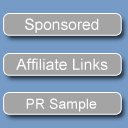
MWW Disclaimer Buttons
v3.51Jennifer Moss · 2016年9月14日 上架
The FTC requires that you put disclosures at the top of your post if you were compensated in any way (affiliate links, free products, or payment).
- 正在使用
- 400+
- 评分
- 5.0 / 5
- 累计下载
- 1.6 万
- 最近更新
- 2026年3月24日
贡献者
 Jennifer Moss
截图


For bloggers/content creators that accept free products or compensation for reviews, or use affiliate links, the FTC requires that you put disclosures at the top of any post or page.
This plugin creates an options box in the POST or PAGE editor for you to add each of these buttons to your post without having to include it in post text.
[Affiliate Links] – Blogger makes money when someone clicks on link and purchases product from 3rd party vendor.
[PR Sample] – Free product was received by blogger in exchange for a review and/or post.
[Sponsored] – Blogger was paid directly for the post/page.
The disclaimer buttons appear below the title and above the text on a single post or page–they do not appear on excerpts nor your RSS feed.
Markdown
- Admin Page for entering disclaimer URL
- Settings box on post page
- Appends buttons to the_content() (post text) on single post or page only.