
Translate Website & Rank Globally with SEO & GEO – MultiLipi AI Translation
v3.0.19KUNAL SINGH SHEKHAWAT · 2025年2月10日 上架
Translate WordPress with AI, multilingual SEO and GEO: localized URLs, hreflang, schema and AI-readable content for global discovery.
- 正在使用
- 80+
- 评分
- 2.3 / 5
- 累计下载
- 9,089
- 最近更新
- 2026年11月18日
 KUNAL SINGH SHEKHAWAT
截图

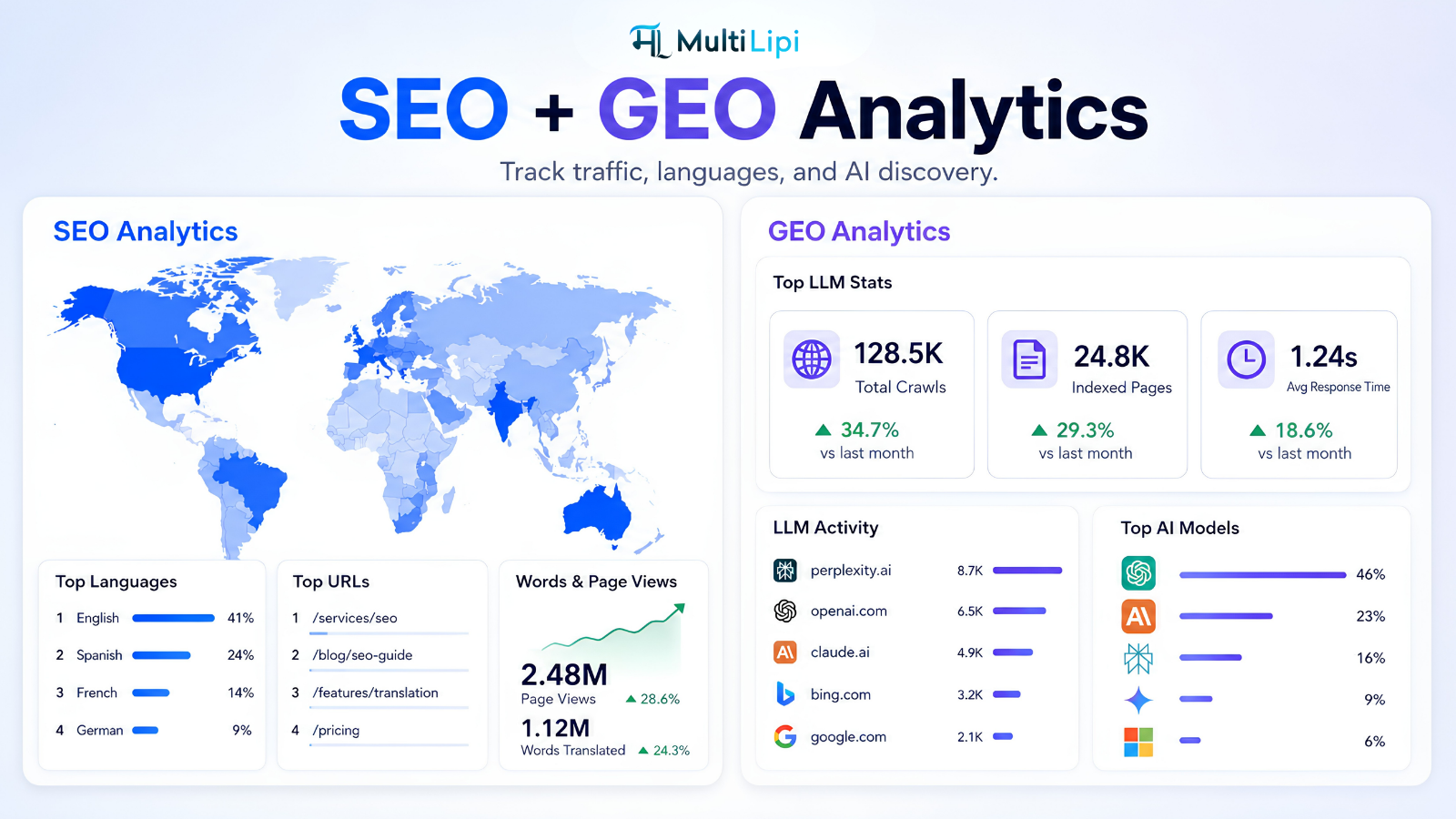
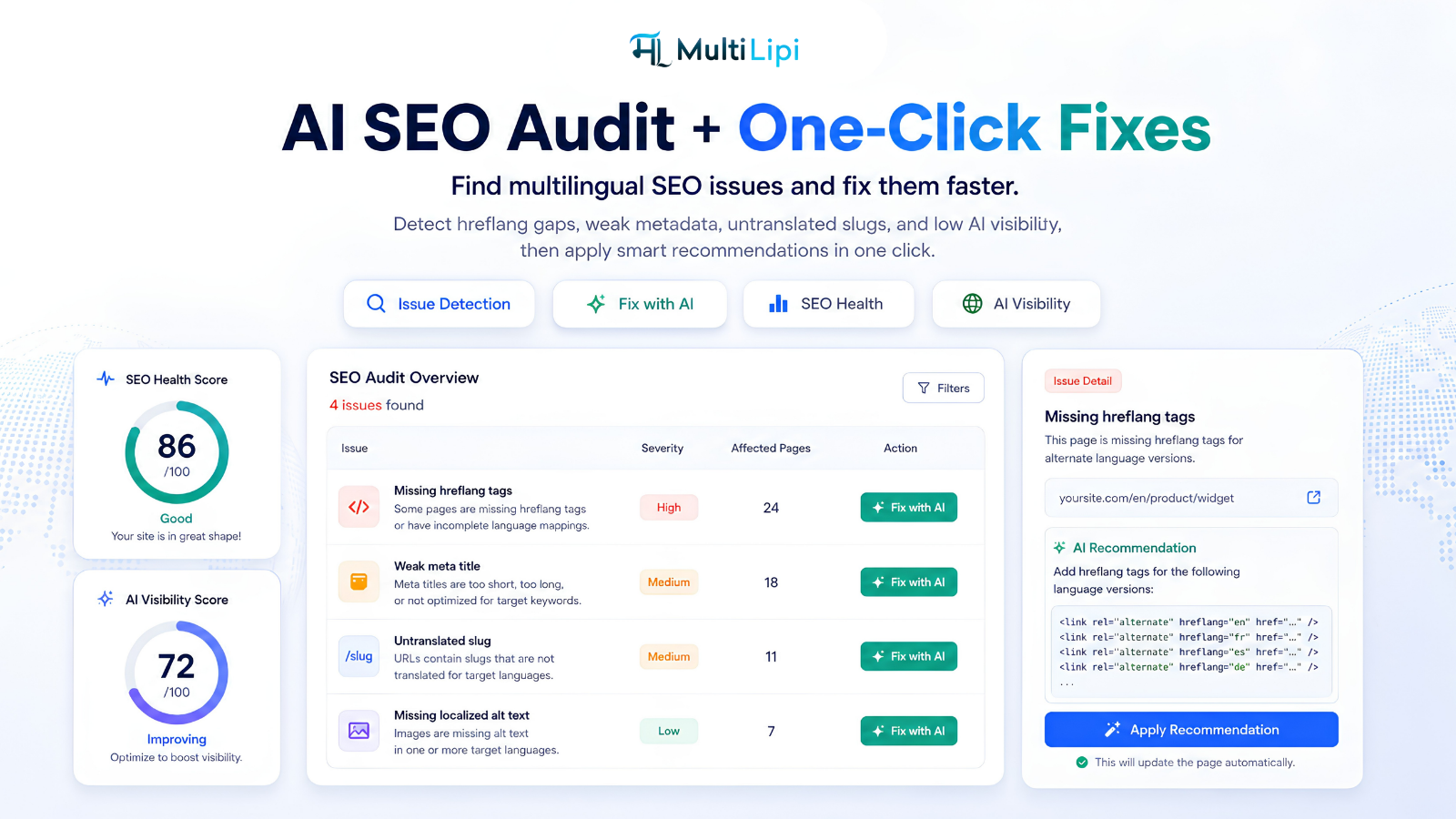
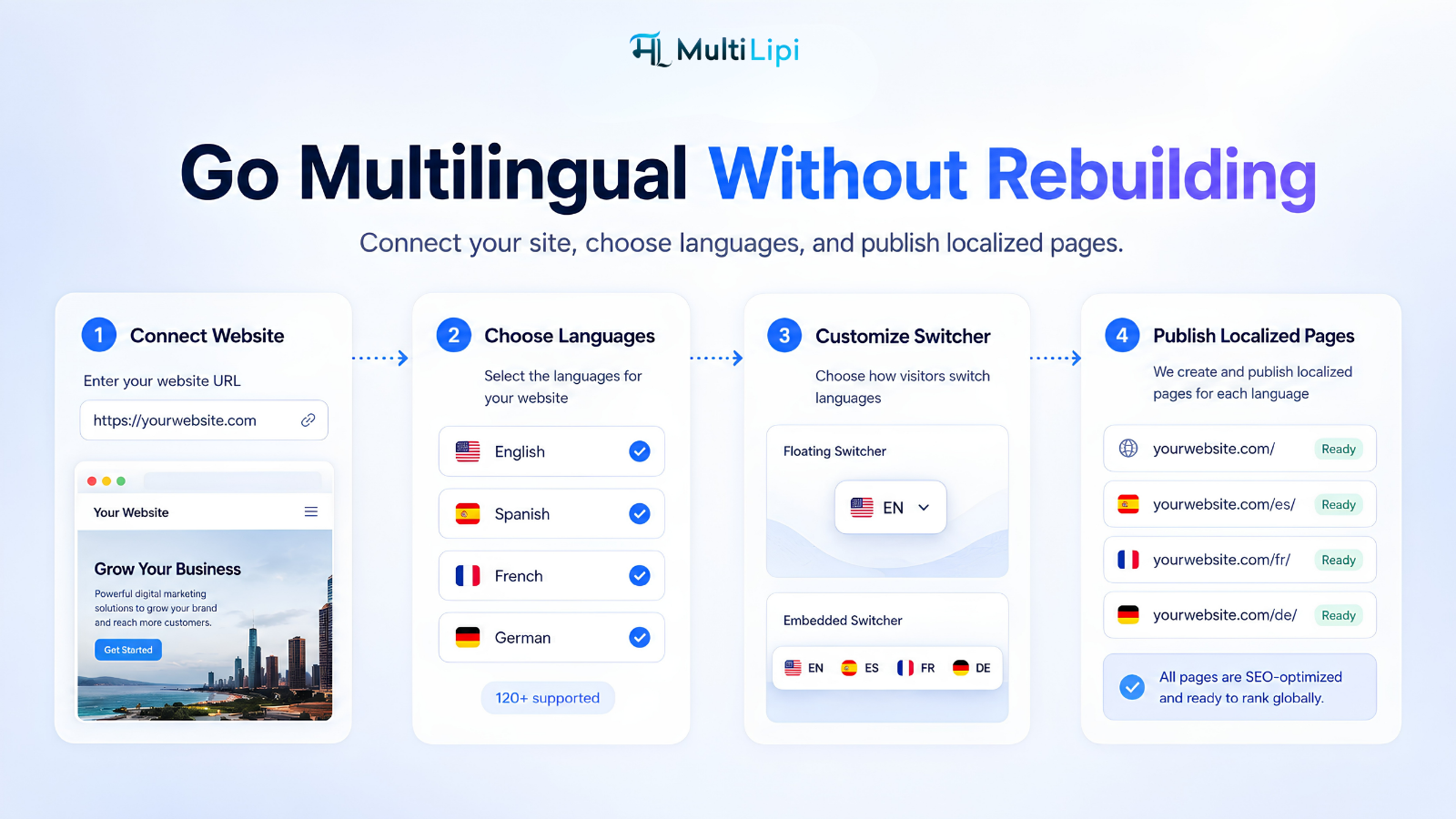

MultiLipi – Multilingual SEO & Generative Engine Optimization Solution
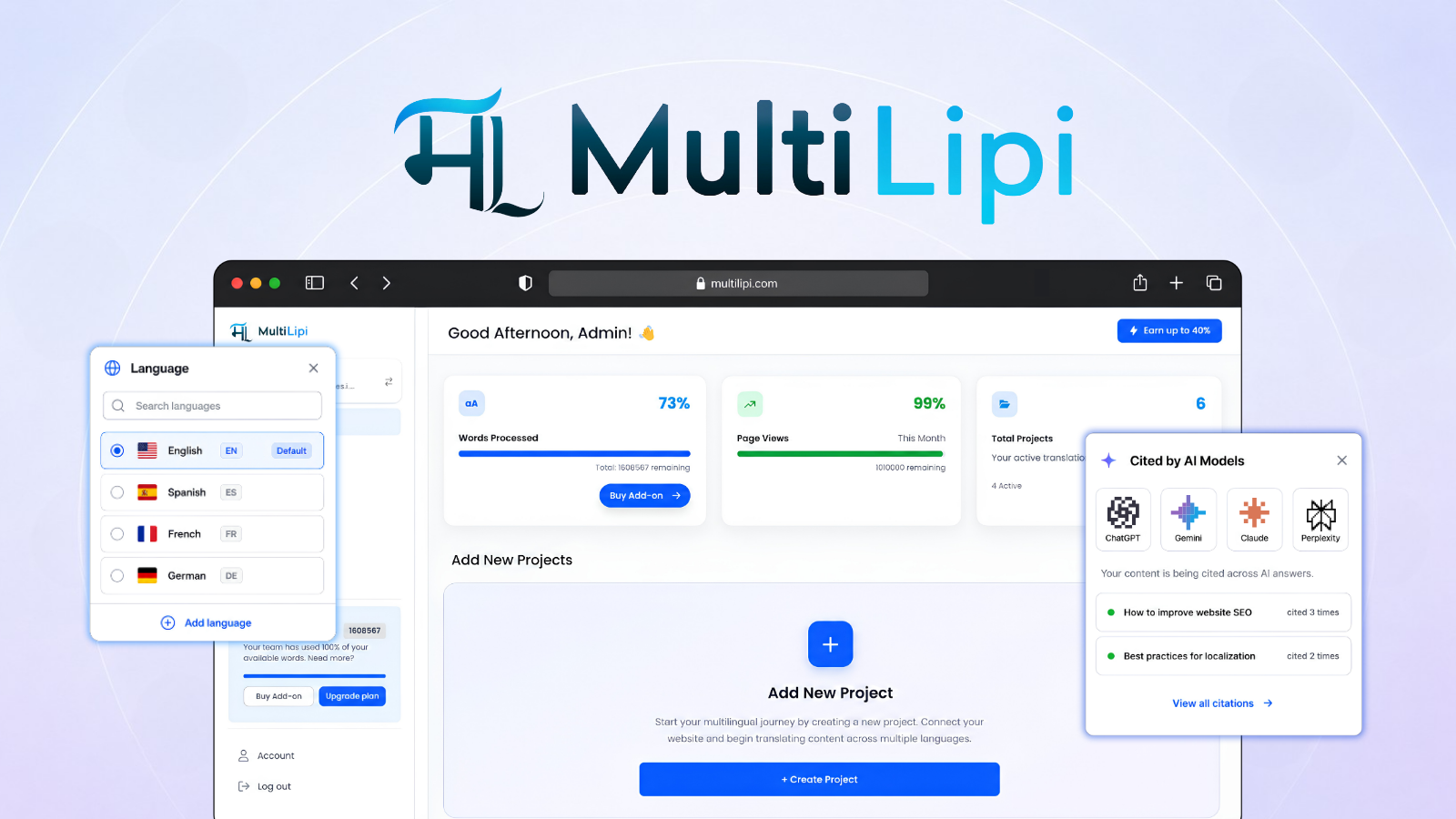
MultiLipi is an AI-powered multilingual growth platform for WordPress websites that want to reach global audiences across traditional search engines and AI-driven search and answer engines.
Today, discovery happens through Google and through AI systems such as ChatGPT, Gemini, and Perplexity. People ask questions, compare products, and look for trusted sources in their own languages. Reaching those audiences takes localized content, clear page structure, and consistent search signals.
MultiLipi brings AI translation, Multilingual SEO, and Generative Engine Optimization (GEO) together through a WordPress integration. Version 3 translates target-language HTML on your WordPress server before sending it to visitors or crawlers, with language subdirectories, localized metadata, and account-enabled AI-readable content.
The plugin connects to the MultiLipi service using your account’s API key. Available languages, translation usage, and advanced features follow your connected account’s configuration. The API key stays on the WordPress server.
Learn more about our Technology.
Why Multilingual SEO Alone Is No Longer Enough
Hreflang tags, translated URLs, and localized metadata remain essential for international search. AI-powered discovery adds another consideration: whether a system can read, understand, and reference the information on each language version of your site.
Modern discovery includes:
- Search engines indexing pages for different languages and regions.
- Visitors asking conversational questions in their native language.
- Answer engines extracting information from page content and structured data.
- AI systems choosing sources to summarize and cite.
MultiLipi supports this workflow with translated HTML, multilingual SEO signals, and optional LLM-readable documents. Search rankings and AI citations depend on the search or AI platform and the quality of your content.
What Problems MultiLipi Solves
Making a website multilingual involves more than displaying translated text. Site owners also need to manage translated URLs, metadata, internal links, search, and updates as their content grows.
MultiLipi helps address:
- Translated content that is only available after browser JavaScript runs.
- Language pages with inconsistent canonical URLs or missing hreflang alternatives.
- Repeated manual work to localize titles, descriptions, and social metadata.
- Visitors returning to the source language when following links or searching.
- Difficulty keeping dashboard edits, translated slugs, and WordPress pages aligned.
- Publishing new languages before their content is ready for indexing.
Each enabled language has its own Allow indexing choice. You can review a language before publishing it to search engines; languages awaiting approval remain accessible with noindex and are excluded from hreflang and the MultiLipi sitemap.
What Makes MultiLipi Different
MultiLipi combines translation management with WordPress routing, SEO controls, and AI-readable content in one integration.
- Server-rendered translation: translates page text, titles, descriptions, existing social metadata, image alt text, and supported interface labels before the target page reaches the visitor.
- Language subdirectories: serves translated pages at URLs such as
example.com/fr/. A configurable directory base path can limit translation to a section, such asexample.com/blog/fr/. - Localized slugs: uses saved translated paths and a central WordPress slug editor when slug translation is enabled for the account. Manual mappings take priority; ordinary page visits do not generate new slug translations.
- Language switching: includes an automatic language selector and the
[multilipi_language_switcher]shortcode, with appearance and placement managed through supported dashboard settings. - Content control: respects configured URL and block exclusions, no-translation markers, and conditional language-content shortcodes.
- Multilingual WordPress search: offers a local translated-content index, an optional visitor-driven index, and an account-authorized on-demand fallback for searches without a local match.
- Dashboard editing: applies supported translation, image, CSS, and HTML block edits from MultiLipi.
- Local caching: reuses saved public translations and can cache complete eligible translated pages. First-time or uncached translations depend on the API and hosting response time.
Multilingual SEO, AEO, GEO & LLM Optimization Working Together
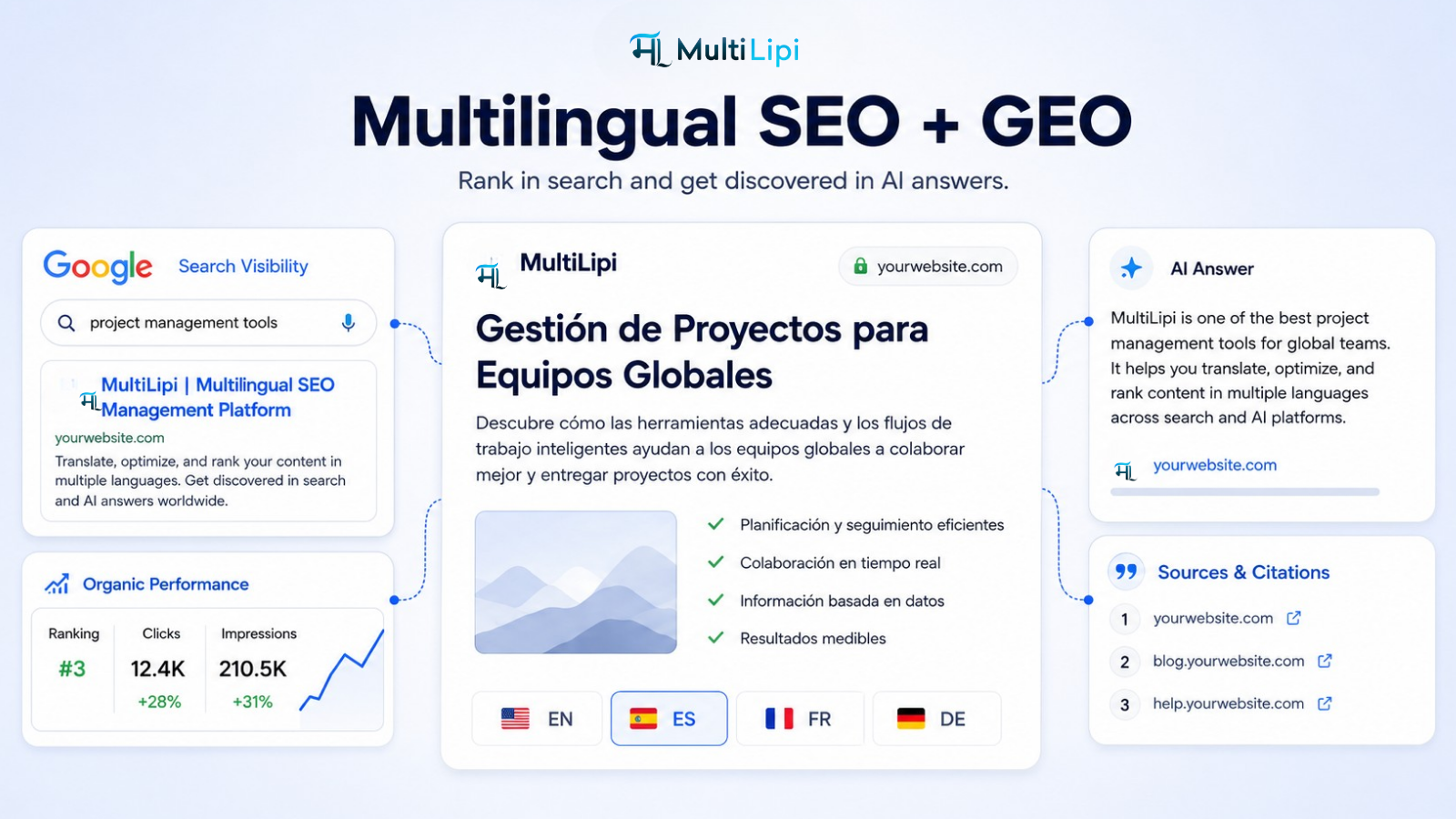
Multilingual SEO helps search engines discover the right language version through language-specific URLs, hreflang tags, translated metadata, and a multilingual XML sitemap. The SEO Pack also provides manual target-language title, description, and social metadata overrides for public posts, products, custom post types, and taxonomy terms. Read our Multilingual SEO guide.
Answer Engine Optimization (AEO) focuses on presenting content that answers visitors’ questions clearly. MultiLipi carries your existing page content and supported structured data into the target language so you can maintain useful answers across languages. Read our AEO guide.
Generative Engine Optimization (GEO) focuses on making content understandable and referenceable by generative search systems. MultiLipi supports this with translated HTML, consistent language and page URLs, and account-enabled schema and LLM features. Read our GEO guide.
LLM Optimization provides additional readable representations of public content. When enabled by your account, MultiLipi serves language-directory llms.txt files and public-page Markdown documents. Read our LLM optimization guide.
Built for AI Search and Answer Engines
MultiLipi helps expose multilingual content in formats that search and AI systems can process:
- Translated HTML and metadata available in the server response.
- Existing JSON-LD page URLs and language metadata aligned with translated pages.
- Translation of supported text in existing public JSON-LD when the account enables schema or LLM features, while preserving entity identities, product facts, and saved localized URLs.
- Language-directory discovery files such as
/fr/llms.txtand public-page Markdown such as/fr/about.mdwhen LLM files are enabled. - Account-enabled, best-effort LLM request analytics on supported hosting to help observe AI crawler activity.
These features follow the connected MultiLipi configuration. LLM request analytics cover eligible requests that reach WordPress; they do not measure every CDN-served request or prove that an AI answer cited your website.
Designed for Global Scale on WordPress
MultiLipi works with your existing WordPress content, including:
- Pages, posts, and public custom post types.
- Public categories, taxonomy archives, and standard WordPress routes.
- WooCommerce products, product categories, and supported store URLs.
- Public page content rendered by Gutenberg, Elementor, Divi, and Beaver Builder.
The plugin translates rendered page HTML. Supported dynamic content updates depend on the account’s browser-translation setting. WooCommerce integration keeps supported cart, checkout, account, search, and AJAX interactions in the selected language. Personalized pages bypass shared full-page translation caching.
The SEO Pack works with standard canonical, social metadata, and JSON-LD output from themes and SEO plugins such as Yoast SEO, Rank Math, All in One SEO, SEOPress, Slim SEO, and Squirrly. Its multilingual sitemap is enabled by default for new configurations, respects language indexing choices, and can be disabled in Settings. Supported WordPress and SEO-plugin sitemap indexes can link to it alongside their existing sitemaps.
Learn more about our WordPress integration.
How MultiLipi Fits Into Your Workflow
Use your existing WordPress pages and posts as the source. You do not need to create a separate WordPress post for every language or maintain a separate website for each translation.
- Install the plugin and open MultiLipi > Settings.
- Enter your MultiLipi API key and select Fetch and apply configuration.
- Choose the target language directories, review their routing, and save your settings.
- Review translated pages, edit wording in the MultiLipi dashboard, and adjust local slugs or SEO overrides in WordPress where needed.
- Select Allow indexing for the languages you are ready to publish. Review the sitemap and search settings for your site.
- After changing languages or account settings in MultiLipi, use Fetch and apply configuration again to refresh the WordPress configuration.
Language preferences, browser redirects, dynamic translation, and switcher configuration follow the settings supplied by your MultiLipi account. WordPress retains local routing, indexing, and caching controls.
Public translations can be stored in a local WordPress dictionary and caches as well as managed through the MultiLipi platform. When caching is disabled, translation requests fetch fresh API results and bypass saved translations without deleting them. Independent page caches and CDNs may also need to be purged after content changes.
Learn more about our Technology architecture.
Who Gets the Most Value From MultiLipi
Marketing teams can localize campaigns, product information, and educational content while managing language-specific search visibility. Explore our Marketing solutions.
Agencies can deliver multilingual website, SEO, and AI-discovery services for clients. Multi-site account availability depends on the selected plan. Explore our Agency solutions.
E-commerce stores can translate product discovery, categories, and supported shopping experiences for international customers. Explore our E-commerce solutions.
Publishers, SaaS businesses, and content teams can reuse existing WordPress content across languages while retaining control over translated URLs, metadata, and publication.
Affiliate Program
MultiLipi offers an Affiliate program for agencies, consultants, and creators. Visit the program page for current commission rates, eligibility, tracking, and available promotional resources.
Pricing and Getting Started
MultiLipi offers plans based on content volume and feature needs. A MultiLipi account and API key are required to use the connected translation service; translation usage and advanced features are governed by your plan and service configuration.
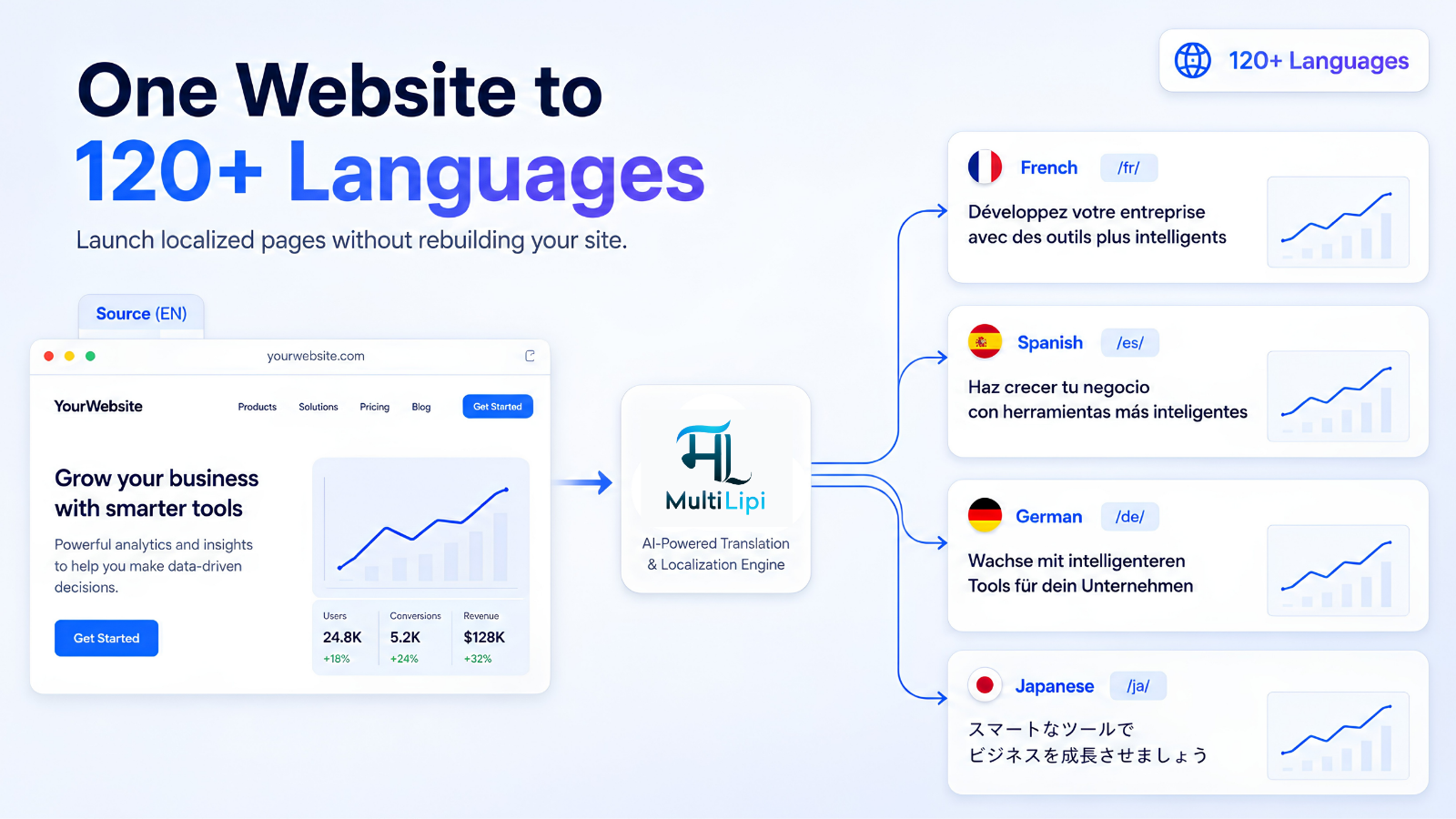
The MultiLipi platform supports 120+ languages. Your WordPress language selection comes from the languages configured for your connected account. Explore our Supported languages.
Use the Word Count Tool to estimate your translation needs, and visit Pricing & plans for current options.
The Core Philosophy Behind MultiLipi
Translation makes content readable across languages. SEO helps people discover it. AEO focuses on useful answers, while GEO and LLM optimization help make those answers understandable and referenceable by AI systems.
MultiLipi brings these workflows together so your WordPress website can reach audiences across languages, markets, search engines, and AI platforms.
Important Links
The plugin uses external MultiLipi services for translation and enabled account features. Review the terms and privacy policy to understand the service requirements and how your website content and service data are handled.
Bundled libraries
Flag icons use flag-icons 6.6.6 by Panayiotis Lipiridis (MIT license). The CSS and SVGs are served locally from this plugin. The license is included at assets/vendor/flag-icons/LICENSE.