
Multilingual Contact Form 7 with Polylang
v1.0.13Andreas Münch · 2021年6月24日 上架
Enables string translation and use of the same forms in different languages of Contact Form 7 forms with Polylang
- 正在使用
- 9,000+
- 评分
- 4.9 / 5
- 累计下载
- 6.3 万
- 最近更新
- 2026年1月17日
贡献者
 Andreas Münch
截图
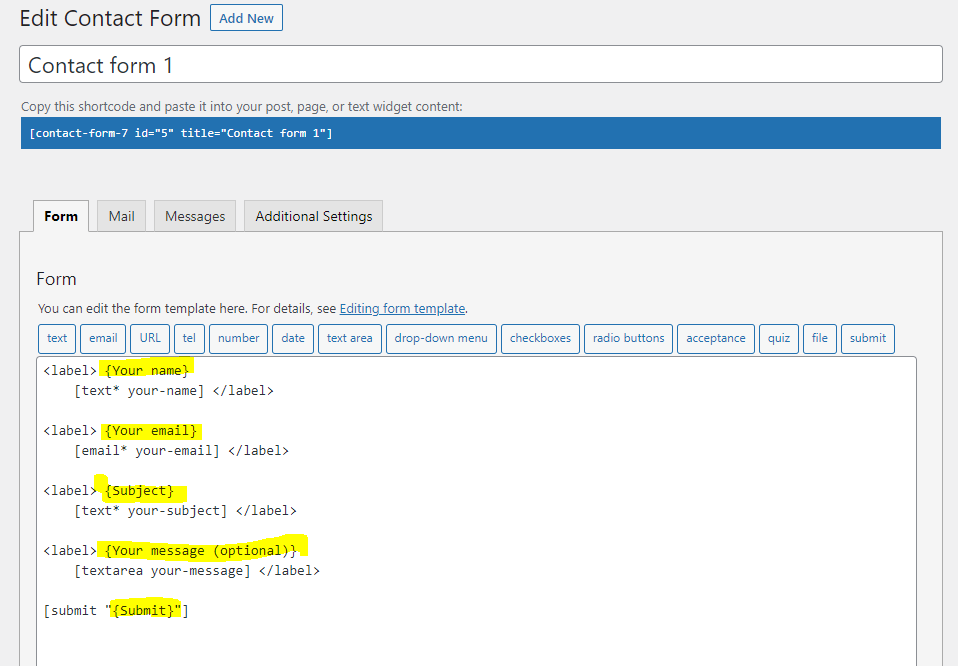
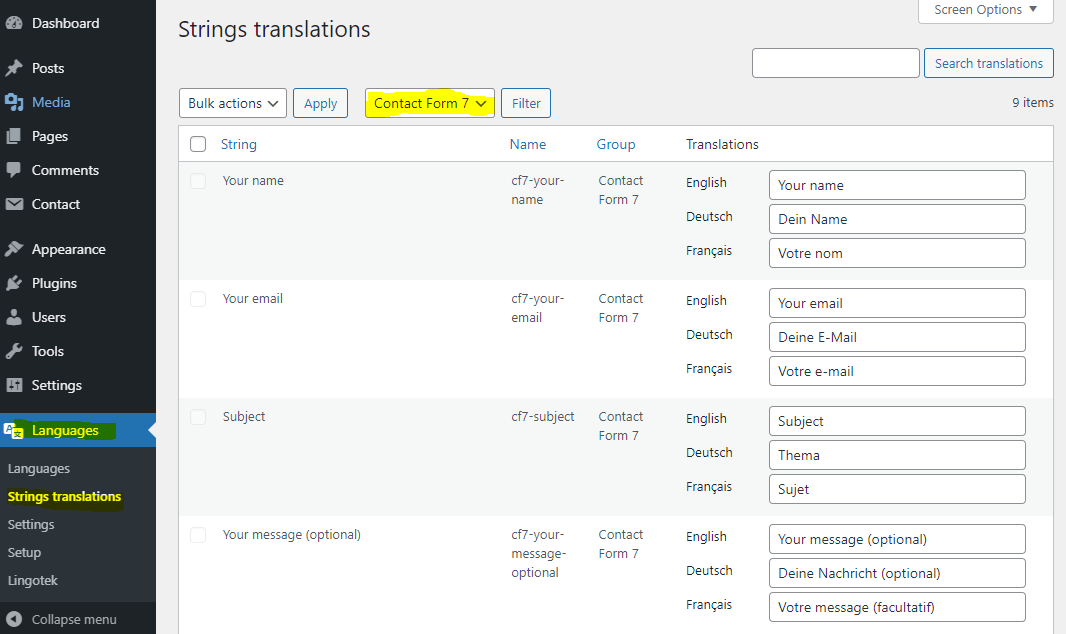
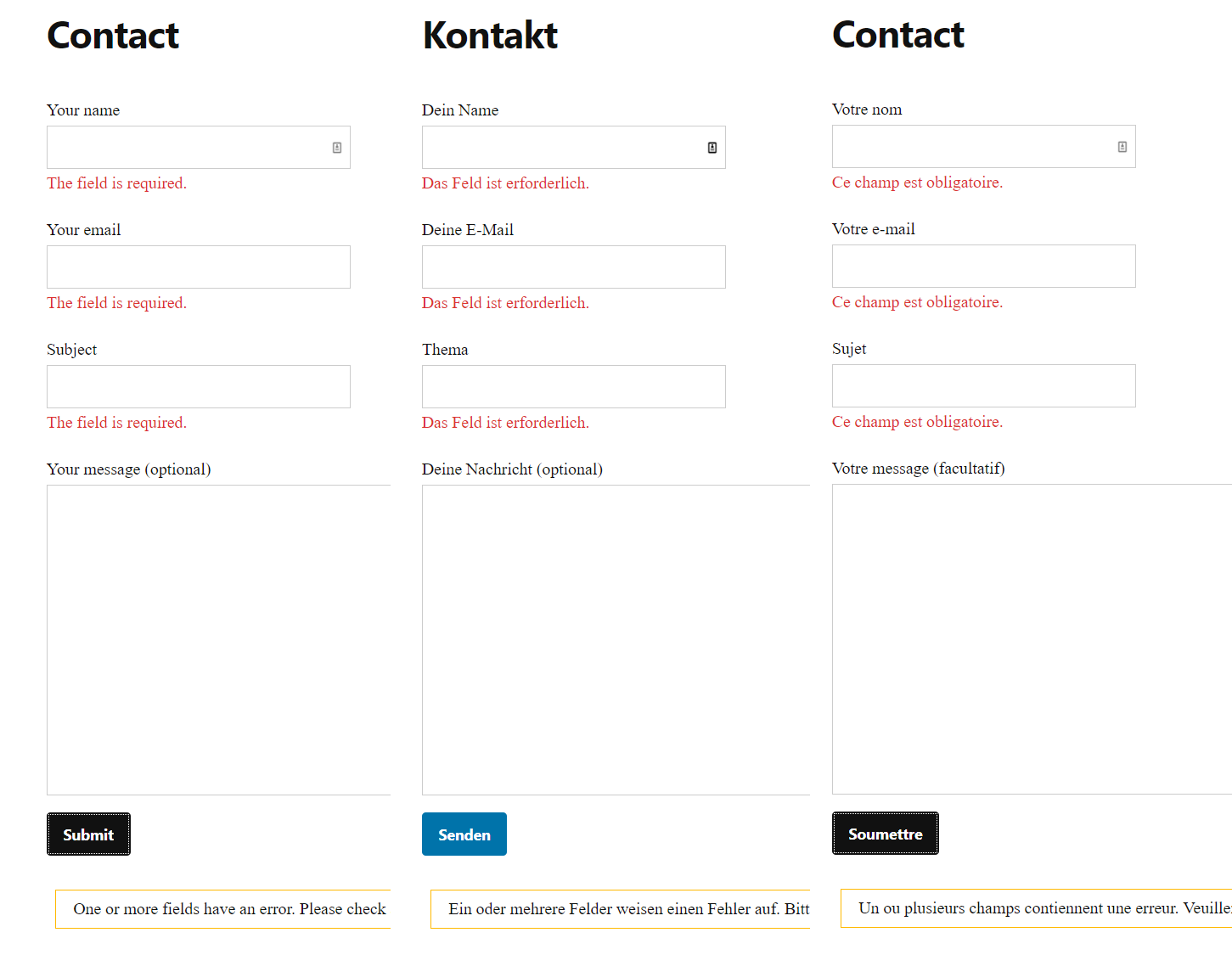
This plugin makes it possible to use Contact Form 7 forms on multilingual pages by using Polylang and its string translations.
Other than existing solutions you don´t have to create a form for each language, but you can use one single CF7 form for all languages.
How does it work?
With this plugin active, you can setup translatable placeholders in your forms, emails and form messages.
The placeholders are using curly braces, like this: {Text to translate}.
When these are setup, you can then translate the strings in Languages > String translations, filter for “Contact Form 7”
Translate form messages
This plugin gives you two ways of translating the form messages.
The simple way: You only have to make sure the form messages are all set to the english default values. Then they are automatically translated via the normal plugin language pack.
You may have to update your WordPress language packs after setting up your languages in Polylang.
The custom way: Set the strings (or part of strings) you want to have translated in curly braces and they will appear in the Polylang string translations where you can translate them.