
Multi Device Switcher
v1.8.7thingsym · 2012年1月31日 上架
Multi Device Switcher plugin allows you to set a separate theme for device (Smart Phone, Tablet PC, Mobile Phone, Game and custom).
- 正在使用
- 1 万+
- 评分
- 4.3 / 5
- 累计下载
- 31 万
- 最近更新
- 2026年6月3日
贡献者
 thingsym
截图
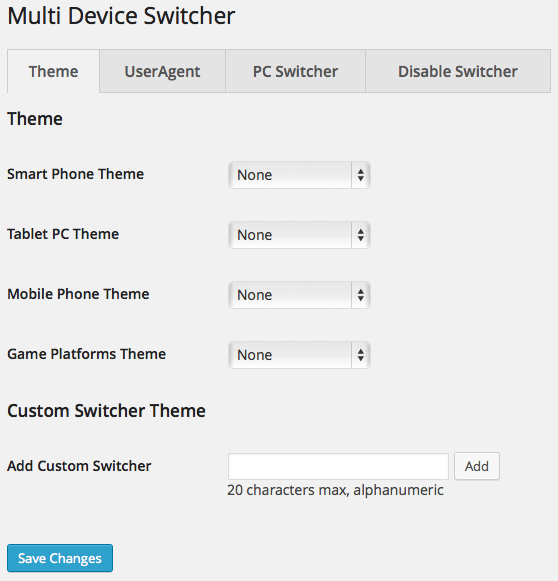
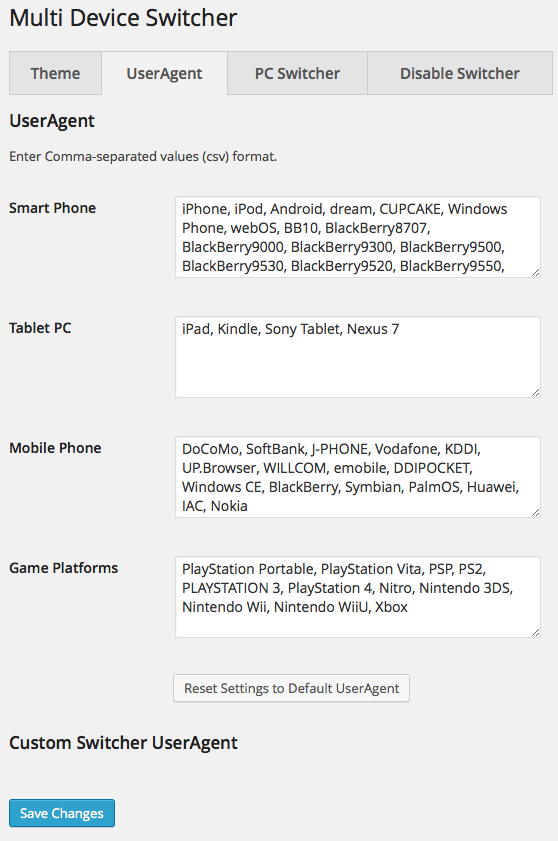
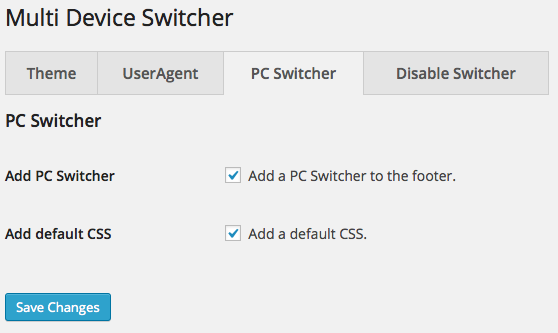

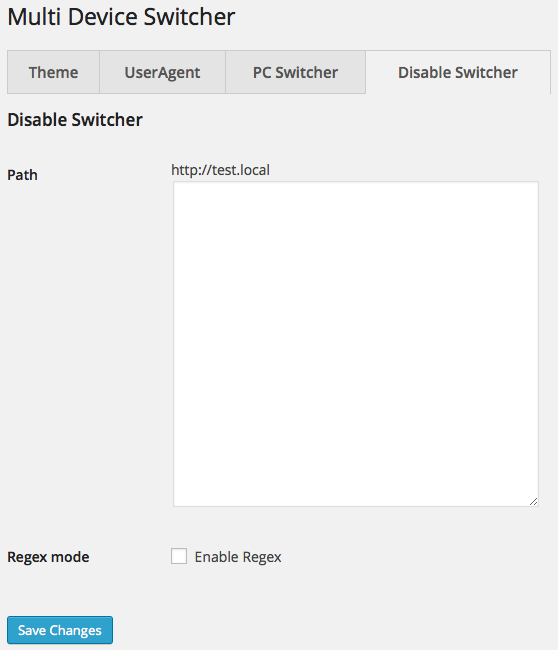
Multi Device Switcher plugin allows you to set a separate theme for device (Smart Phone, Tablet PC, Mobile Phone, Game and custom).
This plugin detects if your site is being viewed by UserAgent, and switches to selected theme.
The Custom Switcher can add every device.
Features
- Set a separate theme for device (Smart Phone, Tablet PC, Mobile Phone, Game), switches to selected theme.
- Add every device by the Custom Switcher.
- Add links ‘Mobile’ or ‘PC’ in the theme by the PC Switcher, switch to the default theme.
- Switch the content of the post or page for each device by the Display Switcher Shortcode.
- Disable the switching of the theme for each url by the Disable Switcher.
- Can be using is_multi_device() function that detect of the device.
- Multi Device Switcher Command command-line tool (required WP-CLI)
Support
If you have any trouble, you can use the forums or report bugs.
- Forum: https://wordpress.org/support/plugin/multi-device-switcher/
- Issues: https://github.com/thingsym/multi-device-switcher/issues
Contribution
Small patches and bug reports can be submitted a issue tracker in Github. Forking on Github is another good way. You can send a pull request.
Translating a plugin takes a lot of time, effort, and patience. I really appreciate the hard work from these contributors.
If you have created or updated your own language pack, you can send gettext PO and MO files to author. I can bundle it into plugin.
You can also contribute by answering issues on the forums.
- Forum: https://wordpress.org/support/plugin/multi-device-switcher/
- Issues: https://github.com/thingsym/multi-device-switcher/issues
Patches and Bug Fixes
Forking on Github is another good way. You can send a pull request.
- Fork Multi Device Switcher from GitHub repository
- Create a feature branch: git checkout -b my-new-feature
- Commit your changes: git commit -am ‘Add some feature’
- Push to the branch: git push origin my-new-feature
- Create new Pull Request
Contribute guidlines
If you would like to contribute, here are some notes and guidlines.
- All development happens on the develop branch, so it is always the most up-to-date
- The master branch only contains tagged releases
- If you are going to be submitting a pull request, please submit your pull request to the develop branch
- See about forking and pull requests
Test Matrix
For operation compatibility between PHP version and WordPress version, see below Github Actions.
Known bugs
WordPress Core version 6.4 – 6.4.1
- Theme doesn’t switch properly
- Bug report: https://core.trac.wordpress.org/ticket/59847
- It seems to have been caused by a change (breaking change) at https://core.trac.wordpress.org/changeset/56635. The bug is fixed in https://core.trac.wordpress.org/changeset/57129 (fixed in WordPress 6.4.2)