
MTM HTML to Markdown
v1.0.0mtmplugins · 2026年1月16日 上架
Converts any WordPress page or post to Markdown at a .md.txt URL with caching and YAML headers.
- 正在使用
- 30+
- 评分
- 暂无
- 累计下载
- 620
- 最近更新
- 2026年1月17日
贡献者
 mtmplugins
截图
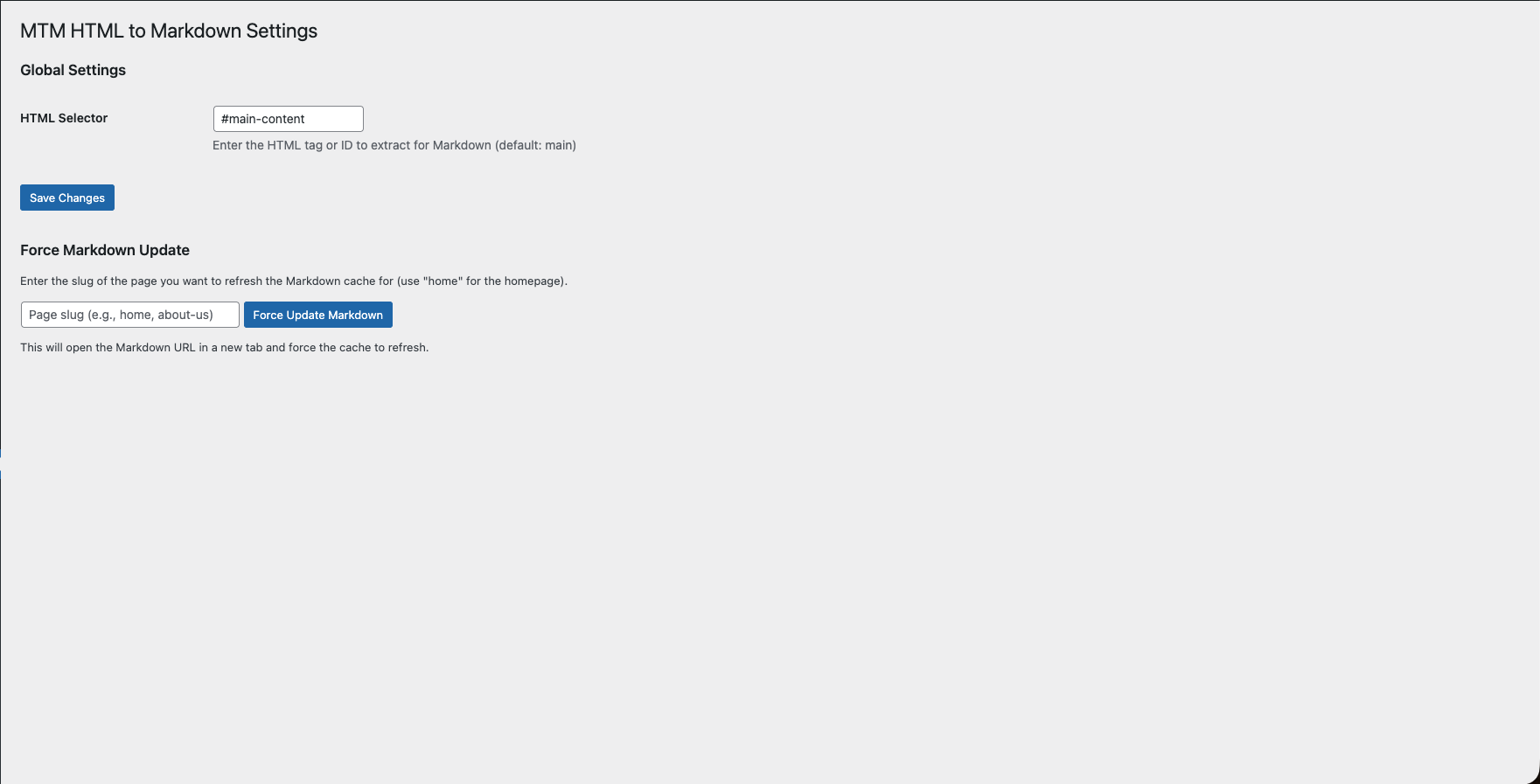
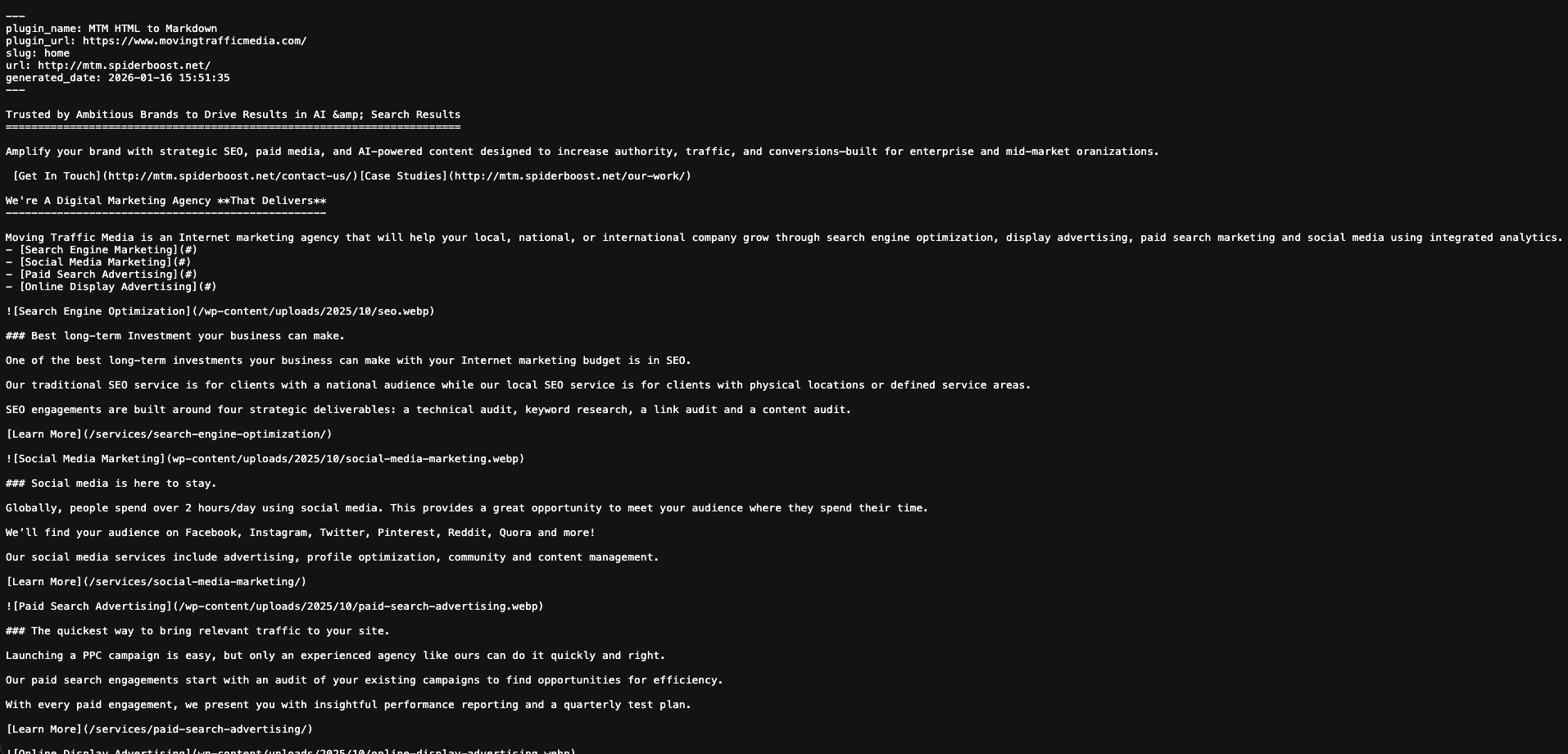
Serve cached Markdown versions of WordPress URLs at .md.txt with YAML frontmatter. No theme changes required.
When a visitor requests a URL ending in .md.txt, the plugin:
1. loads the page HTML,
2. extracts the primary content (default selector: main),
3. converts HTML to Markdown,
4. prepends YAML frontmatter (metadata),
5. returns the result with short-term caching.
This keeps your normal site unchanged while exposing a clean Markdown output for tooling, archiving, and AI-friendly documentation workflows.
Key features include:
.md.txtendpoint for pages, posts, and public custom post types- YAML frontmatter headers for structured metadata (title, slug, canonical URL, generated time)
- HTML Markdown conversion via League HTML to Markdown
- Builder-noise cleanup for common wrappers (Divi, Elementor, block markup)
- Configurable selector (default:
main) - Cached output to reduce repeated conversions
- Optional “Force Update” from the admin panel for refreshing the Markdown cache.
LLMs.txt / AI Documentation Workflows
Many teams maintain a /llms.txt index file that links to “detail” Markdown pages for fast AI ingestion and navigation.
This plugin can act as the “detail page generator” by making each page available as Markdown via a stable URL.
Typical pattern:
– /llms.txt lists key pages (human curated)
– each entry links to the corresponding .md.txt URL for full content
(If you publish /llms.txt, confirm it only includes URLs you intend to expose publicly.)
Example Output
plugin: “MTM HTML to Markdown”
source_url: “https://example.com/sample-page/”
generated_at: “2026-01-08T13:00:00-05:00”
slug: “sample-page”
Sample Page
(Body converted to Markdown…)
Troubleshooting
I get a 404 on .md.txt URLs
Confirm pretty permalinks are enabled, then re-save Settings Permalinks to flush rewrite rules.
If a caching layer/CDN is in front of the site, purge cache for the .md.txt path.
Output is missing content
If your theme does not use a element, change the selector to match the real content container (e.g., #content).
Credits
Developed by Moving Traffic Media & YSC.
Uses League HTML to Markdown under MIT license.
License
This program is free software: you can redistribute it and/or modify it under the terms of the GNU General Public License v2 or later.
See the full license at https://www.gnu.org/licenses/gpl-2.0.html.